
1. Produktas baigtasview
This manual provides instructions for the Mopect 10.1 Inch Double Din Android Car Stereo. This device integrates a 10.1-inch HD 1080P 2.5D touchscreen with Android operating system capabilities, offering features such as WiFi, GPS navigation, Bluetooth connectivity, backup camera support, steering wheel control (SWC), subwoofer output, and Android/iOS mirror link functionality.
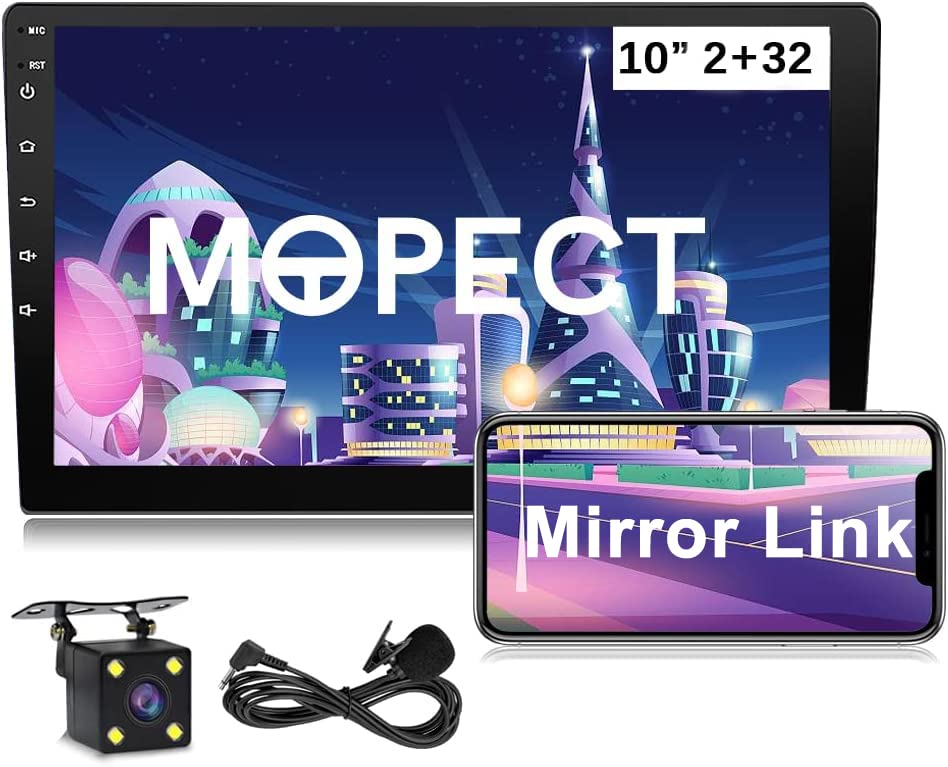
Vaizdas: priekis view of the Mopect 10.1 Inch Double Din Android Car Stereo, showing the 10-inch capacitive touchscreen display with various app icons and an Android robot figure.
2. Pagrindinės savybės
- 10.1 Inch HD Touchscreen: A large 2.5D capacitive touchscreen display for clear visuals and intuitive control.
- Android operacinė sistema: Provides access to a wide range of applications and features.
- GPS navigacija: Integrated GPS for worldwide navigation.
- WiFi ryšys: Connect to the internet via a mobile hotspot for online services and app downloads.
- Bluetooth: Supports hands-free calling and audio streaming.
- Veidrodinė nuoroda: Compatible with both Android and iOS devices for screen mirroring.
- Galinis View Fotoaparato palaikymas: Input for a backup camera to assist with parking.
- Vairo valdymas (SWC): Allows integration with existing vehicle steering wheel buttons for safe operation.
- FM radijas: Built-in radio tuner for local broadcasts.
- EQ nustatymas: Customizable audio equalizer for sound optimization.
- Padalinto ekrano funkcija: Paleiskite dvi programas vienu metu ekrane.

Bluetooth Call Interface

Veidrodinio ryšio funkcionalumas

Padalintas ekranas

FM radijo sąsaja

GPS navigacijos žemėlapis

WiFi Connection Screen
3. Diegimo vadovas
Before beginning installation, ensure the vehicle's battery is disconnected to prevent electrical damage. Professional installation is recommended.
3.1 Pakuotės turinys
Prieš montuodami patikrinkite, ar yra visi komponentai:
- Mopect 10.1 Inch Android Car Stereo Unit
- GPS antena
- Išorinis mikrofonas
- Power Cable (ISO Power Cable)
- RCA įvesties/išvesties kabeliai
- USB kabeliai (x2)
- Kameros įvesties kabelis
- Mounting Brackets (Iron Sheet)
- Saugiklis
- Vartotojo vadovas (šis dokumentas)
- Optional: Backup Camera (if included with purchase)

Image: All components included in the Mopect 10.1 Inch Double Din Android Car Stereo package, such as the main unit, cables, GPS antenna, and mounting hardware.
3.2 Sujungimo schema
Tinkamą laidų prijungimą rasite šioje diagramoje. Neteisingas laidų prijungimas gali sugadinti įrenginį arba transporto priemonės elektros sistemą.
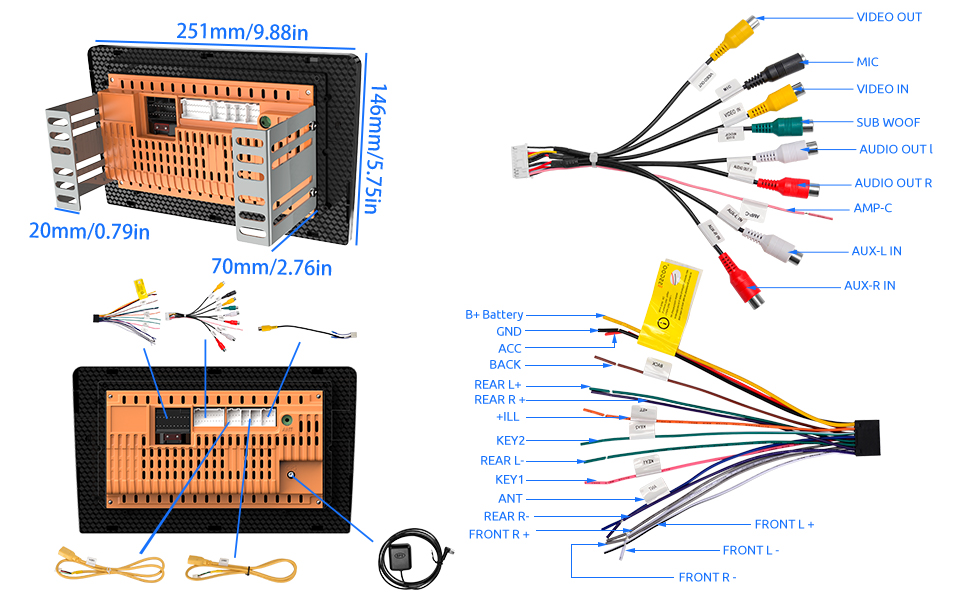
Image: Detailed wiring diagram for the Mopect car stereo, showing connections for power, speakers, camera, and other accessories.
Pagrindinės jungtys:
- Maitinimo kabelis: Connect the ISO power cable to the vehicle's wiring harness. Ensure correct polarity (B+ Battery, ACC, GND).
- Garsiakalbių išvestys: Connect front and rear speaker wires (FL+, FL-, FR+, FR-, RL+, RL-, RR+, RR-).
- GPS antena: Prijunkite GPS anteną prie specialaus prievado įrenginio gale ir pritvirtinkite ją vietoje, kur nėra šviesos. view dangaus.
- Radijo antena: Prijunkite automobilio radijo anteną.
- Atvirkštinė įvestis: Connect to the vehicle's reverse light signal for automatic camera display.
- Vairo valdymas (SWC): Connect KEY1 and KEY2 wires to the vehicle's SWC wires. Refer to your vehicle's wiring diagram for specific connections.
- USB prievadai: Connect the provided USB cables for media playback, phone charging, or mirror link.
- Išorinis mikrofonas: Prisijunkite, kad pagerintumėte laisvų rankų skambučių kokybę.
- RCA išėjimai: Išoriniam prijungimui ampkeltuvai arba žemųjų dažnių garsiakalbiai.

Image: The ISO Power Cable, showing various colored wires for different connections.
3.3 Įrenginio montavimas
Use the provided mounting brackets (iron sheets) to secure the double din unit into the vehicle's dashboard opening. Ensure the unit is firmly seated and does not obstruct any vehicle controls.

Vaizdas: Galinis view of the Mopect car stereo showing various connection ports and overall dimensions.
4. Naudojimo instrukcijos
4.1 Pagrindinės operacijos
- Maitinimo įjungimas/išjungimas: Press and hold the power button on the unit's front panel or use the vehicle's ignition.
- Garsumo valdymas: Adjust using the on-screen controls or steering wheel buttons (if configured).
- Jutiklinis ekranas: Navigate the interface by tapping, swiping, and pinching on the 10.1-inch display.

Image: Various screens of the Mopect car stereo user interface, including the main menu, settings, radio, and phone dialer.
4.2 GPS navigacija
The unit comes with pre-installed navigation software. To use:
- Pradiniame ekrane palieskite piktogramą „Navigacija“ arba „Žemėlapiai“.
- Įveskite savo kelionės tikslą naudodami ekraninę klaviatūrą.
- Vykdykite balso nurodymus ir ekrane pateikiamus nurodymus.
- Ensure the GPS antenna has a clear signal for accurate positioning.
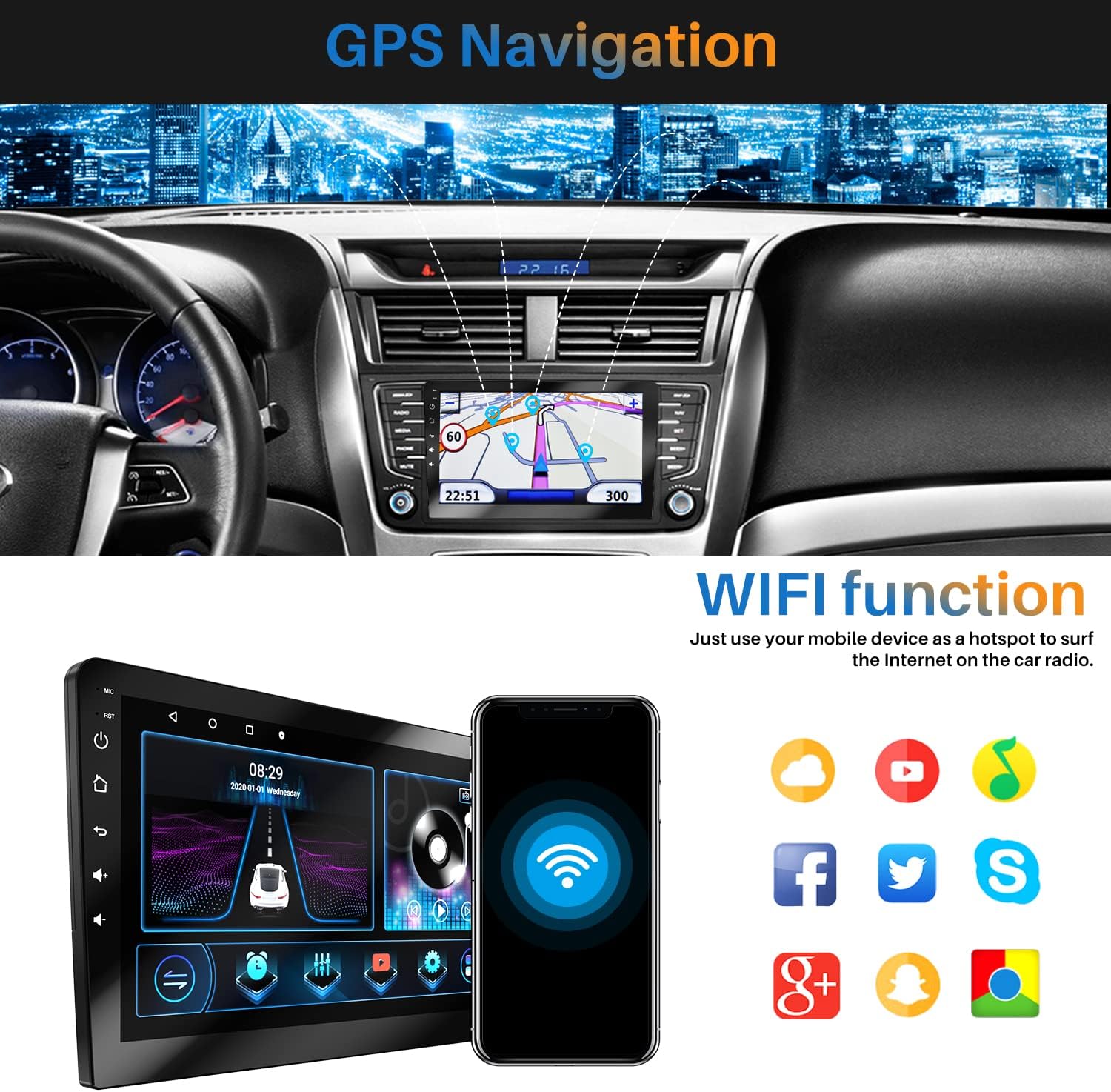
Image: The car stereo displaying a GPS navigation map within a vehicle dashboard.
4.3 „Bluetooth“ ryšys
Pair your mobile device for hands-free calls and audio streaming:
- Eikite į „Nustatymai“ ir pasirinkite „Bluetooth“.
- Enable Bluetooth on both the car stereo and your mobile device.
- Ieškokite available devices on your mobile phone and select "Mopect Car Stereo" (or similar name).
- Jei būsite paraginti, patvirtinkite susiejimo kodą.
- Once paired, you can make/receive calls and play music through the car stereo.
4.4 WiFi Functionality
Connect to a mobile hotspot or available WiFi network:
- Go to "Settings" and select "Wi-Fi".
- Įjunkite „Wi-Fi“ ir iš sąrašo pasirinkite norimą tinklą.
- Jei reikia, įveskite slaptažodį.
- Once connected, you can access online apps, browse the internet, and download updates.

Image: The car stereo displaying its WiFi function, with a smartphone nearby indicating hotspot connectivity.
4.5 Veidrodinis ryšys („Android“ / „iOS“)
Mirror your smartphone screen to the car stereo display:
- „Android“: Connect via USB cable or WiFi. The phone can display the stereo interface, and the stereo can display the phone interface, allowing mutual operation.
- „iOS“: Supports one-way connection (screen casting) via USB cable or WiFi. The phone screen is displayed on the stereo.

Image: Diagram illustrating Mirror Link functionality for both Apple (iOS) and Android phones, showing USB and WiFi connection options.
4.6 Galinis View Kameros ekranas
When the vehicle is shifted into reverse, the display will automatically switch to the rear view camera feed (if a camera is connected and wired correctly).

Image: The car stereo screen showing a rear view camera feed with parking guidelines, alongside a diagram of a car with a backup camera.
4.7 Steering Wheel Control (SWC) Learning
To configure your steering wheel buttons:
- Go to "Settings" and find the "Steering Wheel Control" or "SWC Learning" option.
- Follow the on-screen instructions to assign functions to each button. This typically involves pressing a button on the steering wheel and then selecting the corresponding function on the stereo's screen.

Image: The car stereo displaying the Steering Wheel Control learning interface, showing various functions that can be assigned to physical buttons.
5. Priežiūra
- Ekrano valymas: Jutiklinį ekraną valykite minkšta, nepūkuota šluoste. Nenaudokite abrazyvinių valiklių ar tirpiklių.
- Programinės įrangos atnaujinimai: Reguliariai tikrinkite, ar yra programinės įrangos atnaujinimų, per sistemos nustatymus, kad užtikrintumėte optimalų našumą ir prieigą prie naujų funkcijų.
- Saugiklio keitimas: If the unit loses power, check the fuse in the power cable. Replace with a fuse of the same rating.
- Bendra priežiūra: Venkite įrenginio ilgalaikio laikymo tiesioginiuose saulės spinduliuose, itin aukštose temperatūrose ar drėgmės.
6. Problemų sprendimas
| Problema | Galima priežastis | Sprendimas |
|---|---|---|
| Įrenginys neįsijungia. | Nėra maitinimo jungties; perdegęs saugiklis; neteisingas laidų pajungimas. | Check power cable connections (B+ Battery, ACC, GND). Verify fuse is intact and replace if necessary. Consult wiring diagram. |
| Nėra garso. | Volume too low; Mute activated; Speaker wires disconnected; Incorrect audio settings. | Increase volume. Check if mute is active. Verify speaker wire connections. Adjust audio output settings. |
| GPS signalas prarastas arba netikslus. | GPS antena užblokuota arba atjungta. | Ensure GPS antenna is properly connected and mounted in a clear location (e.g., dashboard, not under metal). |
| „Bluetooth“ neprisijungia. | Bluetooth off; Device not discoverable; Pairing issue. | Ensure Bluetooth is enabled on both devices. Make sure the stereo is in pairing mode. Delete previous pairings and try again. |
| Galinis view kamera nerodo. | Kamera neprijungta; atbulinės eigos paleidiklio laidas neprijungtas; kamera sugedusi. | Check camera input connection. Verify the reverse trigger wire is correctly connected to the vehicle's reverse light signal. Test camera functionality. |
| Vairo valdikliai neveikia. | SWC wires incorrectly connected; SWC learning not performed. | Verify KEY1/KEY2 connections. Perform SWC learning procedure in settings. |
| Date and time reset after turning off car. | Nuolatinės maitinimo (B+) laidas neprijungtas arba sugedęs. | Ensure the B+ (yellow) wire is correctly connected to a constant 12V power source in the vehicle. |
7. Gaminio specifikacijos
| Funkcija | Detalė |
|---|---|
| Modelis | 10.1 Inch Double Din Android Car Stereo |
| Ekrano dydis | 10.1 colių |
| Rezoliucija | 1080p HD |
| Atminties talpa | 32 GB |
| Ryšio technologija | Wi-Fi, Bluetooth |
| Ypatingos savybės | Touchscreen, GPS Navigation, Backup Camera Support, SWC, Mirror Link (Android/iOS), Subwoofer Output |
| Garso išvesties režimas | Garsiakalbis, Stereo |
| Žemėlapio tipas | Visame pasaulyje |
| Montavimo tipas | Panel Mount (Double Din) |
| Prekės svoris | 3.27 svaro |
| Gaminio matmenys | 9.84 x 5.75 x 3.15 colio |
8. Support & Warranty Information
Mopect is committed to providing high-quality products and customer service.
8.1 Pagalba klientams
If you encounter any issues or have questions regarding your Mopect car stereo, please contact Mopect Support via Amazon Messages. Our professional technical team is available to provide assistance and solutions.
- Online reply within 24 hours.
- Professional technical guidance.

Image: Mopect customer service representatives providing support.
8.2 Garantija
Specific warranty details are typically provided with your purchase documentation. Please retain your proof of purchase for warranty claims. For any warranty-related inquiries, contact Mopect Support.