
Produktas baigtasview
The Cosmic Byte CB-GK-22 Veritas is a Tenkeyless (TKL) membrane keyboard designed for various computing tasks, including gaming. It features RGB LED backlighting with multiple effects, double injection keycaps for durability, and 25-key anti-ghosting capabilities.

1 pav.: Iš viršaus į apačią view of the Cosmic Byte CB-GK-22 Veritas TKL Membrane Keyboard with RGB lighting activated.
Sąrankos instrukcijos
Follow these steps to set up your Cosmic Byte CB-GK-22 Veritas keyboard:
- Išpakuokite klaviatūrą: Carefully remove the keyboard and any included accessories from the packaging.
- Prisijunkite prie kompiuterio: Raskite laisvą USB prievadą kompiuteryje. Įkiškite klaviatūros USB jungtį į USB prievadą.
- Tvarkyklės diegimas: The keyboard is plug-and-play. Your operating system (Windows, Linux, macOS) should automatically detect and install the necessary drivers. No additional software installation is typically required.
- Patikrinkite funkcionalumą: Once connected, the keyboard's RGB lighting should illuminate. Test typing in a text editor to ensure all keys are responsive.
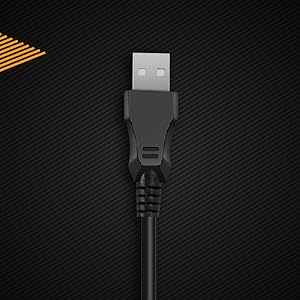
2 pav. Iš arti view of the keyboard's USB connector, ready for connection to a computer.

Figure 3: The keyboard is compatible with various operating systems, including Windows, Linux, and macOS.
Naudojimo instrukcijos
Pagrindinės klaviatūros funkcijos
The CB-GK-22 Veritas functions as a standard TKL keyboard. All keys perform their labeled functions. The keyboard features 25-key anti-ghosting, allowing multiple key presses to be registered simultaneously, which is beneficial for fast-paced typing and gaming.
RGB foninio apšvietimo valdymas
The keyboard features 7-color RGB backlighting with various effects. Use the following key combinations to control the lighting:
- Ryškumo reguliavimas: Paspauskite Fn + Puslapis aukštyn to increase brightness (5 levels). Press Fn + Puslapis žemyn , kad sumažintumėte ryškumą (5 lygiai).
- Foninio apšvietimo efektai: The keyboard supports 9 backlight effects, including 6 dazzling effects. Specific key combinations for cycling through effects are typically indicated on the keyboard itself or in a quick start guide. Common combinations include Fn + Scroll Lock or Fn + įterpimas.
- Sonic Spectrum Mode: This mode allows the RGB lighting to react to ambient sound. Activate this mode using the designated key combination, often Fn + Pagrindinis or Fn + pabaiga.

Figure 4: The keyboard features a Tenkeyless layout and includes Sonic Spectrum and sound-reactive LED lighting modes.
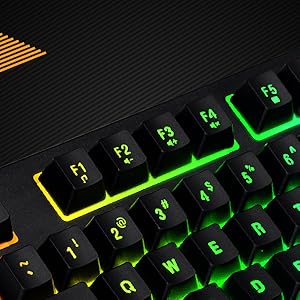
Figure 5: Detail of the function keys (F1-F12) with active RGB backlighting.
Dvigubo įpurškimo klavišų dangteliai
The keycaps are manufactured using a double injection process, which ensures that the legends (characters on the keys) are scratch-resistant and will not fade over time. This design also makes the keys easier to clean.
Priežiūra
Proper maintenance helps extend the lifespan of your keyboard:
- Reguliarus valymas: Use a soft, dry cloth to wipe down the keycaps and keyboard surface. For dust and debris between keys, use compressed air.
- Gilus valymas: Įsisenėjusiam purvui šiek tiek pamirkykiteampen a cloth with water or a mild, non-abrasive cleaning solution. Ensure no liquid enters the keyboard.
- Venkite išsiliejimo: Keep liquids away from the keyboard to prevent damage to internal components. If a spill occurs, immediately disconnect the keyboard and allow it to dry completely before reconnecting.
- Saugykla: When not in use for extended periods, store the keyboard in a clean, dry environment away from direct sunlight or extreme temperatures.
Trikčių šalinimas
Jei kyla problemų dėl klaviatūros, žr. šiuos įprastus sprendimus:
- Klaviatūra nereaguoja:
- Įsitikinkite, kad USB laidas yra tvirtai prijungtas prie klaviatūros ir kompiuterio.
- Pabandykite prijungti klaviatūrą prie kito kompiuterio USB prievado.
- Išbandykite klaviatūrą kitame kompiuteryje, kad nustatytumėte, ar problema susijusi su klaviatūra, ar su originaliu kompiuteriu.
- Iš naujo paleiskite kompiuterį.
- Foninis apšvietimas neveikia arba yra netinkamas:
- Check if the brightness is set to the lowest level. Use Fn + Puslapis aukštyn ryškumui padidinti.
- Cycle through backlight effects using the designated key combinations (e.g., Fn + Scroll Lock or Fn + įterpimas).
- Ensure no software is overriding the keyboard's lighting settings (though this keyboard typically does not require software).
- Keys Not Registering or Ghosting:
- Clean around the affected keys to remove any debris that might be obstructing the key mechanism.
- The keyboard supports 25-key anti-ghosting. If more than 25 keys are pressed simultaneously, some inputs may not register.
Specifikacijos
| Funkcija | Detalė |
|---|---|
| Modelio pavadinimas | CB-GK-22 Veritas |
| Prekės ženklas | Kosminis baitas |
| Klaviatūros tipas | TKL Membrane Keyboard |
| Foninis apšvietimas | 7-Color RGB Backlit, 9 Effects, Sonic Spectrum Mode |
| Ryškumo lygiai | 5 lygiai |
| Anti-Ghosting | 25 Raktai |
| Klaviatūros | Dviguba injekcija |
| Ryšys | USB |
| Gaminio matmenys | 37.2 x 15.1 x 3.7 cm |
| Prekės svoris | 629 g |
| Įtraukti komponentai | USB kabelis |
| Kalba | anglų kalba |
| ASIN | B09K5GYWBH |
Garantija ir palaikymas
Informacija apie garantiją
The Cosmic Byte CB-GK-22 Veritas TKL Membrane Keyboard comes with a 1 metų ribota garantija nuo įsigijimo datos. Ši garantija taikoma gamybos defektams, atsiradusiems įprasto naudojimo sąlygomis. Ji netaikoma žalai, atsiradusiai dėl netinkamo naudojimo, nelaimingų atsitikimų, neleistinų modifikacijų ar įprasto nusidėvėjimo.
Išsaugokite pirkimo įrodymą, kad galėtumėte kreiptis dėl garantijos.
Pagalba klientams
Dėl techninės pagalbos, garantinių pretenzijų ar bet kokių su produktu susijusių klausimų susisiekite su „Cosmic Byte“ klientų aptarnavimo tarnyba:
- Gamintojo kontaktai: 1800 31300 7700
- Prekės ženklas Websvetainė: Visit the official Cosmic Byte websvetainėje, kur rasite papildomų išteklių ir paramos.