
1. Įvadas
This manual provides detailed instructions for the installation, operation, and maintenance of your DIHOOM BC13 3MP WiFi Outdoor Security Camera. This camera is designed to provide reliable surveillance with features such as 3-megapixel resolution, full-color night vision, AI-powered human and face detection, two-way audio, and IP65 weather resistance. Please read this manual thoroughly before using the product to ensure proper setup and functionality.
2. Pakuotės turinys
Patikrinkite, ar pakuotėje yra visi toliau išvardyti daiktai:
- 1 x DIHOOM BC13 3MP WiFi Outdoor Security Camera (with 10400 mAh battery)
- 1 x Vartotojo vadovas
- 1 x Mounting Bracket with Screw Set
- 1 x USB Type-C įkrovimo laidas
- 1x garantinis talonas
3. Produktas baigtasview
Susipažinkite su fotoaparato komponentais.

The DIHOOM BC13 camera features a cylindrical design with dual antennas for enhanced Wi-Fi connectivity. It is designed for outdoor installation.
- Kameros objektyvas: Užfiksuoja vaizdo įrašą footage.
- Prožektoriai: Užtikrina apšvietimą spalvotam naktiniam matymui ir veikia kaip atgrasymo priemonė.
- Infraraudonųjų spindulių šviesos diodai: Enable black and white night vision.
- Mikrofonas: Įrašo garsą dvipusiam ryšiui ir įrašymui.
- Pranešėjas: Išveda garsą dvipusiam ryšiui ir signalizacijai.
- Dual 5dBi Antennas: Enhance Wi-Fi signal reception for stable connectivity.
- Montavimo pagrindas: For secure installation on walls or ceilings.
- C tipo USB prievadas: Skirta vidinei baterijai įkrauti.
- „Micro SD“ kortelės lizdas: Vietiniam vaizdo įrašų saugojimui (palaiko iki 128 GB).
- Atkūrimo mygtukas: Naudojamas norint atkurti gamyklinius fotoaparato nustatymus.
4. Sąranka
4.1 Programėlės atsisiuntimas ir paskyros registravimas
- Download the "Eseecloud" app from your smartphone's app store (iOS App Store or Google Play Store).
- Open the app and follow the on-screen instructions to register a new account.
- Prisijunkite prie savo naujai sukurtos paskyros.
4.2 Initial Camera Pairing (Wi-Fi Connection)
- Ensure the camera is fully charged using the provided USB Type-C cable.
- Įjunkite fotoaparatą.
- In the Eseecloud app, tap the "+" icon to add a new device.
- Select the appropriate camera type (e.g., "Wireless Camera" or scan the QR code on the camera).
- Follow the app's instructions to connect the camera to your 2.4GHz Wi-Fi network. Ensure your Wi-Fi password is correct.
- Prisijungę galite pavadinti savo kamerą ir pradėti tiesioginį transliavimą. viewing.
4.3 Montavimo instrukcijos

Featuring a 120-degree wide-angle lens, the camera provides broad coverage. The dual 5dBi antennas ensure a stable and extended Wi-Fi connection.
- Choose a suitable outdoor location for mounting, ensuring good Wi-Fi signal strength and a clear view ploto, kurį norite stebėti.
- Use the mounting bracket as a template to mark the drill holes on the wall or ceiling.
- Drill holes and insert the provided wall anchors.
- Pritvirtinkite tvirtinimo laikiklį prie sienos naudodami varžtus.
- Pritvirtinkite kamerą prie tvirtinimo laikiklio ir sureguliuokite jos kampą, kad užtikrintumėte optimalų aprėpties kampą.
- Ensure the camera is positioned to avoid direct sunlight or strong light sources that could affect image quality.
5. Naudojimo instrukcijos
5.1 Tiesiogiai View
Open the Eseecloud app on your smartphone. Tap on the camera's name to access the live video feed. You can switch between Standard Definition (SD) and High Definition (HD) for optimal viewing based on your network conditions.
5.2 Dvipusis garsas

The integrated microphone and speaker enable two-way audio communication, allowing you to speak with visitors or deter intruders directly through the Eseecloud app.
Kol vyksta gyvai view, tap the microphone icon in the app to activate two-way audio. Speak into your phone to communicate with anyone near the camera. Tap the icon again to end the conversation.
5.3 Motion Detection & AI Features

The camera's AI features can distinguish between general motion, human figures, and faces, sending specific alerts to your smartphone via the Eseecloud app. This helps reduce false alarms.
The camera is equipped with advanced AI algorithms that can differentiate between general motion, human shapes, and faces. This significantly reduces false alarms caused by pets, insects, or swaying branches. When motion, a person, or a face is detected, the camera will automatically record a video clip and send a push notification to your smartphone via the Eseecloud app. You can customize detection sensitivity and alert types within the app settings.
5.4 Naktinio matymo režimai
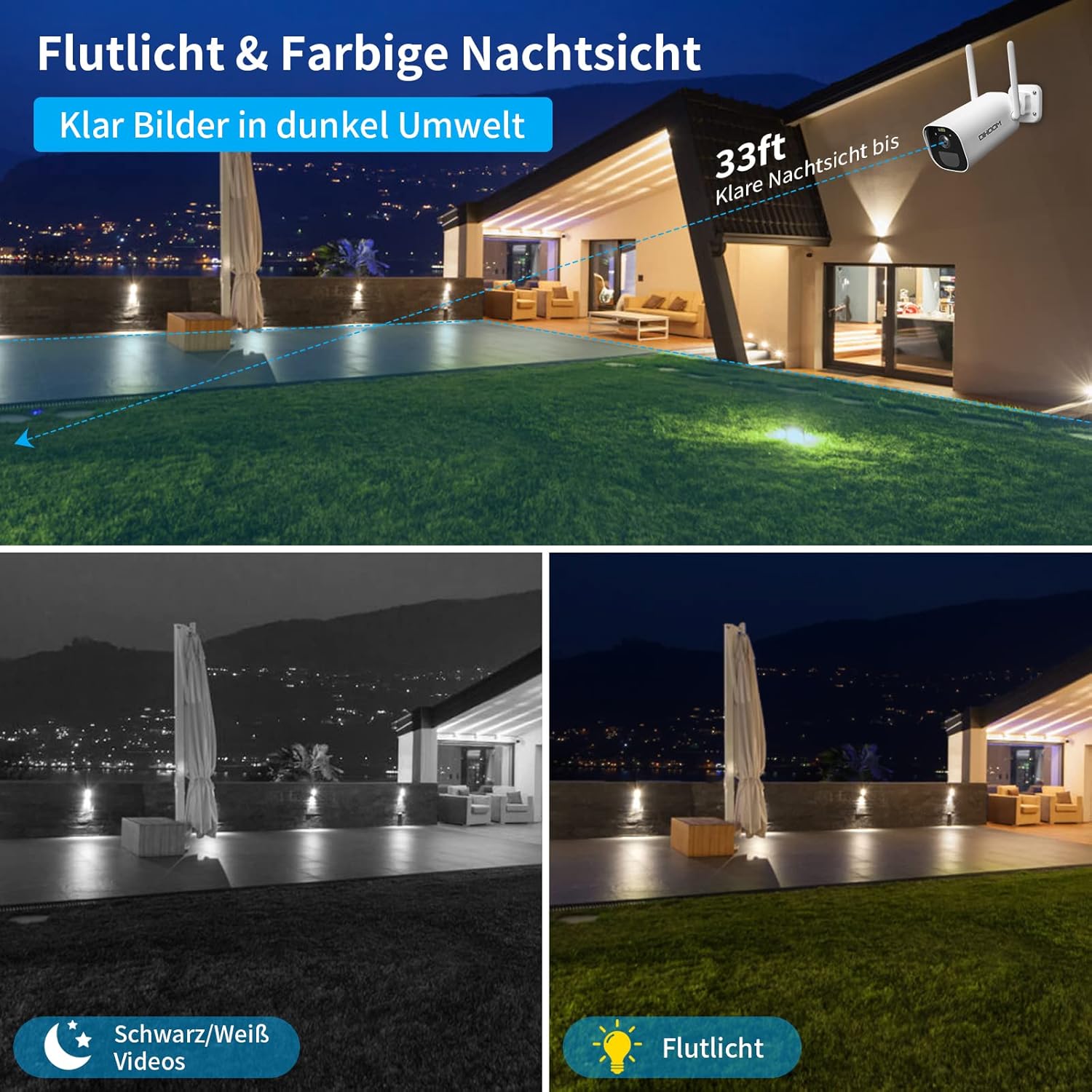
This image illustrates the camera's night vision capabilities, showing both standard black and white infrared mode and the enhanced full-color night vision activated by the integrated spotlight.
Kamera turi du naktinio matymo režimus:
- Infraraudonųjų spindulių (IR) naktinis matymas: Provides clear black and white video footage in complete darkness, with a range of up to 25 meters.
- Spalvotas naktinis matymas: When motion is detected, the integrated spotlights activate, providing full-color video even in low-light conditions. This mode can also act as a visual deterrent.
You can configure the night vision mode preferences within the Eseecloud app.
5.5 Įrašymas ir saugojimas
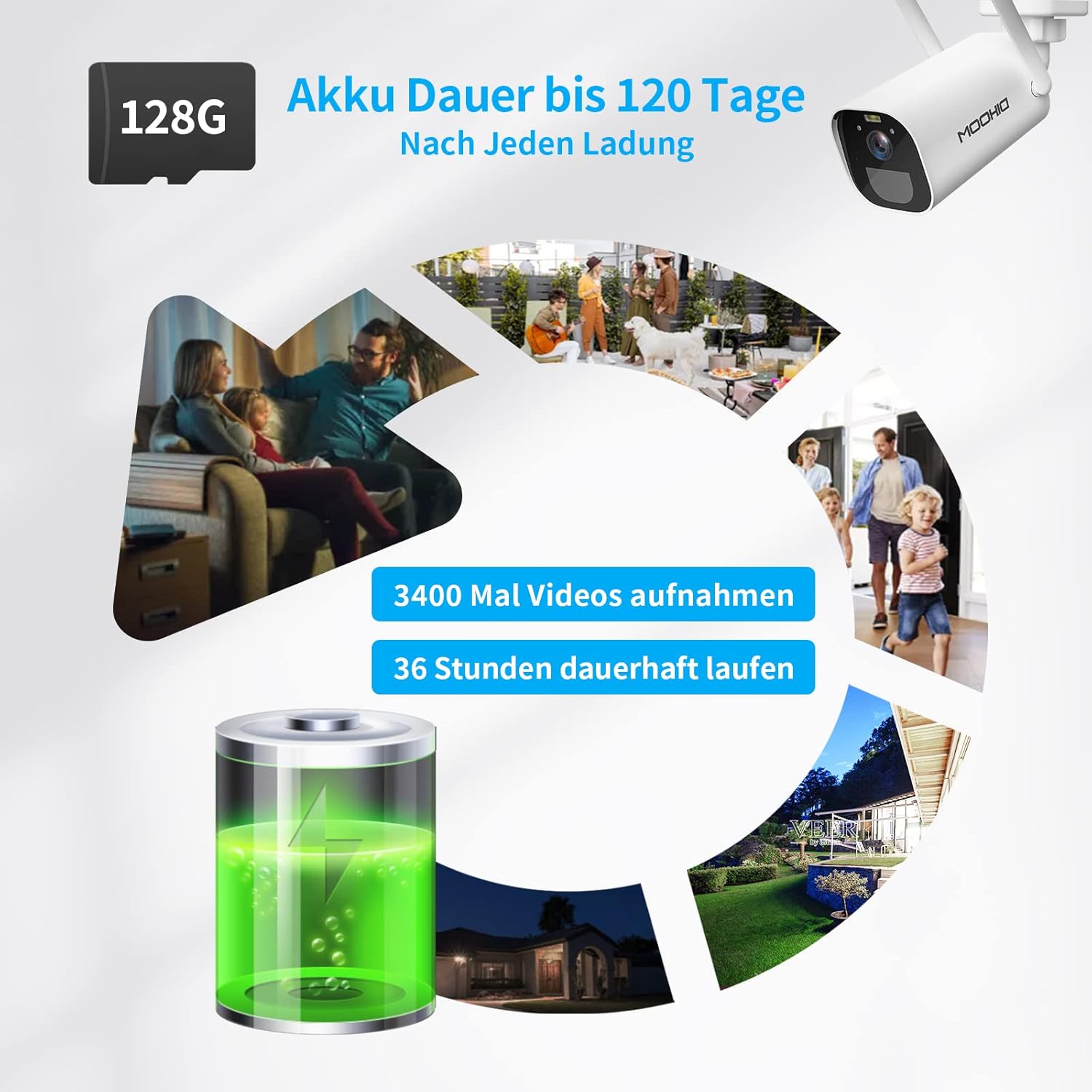
The camera is equipped with a 10400 mAh rechargeable battery, providing extended operation. It supports local storage via a Micro SD card up to 128GB for recording events.
The camera supports two storage options for recorded video clips:
- „Micro SD“ kortelė: Insert a Micro SD card (up to 128GB, not included) into the designated slot on the camera. The camera will automatically record motion-triggered events to the card.
- Saugykla debesyje: The camera supports AWS Cloud storage services. Refer to the Eseecloud app for subscription details and activation.
Recorded videos can be reviewed and downloaded directly from the Eseecloud app.
5.6 Akumuliatoriaus valdymas
The DIHOOM BC13 camera is powered by a 10400 mAh rechargeable lithium-ion battery. A full charge can provide up to 120 days of standby time or approximately 3400 motion-triggered recordings. For continuous operation, especially in areas with frequent activity, consider connecting a compatible solar panel (sold separately). Note that solar panel efficiency may be reduced in winter conditions.
To charge the camera, connect the provided USB Type-C cable to the camera's charging port and a standard 5V/2A USB power adapter (not included).
6. Priežiūra
- Valymas: Gently wipe the camera lens and body with a soft, dry cloth to remove dust and dirt. Avoid using harsh chemicals or abrasive materials.
- Akumuliatoriaus priežiūra: For optimal battery life, avoid fully discharging the battery frequently. Charge the camera regularly, especially if it's not connected to a solar panel.
- Firmware atnaujinimai: Periodically check the Eseecloud app for available firmware updates to ensure your camera has the latest features and security enhancements.
7. Problemų sprendimas
- Kamera neprisijungia prie „Wi-Fi“:
- Įsitikinkite, kad jūsų „Wi-Fi“ tinklas yra 2.4 GHz dažnio. Kamera nepalaiko 5 GHz „Wi-Fi“.
- Patikrinkite, ar teisingas „Wi-Fi“ slaptažodis.
- Place the camera closer to your Wi-Fi router during initial setup.
- Atstatykite kameros gamyklinius nustatymus naudodami atstatymo mygtuką ir bandykite susieti dar kartą.
- Dažni klaidingi aliarmai:
- Adjust the motion detection sensitivity in the Eseecloud app.
- Ensure AI human/face detection is enabled to filter out non-human movements.
- Avoid pointing the camera at areas with constant movement (e.g., busy roads, swaying trees).
- Prasta naktinio matymo kokybė:
- Įsitikinkite, kad kameros objektyvas yra švarus ir be jokių kliūčių.
- Check if the IR LEDs or spotlights are blocked.
- Verify that the night vision mode is set correctly in the app.
- Baterija nekraunama:
- Ensure the USB Type-C cable is securely connected to both the camera and the power adapter.
- Try a different USB power adapter (5V/2A recommended).
- Patikrinkite, ar įkrovimo prievadas švarus ir ar jame nėra šiukšlių.
- Nėra garso arba garso kokybė prasta:
- Ensure the microphone and speaker are not blocked.
- Check the audio settings in the Eseecloud app.
- Verify your smartphone's volume is turned up.
8. Specifikacijos
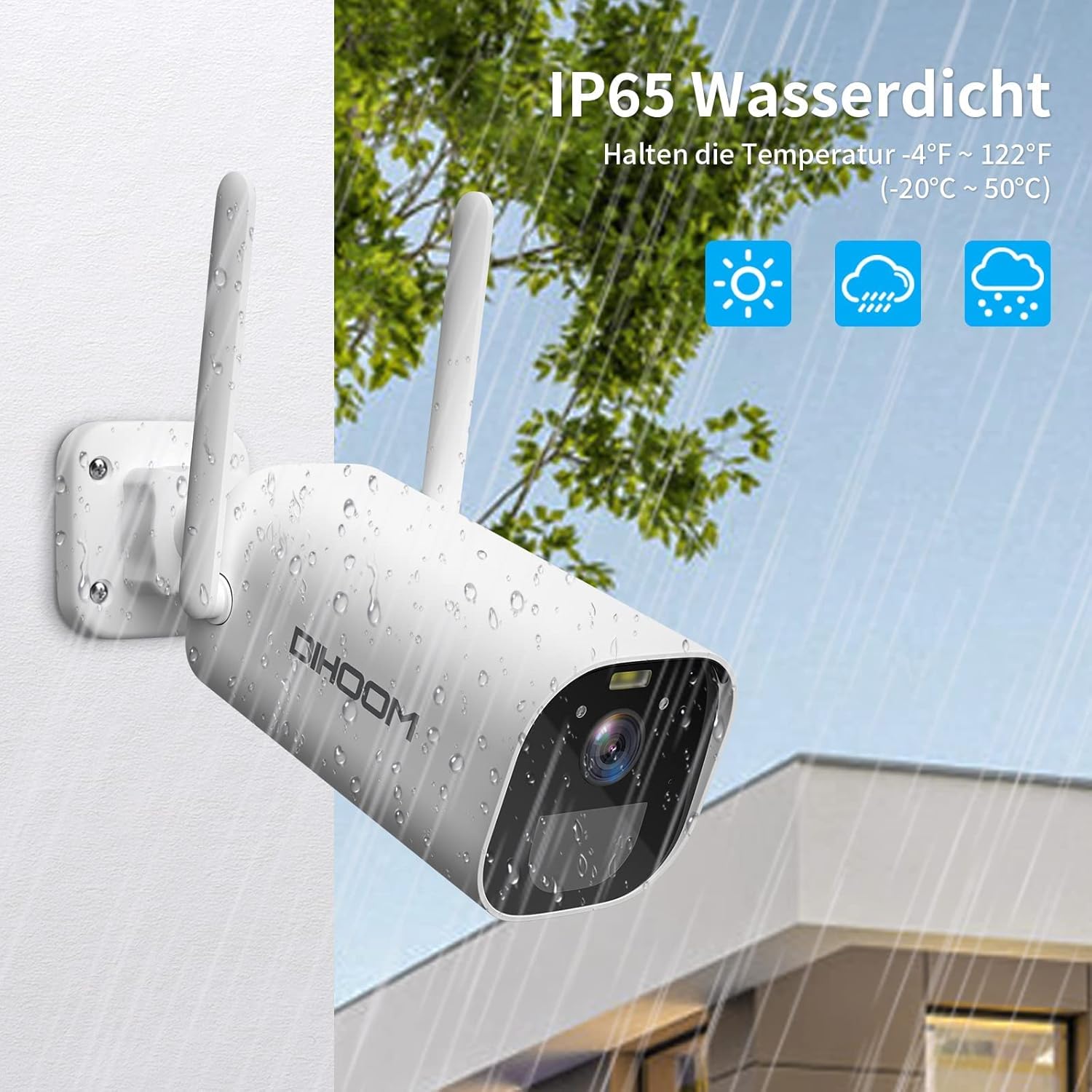
The camera boasts an IP65 weather-resistant rating, ensuring reliable operation in various outdoor conditions, including rain and extreme temperatures ranging from -10°C to 50°C.
| Funkcija | Specifikacija |
|---|---|
| Modelio numeris | BC13 |
| Vaizdo raiška | 3 MP (2304 x 1296) |
| Kadrų dažnis | 1080P/30FPS, 1296P/25fps |
| Viewing kampas | 120 laipsnių |
| Belaidis ryšys | „Wi-Fi“ (tik 2.4 GHz) |
| Antenos | Dual 5dBi |
| Naktinis matymas | Infrared (B&W) & Full-Color (with spotlight) |
| Judesio aptikimas | PIR, AI Human/Face Detection |
| Garsas | Dvipusis garsas (įmontuotas mikrofonas ir garsiakalbis) |
| Saugojimo parinktys | Micro SD Card (up to 128GB), AWS Cloud Storage |
| Baterijos talpa | 10400 mAh Ličio jonų |
| Maitinimo įvestis | USB Type-C (5V/2A recommended) |
| Atsparumas oro sąlygoms | IP65 |
| Darbinė temperatūra | -10°C iki 50°C (14°F iki 122°F) |
| Medžiaga | ABS plastikas |
| Matmenys (I x P x A) | 19 x 7 x 7 cm |
| Svoris | 820 gramų |
9. Garantija ir palaikymas
9.1 Informacija apie garantiją
Your DIHOOM BC13 camera comes with a limited warranty. Please refer to the included warranty card in your package for specific terms, conditions, and duration of the warranty coverage.
9.2 Techninė pagalba
For technical assistance, troubleshooting, or any questions regarding your DIHOOM BC13 camera, please refer to the support section within the Eseecloud app. You may also find contact information for customer support on the warranty card or the official DIHOOM websvetainę.