
Kavolet AAL3477640380121LF
Kavolet Smart Wi-Fi Thermostat 16A for Electric Heating
Model: AAL3477640380121LF
1. Įvadas
Thank you for choosing the Kavolet Smart Wi-Fi Thermostat. This device is designed to provide intelligent temperature control for electric heating systems, enhancing comfort and energy efficiency in your home, office, or other environments. Featuring a large LCD touch screen, Wi-Fi connectivity, and APP control, it offers flexible weekly programming to suit your lifestyle.

Image 1.1: Kavolet Smart Wi-Fi Thermostat and its mobile application interface. This image illustrates the thermostat's sleek design and its remote control capability via a smartphone app.
Pagrindinės funkcijos:
- Electric Heating Compatibility: Suitable for various electric heating systems.
- Dviejų jutiklių sistema: Equipped with an internal sensor for ambient temperature and an external floor sensor for high-temperature protection.
- Savaitinis programavimas: Supports 7-day weekly operation modes with 6 daily time settings for customized temperature schedules.
- APP valdymas: Remotely manage your thermostat settings from your smartphone, anytime and anywhere.
- Large LCD Touch Screen: Clear display with backlight for easy reading and intuitive touch controls.
- Didelis tikslumas: Maintains temperature within 1°C of the set point.
- Duomenų atmintis: Išsaugo nustatymus dingus elektrai.
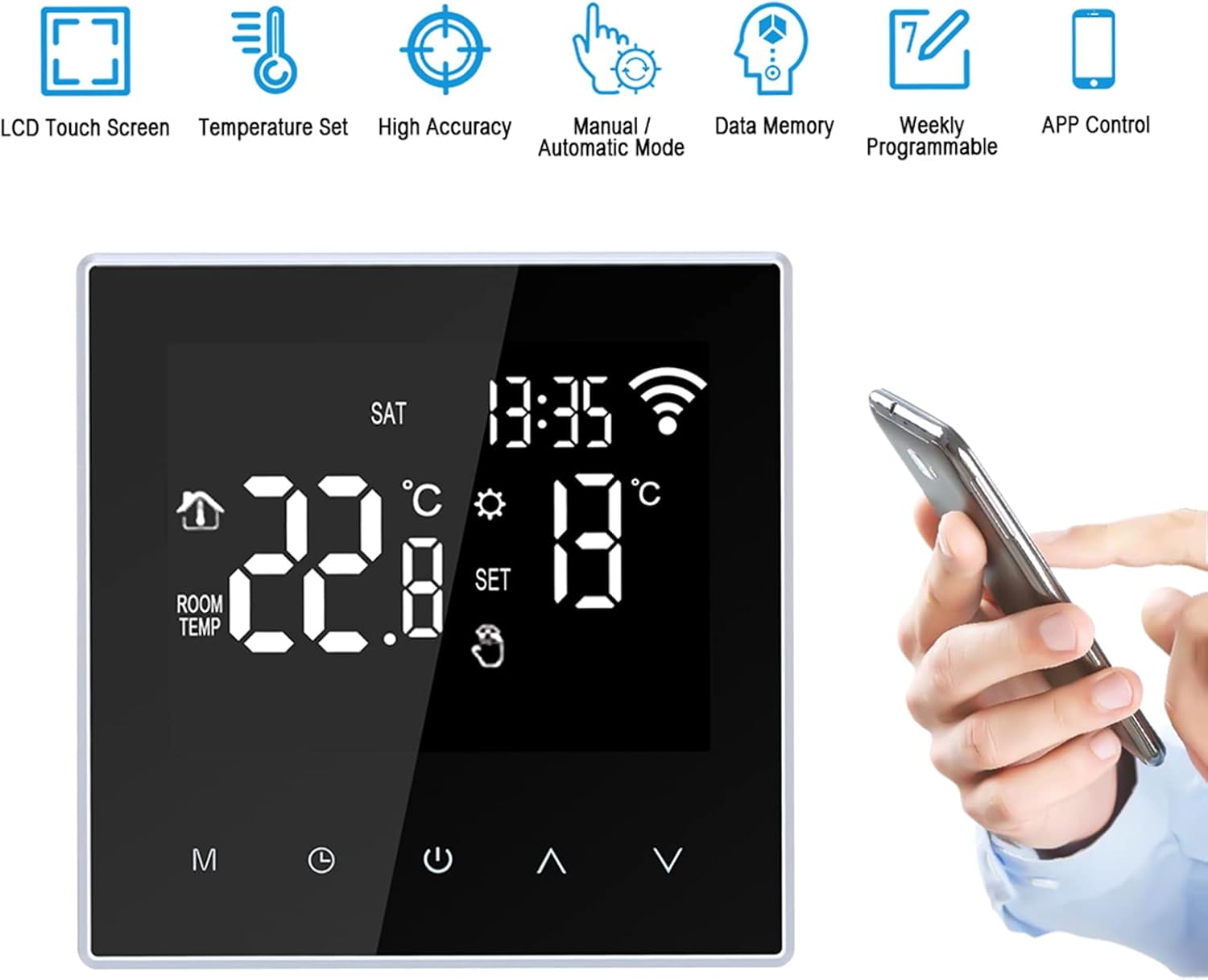
Image 1.2: Visual representation of the thermostat's main features, including LCD touch screen, temperature setting, high accuracy, manual/automatic mode, data memory, weekly programmability, and APP control.
2. Saugos informacija
ĮSPĖJIMAS: Installation of this thermostat involves high voltage. To prevent electric shock or damage to the product, installation must be performed by a qualified professional electrician in accordance with local electrical codes and regulations.
- Prieš montuodami arba atlikdami termostato techninę priežiūrą, visada atjunkite maitinimą nuo grandinės pertraukiklio.
- Ensure all wiring connections are secure and correctly matched to avoid short circuits or malfunction.
- Nenaudokite termostato šlapiomis rankomis.
- Laikykite prietaisą atokiau nuo vandens ir per didelės drėgmės.
- This product is designed for electric heating systems only. Do not use with other heating types.
3. Pakuotės turinys
Atidarius pakuotę, patikrinkite jos turinį, kad įsitikintumėte, jog joje yra visi reikalingi daiktai:
- 1 x Kavolet Smart Wi-Fi Thermostat
- 1 x 3-meter Sensor Cable (external floor sensor)
- 2 x montavimo varžtai
- 1 x Naudotojo vadovas (anglų kalba)
4. Specifikacijos
| Prekės ženklas | Kavolet |
| Modelio numeris | AAL3477640380121LF |
| Spalva | Juoda |
| Maitinimo šaltinis | 220V AC 50/60Hz |
| Dabartinė apkrova | 16A |
| Temperatūros tikslumas | ±1°C |
| Temperatūros nustatymo diapazonas | 5-60°C |
| Temperatūros valdymo diapazonas | 5–95 °C (gamyklinis nustatymas: 35 °C) |
| Energijos suvartojimas | <2W |
| Laiko nustatymo klaida | <1 % |
| Korpuso medžiaga | PC (antipirenas) |
| Jutikliai | Internal (ambient), External (floor protection) |
| Montavimo atstumas | 60 mm |
| Apsaugos klasė | IP20 |
| Valdymo tipas | Palieskite Mygtukai |
| Ryšys | Wi-Fi |
| Prekės matmenys (I * P * A) | 86 x 86 x 40 mm (3.4 x 3.4 x 1.6 colių) |
| Prekės svoris | 168 g (5.9 uncijos) |

Image 4.1: Detailed dimensions of the Kavolet Smart Wi-Fi Thermostat, showing its front and side profiles su matavimais milimetrais ir coliais.
5. Diegimas ir sąranka
Svarbu: As stated in the safety information, installation must be carried out by a qualified professional electrician. Incorrect installation can lead to electric shock, fire, or damage to the device.
5.1 Sujungimo schema
Refer to the following diagram for correct wiring connections. Ensure power is disconnected before proceeding.

Image 5.1: Wiring diagram for the Kavolet Thermostat (model ME88H.16). It shows connections for AC230V, 16A, N, L1, N1, and sensor terminals (1, 2).
- 1 ir 2 terminalai: External sensor connection.
- 3 ir 4 terminalai: Power supply (N and L1).
- 5 ir 6 terminalai: Load connection (N1 and L).
- Jei taikoma, užtikrinkite tinkamą įžeminimą.
5.2 Fizinis įrengimas
- Atjunkite maitinimą pagrindiniu grandinės pertraukikliu.
- Mount the backplate of the thermostat to a standard 60mm wall box using the provided screws.
- Connect the wires according to the wiring diagram (Image 5.1).
- Carefully attach the front panel of the thermostat to the mounted backplate, ensuring it clicks securely into place.
- Atkurkite maitinimą prie grandinės pertraukiklio.
5.3 Pradinis įjungimas ir „Wi-Fi“ ryšys
- Upon first power-on, the thermostat display will illuminate.
- Download the compatible mobile application (e.g., Smart Life, Tuya Smart) from your smartphone's app store.
- Register or log in to the application.
- Follow the in-app instructions to add a new device. This typically involves putting the thermostat into pairing mode (often by pressing and holding a specific button combination until a Wi-Fi icon flashes rapidly).
- Įveskite savo „Wi-Fi“ tinklo kredencialus (reikalingas 2.4 GHz tinklas).
- Prisijungus, termostato ekrane esanti „Wi-Fi“ piktograma ims šviesti nuolat.
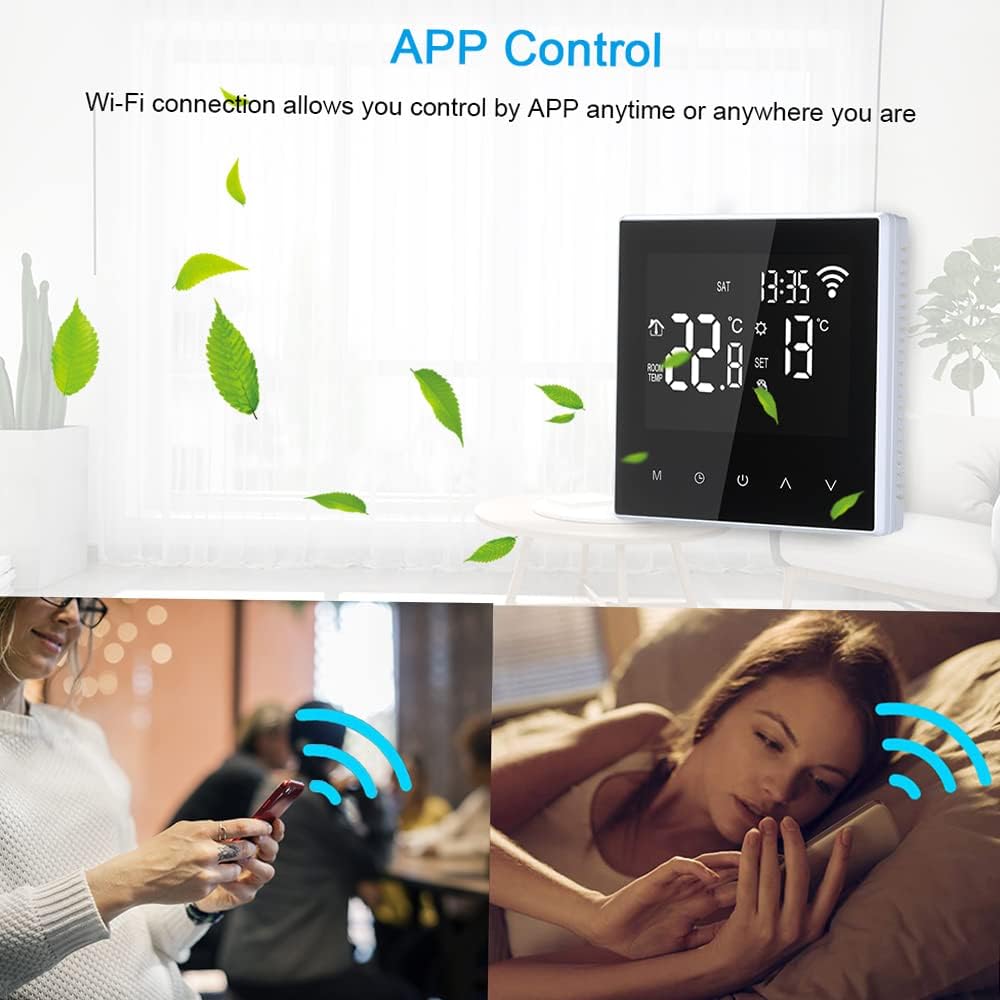
Image 5.2: The thermostat display alongside a smartphone screen demonstrating the APP control functionality, highlighting the convenience of remote temperature management.
6. Naudojimo instrukcijos
6.1 Ekranas baigtasview
The LCD screen provides all necessary information and control options. Refer to the diagram below for key indicators:

Image 6.1: Annotated diagram of the Kavolet Thermostat's LCD display, indicating the positions of Time, Week, Room Temperature, Setting Temperature, Manual/Automatic Mode indicator, Touch Keys, Mode Key (M), Clock Key, Power ON/OFF, Up Button, and Down Button.
- Laikas: Esamo laiko rodymas.
- Savaitė: Dabartinė savaitės diena.
- Kambario temperatūra: Current ambient temperature detected by the internal sensor.
- Temperatūros nustatymas: Desired temperature set by the user or program.
- Rankinis / automatinis režimas: Indicates whether the thermostat is operating in manual or programmed mode.
- „Wi-Fi“ piktograma: Indicates Wi-Fi connection status (flashing for pairing, solid for connected).
- Šildymo piktograma: Appears when the heating system is active.
6.2 Mygtukų funkcijos
- M (Mode Key): Press to switch between Manual mode and Automatic (Programmed) mode.
- Laikrodžio klavišas: Press and hold to enter time and week setting mode. Short press to confirm settings.
- Maitinimo įjungimas/išjungimas: Press to turn the thermostat on or off.
- Mygtukas aukštyn (▲): Increase temperature setting or navigate menu options.
- Žemyn mygtukas (▼): Decrease temperature setting or navigate menu options.
6.3 Laiko ir dienos nustatymas
- Paspauskite ir palaikykite Laikrodžio raktas until the time display flashes.
- Naudokite Aukštyn (▲) ir Žemyn (▼) mygtukai valandoms reguliuoti.
- Paspauskite Laikrodžio raktas again to move to minute adjustment, then day of the week adjustment.
- Naudokite Aukštyn (▲) ir Žemyn (▼) to set the minutes and day.
- Paspauskite Laikrodžio raktas paskutinį kartą išsaugoti ir išeiti.
6.4 Rankinio režimo veikimas
- Paspauskite M (Mode Key) until the manual mode icon is displayed.
- Naudokite Aukštyn (▲) or Žemyn (▼) buttons to set your desired temperature. The thermostat will maintain this temperature until changed or switched to automatic mode.
6.5 Weekly Programming (Automatic Mode)
The thermostat supports 6 time modes daily for 7 days a week. This allows for customized heating schedules.

Image 6.2: The thermostat display highlighting its weekly programmable feature, indicating support for 7-day operation modes with multiple daily temperature settings.
- Paspauskite M (Mode Key) until the automatic mode icon is displayed.
- To enter programming mode, press and hold the M (Mode Key) for several seconds. The display will show the first programming period (e.g., "Period 1" or a specific time slot).
- Naudokite Aukštyn (▲) ir Žemyn (▼) buttons to adjust the start time and desired temperature for each period.
- Paspauskite M (Mode Key) to cycle through the 6 periods for the current day, and then to the next day.
- Repeat for all 7 days and 6 periods as desired.
- Kai visi nustatymai bus atlikti, paspauskite Maitinimas ON/OFF button or wait for a few seconds for the thermostat to automatically save and exit programming mode.
6.6 APP valdymas
Once the thermostat is connected to your Wi-Fi network and paired with the mobile application, you can control it remotely:
- Sureguliuokite temperatūros nustatymus.
- Switch between manual and automatic modes.
- Modify weekly programming schedules.
- Stebėkite esamą kambario temperatūrą.
- Access advanced settings (if available in the app).

Image 6.3: The thermostat in a home setting, illustrating its role in maintaining a comfortable temperature with high accuracy, benefiting occupants.
7. Priežiūra
- Valymas: Švelniai nuvalykite termostato ekraną ir korpusą minkštu, sausu skudurėliu. Nenaudokite abrazyvinių valiklių, tirpiklių ir nepurkškite tiesiai ant įrenginio.
- Venkite skysčių: Ensure no liquids enter the thermostat's casing, as this can cause damage or electric shock.
- Jutiklio priežiūra: Keep the external floor sensor free from obstructions and debris to ensure accurate temperature readings.
- Firmware atnaujinimai: Periodically check the mobile application for any available firmware updates for your thermostat to ensure optimal performance and security.
8. Problemų sprendimas
| Problema | Galima priežastis | Sprendimas |
|---|---|---|
| Thermostat does not power on. | Nėra maitinimo; neteisingas laidai; suveikė grandinės pertraukiklis. | Check circuit breaker. Verify wiring connections (consult a professional). Ensure power is restored. |
| Šildymo sistema nereaguoja. | Incorrect temperature setting; thermostat in OFF mode; wiring issue; heating system malfunction. | Ensure thermostat is ON and set to a temperature higher than ambient. Check wiring. Consult a heating technician if the heating system itself is faulty. |
| „Wi-Fi“ ryšys nestabilus arba nutrūkęs. | Weak Wi-Fi signal; incorrect Wi-Fi password; router issue; thermostat too far from router. | Ensure thermostat is within Wi-Fi range. Restart your router. Re-enter Wi-Fi credentials in the app. Ensure you are using a 2.4GHz network. |
| Netikslūs temperatūros rodmenys. | Sensor obstruction; thermostat exposed to direct sunlight or drafts; faulty sensor. | Ensure sensors are clear. Relocate thermostat if exposed to external influences. Contact support if sensor is suspected faulty. |
| Cannot program schedules. | Thermostat in Manual mode; incorrect programming steps. | Switch to Automatic mode. Review Section 6.5 for detailed programming steps. |
9. Garantija ir palaikymas
Kavolet products are designed for reliability and performance. While specific warranty details are not provided in this manual, please retain your proof of purchase for any warranty claims.
Klientų aptarnavimas:
For technical assistance, troubleshooting beyond this manual, or warranty inquiries, please contact Kavolet customer support through the retailer where you purchased the product or refer to the official Kavolet websvetainė kontaktinei informacijai.
Kreipdamiesi į palaikymo tarnybą, turėkite paruoštą šią informaciją:
- Product Model: AAL3477640380121LF
- Pirkimo data
- Problemos aprašymas
Ask a question about this manual
Ask about setup, troubleshooting, compatibility, parts, safety, or missing instructions. Manuals+ will review the question and use this page’s manual context to help answer it.