
Ctronics
Ctronics 5MP 30X Optical Zoom Security Camera User Manual
Model: CTIPC-295C-B
1. Įvadas
This user manual provides detailed instructions for the installation, operation, and maintenance of your Ctronics 5MP 30X Optical Zoom Security Camera. Please read this manual thoroughly before using the product to ensure proper functionality and safety. This camera is designed for outdoor surveillance, offering advanced features such as high-resolution video, extensive night vision, and intelligent detection capabilities.
2. Saugos informacija
- Ensure the power supply matches the camera's specifications (12 Volts DC, 12 watts).
- Nelaikykite fotoaparato ekstremalioje temperatūroje, viršijančioje jo veikimo diapazoną (nuo -10 °C iki 50 °C).
- Venkite tiesioginio objektyvo poveikio stipriai šviesai, nes tai gali pažeisti jutiklį.
- Install the camera securely to prevent accidental falls.
- Nebandykite ardyti ar modifikuoti fotoaparato, nes tai panaikins garantiją.
- Keep the camera away from corrosive chemicals.
3. Pakuotės turinys
Patikrinkite, ar pakuotėje yra visi toliau išvardyti daiktai:
- Ctronics 5MP 30X Optical Zoom Security Camera
- Maitinimo adapteris (įkroviklis)
- Tvirtinimo varžtai ir sieniniai kaiščiai
- Waterproof Kit for Network Cable
- Greitos pradžios vadovas

Figure 3.1: Main product image of the Ctronics 5MP 30X Optical Zoom Security Camera, showing its dome shape, antenna, and mounting bracket.
4. Produktas baigtasview
4.1 Pagrindinės savybės
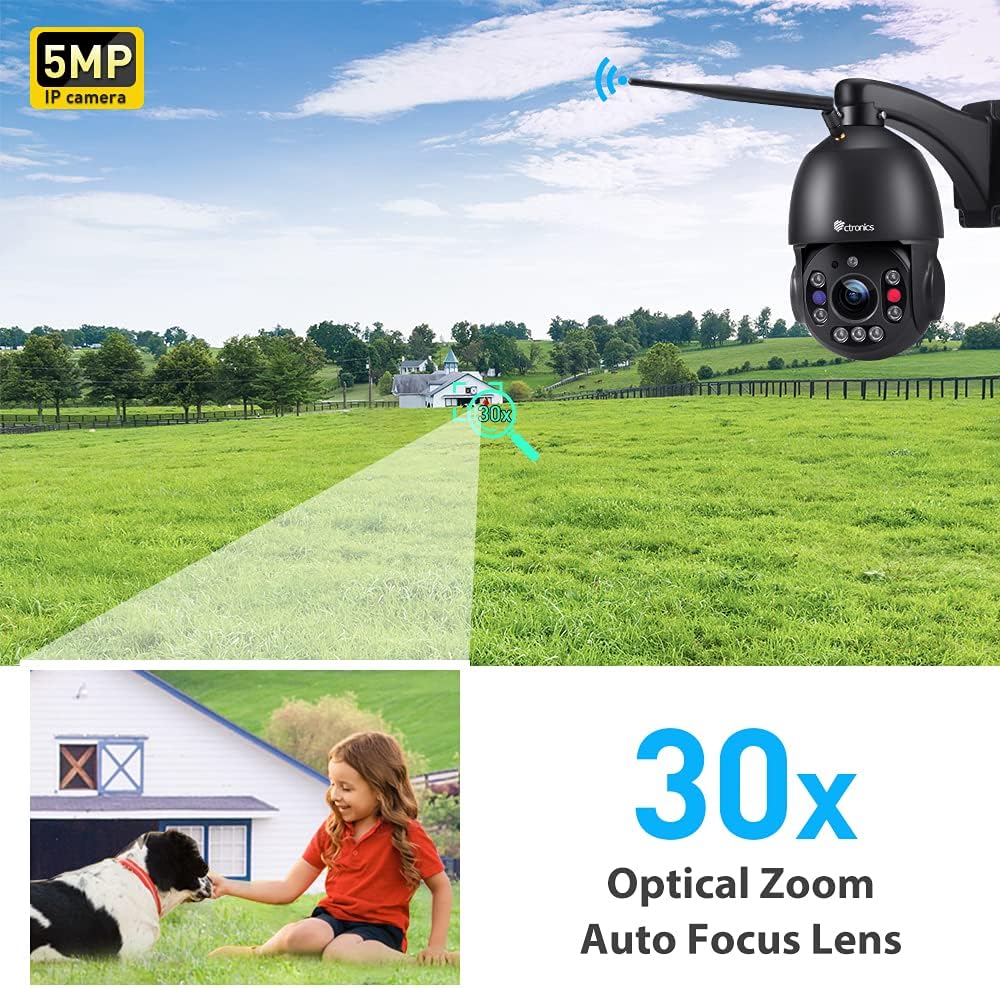
- 5MP HD & 30X Optical Zoom: Features a Sony IMX335 5MP CMOS sensor (2560x1920 resolution) and 30X optical zoom for sharp, vivid images and detailed long-distance viewing.
- 492ft Night Vision & Smart PTZ: Equipped with 7 high-performance infrared array LED lights (including 2 laser infrared lights) for up to 492 feet (150 meters) night vision. Offers 355° pan and 90° tilt for comprehensive coverage.
- Human Detection & Auto Tracking: Intelligently detects human shapes, reducing false alarms by 95%. Automatically tracks suspicious persons within the monitoring range.
- Sound Light Alarm & Two-way Audio: Triggers audible and red/blue light alarms upon intrusion. Built-in speaker and microphone enable real-time two-way communication.
- Support All Platforms & IP66 Waterproof: Compatible with iOS and Android systems, FTP server, and HIP2P Client. Connects via 2.4Ghz WiFi or network cable. Supports TF cards up to 128GB (not included). IP66 rated for outdoor use.
4.2 Kameros komponentai
4.1 pav. Iš arti view of the camera's lens and infrared LEDs, highlighting the optical zoom capability.

Figure 4.2: Illustration showing the Micro SD card slot, supporting up to 128GB for local storage.
5. Sąranka
5.1 Įjungimas
Connect the provided power adapter to the camera's power input. The camera will perform a self-check, rotating its lens for calibration. This process indicates the camera is powering on correctly.
Video 5.1: Demonstrates the initial power-up sequence and self-check rotation of the camera, followed by the Wi-Fi connection process via the mobile app.
5.2 Mobiliosios programėlės diegimas
Download the Ctronics APP from your device's app store (iOS App Store or Google Play Store). Alternatively, scan the QR code provided in the Quick Start Guide to directly download the app.

Figure 5.1: Image illustrating the broad compatibility of the Ctronics camera with various operating systems and platforms, including iOS, Android, Mac OS, and Windows.
5.3 Initial Setup & Wi-Fi Connection
Follow the in-app instructions to add your camera. For Wi-Fi connection, ensure your mobile device is connected to a 2.4Ghz or 5Ghz Wi-Fi network. The camera supports both frequencies. You may need to reset the camera by pressing the reset button (usually located near the cables) until you hear a chime, indicating it's ready for network configuration.
Video 5.2: Guide on how to add the camera to the HiP2P Client End software on a PC, including logging in and inputting the camera's UID.
6. Kameros valdymas
6.1 Tiesiogiai View ir PTZ valdymas
Once connected, open the Ctronics app to access the live video feed. Use the on-screen controls to pan (355° horizontally) and tilt (90° vertically) the camera, allowing you to monitor a wide area without blind spots.
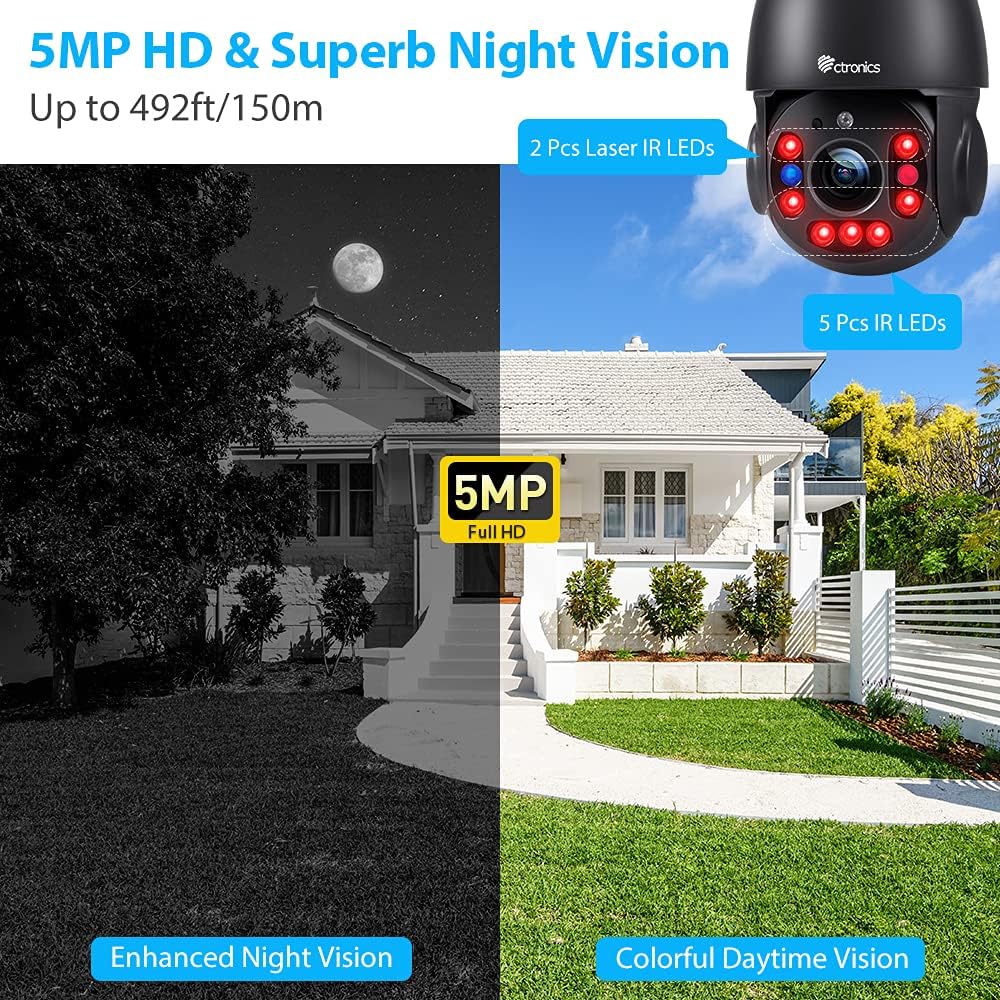
Figure 6.1: A smartphone displaying the live view from the Ctronics camera, with controls for 355° pan and 90° tilt, providing comprehensive coverage of the monitored area.
6.2 colio optinis priartinimas
The camera features a powerful 30X optical zoom. Use the zoom controls within the app to magnify distant objects without losing image clarity, allowing you to capture important details like faces or license plates.
6.1 vaizdo įrašas: Viršview of the Ctronics 5MP PTZ camera, showcasing its 30X optical zoom and pan-tilt capabilities for outdoor security.
6.3 Naktinis matymas
The camera automatically switches to night vision mode in low-light conditions, providing clear black-and-white images up to 492 feet (150 meters). The laser infrared lights enhance visibility over long distances.

Figure 6.2: Depiction of the camera's enhanced night vision, showing a clear black-and-white view of a house at night, with visible IR LEDs on the camera.
6.4 Žmonių aptikimas ir automatinis sekimas
Enable human detection in the app settings to receive real-time alerts when a person is detected. The auto-tracking feature will automatically follow the detected human, ensuring continuous monitoring of their movement.

Figure 6.3: An illustration showing the camera's auto-tracking and smart alarm features, with a phone receiving an alert message when human motion is detected.

Figure 6.4: Visual representation of the sound and light alarm feature, showing the camera activating red and blue flashing lights to deter intruders.
6.5 Dvipusis garsas
Utilize the two-way audio function to communicate with individuals near the camera. This feature is useful for greeting visitors or deterring unwanted guests.
Figure 6.5: A person speaking into a smartphone, demonstrating the two-way audio feature to communicate with someone near the camera.
7. Priežiūra
7.1 Valymas
Reguliariai valykite kameros objektyvą minkštu, sausu skudurėliu, kad užtikrintumėte ryškią vaizdo kokybę. Nenaudokite stiprių cheminių medžiagų ar abrazyvinių medžiagų.
7.2 Firmware atnaujinimai
Check the Ctronics app periodically for firmware updates. Keeping your camera's firmware up-to-date ensures optimal performance and access to new features.
7.3 Saugojimo valdymas
If using a TF card for local storage, regularly back up important recordings and format the card as needed to maintain recording efficiency. The camera supports TF cards up to 128GB.
8. Problemų sprendimas
| problema | Galima priežastis | Sprendimas |
|---|---|---|
| Fotoaparatas neprisijungęs | No power, Wi-Fi signal weak, incorrect Wi-Fi password. | Check power connection. Ensure strong Wi-Fi signal. Re-enter Wi-Fi password in app. Reset camera if necessary. |
| Prasta vaizdo kokybė | Nešvarus objektyvas, nepakankamas apšvietimas, tinklo pralaidumo problemos. | Clean the lens. Ensure adequate lighting for optimal daytime performance. Check network speed. |
| Klaidingi pavojaus signalai | Environmental factors (e.g., trees, rain, insects). | Adjust human detection sensitivity in the app. Reposition camera to minimize environmental triggers. |
| Nėra dvipusio garso | Microphone/speaker blocked, app permissions, volume settings. | Ensure nothing is obstructing the microphone or speaker. Check app permissions for audio. Adjust volume in app and on device. |
| Cannot connect to 5Ghz Wi-Fi | Camera is not compatible with 5Ghz (Note: This model supports both 2.4Ghz and 5Ghz). | Ensure your router is broadcasting a 5Ghz signal. If issues persist, try connecting to a 2.4Ghz network. |
9. Techninės specifikacijos
| Specifikacija | Vertė |
|---|---|
| Modelio pavadinimas | CTIPC-295C-B |
| Vaizdo įrašymo raiška | 5 MP (2560 x 1920) |
| Optinis priartinimas | 30X |
| "Pan" diapazonas | 355° |
| Pakreipimo diapazonas | 90° |
| Naktinio matymo diapazonas | 492 pėdos (150 metro) |
| Ryšio technologija | Wireless (2.4Ghz/5Ghz Wi-Fi) & Wired (Network Cable) |
| Tarptautinis apsaugos įvertinimas | IP66 |
| Maitinimo šaltinis | Laidinis elektrinis (12 V nuolatinė srovė, 12 W) |
| Sandėliavimas | Palaiko TF korteles iki 128 GB (nepridedamos) |
| Medžiaga | Metalas |
| Prekės svoris | 4.6 svaro |
10. Garantija ir palaikymas
Ctronics products typically come with a manufacturer's warranty. For specific warranty details, please refer to the documentation included with your product or visit the official Ctronics website. For technical support, troubleshooting assistance, or any inquiries, please contact Ctronics customer service through their official channels.
You can also find additional resources and a downloadable PDF user manual at: Ctronics User Manual (PDF)
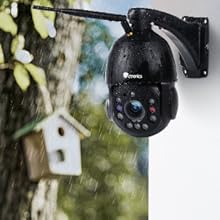
Figure 10.1: The camera is shown outdoors in rainy conditions, illustrating its IP66 waterproof and weather-resistant design, suitable for various climates.
Ask a question about this manual
Ask about setup, troubleshooting, compatibility, parts, safety, or missing instructions. Manuals+ will review the question and use this page’s manual context to help answer it.