
VTech CS2051
„VTech CS2051“ belaidžio telefono naudotojo vadovas
Modelis: CS2051 | Gamintojas: VTech
Įvadas
This user manual provides comprehensive instructions for the setup, operation, maintenance, and troubleshooting of your VTech CS2051 Cordless Phone system. Please read this manual thoroughly before using your new phone to ensure proper functionality and to take full advantage iš jo savybių.
The VTech CS2051 is a DECT cordless phone system designed for home and office use, featuring two handsets and an integrated answering machine. It offers advanced features such as call blocking, ECO mode for energy efficiency, and a clear backlit display.
Sąranka
Pakuotės turinys
Įsitikinkite, kad pakuotėje yra visi daiktai:
- 1 x bazinis blokas
- 2 belaidžiai rageliai
- 2 x ragelių įkrovikliai (papildomiems rageliams)
- 2 x NiMH Rechargeable Batteries
- 1 x maitinimo adapteris pagrindiniam įrenginiui
- 1 x telefono linijos laidas
- Vartotojo vadovas (šis dokumentas)

Image: The VTech CS2051 cordless phone system, showing the main base unit with one handset docked, and a second standalone handset with its charger.
Akumuliatoriaus montavimas
- Atidarykite baterijų skyriaus dangtelį kiekvieno rankinio telefono gale.
- Insert the supplied NiMH rechargeable battery, observing the correct polarity (+ and -).
- Uždarykite akumuliatoriaus skyriaus dangtelį.
Bazinio bloko prijungimas
- Prijunkite vieną telefono linijos laido galą prie pagrindinio bloko TEL LINE lizdo.
- Prijunkite kitą telefono linijos laido galą prie telefono sieninio lizdo.
- Connect the small end of the power adapter to the POWER jack on the base unit.
- Prijunkite didelį maitinimo adapterio galą į standartinį elektros lizdą.
- Place the main handset on the base unit to charge.
Connecting Additional Handset Chargers
- Connect the power adapter for each additional charger to the POWER jack on the charger.
- Įjunkite maitinimo adapterį į standartinį elektros lizdą.
- Place the additional handset(s) on their respective chargers to charge.
Prieš pirmą kartą naudodami, leiskite rageliams įkrauti bent 16 valandų, kad užtikrintumėte optimalų akumuliatoriaus veikimą.
Naudojimo instrukcijos
Skambinimas ir skambučių priėmimas
- Norėdami paskambinti: Pakelkite ragelį, surinkite numerį ir paspauskite Skambinti mygtuką.
- Norėdami gauti skambutį: Kai suskamba telefonas, paspauskite Skambinti mygtuką.
- Hands-Free (Speakerphone): Pokalbio metu paspauskite Pranešėjas mygtuką, kad įjungtumėte garsiakalbį.

Image: A VTech CS2051 handset with a speech bubble indicating hands-free communication, demonstrating the ease of making or receiving calls without holding the handset.
Adjusting Volume and Ringtones
You can adjust the handset's earpiece volume during a call using the navigation buttons. Ringtone volume and melody can be customized through the handset's menu settings.

Image: A VTech CS2051 handset on its base, with a visual representation of sound waves emanating from it, indicating adjustable ringtone volume and melody settings.
Skambučio blokavimas
The VTech CS2051 allows you to block unwanted and intimidating calls. You can block up to 30 numbers by adding them to a blacklist. Refer to the handset menu for instructions on adding numbers to the call block list.
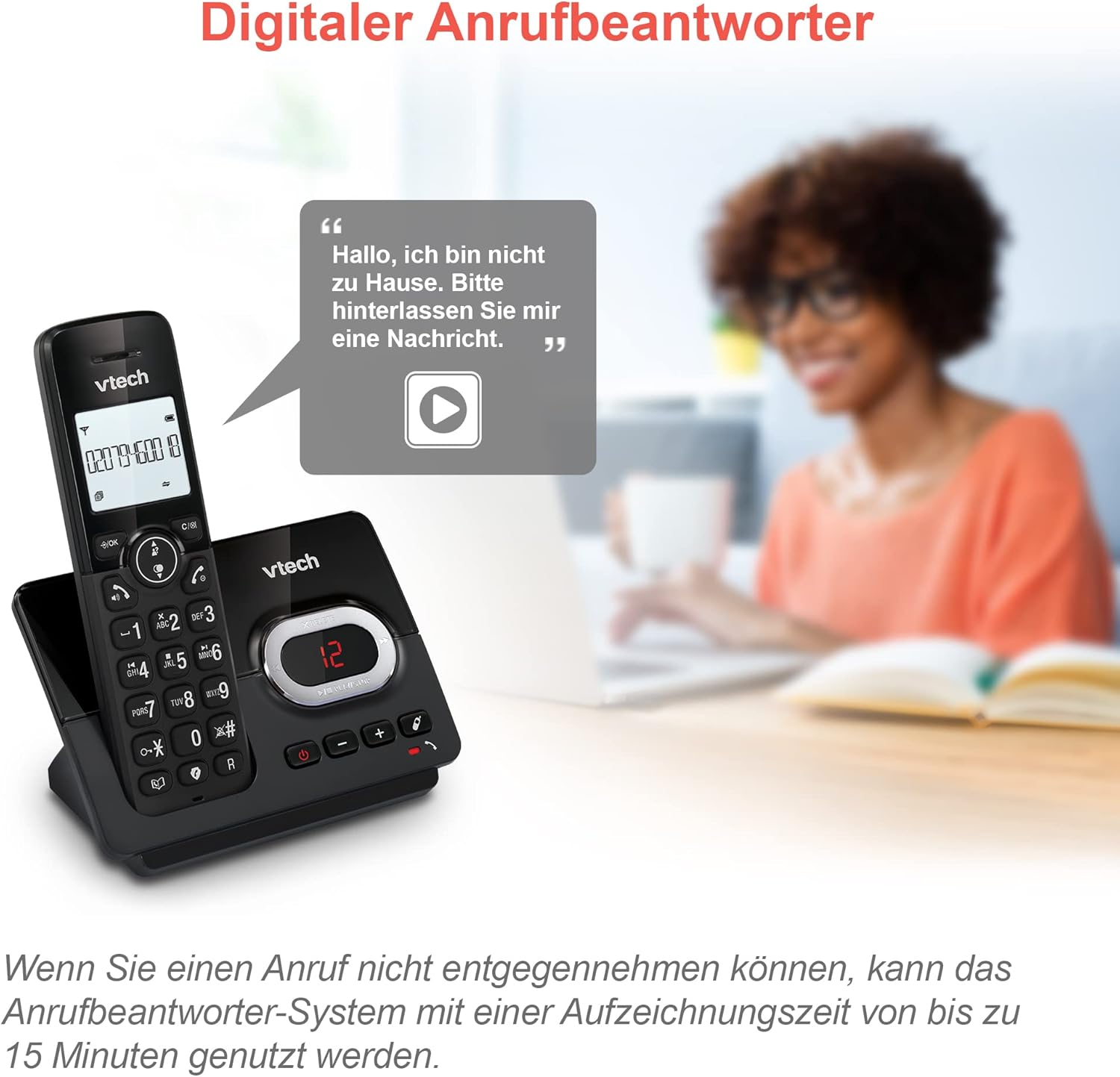
Image: A VTech CS2051 handset next to a television screen, with a "No Entry" symbol over a phone icon, illustrating the call blocking feature for unwanted and unknown calls.
Atsakiklis
The integrated answering machine offers up to 15 minutes of recording time. It will automatically answer calls when you are unavailable. The digital message counter on the base unit indicates the number of new messages.
- Pranešimų grojimas: Paspauskite PLAY/STOP mygtuką ant pagrindinio įrenginio.
- Įrašomas siunčiamas pranešimas: Access the answering machine settings via the handset menu.

Image: A VTech CS2051 handset on its base, with a speech bubble showing a voicemail message, highlighting the digital answering machine function with up to 15 minutes of recording time.
Phonebook and Redial
- Telefonų knyga: Store up to 30 names and numbers in the integrated phonebook for quick dialing.
- Perskambinti: Easily redial the last 10 numbers called by pressing the Redial button.
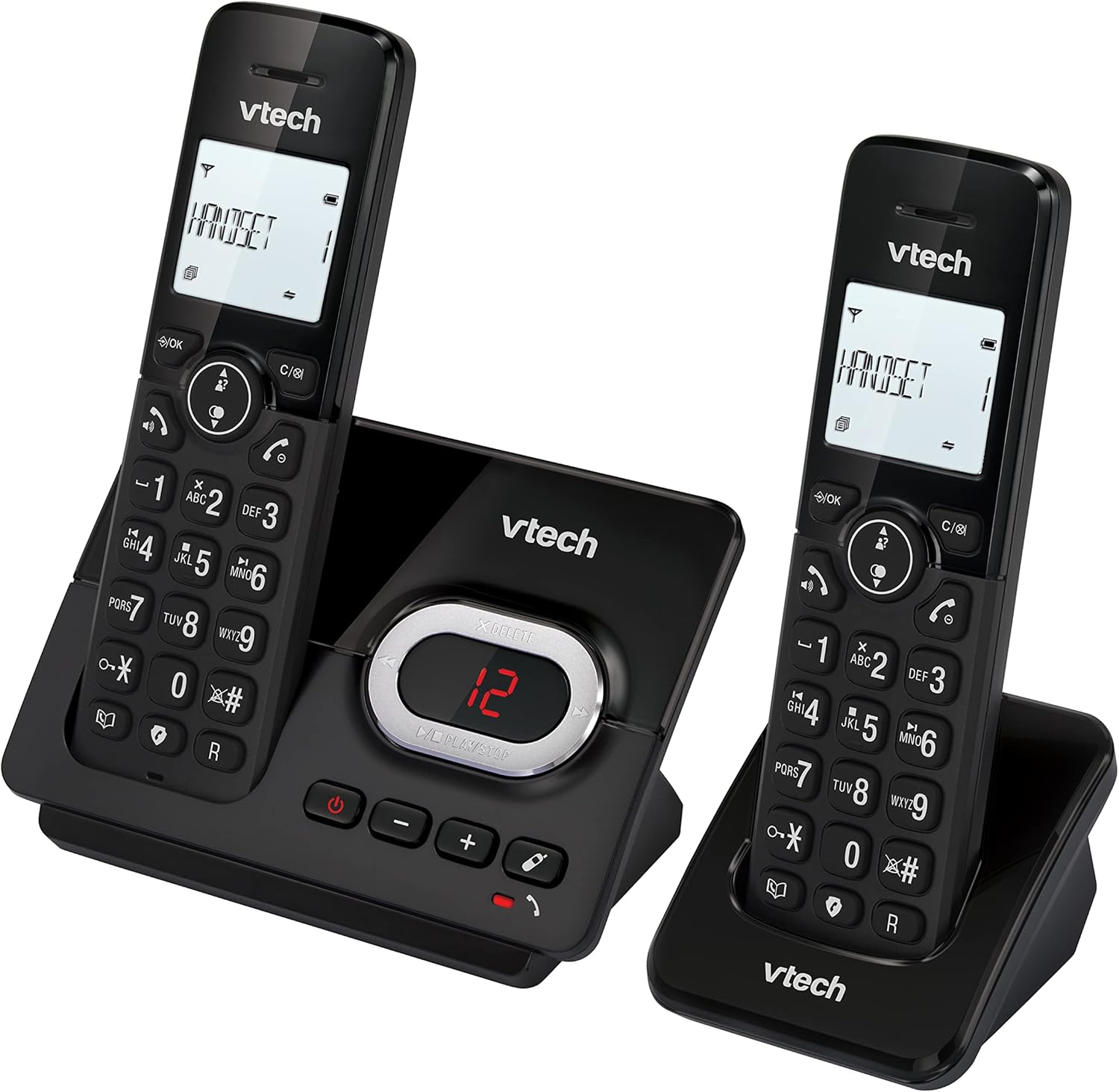
Image: A VTech CS2051 handset on its base, with an overlay showing a phonebook interface, indicating the ability to store up to 30 names and numbers.
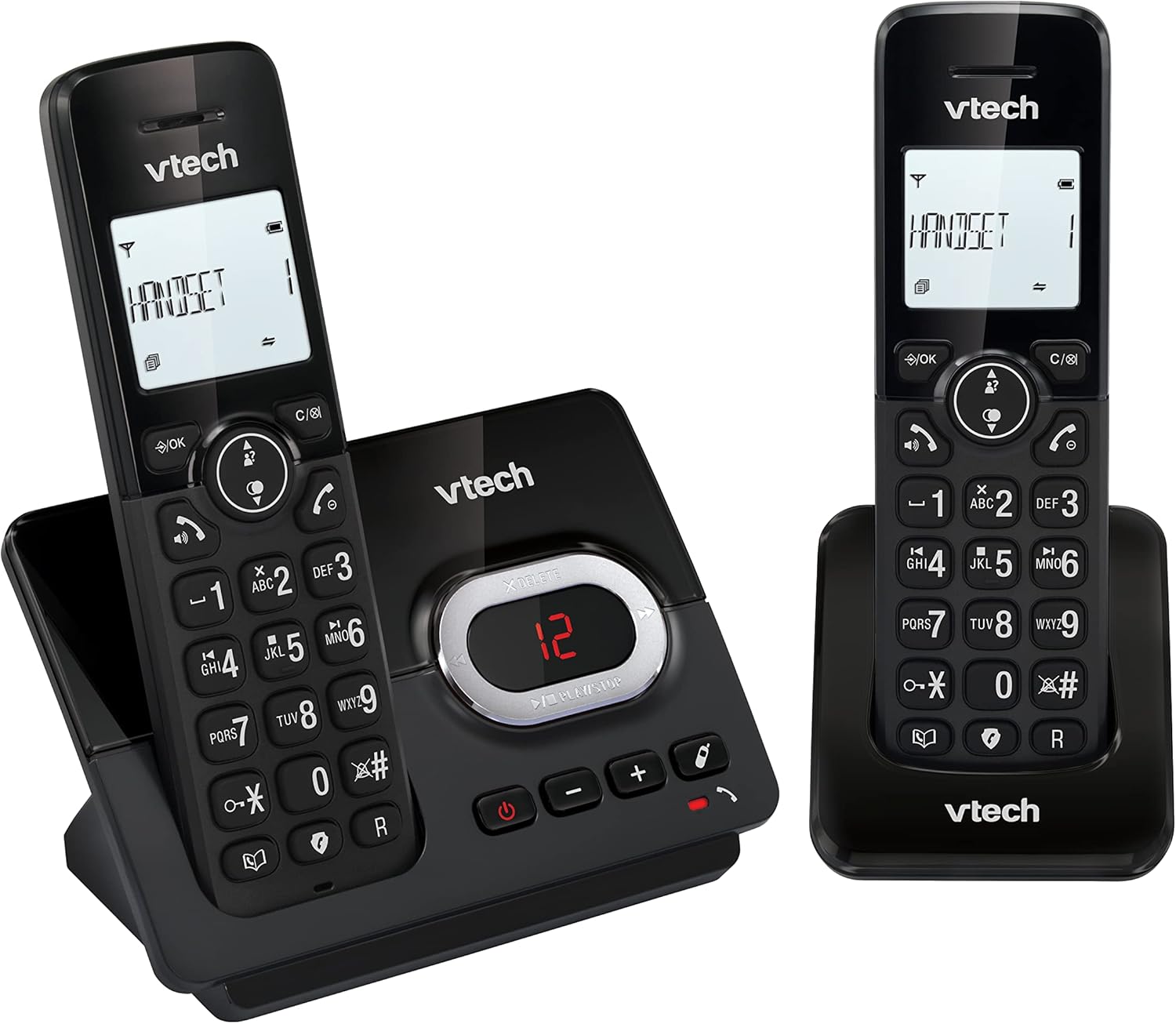
Image: A close-up of the VTech CS2051 handset's navigation buttons, with a circle highlighting the redial button, indicating the ability to redial the last 10 numbers.
Skambintojo ID ir skambučio laukimas
With Caller ID and Call Waiting features, you can see who is calling before you answer. The handset display shows the caller's name, number, time, and date of incoming calls.

Image: A VTech CS2051 handset on its base, with the screen displaying caller information, illustrating the Caller ID and Call Waiting features that show who is calling.
EKO režimas
The handset automatically adjusts the radio frequency power based on its distance from the base unit. In full ECO mode, there is no transmission power in standby mode, contributing to energy saving.
Priežiūra
- Valymas: Telefoną ir bazinį įrenginį valykite minkšta šluoste.amp šluoste. Nenaudokite valymo purškiklių ar stiprių cheminių medžiagų.
- Akumuliatoriaus priežiūra: Use only the supplied rechargeable NiMH batteries. If the phone will not be used for an extended period, remove the batteries from the handsets.
- Vieta: Place the base unit and chargers in a dry, stable location away from direct sunlight, heat sources, and moisture. Ensure adequate ventilation.
Trikčių šalinimas
| Problema | Galima priežastis / sprendimas |
|---|---|
| Nėra rinkimo tono |
|
| Ragelis nesikrauna |
|
| Prasta skambučio kokybė / statinis garsas |
|
| Atsakiklis neįrašo |
|
Specifikacijos
- Modelis: CS2051
- Technologija: DECT 6.0
- Ekranas: 1.8 colio LCD ekranas su foniniu apšvietimu
- Atsakymų mašina: Skaitmeninis, iki 15 minučių įrašymo laikas
- Telefonų knygos talpa: 30 įrašų (vardų ir numerių)
- Skambučių blokavimo talpa: Iki 30 skaičių
- Skambintojo ID atmintis: Stores last 20 calls
- Baterijos tipas: NiMH rechargeable battery (included)
- Diapazonas: Iki 300 metrų (atvirame lauke)
- Spalva: Juoda
- Svoris: 660 Grams (approximate, for the system)
- Suderinami įrenginiai: Analog telephone networks, router with analog connection
Garantija ir palaikymas
VTech products are manufactured to high quality standards. For warranty information, please refer to the warranty card included in your product packaging or visit the official VTech websavo regiono svetainę. Išsaugokite pirkimo kvitą kaip pirkimo įrodymą.
For technical support or service inquiries, please contact VTech customer support. Contact details can typically be found on the VTech websvetainėje arba produkto pakuotėje.
Internetiniai ištekliai: For the latest information, FAQs, and support, please visit the official VTech support websvetainę.