
1. Įvadas
Ačiū, kad pirkoteasing the Comix S360A Cross Cut Paper Shredder. This manual provides essential information for the safe and efficient operation, maintenance, and troubleshooting of your shredder. Please read these instructions carefully before use and retain them for future reference.
The Comix S360A is designed for secure disposal of sensitive documents, credit cards, and CDs. It features a cross-cut mechanism for enhanced security and includes a jam-proof system with reverse and forward functions to clear paper jams. An energy-saving mode ensures optimal efficiency during operation.
2. Svarbios saugos instrukcijos
ĮSPĖJIMAS: Nesilaikant šių saugos nurodymų, gali kilti gaisras, elektros smūgis arba susižaloti.
- Vaikus ir gyvūnus laikykite toliau nuo smulkintuvo.
- Keep loose clothing, jewelry, hair, and ties away from the paper entry slot.
- Nekiškite pirštų ar kitų kūno dalių į popieriaus įvedimo angą.
- Nepurkškite į smulkintuvą jokių degių produktų ar tepalų.
- Do not shred metal objects, wet paper, or adhesive labels.
- Always unplug the shredder when not in use or before cleaning.
- Do not operate the shredder if the power cord is damaged. Contact customer support for assistance.
- Įsitikinkite, kad smulkintuvas pastatytas ant stabilaus, lygaus paviršiaus.
- Do not overload the shredder beyond its specified sheet capacity.
3. Pakuotės turinys
Patikrinkite pakuotę, ar joje yra šie daiktai:
- Comix S360A Shredder Head
- Waste Bin (13 Liter capacity)
- Instrukcijų vadovas (šis dokumentas)
4. Sąranka
- Išpakuokite smulkintuvą: Atsargiai išimkite visus komponentus iš pakuotės.
- Place the Waste Bin: Position the waste bin on a flat, stable surface.
- Smulkintuvo galvutės montavimas: Atsargiai uždėkite smulkintuvo galvutę ant šiukšliadėžės viršaus ir įsitikinkite, kad ji tvirtai pritvirtinta. Smulkintuvas neveiks, jei galvutė nebus tinkamai padėta.
- Prijunkite maitinimą: Prijunkite maitinimo laidą į standartinį elektros lizdą.
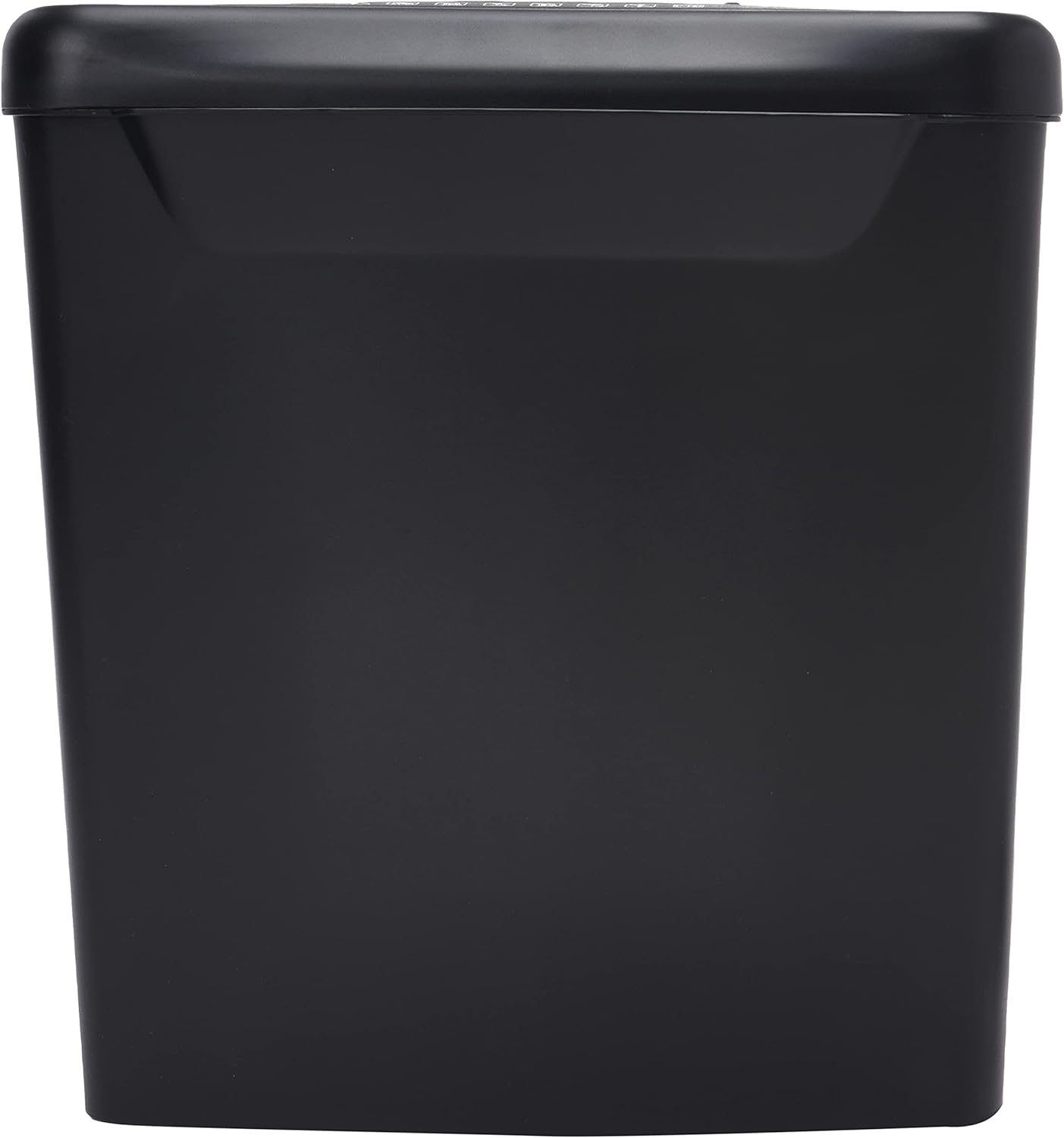
Vaizdas: Šoninė view of the Comix S360A shredder bin, showing its black exterior and compact design. The shredder head is not visible in this image.
5. Naudojimo instrukcijos
5.1 Valdymo jungiklis
The shredder features a slide switch with three positions:
- AUTOMATINIS: The shredder will automatically start when paper is inserted and stop when shredding is complete. This is the normal operating mode.
- IŠJUNGTA: The shredder is powered off. Always set the switch to OFF when emptying the bin or when the shredder is not in use.
- Atgal (REV): This position reverses the shredder blades to help clear paper jams.

Vaizdas: Viršus view of the shredder head, highlighting the paper entry slot, the three-position control switch (Rev, OFF, Auto), and various safety warning icons.
5.2 Shredding Documents
- Ensure the shredder head is securely placed on the waste bin.
- Įkiškite maitinimo laidą į elektros lizdą.
- Nustatykite valdymo jungiklį į AUTO.
- Insert up to 8 sheets of 70gsm A4 paper into the paper entry slot. The shredder will start automatically.
- For credit cards or CDs, use the dedicated slot if available (refer to product specifications for capability).
- The shredder will stop automatically once the shredding process is complete.
5.3 Darbo ciklas
The Comix S360A has a continuous run time of 2 minučių, followed by a rest time of 40 minučių. Exceeding the run time may cause the shredder to overheat and automatically shut off. Allow the shredder to cool down for the specified rest time before resuming operation.
6. Priežiūra
6.1 Šiukšlių dėžės ištuštinimas
- Nustatykite valdymo jungiklį į IŠJUNGTA.
- Atjunkite smulkintuvą nuo elektros lizdo.
- Pakelkite smulkintuvo galvutę nuo šiukšliadėžės.
- Dispose of the shredded paper.
- Tvirtai uždėkite smulkintuvo galvutę ant šiukšliadėžės.
- Plug the shredder back into the power outlet.
6.2 Oiling the Shredder Blades
Regular oiling of the shredder blades is recommended to maintain optimal performance and extend the life of your shredder. Use shredder oil specifically designed for paper shredders.
- Ant popieriaus įvedimo angos užtepkite ploną smulkintuvo alyvos sluoksnį.
- Nustatykite valdymo jungiklį į AUTO.
- Insert a sheet of paper to distribute the oil evenly across the blades.
- Repeat this process periodically, especially after emptying a full waste bin or if the shredder's performance decreases.
6.3 Valymas
Smulkintuvo išorę nuvalykite minkšta, sausa šluoste. Nenaudokite abrazyvinių valiklių ar tirpiklių. Prieš valydami įsitikinkite, kad smulkintuvas yra atjungtas nuo elektros tinklo.
7. Problemų sprendimas
| Problema | Galima priežastis | Sprendimas |
|---|---|---|
| Smulkintuvas neįsijungia. |
|
|
| Popieriaus strigtis. |
|
|
| Smulkintuvas sustoja veikimo metu. |
|
|
8. Specifikacijos
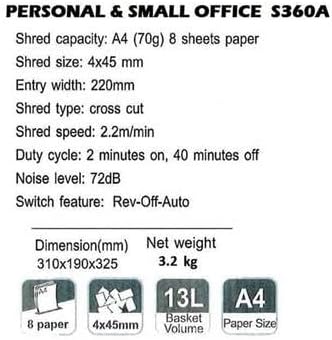
Image: Technical specifications sheet for the Comix S360A, detailing performance metrics and physical attributes.
- Modelis: S360A
- Smulkinimo tipas: Skersinis pjūvis
- Smulkinimo dydis: 4 x 45 mm
- Shred Capacity (A4, 70g): 8 XNUMX lapų
- Įvesties plotis: 220 mm
- Smulkinimo greitis: 2.2 m/min
- Šiukšlių dėžės talpa: 13 litrai
- Darbo ciklas: 2 minučių įjungta / 40 minučių išjungta
- Triukšmo lygis: 72 dB
- Switch Feature: Rev-Off-Auto
- Gaminio matmenys: 310 x 190 x 325 mm (I x P x A)
- Grynasis svoris: 3.2 kg
- Ypatingos savybės: Energy Saving Mode, Jam Pro, Quiet Operation
9. Garantija ir palaikymas
For warranty information or technical support, please refer to the warranty card included with your product or contact Comix customer service through their official website or the retailer where the product was purchased. Please have your model number (S360A) and purchase date available when contacting support.