
Įvadas
This user manual provides essential information and instructions for the safe and efficient operation of your Qubo SP510 smartphone. Please read this manual thoroughly before using your device to ensure proper setup, usage, and maintenance. Keep this manual for future reference.
Pakuotės turinys
Patikrinkite, ar prekės pakuotėje yra visi reikalingi daiktai:
- Qubo SP510 Smartphone
- USB kabelis
- Vartotojo vadovas (šis dokumentas)
Jei trūksta kokių nors prekių arba jos pažeistos, susisiekite su pardavėju.
Įrenginys baigtasview
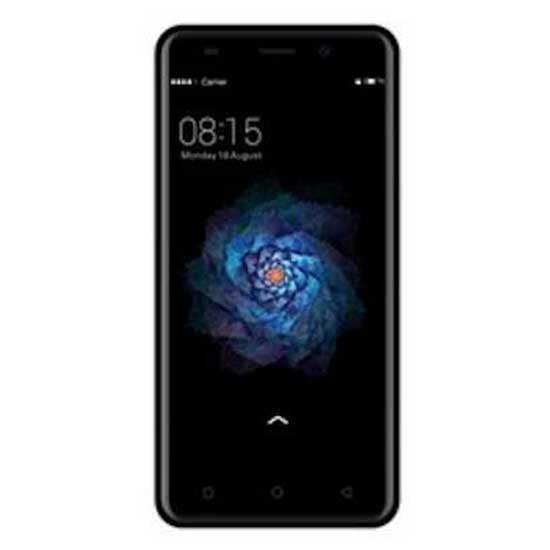
Familiarize yourself with the physical components of your Qubo SP510 smartphone.
1 paveikslas: Galinis view of the Qubo SP510 smartphone. This image displays the back panel of the device, featuring the main camera lens and flash in the upper left corner, the "Qubo" brand logo centrally located, and regulatory compliance markings towards the bottom. The overall finish is a matte black.
Pagrindiniai komponentai:
- Priekinė kamera: Asmenukėms ir vaizdo skambučiams.
- Rear Camera (8 MP): Nuotraukų ir vaizdo įrašų fotografavimui.
- Flash: Suteikia apšvietimą nuotraukoms esant prastam apšvietimui.
- Maitinimo mygtukas: Įjungia / išjungia įrenginį, užrakina / atrakina ekraną.
- Garsumo mygtukai: Reguliuoja medijos ir skambučių garsumą.
- USB prievadas: Įkrovimui ir duomenų perdavimui.
- 3.5 mm garso lizdas: Ausinėms prijungti.
- Pranešėjas: Dėl garso išvesties.
- Mikrofonas: Balso įvedimui skambučių ir įrašų metu.
- SIM / SD kortelės dėklas: Holds SIM cards and a microSD card for expandable storage.
Sąranka
1. SIM ir SD kortelių įdėjimas
- Raskite SIM / SD kortelės dėklą telefono šone.
- Use the provided SIM ejector tool (if included) or a small paperclip to gently press into the small hole on the tray. The tray will pop out.
- Place your Nano-SIM card(s) and/or microSD card into the designated slots on the tray, ensuring the gold contacts face downwards. The Qubo SP510 supports Dual SIM functionality.
- Atsargiai įkiškite dėklą į telefoną, kol jis bus lygiai su įrenginio šonu.
2. Įrenginio įkrovimas
- Prijunkite USB laidą prie telefono įkrovimo prievado.
- Kitą USB laido galą prijunkite prie suderinamo USB maitinimo adapterio (nepridedamas) arba kompiuterio USB prievado.
- Allow the phone to charge until the battery indicator shows a full charge. For optimal battery life, it is recommended to fully charge the device before first use.
3. Įjungimas/išjungimas
- Norėdami įjungti: Press and hold the Power button until the Qubo logo appears on the screen.
- Norėdami išjungti: Paspauskite ir palaikykite maitinimo mygtuką, kol pasirodys maitinimo parinkčių meniu. Pasirinkite „Išjungti“ ir patvirtinkite.
- Norėdami paleisti iš naujo: Maitinimo parinkčių meniu pasirinkite „Paleisti iš naujo“ ir patvirtinkite.
4. Pradinė sąranka
Upon first power-on, the device will guide you through the initial setup process. This includes selecting your language (Spanish, English), connecting to Wi-Fi, setting up your Google account, and configuring security options.
Naudojimo instrukcijos
1. Pagrindinė navigacija
- Jutiklinio ekrano gestai: Palieskite, kad pasirinktumėte, braukite, kad slinktumėte, suspauskite, kad priartintumėte.
- Pagrindinis ekranas: Centrinis jūsų programėlių ir valdiklių centras.
- Pranešimų skydelis: Braukite žemyn nuo ekrano viršaus, kad pasiektumėte pranešimus ir greituosius nustatymus.
- Naršymo juosta: Typically includes Back, Home, and Recent Apps buttons at the bottom of the screen.
2. Skambinimas ir žinučių siuntimas
- Skambučiai: Atidarykite programėlę „Telefonas“, įveskite numerį ir palieskite skambinimo piktogramą.
- Žinutės: Open the "Messages" app, tap to compose a new message, enter the recipient and text, then send.
3. Internetas ir ryšys
- „Wi-Fi“: Go to Settings > Network & internet > Wi-Fi. Turn Wi-Fi on, select a network, and enter the password if required.
- Bluetooth: Go to Settings > Connected devices > Bluetooth. Turn Bluetooth on, scan for devices, and pair with your desired accessory.
- Mobile Data (GSM): Įsitikinkite, kad jūsų SIM kortelė aktyvi ir įjungti mobilieji duomenys, pasirinkę „Nustatymai“ > „Tinklas ir internetas“ > „Mobilusis tinklas“.
4. Kameros naudojimas
- Atidarykite programėlę „Kamera“.
- Norėdami nufotografuoti, palieskite užrakto mygtuką.
- Perjunkite priekinę ir galinę kameras naudodami kameros perjungimo piktogramą.
- Select video mode to record videos (up to 720p resolution).
5. Programėlių valdymas
- Programų diegimas: Atsisiųskite programėlių iš „Google Play“ parduotuvės.
- Programėlių pašalinimas: Long-press an app icon on the home screen or app drawer, then drag it to "Uninstall" or go to Settings > Apps & notifications.
Priežiūra
1. Įrenginio valymas
Use a soft, lint-free cloth to gently wipe the screen and body of the phone. Avoid using harsh chemicals, abrasive cleaners, or aerosol sprays, as these can damage the device's finish or internal components. The device is not water-resistant.
2. Programinės įrangos atnaujinimai
Periodically check for software updates to ensure your device has the latest features, security patches, and performance improvements. Go to Settings > System > System update to check for and install available updates.
3. Akumuliatoriaus priežiūra
- Venkite telefono laikymo ekstremaliose temperatūrose.
- Naudokite tik patvirtintus įkroviklius ir laidus.
- Neleiskite akumuliatoriui dažnai visiškai išsikrauti.
- Jei prietaisas nebus naudojamas ilgesnį laiką, prieš sandėliavimą įkraukite jį maždaug iki 50 %.
Trikčių šalinimas
This section addresses common issues you might encounter with your Qubo SP510 smartphone.
- Įrenginys neįsijungia: Ensure the battery is charged. Connect the charger and wait a few minutes before attempting to power on again. If the issue persists, perform a forced restart by holding the Power button for 10-15 seconds.
- Ekranas nereaguoja: Restart the device. If the problem continues, try a factory reset (note: this will erase all data).
- Nepavyksta prisijungti prie „Wi-Fi“: Ensure Wi-Fi is enabled. Restart your phone and the Wi-Fi router. Forget the network in your phone's settings and reconnect.
- Poor call quality or no network signal: Patikrinkite, ar SIM kortelė tinkamai įdėta. Įsitikinkite, kad esate zonoje, kurioje yra tinklo aprėptis. Pabandykite paleisti įrenginį iš naujo.
- Programėlės stringa arba užstringa: Close and reopen the app. Clear the app's cache and data in Settings > Apps & notifications. Ensure your device's software is up to date.
- Baterija greitai išsikrauna: Reduce screen brightness, close unused apps, disable unnecessary connectivity features (Wi-Fi, Bluetooth, GPS) when not in use. Check battery usage in Settings to identify power-hungry apps.
Sudėtingesniems klausimams kreipkitės į pagalbos skyrių arba klientų aptarnavimo tarnybą.
Specifikacijos
Below are the technical specifications for the Qubo SP510 smartphone:
| Modelio pavadinimas | SP510 |
| Operacinė sistema | Android |
| Ekrano dydis | 5 colių |
| Ekrano raiška | 672 x 384 |
| Vidinė saugykla | 8 GB |
| Galinės kameros skiriamoji geba | 8 MP |
| Priekinės kameros skiriamoji geba | 13 MP (Optical Sensor Resolution) |
| Vaizdo įrašymo raiška | 720p |
| Baterijos talpa | 2000 mAh |
| SIM kortelių lizdai | Dvi SIM kortelės |
| Ryšys | Bluetooth, Wi-Fi, GSM |
| Garso lizdas | 3.5 mm |
| Matmenys (I x P x A) | 14 x 7 x 1 cm |
| Svoris | 300 g |
| Spalva | Juoda |
| Atsparumas vandeniui | No (Not water-resistant) |
| Palaikomos kalbos | ispanų, anglų |
Informacija apie garantiją
The Qubo SP510 smartphone comes with a trejų metų garantija from the date of purchase. This warranty covers manufacturing defects and malfunctions under normal use. It does not cover damage caused by misuse, accidents, unauthorized modifications, or normal wear and tear. Please retain your proof of purchase for warranty claims.
For warranty service, please contact your retailer or the manufacturer's authorized service center with your device's model number and proof of purchase.
Pagalba ir kontaktinė informacija
If you require further assistance or have questions not covered in this manual, please refer to the official Qubo website or contact their customer support. Always provide your product model (SP510) when seeking support.
Note: Specific contact details are not provided in this manual. Please refer to the product packaging or official brand websvetainę, kurioje rasite naujausią pagalbos informaciją.