
1. Įvadas
This manual provides essential information for the safe and efficient operation of your Green Cell Off Grid Inverter with MPPT Solar Charger, model INVSOL03. This device integrates an inverter, MPPT solar charger, and battery charger functions to offer an uninterruptible power supply solution. Please read this manual thoroughly before installation and use, and retain it for future reference.
2. Saugos instrukcijos
Always observe the following safety precautions to prevent injury and damage to the inverter or connected equipment:
- Montavimą turi atlikti kvalifikuotas personalas.
- Įsitikinkite, kad visi laidai yra tinkamo dydžio ir tinkamai izoliuoti.
- Saugokite keitiklį nuo lietaus, sniego, purslų ar kitų skysčių.
- Neardykite keitiklio. Viduje nėra dalių, kurias galėtų aptarnauti vartotojas.
- Užtikrinkite tinkamą ventiliaciją aplink keitiklį, kad jis neperkaistų.
- Connect the inverter to a properly grounded electrical system.
- Before any maintenance or cleaning, disconnect all power sources (AC, DC, and PV).
3. Produktas baigtasview
The Green Cell INVSOL03 is a multi-functional inverter designed for off-grid applications, combining the capabilities of a solar charger, battery charger, and inverter into one unit. It provides a pure sine wave output, suitable for sensitive electronics.
3.1 Priekinis skydelis ir ekranas
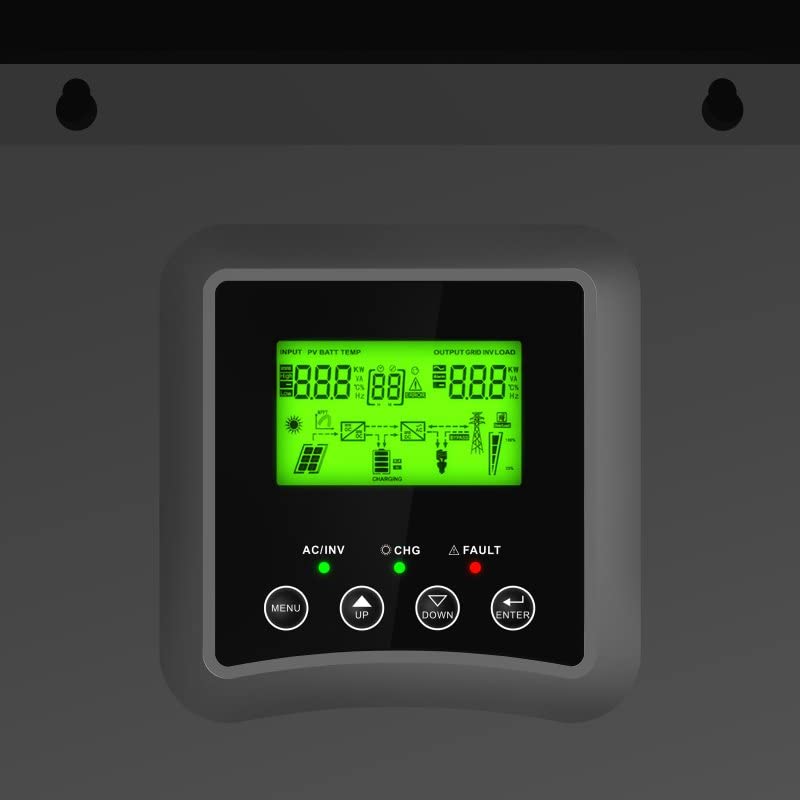
Figure 1: Front panel with LCD display and control buttons (Menu, Up, Down, Enter).
LCD ekranas rodo realiuoju laiku informaciją apie įvesties garsumątage, battery status, output load, and operational modes. The control buttons allow for navigation through menus and setting adjustments.
3.2 Ryšio prievadai
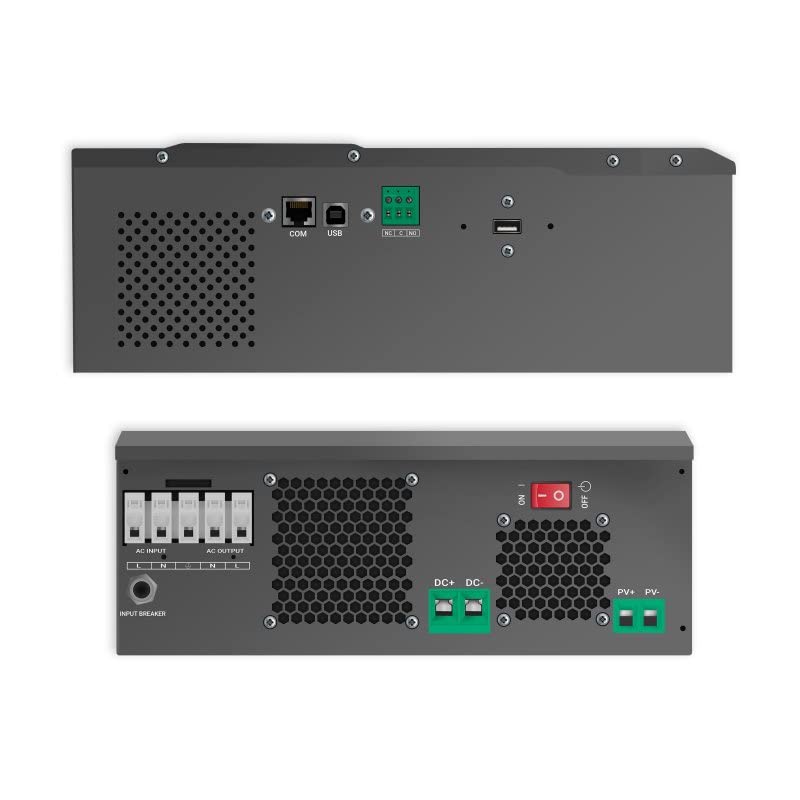
2 pav. Viršuje ir apačioje views of the inverter, highlighting AC input/output, DC input, PV input, and communication ports (COM, USB).
The inverter features dedicated terminals for AC input, AC output, DC battery input, and PV (solar panel) input. Communication ports (COM, USB) are available for monitoring and configuration.
3.3 Sistemos schema
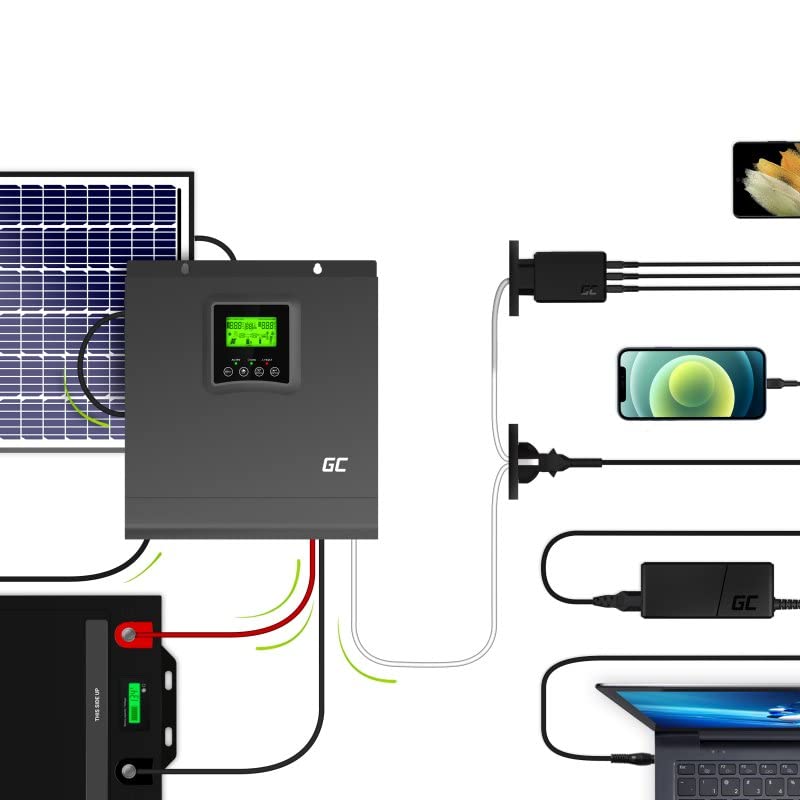
3 pav. Pvzample system setup showing solar panels, battery, inverter, and connected devices.
This diagram illustrates a typical setup where solar panels charge the battery via the inverter's MPPT controller, and the inverter supplies AC power to household appliances from the battery or directly from solar.
4. Sąranka
Follow these steps for proper installation of your Green Cell Off Grid Inverter:
- Montavimas: Choose a suitable location indoors, away from direct sunlight, moisture, and flammable materials. Ensure sufficient clearance for ventilation. Mount the inverter vertically on a solid surface.
- Baterijos prijungimas: Connect the battery bank to the DC input terminals. Ensure correct polarity (+ to + and - to -). Use appropriate cable gauges and fuses. The inverter is designed for a 24VDC battery system.
- Saulės skydo jungtis: Connect the solar panel array to the PV input terminals. Observe correct polarity and ensure the open-circuit voltage (Voc) and short-circuit current (Isc) of your solar array are within the inverter's specifications.
- Kintamosios srovės įvesties jungtis (neprivaloma): If using a grid or generator as a backup, connect the AC input to the designated terminals. Ensure proper grounding.
- Kintamosios srovės išvesties jungtis: Connect your AC loads (appliances) to the AC output terminals. Ensure the total load does not exceed the inverter's rated output power.
- Ryšio jungtys: For monitoring and advanced settings, connect a USB cable to a computer or use the COM port for other communication devices.
After all connections are secure, you can proceed to power on the system.
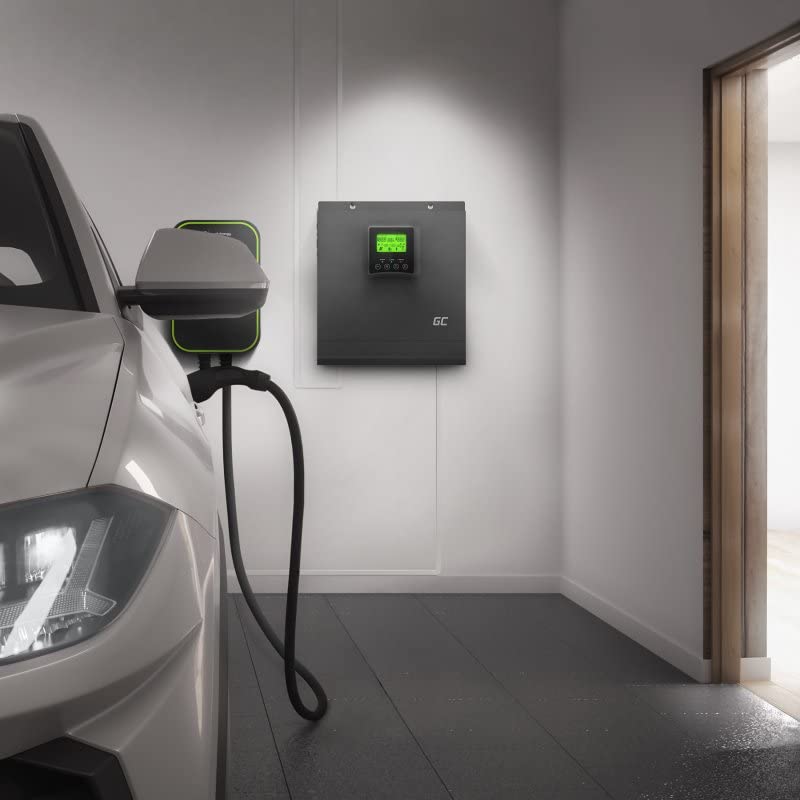
4 pav. Pvzample installation of the inverter in a garage setting, connected to an EV charger.
5. Naudojimo instrukcijos
Once installed, the inverter operates largely automatically. Here are key operational aspects:
5.1 Įjungimas / išjungimas
- Norėdami įjungti: Ensure all connections are correct. Turn on the battery breaker first, then the PV breaker (if applicable), and finally the AC input breaker (if applicable). Press and hold the power button on the inverter until the display illuminates.
- Norėdami išjungti: Disconnect AC loads. Turn off the AC input breaker, then the PV breaker, and finally the battery breaker. Press and hold the power button until the display turns off.
5.2 LCD ekranas ir nustatymai
Use the MENU, UP, DOWN, and ENTER buttons to navigate through the display screens and adjust settings. The display shows:
- Įvesties tūristage (PV and AC)
- Baterijos tūristage and charge status
- Išėjimo tūristage ir apkrovos proctage
- Operating mode (e.g., Line Mode, Battery Mode, Fault)
Refer to the detailed settings section in the full product manual for advanced configuration options such as battery type, charging current, and output voltage asortimentas.
5.3 Stebėjimo programinė įranga
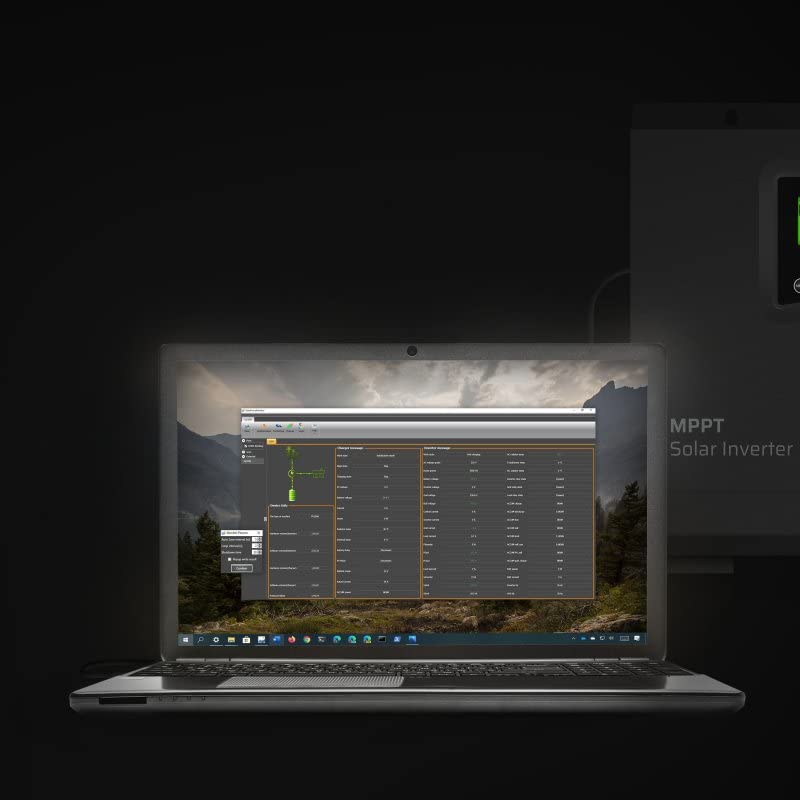
Figure 5: Monitoring software interface on a laptop, showing real-time data and system parameters.
The inverter can be connected to a computer via USB for detailed monitoring and data logging. The monitoring software provides a graphical interface to view system performance, historical data, and adjust advanced parameters.
6. Priežiūra
Reguliarus techninis aptarnavimas užtikrina optimalų keitiklio veikimą ir ilgaamžiškumą:
- Valymas: Reguliariai valykite keitiklio išorę sausa šluoste. Įsitikinkite, kad ventiliacijos angose nėra dulkių ir šiukšlių. Nenaudokite skystų valiklių.
- Jungtys: Annually check all electrical connections for tightness and corrosion. Loose connections can cause overheating and poor performance.
- Akumuliatoriaus patikrinimas: Regularly inspect your battery bank for signs of damage, corrosion, or swelling. Ensure battery terminals are clean and tight.
- Aplinka: Užtikrinkite, kad darbo aplinka išliktų nurodytuose temperatūros ir drėgmės diapazonuose.
7. Problemų sprendimas
Jei kyla problemų, žr. toliau pateiktas dažniausiai pasitaikančias problemas ir sprendimus:
| Problema | Galima priežastis | Sprendimas |
|---|---|---|
| Nėra išėjimo galios | Battery low; Inverter off; Overload; Fault condition | Patikrinkite akumuliatoriaus tūrįtage; Turn on inverter; Reduce load; Check fault codes on display. |
| Inverterio pypsėjimas | Low battery; Overload; Over-temperature | Check battery; Reduce load; Ensure proper ventilation. |
| Saulės įkrovimas neveikia | PV connection issue; Insufficient sunlight; PV voltagper žemai/aukštai | Check PV wiring and polarity; Ensure panels are clean and unshaded; Verify PV voltage yra diapazone. |
| AC input not recognized | AC input breaker off; Loose connection; AC input voltage už diapazono ribų | Check AC input breaker; Secure connections; Verify AC input voltage. |
If the problem persists after attempting these solutions, contact Green Cell customer support.
8. Specifikacijos
Key technical specifications for the Green Cell Off Grid Inverter (INVSOL03):
| Funkcija | Specifikacija |
|---|---|
| Modelio numeris | INVSOL03 |
| Išėjimo galia | 2000 vatų |
| Didžiausia išėjimo galia | 4000 vatų |
| Išėjimas ttage | 230 voltų kintamoji srovė |
| Įvesties tomastage (DC) | 24 voltų nuolatinė srovė |
| Bangos forma | Gryna sinuso banga |
| Efektyvumas | 90%, 93% |
| Gaminio matmenys | 27.2 x 35.5 x 10 cm |
| Prekės svoris | 8.5 kg |
| Įtraukti komponentai | MPPT controller, Inverter, Battery charger |
| Energijos šaltinis | Saulės energija |
| Rekomenduojamos programos | Off-grid power supply, Solar energy storage, Emergency power backup |
9. Garantija ir palaikymas
Green Cell products are designed for reliability and performance. For warranty information, please refer to the warranty card included with your product or visit the official Green Cell website. For technical support, troubleshooting assistance, or service inquiries, please contact Green Cell customer service through their official channels.