
1. Įvadas
This manual provides instructions for the ZEXMTE 5.4 USB Bluetooth Adapter. This device enables Bluetooth connectivity for your PC, allowing you to connect various Bluetooth-enabled peripherals such as headphones, mice, keyboards, and more. It features Bluetooth 5.4 technology for stable and efficient wireless communication.
2. Produkto ypatybės
- Bluetooth 5.4 technologija: Utilizes BLE + BR/EDR dual-mode for enhanced stability, clear audio, and efficient power consumption.
- Išplėstas diapazonas: Class 1 radio with a high-gain antenna provides a connection range of up to 492 feet (150 meters).
- Kelių įrenginių ryšys: Supports simultaneous connection of up to 7 Bluetooth devices.
- Plug & Play: Driver-free installation for Windows 10 and Windows 11.
- Maža delsa: Designed for minimal delay in audio and video synchronization.
- Automatinis pakartotinis prisijungimas: Remembers previously paired devices for quick re-establishment of connection.
- File Transfer Support: Facilitates convenient file transfers between Bluetooth devices.
3. Pakuotės turinys
- ZEXMTE 5.4 USB Bluetooth Adapter
- Didelio pelno antena
4. Sąrankos vadovas
4.1 Aparatinės įrangos diegimas
- Ensure your computer is powered off or in a safe state before installation.
- Attach the high-gain antenna to the ZEXMTE USB Bluetooth Adapter.
- Insert the ZEXMTE USB Bluetooth Adapter into an available USB port on your PC. For optimal performance, use a USB 3.0 port if available.

Image: The ZEXMTE 5.4 USB Bluetooth Adapter with its high-gain antenna attached, ready for insertion into a USB port.
4.2 Tvarkyklės diegimas
- „Windows 10/11“: The adapter is typically Plug & Play. The system should automatically detect and install the necessary drivers. No manual driver installation is usually required.
- „Windows 7/8.1“: Driver installation may be required. Please visit the official ZEXMTE websvetainė, kurioje rasite naujausias tvarkykles ir diegimo instrukcijas.

Image: The ZEXMTE 5.4 USB Bluetooth Adapter connected to a laptop, highlighting its Plug & Play feature for compatible Windows versions.
4.3 Disabling Existing Bluetooth (If Applicable)
If your PC has a built-in Bluetooth adapter, it is recommended to disable it to prevent conflicts and ensure the ZEXMTE adapter functions correctly. This can usually be done through Device Manager or your PC's Bluetooth settings.
5. Naudojimo instrukcijos
5.1 „Bluetooth“ įrenginių susiejimas
- Ensure the ZEXMTE Bluetooth adapter is correctly installed and recognized by your system.
- Turn on the Bluetooth device you wish to pair and set it to pairing mode. Refer to your device's manual for specific instructions on how to enter pairing mode.
- On your Windows PC, navigate to Nustatymai > Įrenginiai > „Bluetooth“ ir kiti įrenginiai.
- Spustelėkite „Pridėti „Bluetooth“ arba kitą įrenginį“ ir pasirinkite „Bluetooth“.
- Your PC will scan for available Bluetooth devices. Select your device from the list and follow any on-screen prompts to complete the pairing process.
5.2 Kelių įrenginių prijungimas
The ZEXMTE 5.4 USB Bluetooth Adapter supports connecting up to 7 devices simultaneously. Follow the pairing instructions for each device. Once paired, the adapter will manage connections to all active devices.

Image: The ZEXMTE 5.4 USB Bluetooth Adapter enabling simultaneous connections to multiple devices, including a mouse, keyboard, headphones, speaker, smartphone, tablet, and printer.
5.3 Mažas delsos našumas
The adapter's advanced chipset minimizes latency, ensuring audio and video content are synchronized for a smooth experience, especially during gaming or media consumption.

Image: A user enjoying seamless audio with headphones connected via the Bluetooth adapter, demonstrating low latency performance.
5.4 Belaidis ryšys File Perdavimas
Galite perkelti files between your PC and other Bluetooth-enabled devices. Use your operating system's built-in Bluetooth file transfer utility to send or receive files.
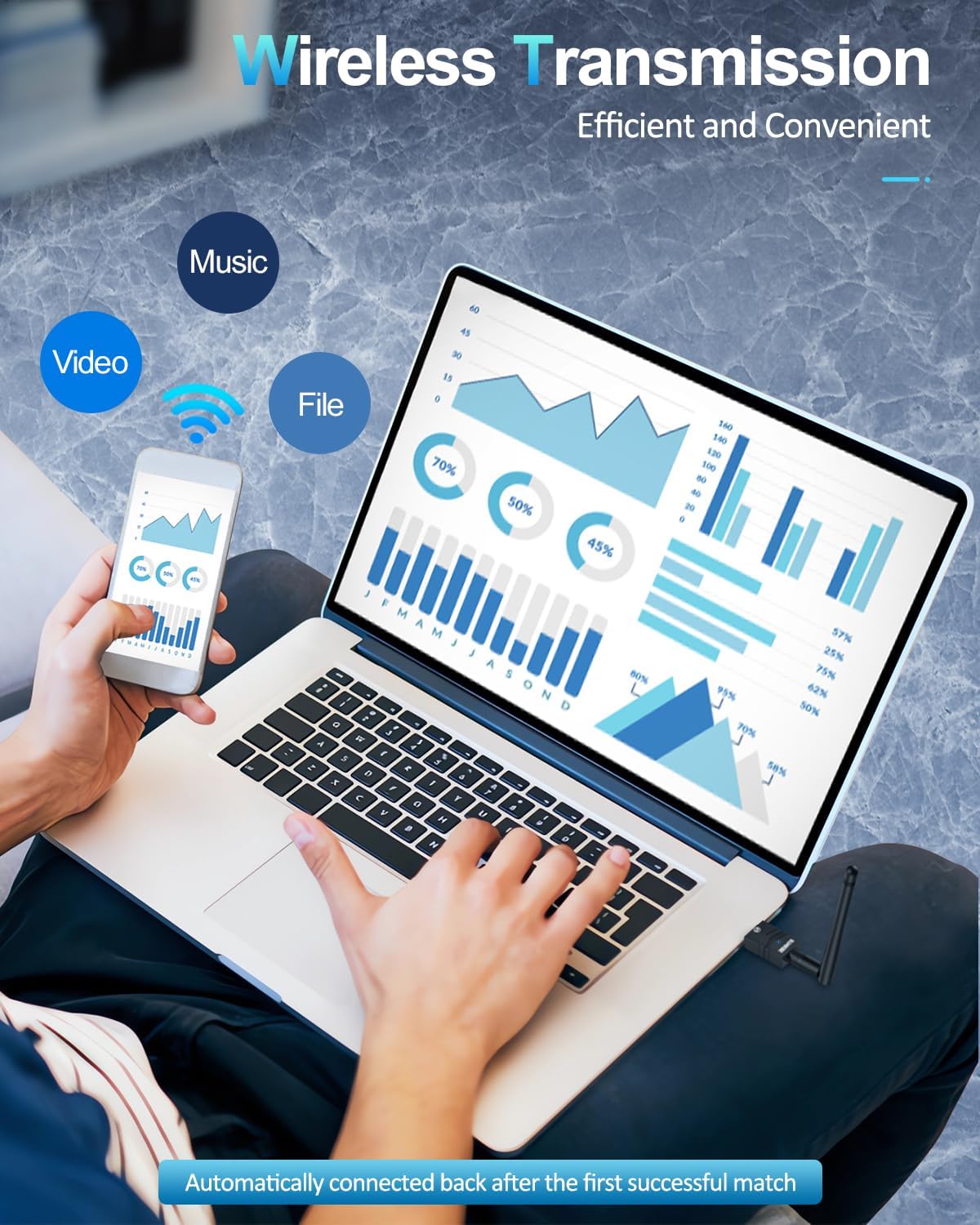
Image: A user transferring files wirelessly between a laptop and a smartphone, enabled by the Bluetooth adapter's transmission capabilities.
6. Priežiūra
- Adapterį laikykite švarų ir be dulkių.
- Saugokite adapterį nuo ekstremalių temperatūrų ar drėgmės.
- Do not attempt to disassemble or repair the adapter yourself.
7. Problemų sprendimas
7.1 Device Not Recognized / No Bluetooth Option
- Patikrinkite USB prievadą: Pabandykite prijungti adapterį prie kito USB prievado.
- Tvarkyklės diegimas: For Windows 7/8.1, ensure drivers are correctly installed. For Windows 10/11, check Device Manager for any driver conflicts or unknown devices.
- Disable Internal Bluetooth: If your PC has built-in Bluetooth, ensure it is disabled to avoid conflicts.
7.2 Connection Issues / Frequent Disconnections
- Diapazonas: Ensure your Bluetooth device is within the adapter's operating range (up to 492ft/150m). Walls and obstacles can reduce range.
- Trikdžiai: Other wireless devices (Wi-Fi routers, cordless phones) can cause interference. Try moving the adapter or device away from such sources.
- Įrenginio suporavimas iš naujo: Remove the device from your PC's Bluetooth settings and re-pair it.
- Adapter Position: Adjust the antenna's position for better signal reception.
7.3 Audio Lag / Poor Quality
- Įrenginio pasirinkimas: Ensure your Bluetooth audio device is selected as the default playback device in your sound settings.
- Atstumas / Kliūtys: Reduce the distance between the adapter and the audio device, and minimize obstacles.
- Trikdžiai: Check for potential interference sources.
8. Specifikacijos
| Prekės ženklas | ZEXMTE |
| Techninės įrangos sąsaja | Bluetooth 5, USB |
| Spalva | Juodasis Auksas |
| Suderinami įrenginiai | Desktop, Keyboard, Laptop, Mouse, Printer |
| Duomenų nuorodos protokolas | Bluetooth, USB |
| Duomenų perdavimo sparta | 2 megabitų per sekundę |
| Prekės svoris | 0.03 kilogramo |
| Suderinama operacinių sistemų šeima | Windows |
| Minimum Required Operating System Version | Windows 10 |
9. Garantija ir palaikymas
For warranty information, technical support, and frequently asked questions, please visit the official ZEXMTE websvetainėje arba susisiekite tiesiogiai su jų klientų aptarnavimo tarnyba. Išsaugokite pirkimo kvitą garantiniams reikalavimams.