
1. Įvadas
Thank you for choosing the SOAR NFL Wired LED Gaming Headset and Stand. This manual provides essential instructions for the proper setup, operation, and maintenance of your new gaming accessory. Please read this manual thoroughly before use to ensure optimal performance and longevity of the product.
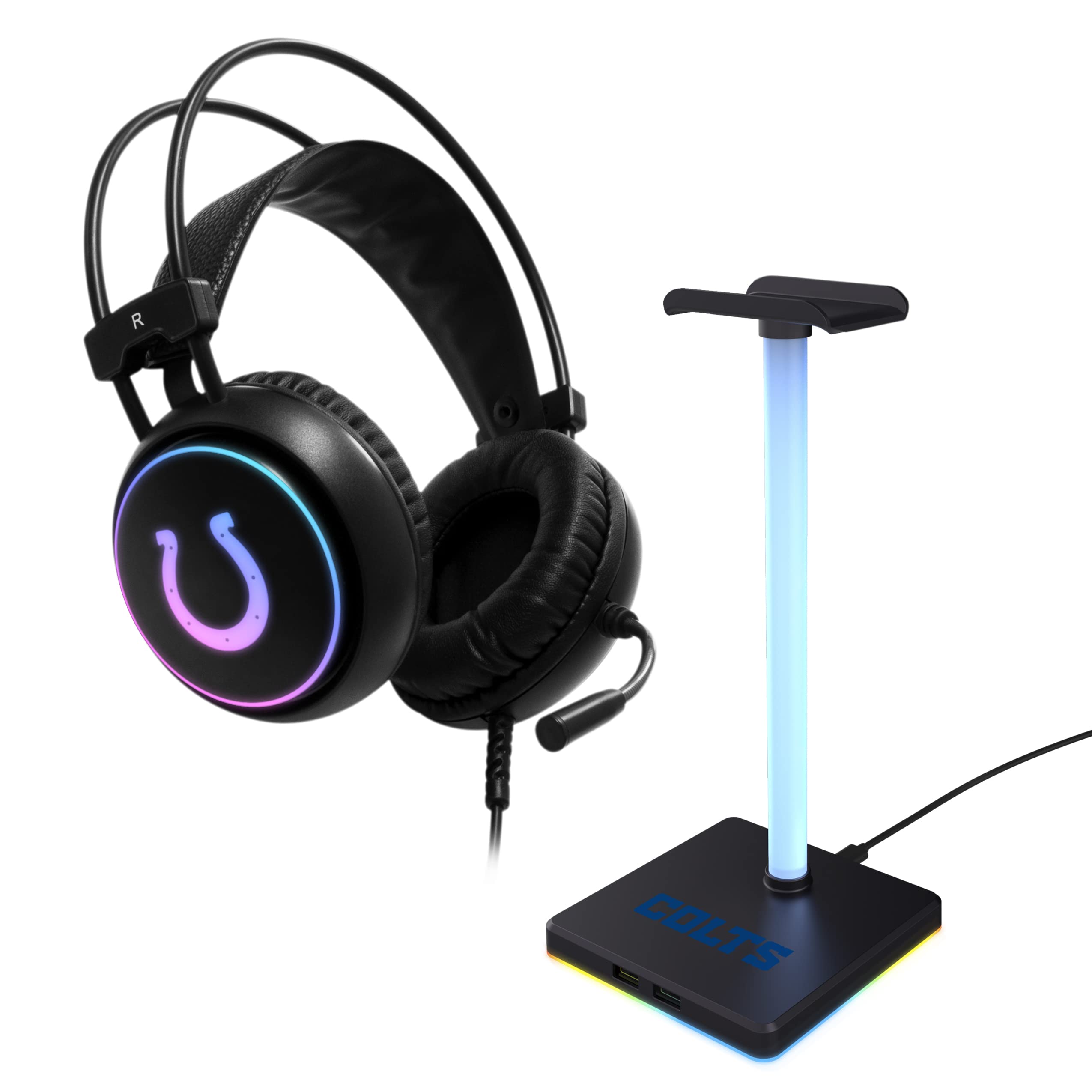
Image 1: SOAR NFL Wired LED Gaming Headset and Stand.
This gaming headset features 360 stereo audio, a flexible boom microphone with noise dampening technology, and RGB color-changing LED lights. The accompanying stand includes two USB ports for added convenience. It is compatible with PlayStation, Xbox, PC, and Nintendo Switch.
2. Pakuotės turinys
Patikrinkite, ar jūsų siuntinyje yra visi toliau išvardyti daiktai:
- SOAR NFL Wired LED Gaming Headset
- 3-Piece Headset Stand (Base, Rod, Headset Rest)
3. Sąranka
3.1 Assembling the Headset Stand
- Carefully unpack all components of the stand.
- Insert the rod into the designated slot on the stand's base. Ensure it is securely fitted.
- Attach the headset rest to the top of the rod.
- Place the assembled stand on a stable, flat surface.
3.2 Ausinių prijungimas
- Connect the 3.5mm audio jack from the headset into the corresponding audio port on your gaming console controller, PC, or Nintendo Switch.
- For the LED lights on both the headset and the stand, connect the USB cable from the headset stand to an available USB port on your gaming console, PC, or a USB power adapter. The headset's LED lights are powered via the stand's USB connection.

Image 2: Headset connected and resting on the stand, showing LED illumination.
4. Naudojimo instrukcijos
4.1 Ausinių reguliavimas
- Galvos juosta: Adjust the headband by sliding the earcups up or down until they rest comfortably over your ears.
- Ausų pagalvėlės: The comfort foam ear pads are designed for extended wear. Ensure they fully cover your ears for optimal audio experience and comfort.
4.2 Mikrofono naudojimas
- Boom Mic: The flexible boom arm can be adjusted to position the microphone closer to your mouth for clear voice pickup.
- Triukšmas Damppabaiga: The microphone features noise dampening technology to reduce background noise during communication.
4.3 Garsumo valdymas
The headset includes an inline volume control. Locate the control on the headset cable and adjust the volume to your preferred level by rotating the dial or sliding the switch.
4.4 Stand USB Ports
The headset stand is equipped with two USB ports in its base. These ports can be used to charge other devices or connect additional peripherals.
5. Priežiūra
5.1 Valymas
- Use a soft, dry cloth to wipe down the headset and stand.
- Do not use abrasive cleaners, solvents, or harsh chemicals, as these can damage the product's finish and components.
- Avoid getting moisture into the headset's earcups or the stand's USB ports.
5.2 Saugykla
When not in use, place the headset on its dedicated stand to keep it organized and protected from damage. Store the product in a cool, dry place away from direct sunlight and extreme temperatures.
6. Problemų sprendimas
If you encounter issues with your SOAR NFL Wired LED Gaming Headset and Stand, please refer to the following common solutions:
| Problema | Galimas sprendimas |
|---|---|
| Nėra garso iš ausinių |
|
| Mikrofonas neveikia |
|
| LED lemputės nešviečia |
|
| Stand USB ports not functioning |
|
7. Specifikacijos
- Modelis: NFL-RSRX-CLTS
- Ryšys: Laidinis (3.5 mm lizdas)
- Mikrofonas: Built-in Boom Mic with Noise Dampening
- Apšvietimas: RGB Color Changing LED Lights (Headset & Stand)
- Stand Features: 2 USB prievadų
- Suderinamumas: PlayStation, XBOX, PC, Nintendo Switch
- Ausinių funkcijos: Adjustable Headband, Comfort Foam Ear Pads, Volume Control
- Gaminio matmenys: 11.68 x 21.01 x 32.51 cm
- Prekės svoris: 767 g
- Įtraukti komponentai: Headphones, 3-piece Stand
8. Garantija ir palaikymas
For warranty information or technical support, please refer to the documentation provided at the point of purchase or contact SOAR customer service. Keep your proof of purchase for warranty claims.


