1. Įvadas
Ačiū, kad pirkoteasing the Generic Mini 3-Key USB Programmable Mechanical Gaming Keypad. This compact and versatile keypad is designed for enhanced gaming and productivity, featuring hot-swappable Cherry Red switches and customizable RGB backlighting. This manual provides detailed instructions to help you set up, operate, and maintain your new keypad.
2. Pakuotės turinys
Patikrinkite, ar jūsų siuntinyje yra visi toliau išvardyti daiktai:
- 1 x Mini 3-Key Black Keypad
- 1 x Shaft-Puller (Keycap/Switch Puller)
- 1 x 1.5M USB Data Cable
- 1 x naudojimo instrukcija (šis dokumentas)

Image: The Mini 3-Key Keypad, USB cable, and a shaft-puller are included in the package.
3. Sąranka
- Prijunkite klaviatūrą: Insert the micro-USB end of the provided USB data cable into the port on the side of the Mini 3-Key Keypad. Connect the standard USB-A end to an available USB port on your computer.
- Automatinis atpažinimas: The keypad is a standard Human Interface Device (HID) and should be automatically recognized by your operating system (Windows, macOS, Linux) without requiring additional drivers.
- Software Installation (for Programming): To customize key functions and RGB lighting, you will need to download and install the dedicated programming software. This software is typically provided by the manufacturer or available for download from their support websvetainę. (Please refer to the software's instructions for installation.)
- Suderinamumas su keliomis platformomis: The keypad saves programmed instructions directly to its internal memory. Once programmed on a Windows system, the custom settings will function on macOS or Linux systems without needing the software installed on those operating systems.

Vaizdas: Šoninė view of the keypad with the USB cable connected to the micro-USB port.
4. Naudojimo instrukcijos
4.1. Key Programming and Macros
The Mini 3-Key Keypad is fully programmable, allowing you to assign custom functions, macros, and even mouse simulations to each of its three keys. The programming application features an understandable English interface for ease of use.
- Paleiskite programinę įrangą: Open the dedicated programming application on your Windows computer.
- Pasirinkite raktą: Within the software interface, select the key you wish to program.
- Priskirti funkciją: Choose from various options:
- Standard Key: Assign a single keyboard key (e.g., 'A', 'Enter', 'Shift').
- Makrokomandas: Record a sequence of keystrokes and delays.
- Pelės funkcija: Simulate mouse clicks (left, right, middle) or movements.
- Multimedijos valdikliai: Play/Pause, Volume Up/Down, etc.
- Išsaugoti įrenginyje: After configuring your desired functions, ensure you save the settings to the keypad's onboard memory through the software. This ensures your custom settings persist even when the keypad is connected to a different computer or after a restart.

Image: A user interacting with the keypad, demonstrating the illuminated keys.
4.2. RGB foninio apšvietimo valdymas
The keypad features customizable RGB backlighting. You can control the light color and gradient modes using the programming software.
- Access Lighting Settings: Within the programming software, navigate to the lighting or RGB settings section.
- Customize Effects: Choose from various options such as:
- Static color for each key or the entire keypad.
- Dynamic lighting effects (e.g., breathing, wave, ripple).
- Reguliuokite efektų ryškumą ir greitį.
- Taikyti nustatymus: Apply and save your preferred lighting configuration through the software.

Image: The keypad displaying a multi-color RGB lighting effect.
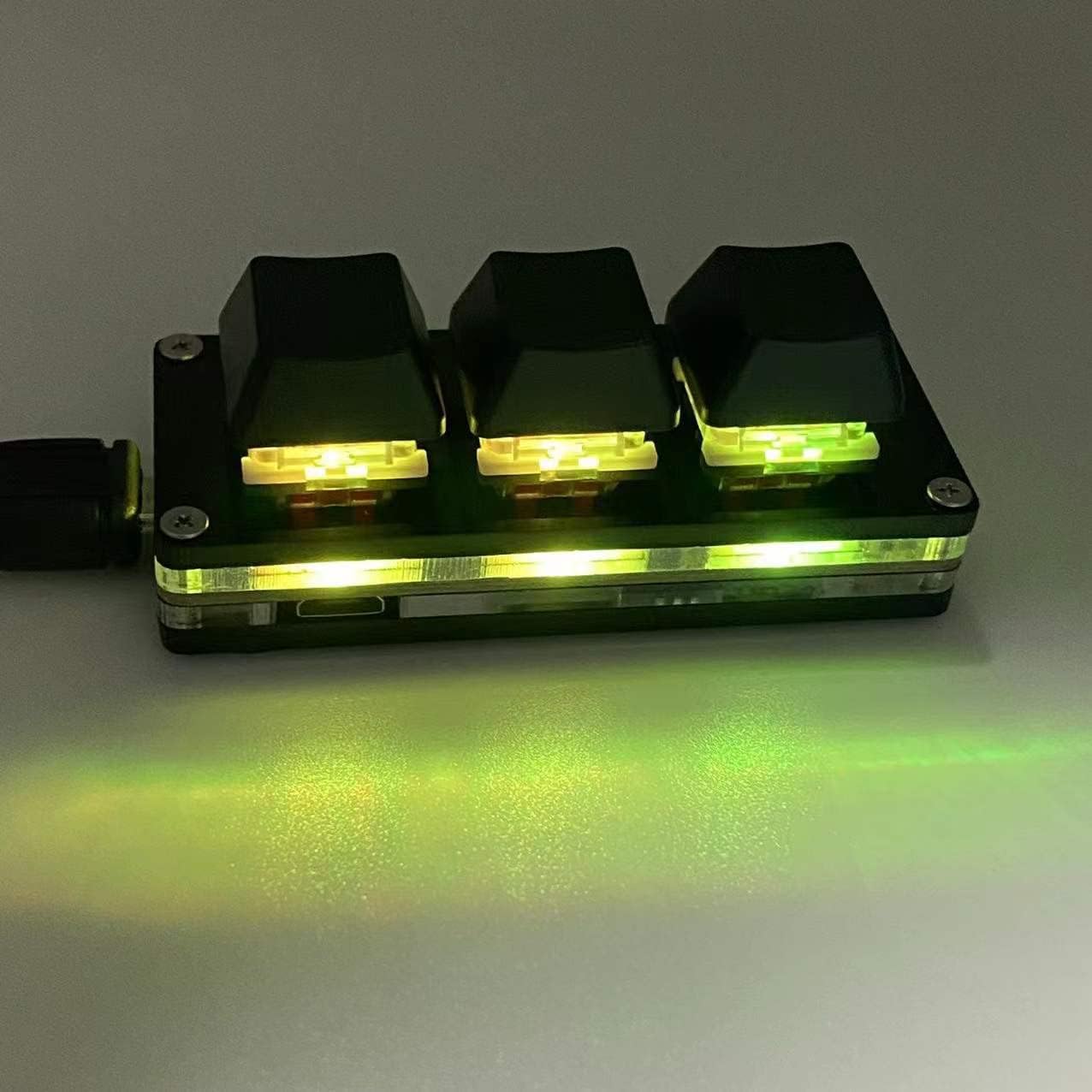
Image: The keypad displaying a uniform green RGB lighting effect.

Image: The keypad displaying a purple and red RGB lighting effect.
5. Priežiūra
Proper maintenance ensures the longevity and optimal performance of your keypad.
- Valymas: Use a soft, dry cloth to wipe the surface of the keypad. For stubborn dirt, a slightly damp Galima naudoti šluostę su švelniu muilu, užtikrinant, kad į įrenginį nepatektų skysčio.
- Klaviatūros dangtelio nuėmimas: The provided shaft-puller can be used to carefully remove keycaps for cleaning or switch replacement. Gently hook the puller onto the keycap and pull upwards.
- Jungiklio keitimas: The keypad features hot-swappable switches. If a switch needs replacement, use the shaft-puller to carefully remove the keycap, then use the same tool or a switch puller to gently extract the switch. Align the pins of the new switch with the sockets and press firmly until it clicks into place.
- Saugykla: When not in use for extended periods, store the keypad in a clean, dry environment away from direct sunlight and extreme temperatures.

Vaizdas: Stambus planas view of a Cherry Red mechanical switch, illustrating its design.
6. Problemų sprendimas
If you encounter issues with your keypad, please refer to the following common solutions:
| Problema | Galimas sprendimas |
|---|---|
| Keypad not recognized by computer. |
|
| Keys are not performing assigned functions. |
|
| RGB apšvietimas neveikia arba yra netinkamas. |
|
| A key is not responding. |
|
7. Specifikacijos
| Modelio pavadinimas | Sayo Device 3-Key / Soyo Device 3-Key |
| Gaminio matmenys | 2.8 x 1.2 x 1.1 colio (7.1 x 3.0 x 2.8 cm) |
| Prekės svoris | 1.4 uncijos (40 gramų) |
| Jungikliai | Hot-swappable Cherry Red Mechanical Switches |
| Ryšys | USB (Micro-USB to USB-A cable included) |
| Foninis apšvietimas | RGB Backlit, customizable via software |
| Medžiaga | Plastikiniai |
| Suderinamos operacinės sistemos | Windows 10 (for programming), macOS, Linux (for use after Windows programming) |
| Įtraukti komponentai | Mini 3-Key Keypad, USB Cable, Shaft-Puller |
| Gamintojas | Newhui |
8. Garantija ir palaikymas
For any problems or inquiries regarding your Generic Mini 3-Key Keypad, please contact the seller or manufacturer's customer support. They will assist you with troubleshooting, warranty claims, and any other product-related concerns as quickly as possible.
Prašome išsaugoti pirkimo kvitą garantijos tikslais.


