
Įvadas
This manual provides detailed instructions for the installation, operation, and maintenance of the 3nStar LDT114 Direct Thermal Label Printer. The LDT114 is designed for various labeling applications, offering reliable performance with its dual-wall framed construction and all-metal print head. Please read this manual thoroughly before using the printer to ensure proper setup and optimal functionality.
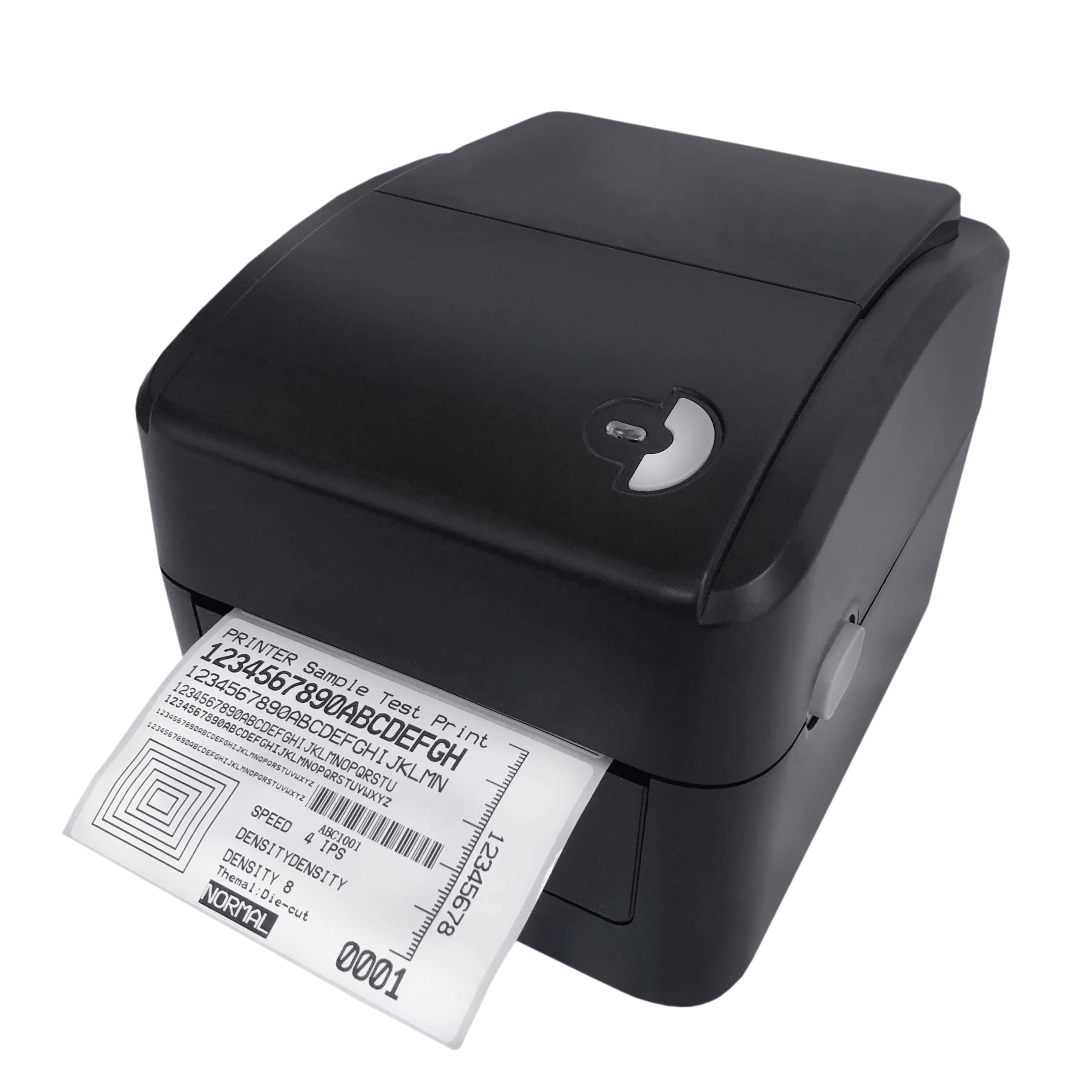
Image: The 3nStar LDT114 Direct Thermal Label Printer in operation, showing a sampspausdinama etiketė.
1. Sąranka
1.1 Išpakavimas ir patikrinimas
- Atsargiai išimkite spausdintuvą iš pakuotės.
- Verify that all included components are present: printer unit, power adapter, power cord, USB cable, quick start guide, and Windows labeling software driver CD.
- Inspect the printer for any visible damage. If damage is found, contact your vendor immediately.
1.2 Spausdintuvo prijungimas
- Maitinimo jungtis: Connect the external switching power adapter to the printer's power input port. Plug the power cord into the adapter and then into a suitable electrical outlet.
- Duomenų ryšys:
- USB sąsaja: Prijunkite vieną pateikto USB kabelio galą prie spausdintuvo USB prievado, o kitą – prie laisvo kompiuterio USB prievado.
- LAN (Ethernet) Interface: Connect an Ethernet cable to the LAN port on the printer and to your network router or switch.

Image: Rear panel of the LDT114 printer, highlighting the power, USB, and Ethernet connectivity ports.
1.3 Tvarkyklių ir programinės įrangos diegimas
- Insert the provided Windows labeling software driver CD into your computer's CD/DVD drive.
- Follow the on-screen instructions to install the printer drivers and the Bartender Label Printing Software.
- For network setup, refer to the software documentation for configuring the printer on your LAN.
1.4 Etikečių įkėlimas
- Įsitikinkite, kad spausdintuvas išjungtas.
- Atidarykite viršutinį spausdintuvo dangtį.
- Place the label roll onto the media holder, ensuring the labels feed from the bottom of the roll.
- Adjust the media guides to fit the width of your labels snugly, without pinching.
- Feed the leading edge of the labels through the print mechanism until it extends slightly past the print head.
- Saugiai uždarykite viršutinį dangtį.

Image: The LDT114 printer with its top cover open, illustrating the internal mechanism for loading label rolls.
2. Naudojimo instrukcijos
2.1 Įjungimas / išjungimas
- To power on, ensure the power cord is connected and flip the power switch located at the rear of the printer to the 'ON' position.
- Norėdami išjungti maitinimą, perjunkite maitinimo jungiklį į padėtį „OFF“.
2.2 Pagrindinis spausdinimas
- Įsitikinkite, kad spausdintuvas prijungtas prie kompiuterio ir įjungtas.
- Open your label design software (e.g., Bartender) or any application from which you wish to print.
- Select the 3nStar LDT114 printer from the list of available printers.
- Configure your print settings, such as label size, orientation, and number of copies.
- Initiate the print command. The printer will begin printing labels at a speed of up to 6 IPS.
2.3 Etikečių kalibravimas
For accurate label printing, especially when changing label sizes or types, calibration may be necessary. Refer to the Bartender Label Printing Software manual or the printer driver settings for specific calibration procedures. Typically, this involves a sensor adjustment to correctly detect the gaps between labels.
3. Priežiūra
3.1 Spausdinimo galvutės valymas
Regular cleaning of the print head ensures optimal print quality and extends the life of the printer. It is recommended to clean the print head after every few label roll changes or if print quality degrades.
- Power off the printer and disconnect the power cord.
- Atidarykite viršutinį dangtį.
- Using a cotton swab lightly moistened with 100% alcohol, gently wipe the print head surface from the center outwards. Avoid touching the print head with bare hands.
- Prieš uždarydami dangtį ir vėl prijungdami maitinimą, leiskite spausdinimo galvutei visiškai išdžiūti.
3.2 Veleno valymas
The platen roller helps feed the labels smoothly. Clean it regularly to prevent label jams and ensure consistent feeding.
- Power off the printer and disconnect the power cord.
- Atidarykite viršutinį dangtį.
- Rotate the platen roller and wipe its surface with a cotton swab lightly moistened with 100% alcohol.
- Prieš uždarydami dangtelį ir vėl prijungdami maitinimą, leiskite jam visiškai išdžiūti.
4. Problemų sprendimas
| Problema | Galima priežastis | Sprendimas |
|---|---|---|
| Spausdintuvas neįsijungia. | Neprijungtas maitinimo laidas; sugedęs maitinimo lizdas. | Patikrinkite maitinimo jungtis; pabandykite kitą lizdą. |
| Nespausdinamos jokios etiketės. | Labels not loaded correctly; printer offline; driver issue. | Reload labels; check printer status; reinstall drivers. |
| Prasta spausdinimo kokybė (išblukę, linijos). | Dirty print head; low-quality labels; incorrect print settings. | Clean print head; use recommended labels; adjust print density. |
| Labels are jamming. | Incorrect label loading; media guides too tight/loose; dirty platen roller. | Reload labels correctly; adjust media guides; clean platen roller. |
| Kompiuteris neatpažįsta spausdintuvo. | USB/LAN cable disconnected; driver not installed or corrupted. | Check cable connections; reinstall printer drivers. |
5. Specifikacijos
| Funkcija | Detalė |
|---|---|
| Modelis | LDT114 |
| Spausdinimo technologija | Tiesioginis terminis |
| Spausdinimo raiška | 203 DPI (taškai colyje) |
| Maksimalus spausdinimo greitis | 6 IPS (colių per sekundę) |
| Spausdinimo spalva | Monochrominis (juodas) |
| Ryšys | USB, Ethernet (LAN) |
| Atmintis | 8 MB SDRAM, 8 MB Flash (Micro SD Card Reader for expansion) |
| Emuliacija | TSPL (EPL, ZPL, DPL compatible) |
| Maksimalus laikmenos plotis | 4.5 colių |
| Maksimalus spausdinimo ilgis | 70 colių |
| Gaminio matmenys (D x P x A) | 17.8 x 20.3 x 15.2 centimetro |
| Prekės svoris | 2 kilogramo |
| Energijos suvartojimas | 44 vatai (veikiant) |
| Ypatingos savybės | Network-Ready, Double-walled clamshell design |
| Įtraukti komponentai | Printer, Power Adapter, Power Cord, USB Cable, Quick Start Guide, Windows Labeling Software Driver CD |
6. Informacija apie garantiją
The 3nStar LDT114 Direct Thermal Label Printer comes with a 1 metų ribota garantija from the date of purchase. This warranty covers defects in materials and workmanship under normal use. It does not cover damage caused by misuse, accidents, unauthorized modifications, or improper installation. Please retain your proof of purchase for warranty claims.
7. Parama
For technical assistance, troubleshooting beyond this manual, or warranty inquiries, please contact 3nStar customer support. Refer to the contact information provided with your product packaging or visit the official 3nStar websvetainę, kurioje rasite naujausią pagalbos informaciją.
- Internetiniai ištekliai: Check the 3nStar website for FAQs, updated drivers, and additional documentation.
- Susisiekite: Refer to your product's quick start guide or packaging for specific customer service contact numbers or email addresses.