
AUNA BX-4200
Auna Arizona Jukebox Mini User Manual
Modelis: BX-4200
Įvadas
This manual provides detailed instructions for the safe and efficient operation of your Auna Arizona Jukebox Mini. Please read this manual thoroughly before using the device and retain it for future reference.
The Auna Arizona Jukebox Mini combines vintage aesthetics with modern technology, offering a versatile audio experience. Enjoy features such as Bluetooth connectivity, CD playback, USB and SD card support, and FM/DAB+ radio, all housed in a classic 1950s-style design with integrated LED lighting.
Saugos instrukcijos
- Prieš naudodami įrenginį, perskaitykite visas instrukcijas.
- Saugokite prietaisą nuo vandens ir drėgmės.
- Nelaikykite prietaiso nuo tiesioginių saulės spindulių ar ekstremalių temperatūrų.
- Užtikrinkite tinkamą vėdinimą; neužblokuokite jokių ventiliacijos angų.
- Naudokite tik su prietaisu pateiktą maitinimo adapterį.
- Nebandykite patys taisyti įrenginio. Visus techninės priežiūros darbus patikėkite kvalifikuotiems specialistams.
- Prietaisą valykite tik sausa šluoste.
Produktas baigtasview
Priekinio skydelio valdikliai ir funkcijos
The Auna Arizona Jukebox Mini features an intuitive layout for easy access to all functions.

Vaizdas: The Auna Arizona Jukebox Mini, highlighting its aesthetic appeal and integrated LED lighting in a home environment.
- Maitinimo mygtukas: Įjungia arba išjungia įrenginį.
- Garsumo valdymas: Reguliuoja garso išvesties lygį.
- Šaltinio parinkiklis: Switches between FM/DAB+ Radio, CD, Bluetooth, USB, and SD modes.
- CD grotuvas: Front-loading slot for audio and MP3 CDs.
- USB prievadas: Skirta USB atmintinėms prijungti.
- SD kortelės lizdas: Skirta SD/MMC atminties kortelėms įdėti.
- LED Lighting Switch: Controls the LED lighting system (static or color-changing).
- Ekranas: Rodo dabartinį režimą, takelio informaciją arba radijo dažnį.
Sąranka
- Išpakavimas: Carefully remove the jukebox from its packaging. Ensure all components are present: the main unit and power cable.
- Vieta: Place the jukebox on a stable, flat surface. Ensure adequate ventilation around the unit. The compact size makes it suitable for tables or dressers. Four rubber feet are provided to protect surfaces.
- Maitinimo jungtis: Connect the supplied power cable to the AC input on the back of the jukebox and then plug it into a standard 100-240V, 50/60Hz wall outlet.
- Antena: Extend the FM/DAB+ antenna for optimal radio reception.
Naudojimo instrukcijos
1. Maitinimo įjungimas/išjungimas
Paspauskite Galia button on the front panel to turn the jukebox on or off.
2. Šaltinio pasirinkimas
Naudokite Šaltinio parinkiklis knob or button to cycle through available modes: FM/DAB+ Radio, CD, Bluetooth, USB, and SD.
3. Bluetooth veikimas
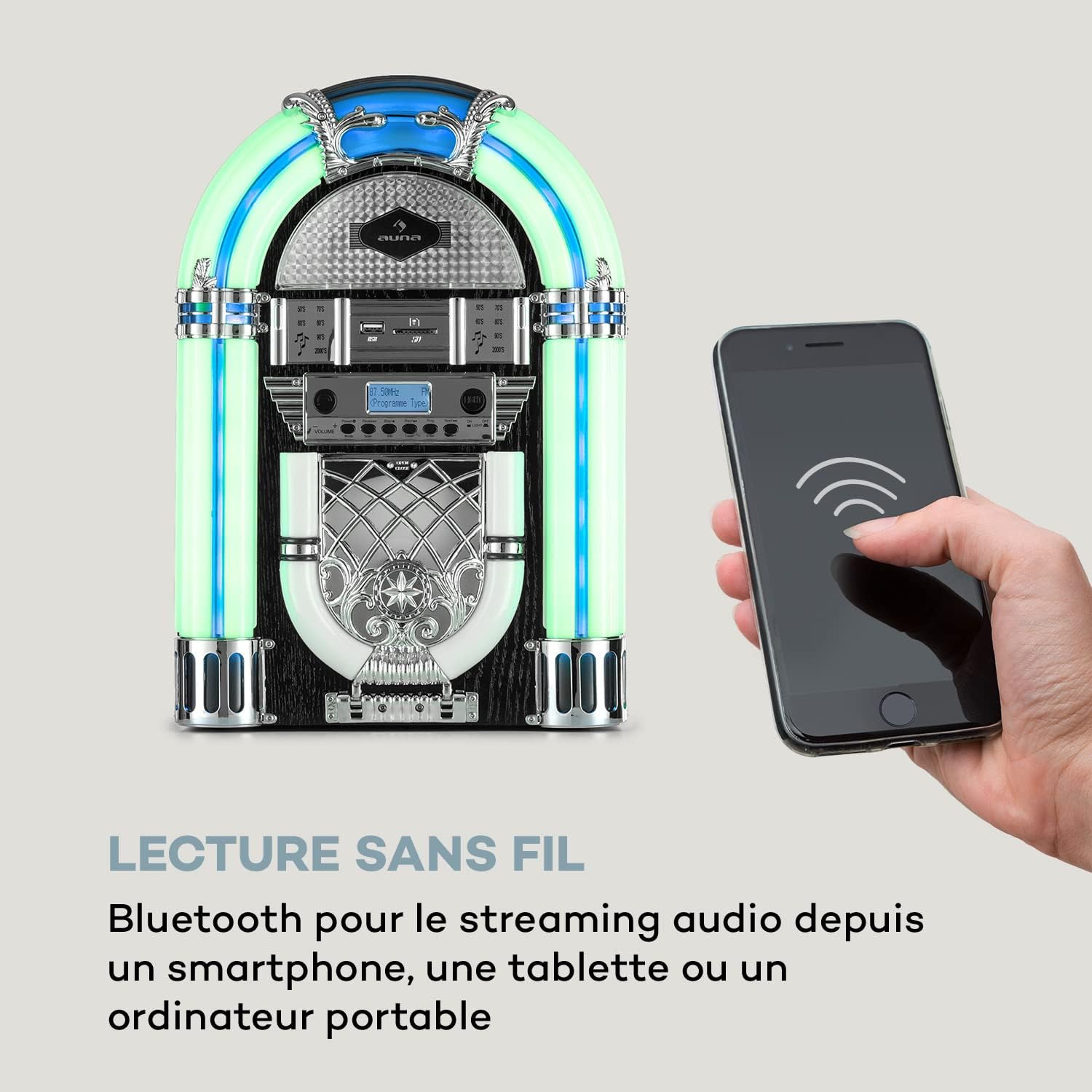
Vaizdas: The Auna Arizona Jukebox Mini demonstrating its wireless Bluetooth connectivity with a smartphone.
- Pasirinkite Bluetooth mode using the Source Selector. The display will show "BT" or "PAIRING".
- Išmaniajame telefone, planšetiniame kompiuteryje ar kitame įrenginyje su „Bluetooth“ ryšiu įjunkite „Bluetooth“ ir ieškokite galimų įrenginių.
- Select "Auna Arizona" (or similar name) from the list. Once paired, the jukebox will indicate a successful connection.
- Start playing music on your connected device. Audio will stream wirelessly to the jukebox.
4. CD grojimas

Vaizdas: Išsamią view of the front-loading, vertical CD player on the Auna Arizona Jukebox Mini.
- Pasirinkite CD mode using the Source Selector.
- Gently insert an audio CD or MP3 CD into the front-loading CD slot. The disc will be automatically drawn in.
- Playback should begin automatically. Use the control buttons (Play/Pause, Skip, Stop) to manage playback.
5. USB / SD kortelės atkūrimas

Vaizdas: A close-up showing the USB port and SD card slot, demonstrating the versatile connectivity options of the jukebox.
- Įdėkite USB atmintinę į USB prievadas arba SD/MMC kortelę į SD kortelės lizdas.
- Pasirinkite USB or SD mode using the Source Selector.
- The jukebox will automatically detect and begin playing compatible MP3 files. Use the control buttons to navigate tracks.
6. FM/DAB+ Radio Operation
- Pasirinkite FM or DAB+ mode using the Source Selector.
- Visiškai ištraukite anteną, kad gautumėte geriausią signalą.
- Naudokite Dažnio reguliavimas knob or buttons to manually tune to your desired station.
- For FM, the frequency range is 87.5 - 108 MHz. For DAB+, the frequency range is 174.928 - 239.200 MkHz.
7. LED apšvietimo sistema
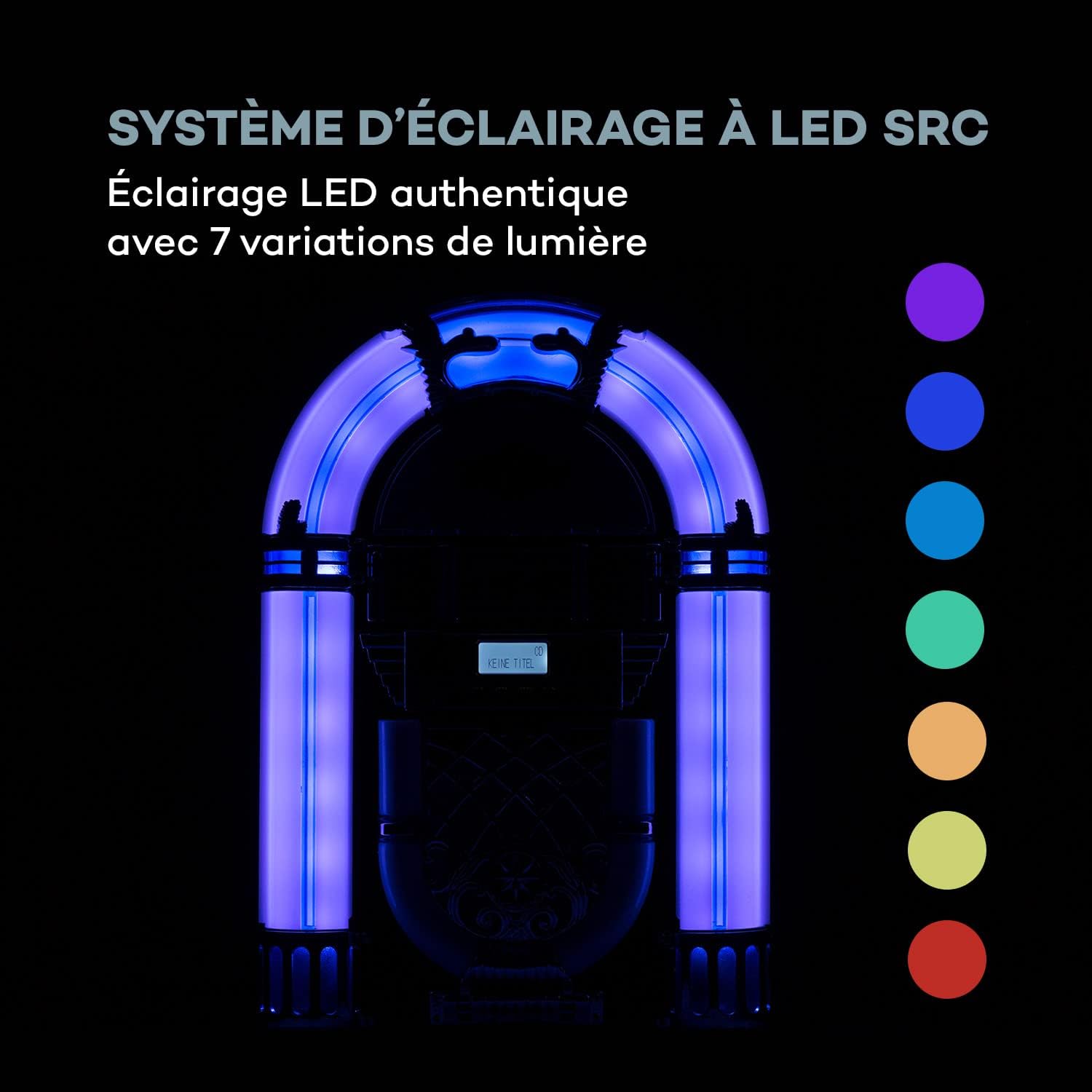
Vaizdas: The SRC LED lighting system of the Auna Arizona Jukebox Mini, illustrating its 7 color variations.
The jukebox features an SRC LED lighting system with 7 variations. Use the LED apšvietimo jungiklis to turn the lights on/off or to cycle through static colors and color-changing modes.
Priežiūra
- Valymas: Wipe the exterior of the jukebox with a soft, dry cloth. Do not use liquid cleaners or abrasive materials.
- CD grotuvas: Reguliariai valykite CD objektyvą specialiu CD objektyvo valymo disku.
- Saugykla: Jei įrenginį ilgesnį laiką sandėliuosite, atjunkite jį nuo elektros lizdo ir laikykite vėsioje, sausoje vietoje.
Trikčių šalinimas
| Problema | Galima priežastis | Sprendimas |
|---|---|---|
| Nėra galios | Maitinimo laidas neprijungtas; lizdas neaktyvus. | Ensure power cable is securely plugged in. Check the wall outlet with another device. |
| Nėra garso | Volume too low; incorrect source selected; device not paired (Bluetooth). | Increase volume. Select the correct input source. Re-pair Bluetooth device. |
| CD negroja | CD inserted incorrectly; CD is dirty or scratched; unsupported CD format. | Re-insert CD correctly. Clean or replace CD. Ensure it's an audio CD or MP3 CD. |
| Prastas radijo priėmimas | Antena neišskleista; silpnas signalas. | Fully extend and adjust the antenna. Try repositioning the unit for better signal. |
| Bluetooth poravimo problemos | Jukebox not in pairing mode; device too far; interference. | Ensure jukebox is in Bluetooth pairing mode. Move device closer. Reduce interference from other electronics. |
Specifikacijos
| Prekės ženklas | AUNA |
| Modelio numeris | BX-4200 |
| Maitinimo išvestis | 2 x 2 vatai RMS |
| Maitinimo šaltinis | 100-240V, 50/60Hz |
| Ryšys | Bluetooth, USB, SD/MMC Card Reader |
| CD suderinamumas | CD, CD-MP3, CD-R, CD-RW |
| Radio Frequencies (FM) | 87.5–108 MHz |
| Radio Frequencies (DAB+) | 174.928 - 239.200 MkHz |
| Garsiakalbio tipas | Stereo |
| Ekvalaizeris | 2 juostų |
| Matmenys (PxAxG) | Apytiksl. 26.5 x 39 x 16 cm |
| Svoris | apytiksliai 2.3 kg |
| Cable Length (Power) | apytiksliai 180 cm |
| LED apšvietimas | SRC LED System with 7 variations |
Garantija ir palaikymas
Auna products are designed for quality and reliability. For warranty information, please refer to the documentation included with your purchase or visit the official Auna website. For technical support or service inquiries, please contact Auna customer service.
Note: Availability of spare parts and software updates is not specified in the product information.
Ask a question about this manual
Ask about setup, troubleshooting, compatibility, parts, safety, or missing instructions. Manuals+ will review the question and use this page’s manual context to help answer it.