
Įvadas
This manual provides detailed instructions for the installation, operation, and maintenance of your EZoneTronics Android 11 Car Stereo. Please read this manual thoroughly before using the product to ensure proper function and safety. This unit is designed for Peugeot 308 and 408 models manufactured between 2010 and 2016.
Pakuotės turinys
Patikrinkite, ar pakuotėje yra visi toliau išvardyti daiktai:
- 1 x EZoneTronics Android Player
- 1x GPS antena
- 1 x maitinimo laidas
- 1 x RCA įvesties / išvesties kabelis
- 2 USB adapteriai
- 1 x Kameros įvesties kabelis
- 1 x Naudotojo vadovas (šis dokumentas)
Sąranka ir diegimas
The EZoneTronics Android 11 Car Stereo is designed for plug-and-play installation in compatible Peugeot 308/408 models. Professional installation is recommended.
Patikrinimai prieš montavimą
- Prieš pradėdami montuoti, įsitikinkite, kad automobilio uždegimas išjungtas, o akumuliatorius atjungtas.
- Confirm compatibility with your vehicle's make, model, and year (Peugeot 308/408, 2010-2016).
Diegimo žingsniai
- Carefully remove the original car stereo unit from your vehicle's dashboard. Refer to your vehicle's service manual for specific instructions.
- Connect the provided Power Harness to the vehicle's wiring harness. Ensure all connections are secure.
- Connect the GPS Antenna. Position the antenna in a location with a clear view dangaus optimaliam signalo priėmimui.
- Connect the RCA Input/Output Cable, USB Adapters, and Camera Input Cable as needed for external devices (e.g., rear camera, USB drives).
- Carefully slide the EZoneTronics Android Player into the dashboard opening. Ensure all cables are tucked away and not pinched.
- Pritvirtinkite įrenginį vietoje naudodami tinkamus tvirtinimo laikiklius arba varžtus.
- Prijunkite automobilio akumuliatorių ir įjunkite degimą, kad patikrintumėte įrenginį.
Pastaba: Minor modifications to the vehicle's frame (e.g., removing plastic tabs) may be required for a perfect fit. Consult online resources or a professional if unsure.
Naudojimo instrukcijos
Your EZoneTronics Android 11 Car Stereo features a 9-inch TFT Capacitive Touch Screen and an Octa Core CPU for a responsive user experience.
Pagrindinė navigacija
- Maitinimo įjungimas/išjungimas: Paspauskite ir palaikykite nuspaudę įrenginio maitinimo mygtuką arba naudokite transporto priemonės užvedimo sistemą.
- Jutiklinis ekranas: Naršykite meniu ir programose bakstelėdami, braukdami ir suspausdami ekraną.
- Pagrindinis ekranas: Access frequently used apps and widgets. Customize by long-pressing on empty areas.
- Nustatymai: Access system settings, network configurations, display options, and more.

Image: The Android 11 interface with various application icons, highlighting the Octa Core processor for smooth operation.
Bluetooth 5.0 Ryšys
The unit features built-in Bluetooth 5.0 for hands-free calling and audio streaming (A2DP).
- Eikite į automobilio stereo sistemos „Bluetooth“ nustatymus.
- Įjunkite „Bluetooth“ savo mobiliajame telefone ir ieškokite galimų įrenginių.
- Select the car stereo (e.g., "EZoneTronics Car Stereo") from your phone's list and pair.
- Susiejus, galite skambinti / priimti skambučius ir transliuoti muziką tiesiai iš savo telefono.

Image: The Bluetooth 5.0 interface displaying options for call history, dialing, hanging up, and playing music from a connected phone.
CarPlay ir Android Auto
Integrated CarPlay and Android Auto allow seamless smartphone integration via USB (wired) or wirelessly.
- Connect your iPhone (for CarPlay) or Android phone (for Android Auto) to one of the USB ports.
- Follow the on-screen prompts to initiate CarPlay or Android Auto.
- Once connected, you can access navigation, music, messages, and calls through the car stereo interface.
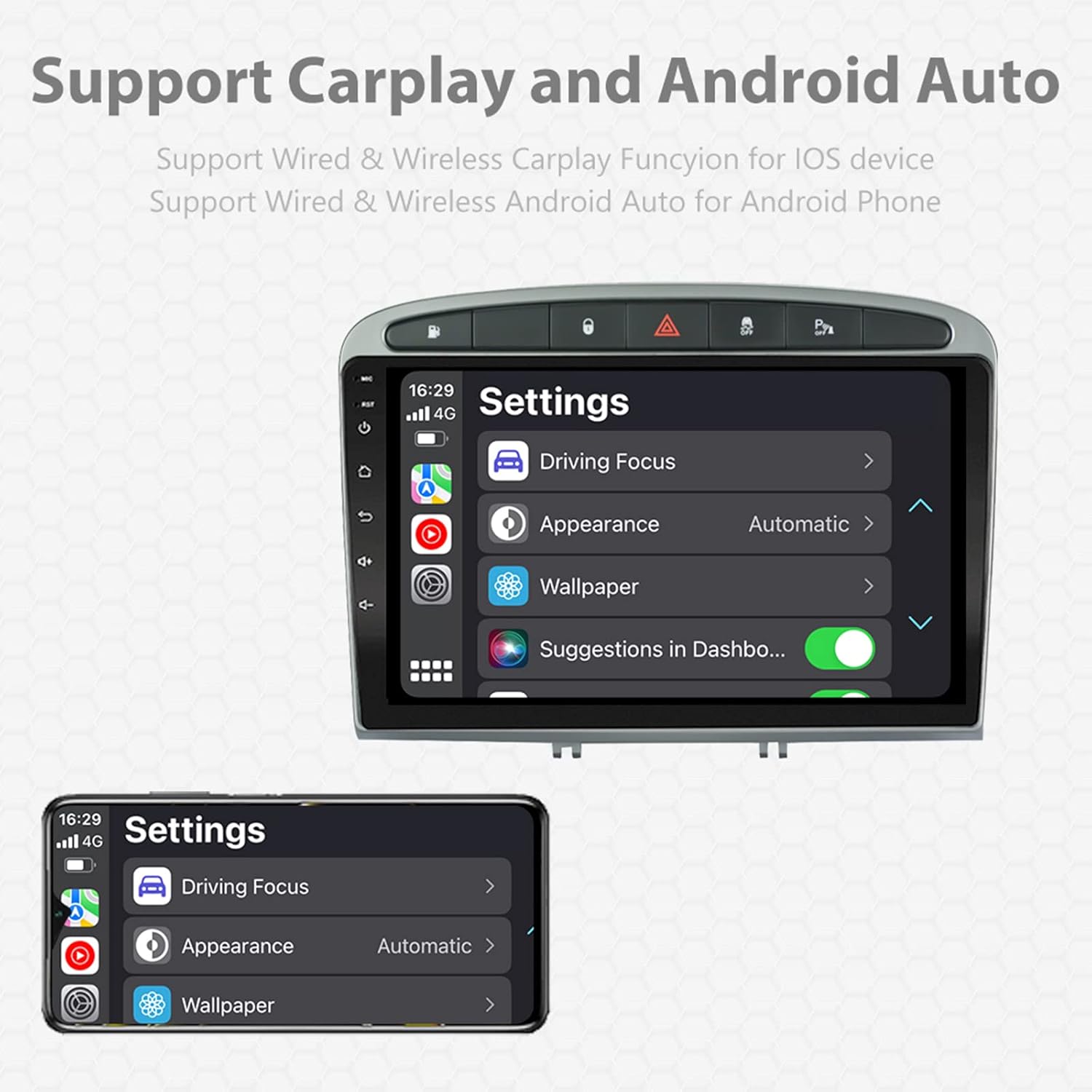
Image: A screen capture showing the settings menu for CarPlay and Android Auto, indicating support for both wired and wireless connections.
Padalintojo ekrano funkcija
The Android 11 system supports multi-tasking, allowing two applications to run side-by-side.
- To activate, open an application, then swipe up from the bottom of the screen (or use the recent apps button) and drag another app to one side of the screen.
- This enables simultaneous use of navigation and music playback, or browsing while listening to the radio.
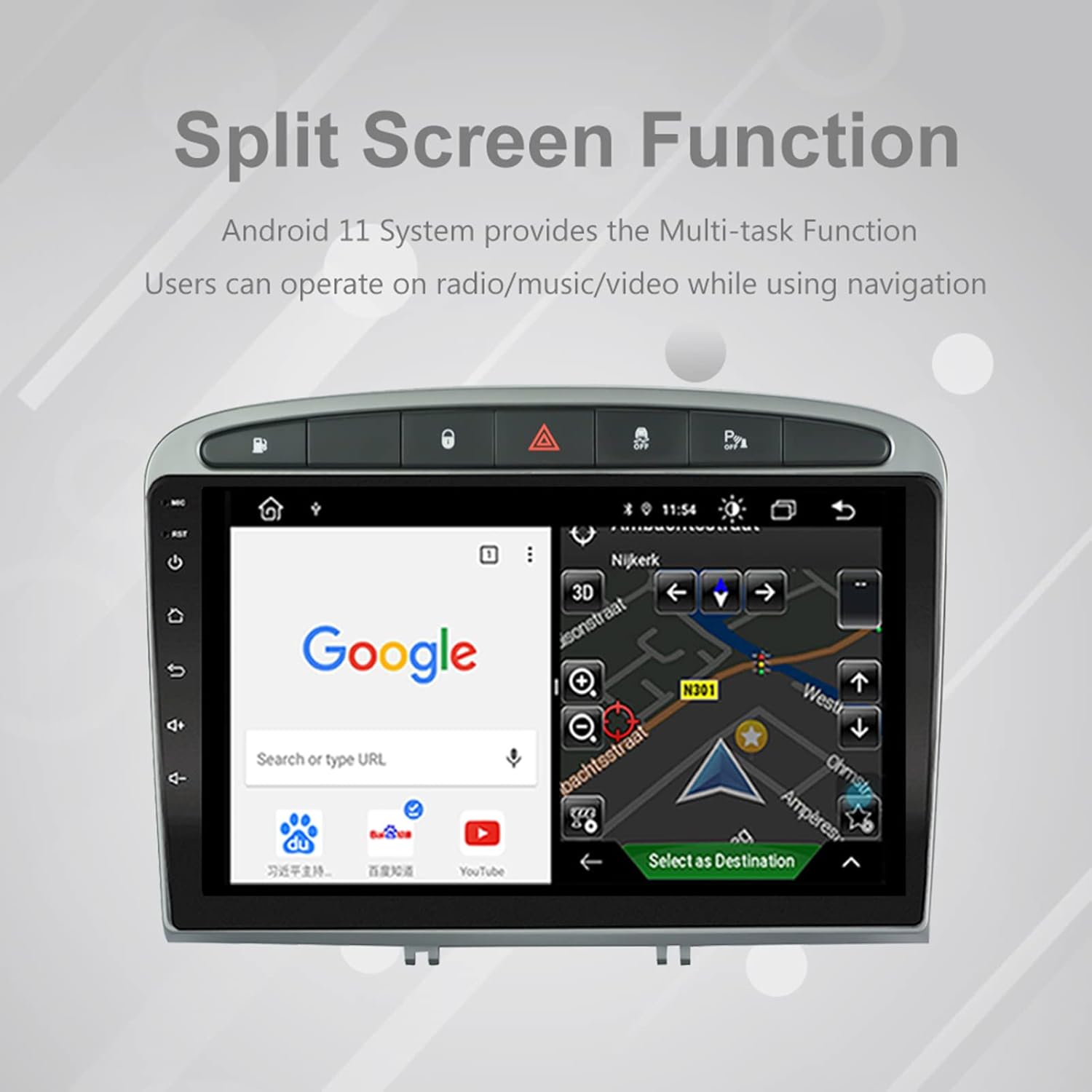
Image: The split-screen feature in action, displaying a Google search interface on one side and a navigation map on the other.
Radio (AM/FM/RDS)
The unit includes an automotive-grade chipset for optimal radio signal reception.
- Select the 'Radio' application from the home screen.
- Norėdami ieškoti stočių, rankiniu būdu derinti arba pasirinkti iš anksto nustatytas stotis, naudokite ekrane rodomus valdiklius.
- RDS (radijo duomenų sistema) teikia papildomos informacijos, pvz., stoties pavadinimą ir programos tipą, jei tokia yra.
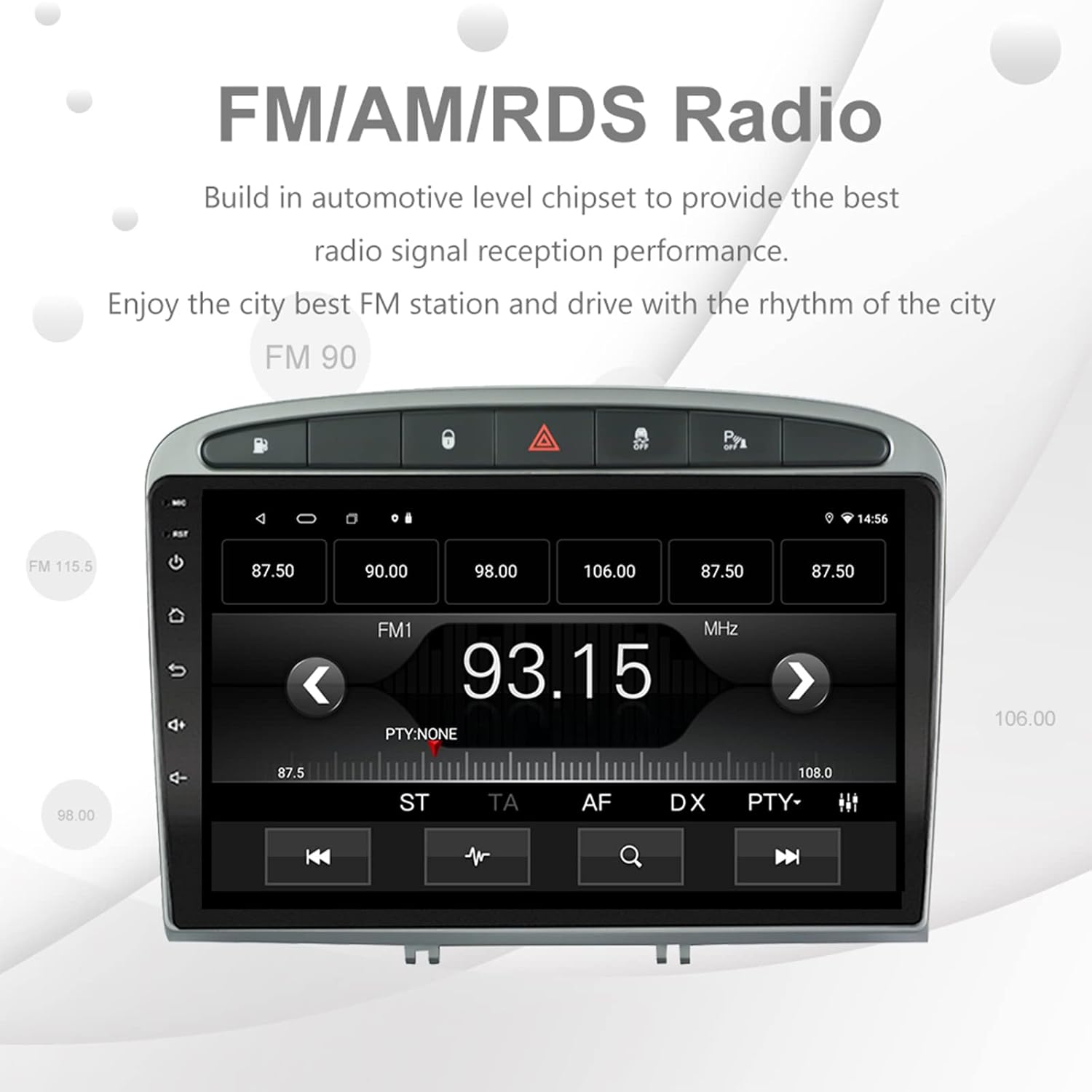
Image: The FM/AM/RDS radio interface, showing frequency display, tuning controls, and preset options.
Skaitmeninis garso procesorius (DSP)
The built-in 32-band DSP allows for precise audio customization to match your preferences and vehicle acoustics.
- Access the 'EQ' or 'DSP' application from the home screen.
- Adjust individual frequency bands, fader, balance, treble, and bass settings.
- Select from preset EQ modes or create and save your custom profiles.

Image: The DSP system interface, illustrating the multi-band equalizer with adjustable frequency sliders for sound customization.
Multimedia Playback (Music & Video)
The unit supports various multimedia formats for music and 1080P HD video playback.
- Connect USB drives to the rear USB inputs for media files.
- Use the 'Music' or 'Video' applications to browse and play your media.
- Stream music from your mobile phone via Bluetooth or compatible apps like Spotify (requires internet connection).

Image: The multimedia player displaying a high-definition scenic image, demonstrating its capability for 1080P video and music playback.
Atbulinės eigos kameros įvestis
The unit supports a reverse camera input for enhanced parking safety. An AHD camera (optional) provides superior clarity compared to standard CVBS cameras.
- Connect a compatible reverse camera to the 'Camera Input' cable.
- Ekranas automatiškai persijungs į kamerą view kai transporto priemonė įjungia atbulinės eigos pavarą.
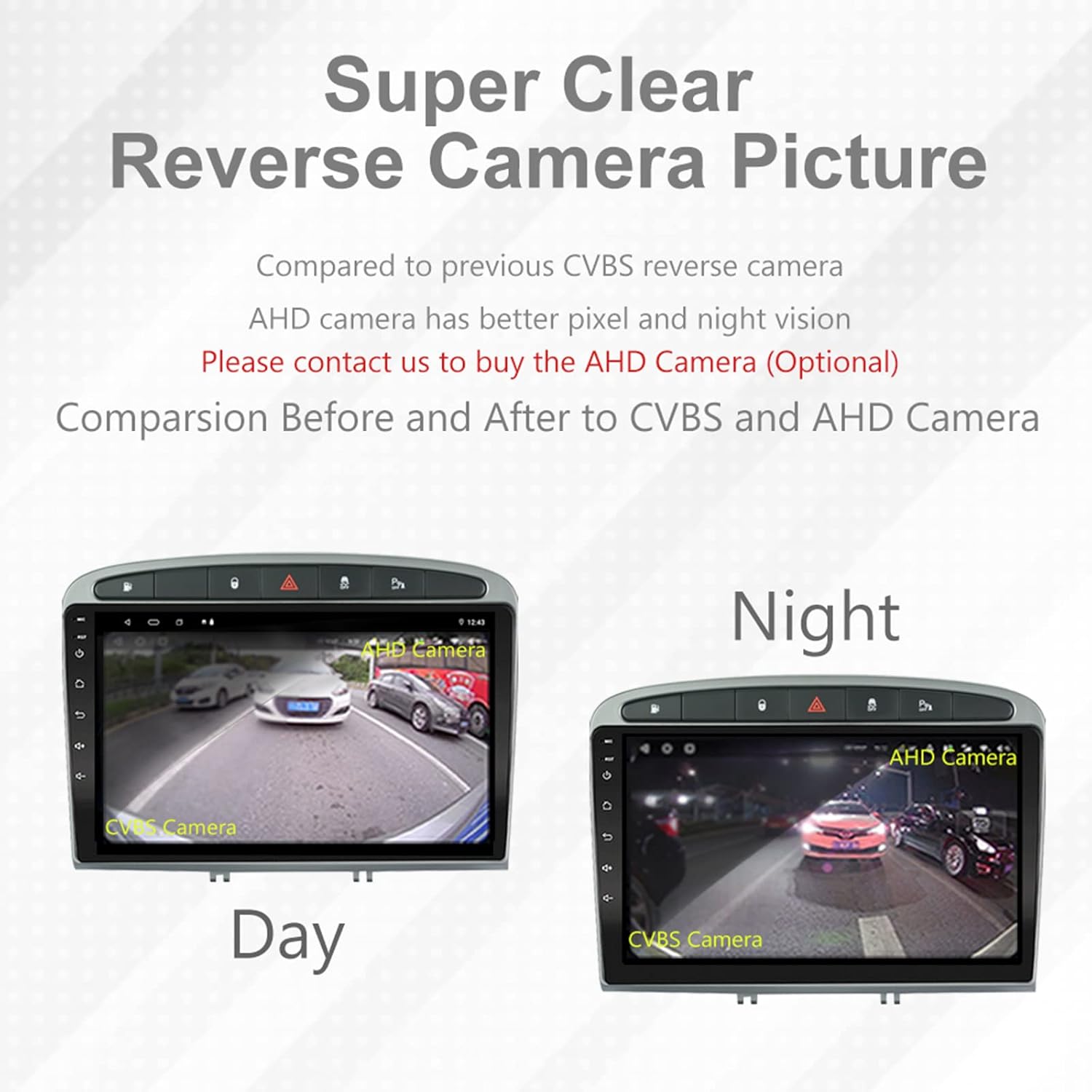
Image: A visual comparison demonstrating the clear reverse camera picture, highlighting the improved clarity of an AHD camera during both day and night conditions.
Priežiūra
Tinkama priežiūra užtikrina jūsų automobilio garso sistemos ilgaamžiškumą ir optimalų veikimą.
- Ekrano valymas: Jutiklinį ekraną švelniai nuvalykite minkšta, nepūkuota šluoste. Venkite abrazyvinių valiklių ar tirpiklių.
- Programinės įrangos atnaujinimai: Periodically check for system software updates to ensure optimal performance and access to new features. Updates can usually be found in the system settings or on the manufacturer's websvetainę.
- Temperatūra: Saugokite įrenginį nuo ekstremalių temperatūrų.
Trikčių šalinimas
Jei kyla problemų, žr. toliau pateiktas dažniausiai pasitaikančias problemas ir sprendimus:
| Problema | Galima priežastis | Sprendimas |
|---|---|---|
| Įrenginys neįsijungia | Atsilaisvinęs maitinimo laidas, perdegęs saugiklis, automobilio akumuliatoriaus problema. | Check power harness connections. Inspect vehicle fuses. Ensure vehicle battery is charged. |
| Nėra garso | Per mažas garsumas, įjungtas nutildymas, garsiakalbio laidų problema, neteisingi garso išvesties nustatymai. | Increase volume. Check mute status. Verify speaker connections. Adjust audio settings in DSP/EQ. |
| Silpnas arba netikslus GPS signalas | GPS antenna improperly placed or disconnected, environmental interference. | Įsitikinkite, kad GPS antena turi laisvą view of the sky and is securely connected. Avoid placing near metal objects. |
| Bluetooth poravimo problemos | Bluetooth not enabled on unit or phone, incorrect pairing procedure, device interference. | Ensure Bluetooth is enabled on both devices. Restart both devices. Follow pairing instructions carefully. |
| „CarPlay“ / „Android Auto“ neveikia | Sugedęs USB laidas, telefono programinės įrangos problema, programėlė neįdiegta / neatnaujinta. | Try a different USB cable. Ensure your phone's OS and CarPlay/Android Auto apps are updated. Restart phone and stereo. |
| Unit is slow or unresponsive | Per daug programų veikia fone, mažai vietos, programinės įrangos triktis. | Close unnecessary applications. Clear cache. Perform a system restart. If persistent, a factory reset might be needed (backup data first). |
Dėl čia neaptartų problemų kreipkitės į klientų aptarnavimo tarnybą.
Specifikacijos
- Modelio numeris: RMS8-PGT-408-08-2G32
- Operacinė sistema: Android 11
- Ekrano dydis: 9 colių
- Ekrano tipas: TFT talpinis jutiklinis ekranas
- Rezoliucija: 1280 x 720 pixels (Note: Some documentation may state 1024x600, but 1280x720 is the primary specification)
- CPU: Octa Core with 1.6GHz Cortex A55
- RAM: 2GB DDR3
- Vidinė saugykla: 32 GB „flash“ atmintis
- Bluetooth: Version 5.0 (A2DP, Hands-Free, Phonebook)
- Ryšys: Built-in WiFi, 4G SIM Card Compatible (requires external module/dongle for 4G), RCA, USB
- GPS: Built-in receiver, compatible with Waze/Navfree/Yandex Map etc.
- Radijas: AM/FM/RDS with Auto Memory Store/Preset Scan
- Garso išvestis: 4 x 45W Power Output, 4.1 Channel RCA/Sub Output
- Garso apdorojimas: 32 Band DSP, Multi EQ Settings, Volume/Fader/Balance/Treble/Bass Control
- Vaizdo įvestis: 1 Channel Video Input, Back Camera Input
- Garso įvestis: 2 kanalų garso įvestis
- Suderinami įrenginiai: Smartphone (for CarPlay/Android Auto, Bluetooth)
- Palaikomos interneto paslaugos: „Spotify“.
- Kalbos: English, French, Italian, German, Spanish, Portuguese, Chinese, Japanese, and more.
- Pakuotės matmenys: 31.3 x 21.6 x 11.9 cm
- Pakuotės svoris: 1.51 kg
Garantija ir palaikymas
Your EZoneTronics car stereo comes with a 1 metų garantija nuo pirkimo datos.
For technical assistance, warranty claims, or any inquiries, please contact our customer support team:
- El. paštas: sales2@rhythmhk.com
Please provide your model number (RMS8-PGT-408-08-2G32) and a detailed description of the issue when contacting support.