
Įvadas
This manual provides essential information for the safe and efficient operation of your Audiolab Omnia All-in-One Music System. Please read these instructions carefully before use and retain them for future reference. The Audiolab Omnia is designed to deliver high-fidelity audio performance from various sources, including CD, streaming, and external devices.
Svarbi saugos informacija
- Maitinimas: Connect the unit only to an AC power source of the type marked on the rear panel. Ensure the power cord is securely plugged into the unit and the wall outlet.
- Vėdinimas: Neužblokuokite ventiliacijos angų. Užtikrinkite pakankamą oro cirkuliaciją aplink įrenginį, kad jis neperkaistų.
- Vanduo ir drėgmė: Saugokite įrenginį nuo lietaus, drėgmės ar per didelės oro drėgmės. Nestatykite ant įrenginio daiktų, pripildytų skysčių, pavyzdžiui, vazų.
- Šilumos šaltiniai: Laikykite įrenginį atokiau nuo šilumos šaltinių, tokių kaip radiatoriai, šildytuvai, viryklės ar kiti šilumą skleidžiantys prietaisai.
- Aptarnavimas: Nemėginkite patys aptarnauti šio gaminio. Visą techninę priežiūrą patikėkite kvalifikuotam aptarnavimo personalui.
- Valymas: Unplug the unit from the wall outlet before cleaning. Use a soft, dry cloth for cleaning. Do not use liquid cleaners or aerosol cleaners.
Pakuotės turinys
Patikrinkite, ar pakuotėje yra visi reikalingi daiktai:
- Audiolab Omnia All-in-One Music System
- Maitinimo kabelis
- Nuotolinio valdymo pultas
- „Wi-Fi“ antenos (x2)
- Vartotojo vadovas (šis dokumentas)
Sąranka
1. Išpakavimas ir įdėjimas
Carefully remove the Audiolab Omnia from its packaging. Place the unit on a stable, level surface with adequate ventilation. Avoid placing it near strong magnetic fields or direct sunlight.
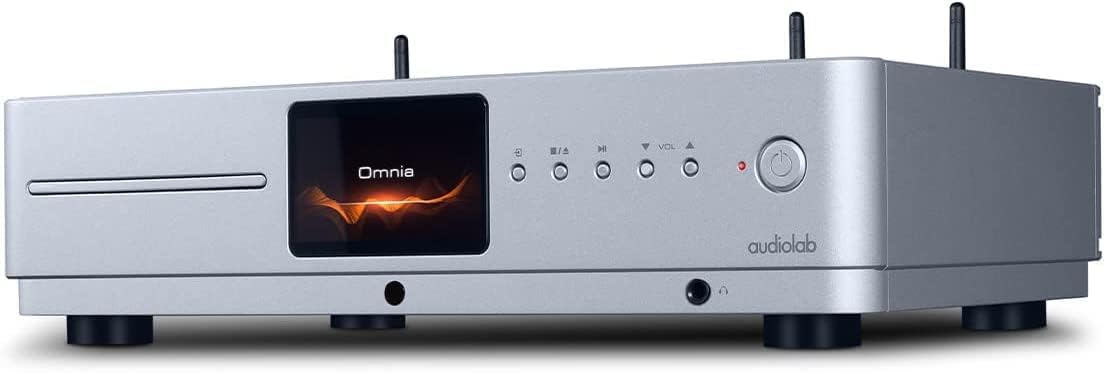
Priekyje view of the Audiolab Omnia All-in-One Music System, showcasing its silver finish, central display, CD slot, and control buttons.
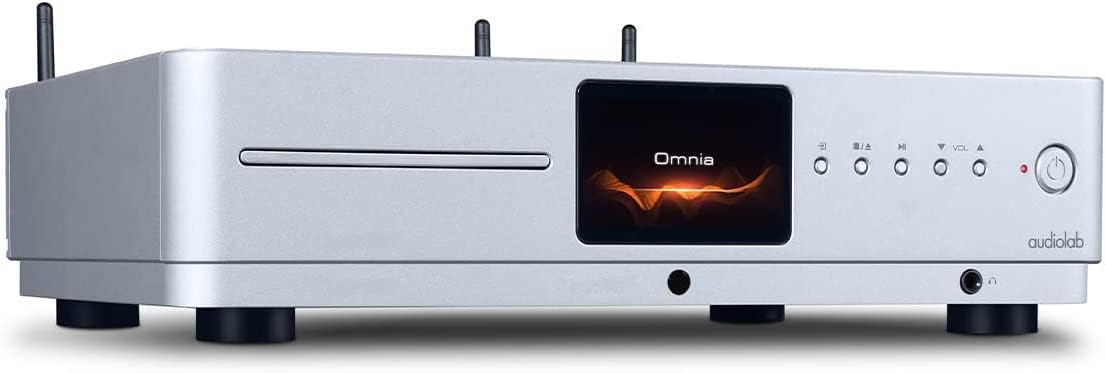
Kampinis priekis view of the Audiolab Omnia, highlighting its sleek design and integrated display.
2. Garsiakalbių prijungimas
Connect your passive speakers to the speaker terminals on the rear panel of the Omnia. Ensure correct polarity (+ to + and - to -) for optimal sound quality. Use high-quality speaker cables.

The rear panel of the Audiolab Omnia, displaying speaker terminals, digital and analog inputs, network ports, and power input.
3. Tinklo ryšys
For network streaming features, connect the supplied Wi-Fi antennas to the rear panel. Alternatively, connect an Ethernet cable from your router to the LAN port on the Omnia for a wired connection.
Detail of the rear panel, indicating the locations for Wi-Fi antenna attachment and the Ethernet port for network connectivity.
4. Maitinimo prijungimas
Connect the power cable to the AC inlet on the rear panel and then to a suitable wall outlet. Ensure the power switch is in the OFF position before connecting.
Naudojimo instrukcijos
1. Įjungimas/išjungimas
Press the power button on the front panel or the remote control to turn the unit on or off. The display will illuminate upon power-on.
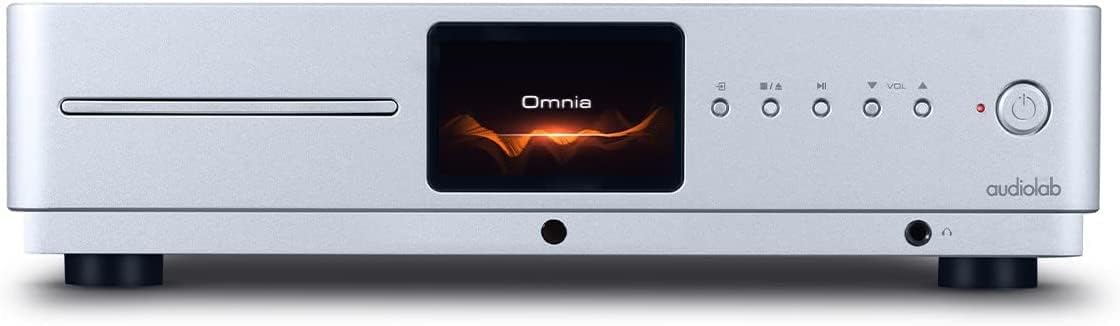
Front panel of the Omnia, showing the power button on the right and the central display.
2. Šaltinio pasirinkimas
Use the 'Input' button on the front panel or the remote control to cycle through available input sources (e.g., CD, Optical, Coaxial, USB, Network, Bluetooth, Analog).
3. CD grojimas
Insert a CD into the slot on the front panel. The unit will automatically detect the CD and begin playback. Use the play/pause, stop, and track skip buttons on the front panel or remote control.
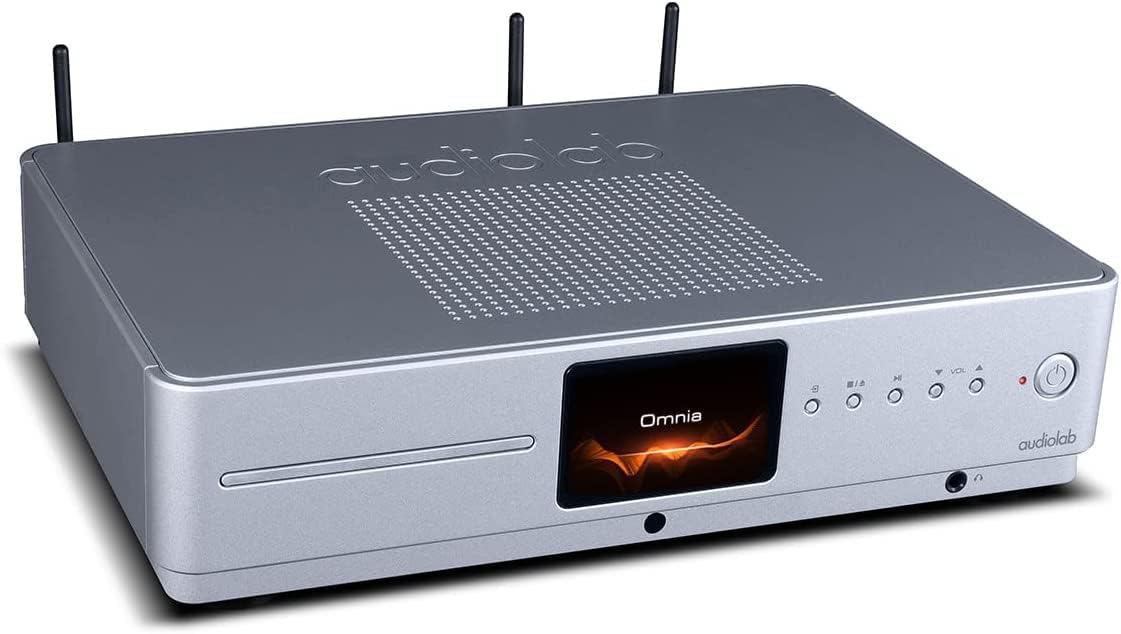
The CD slot on the front left of the Audiolab Omnia, ready for disc insertion.
4. Network Streaming
Once connected to your network, use the dedicated Audiolab app (available for iOS and Android) to control streaming services, internet radio, and local network music files. Follow the in-app instructions for setup and control.
5. Bluetooth ryšys
Select Bluetooth as the input source. On your mobile device, search for "Audiolab Omnia" in the Bluetooth settings and pair. The unit supports aptX Bluetooth for high-quality wireless audio.
Priežiūra
- Valymas: Use a soft, dry, lint-free cloth to clean the unit's exterior. Do not use abrasive cleaners, waxes, or solvents.
- Vėdinimas: Regularly check that the ventilation openings are clear of dust and debris to ensure proper airflow.
- CD dėklas: Keep the CD slot clean and free from foreign objects.
Trikčių šalinimas
| Problema | Galima priežastis | Sprendimas |
|---|---|---|
| Nėra galios | Power cable not connected; Power switch off; Wall outlet faulty. | Ensure power cable is securely connected; Turn power switch on; Test wall outlet with another device. |
| Nėra garso išvesties | Speakers not connected; Incorrect input source selected; Volume too low; Mute activated. | Check speaker connections; Select correct input source; Increase volume; Deactivate mute. |
| CD negroja | CD inserted incorrectly; CD dirty or scratched; Incorrect source selected. | Re-insert CD correctly; Clean or replace CD; Select CD input source. |
| Tinklo ryšio problemos | Wi-Fi antennas not connected; Router issues; Incorrect network settings. | Ensure antennas are connected; Restart router; Check network settings via the app. |
Specifikacijos
- Modelis: Omnia
- Prekinis ženklas: Audiolaboratorija
- Ryšio technologija: Wi-Fi, Bluetooth, Ethernet
- Spalva: Sidabras
- Garsiakalbio tipas: Stereo (Integrated Ampgyvybingesnis)
- Maitinimo šaltinis: Su laidu elektra
- Prekės svoris: 26.1 svaro (apie 11.84 kg)
- Pakuotės matmenys: 21 x 16.7 x 8.3 colio (apytiksliai 53.34 x 42.42 x 21.08 cm)
- Pirmą kartą pasiekiama data: 21 m. spalio 2021 d
Informacija apie garantiją
Audiolab products are manufactured to the highest standards and undergo rigorous quality control. This product is covered by a limited warranty against manufacturing defects. The specific terms and duration of the warranty may vary by region. Please retain your proof of purchase for warranty claims. For detailed warranty information, please refer to the warranty card included with your product or visit the official Audiolab websvetainę.
Pagalba klientams
If you encounter any issues not covered in the troubleshooting section or require further assistance, please contact Audiolab customer support. You can find contact details on the official Audiolab website or through your local dealer. Please have your product model and serial number ready when contacting support.
Internetiniai ištekliai: Apsilankykite www.audiolab.co.uk produkto registracijai, DUK ir papildomai pagalbinei medžiagai.