Thank you for choosing the MAXTOP T5 Smartwatch. This device is designed to help you monitor your health and fitness activities, receive notifications, and manage various daily functions. Please read this manual carefully to ensure proper use and optimal performance.
Image: The MAXTOP T5 Smartwatch in use during a run, highlighting its fitness and health tracking capabilities.
2. Pakuotės turinys
Įsitikinkite, kad pakuotėje yra visi daiktai:
MAXTOP T5 Smartwatch Head
Laikrodžio dirželis
Magnetinis įkrovimo laidas
Vartotojo vadovas
3. Sąranka ir pirmasis naudojimas
3.1. Išmaniojo laikrodžio įkrovimas
Before first use, fully charge the smartwatch.
Prijunkite magnetinį įkrovimo laidą prie įkrovimo taškų išmaniojo laikrodžio gale.
Prijunkite laido USB galą prie standartinio USB maitinimo adapterio (rekomenduojama 5 V / 1 A) arba kompiuterio USB prievado.
Laikrodžio ekrane bus rodoma įkrovimo būsena. Visiškas įkrovimas paprastai trunka maždaug 2 valandas.
Pastaba: The battery life is approximately 3 to 5 days with normal use and up to 7 days in standby mode. Actual battery life may vary based on usage.
3.2. Programėlės diegimas ir susiejimas
To access all features and synchronize data, download and install the companion app on your smartphone.
Scan the QR code in the manual or search for "MAXTOP" or "H BAND" in your smartphone's app store (Google Play Store for Android, Apple App Store for iOS).
Atsisiųskite ir įdiekite programą.
Įsitikinkite, kad jūsų išmaniajame telefone įjungtas „Bluetooth“.
Open the app and follow the on-screen instructions to create an account and pair your MAXTOP T5 Smartwatch.
During pairing, select "T5" from the list of available devices.
Suderinamumas: Requires iOS 9.0 or higher, or Android 6.0 or higher.
4. Išmaniojo laikrodžio valdymas
4.1. Pagrindinė navigacija
Jutiklinis ekranas: Braukite kairėn / dešinėn, aukštyn / žemyn, kad naršytumėte meniu ir funkcijas. Palieskite, kad pasirinktumėte.
Šoninis mygtukas: Paspauskite, kad grįžtumėte į pradinį ekraną arba pažadintumėte įrenginį.
Image: The MAXTOP T5 Smartwatch showing its main display with time, steps, distance, and calories.
4.2. Fitneso stebėjimas
The smartwatch tracks various fitness metrics throughout the day.
Žingsnių skaitiklis: Automatically records your daily steps.
Atstumas: Apskaičiuoja nueitą atstumą pagal jūsų žingsnius.
Image: A visual representation of the smartwatch's 24-hour tracking feature, showing steps, distance, and calorie data.
4.3. Sporto režimai
The smartwatch offers 10 exercise modes to track specific workouts.
Access the "Sports" menu on the watch.
Select your desired activity (e.g., Running, Walking, Cycling).
The watch will record duration, distance, and calories for the selected activity.
Image: A man running, with icons representing the 10 available sports modes on the MAXTOP T5 Smartwatch.
Image: A man exercising with weights, illustrating the 10 sports modes available on the smartwatch.
4.4. Sveikatos stebėsena
Išmanusis laikrodis užtikrina nuolatinį pagrindinių sveikatos rodiklių stebėjimą.
Širdies ritmo monitorius: Measures your heart rate in real-time. Access this function from the watch menu or view duomenis programėlėje.
Kraujo spaudimo monitorius: Provides blood pressure readings. For medical accuracy, consult a professional medical device.
Miego stebėjimas: Stebi jūsų miego įpročius, įskaitant gilų miegą, lengvą miegą ir pabudimo laiką. View detailed analysis in the app to adjust sleep habits.
Menstruacinio ciklo stebėjimas: For female users, the app can track and predict menstrual cycles.
Image: A man sleeping, with the smartwatch displaying heart rate and icons indicating deep sleep, light sleep, and awake time tracking.
Image: The smartwatch screen showing sleep data, including duration and quality.
Image: The smartwatch displaying a heart rate reading.
Image: The smartwatch displaying a blood pressure reading.
Image: A woman wearing the smartwatch, with an overlay showing the menstrual period management feature.
4.5. Pranešimai
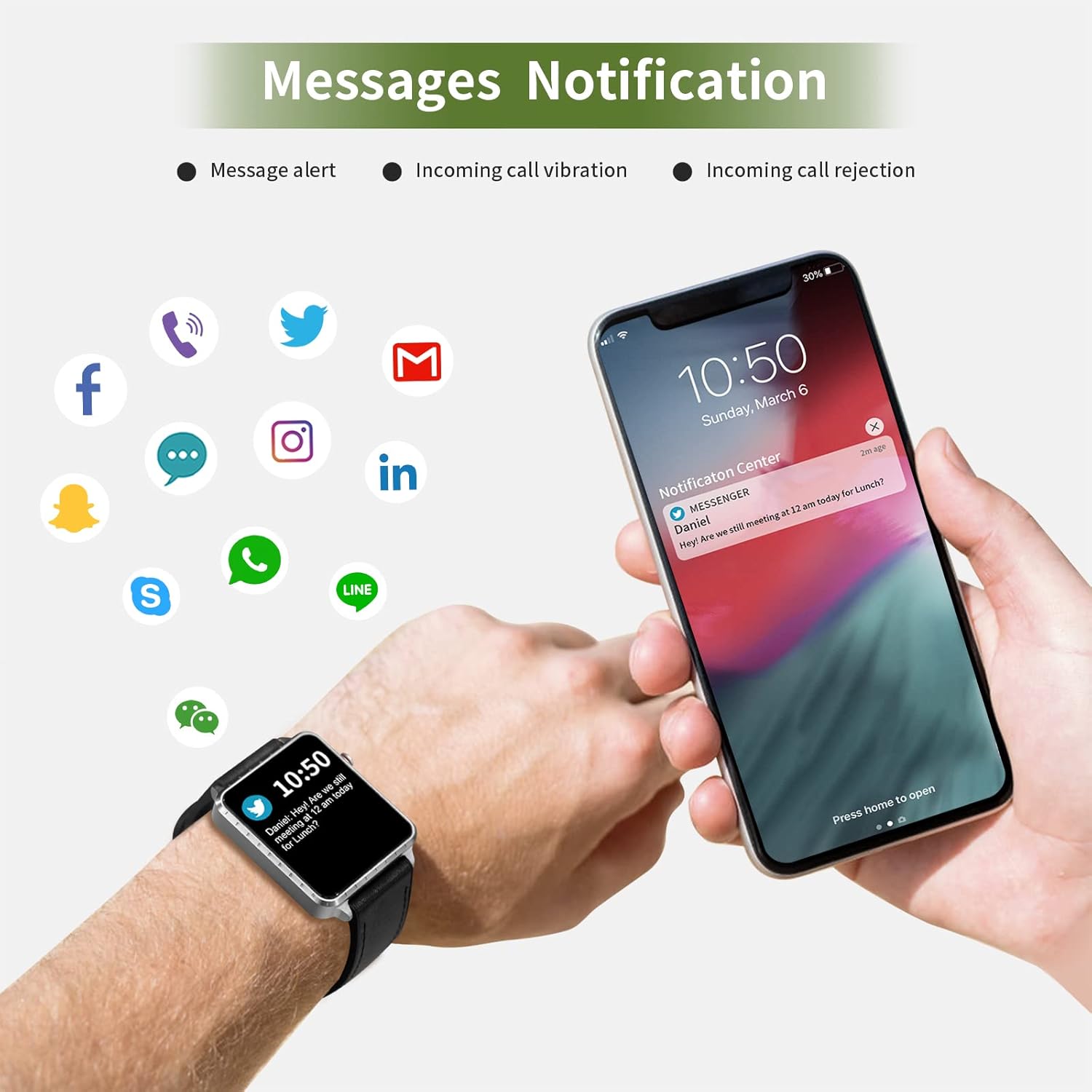
Receive call and message notifications directly on your smartwatch when paired with your phone.
Įeinantys skambučiai: The watch will vibrate and display caller ID. You can reject calls from the watch.
Pranešimų įspėjimai: Receive notifications from SMS, Facebook, WhatsApp, Twitter, Instagram, LinkedIn, etc.
Svarbu: The smartwatch cannot answer calls or reply to messages.
Image: The smartwatch and a smartphone displaying message notifications from social media and communication apps.
Image: The smartwatch screen showing icons for various social media and communication app notifications.
4.6. Papildomos funkcijos
Muzikos valdymas: Valdykite muzikos atkūrimą išmaniajame telefone (paleiskite, pristabdykite, praleiskite takelius) tiesiai iš laikrodžio.
Kameros nuotolinio valdymo pultas: Naudokite laikrodį kaip nuotolinį užraktą savo išmaniojo telefono kamerai.
Žadintuvas: Set alarms through the app, and the watch will vibrate to alert you.
Chronometras / Laikmatis: Pagrindinės laiko skaičiavimo funkcijos.
Rasti telefoną: Locate your paired smartphone by triggering an alert sound from the watch.
Priminimas apie sėdimą darbą: The app can remind you to move if you've been inactive for too long.
Pritaikomi laikrodžių ciferblatai: Choose from various watch faces via the app.
Image: The smartwatch screen showing the camera icon, indicating its remote camera control function.
Image: The smartwatch screen showing music control icons (play, pause, skip).
Image: A collage of different watch faces available for the MAXTOP T5 Smartwatch.
5. Priežiūra
5.1. Atsparumas vandeniui (IP68)
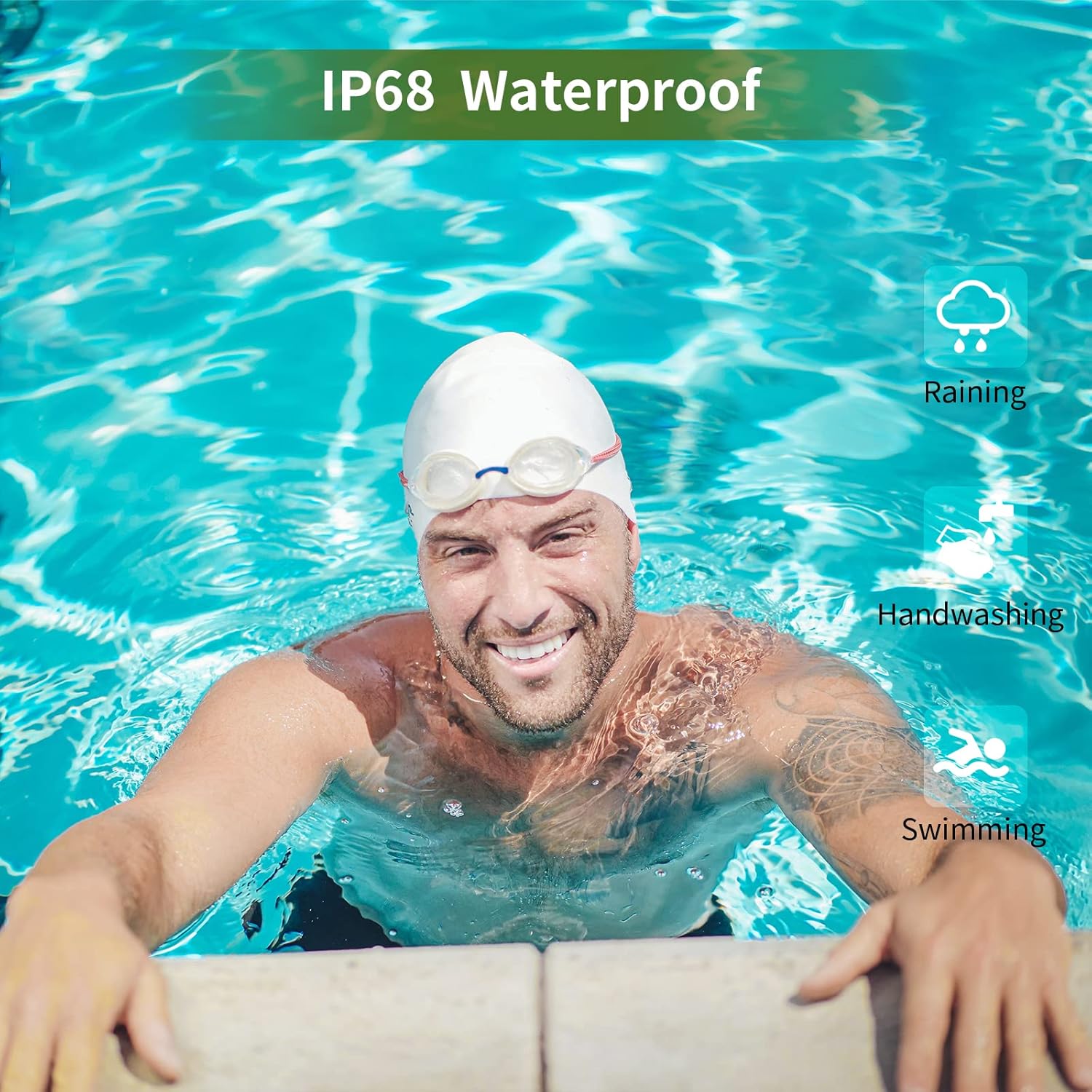
The MAXTOP T5 Smartwatch is IP68 waterproof, meaning it is dust-tight and protected against continuous immersion in water up to 1.5 meters for a maximum of 30 minutes.
You can wear the watch while washing hands, running in the rain, or swimming in shallow water.
NEDARYK immerse the watch in seawater, hot water, or use it in hot springs or saunas.
Avoid exposing the watch to high-pressure water jets.
Image: A man swimming, demonstrating the IP68 waterproof capability of the MAXTOP T5 Smartwatch.
Image: The smartwatch with water droplets, visually confirming its IP68 waterproof rating.
5.2. Valymas
Reguliariai valykite laikrodį ir dirželį minkštu, sausu skudurėliu. Jei reikia, naudokite šiek tiek drėgnąamp šluoste ir kruopščiai nusausinkite. Venkite stiprių cheminių medžiagų.
6. Problemų sprendimas
Laikrodis neįsijungia: Įsitikinkite, kad laikrodis yra visiškai įkrautas. Prijunkite jį prie įkroviklio bent 10 minučių.
Nepavyksta susieti su išmaniuoju telefonu:
Įsitikinkite, kad jūsų telefone įjungtas „Bluetooth“.
Įsitikinkite, kad laikrodis yra „Bluetooth“ diapazone (paprastai 10 metrų).
Iš naujo paleiskite laikrodį ir išmanųjį telefoną.
Patikrinkite, ar programa atnaujinta į naujausią versiją.
If previously paired, try unpairing from your phone's Bluetooth settings and re-pairing through the app.
Netikslūs sveikatos duomenys:
Įsitikinkite, kad laikrodis tvirtai uždėtas ant riešo – ne per stipriai ir ne per laisvai.
Matavimo metu venkite per didelio judėjimo.
Environmental factors can affect readings. For medical accuracy, consult a professional medical device.
Pranešimai negauti:
Check app permissions on your smartphone to ensure the app has access to notifications.
Verify that notification settings are enabled within the MAXTOP/H BAND app.
Įsitikinkite, kad laikrodis prijungtas per „Bluetooth“.
Trumpas baterijos veikimo laikas:
Frequent use of features like continuous heart rate monitoring, bright screen, and numerous notifications can reduce battery life.
Reduce screen brightness and notification frequency if extended battery life is desired.
7. Specifikacijos
Image: Detailed physical dimensions of the MAXTOP T5 Smartwatch, including watch face and strap measurements.
Funkcija
Detalė
Prekės ženklas
MAXTOP
Modelis
T5
Ekrano dydis
1.54 colių
Matmenys
4.5 x 3.8 x 1 cm
Svoris
250 g
Atsparumo vandeniui įvertinimas
IP68
Ryšys
Bluetooth
Operacinė sistema
iOS (9.0 and above), Android (6.0 and above)
Baterijos tipas
Ličio polimeras
Įkrovimo laikas
apytiksliai 2 valandas
Baterijos veikimo laikas (įprastas naudojimas)
3-5 dienas
Baterijos veikimo laikas (budėjimo režimas)
Iki 7 dienų
Įtraukti komponentai
Watch head, strap, magnetic charging cable, manual
8. Garantija ir palaikymas
For warranty information and customer support, please refer to the warranty card included in your package or visit the official MAXTOP websvetainę.
Atsisakymas: The health monitoring features of this device are for general wellness and fitness purposes only and are not intended for medical diagnosis, treatment, or prevention of any disease. Always consult a medical professional for health-related concerns.
Ask a question about this manual
Ask about setup, troubleshooting, compatibility, parts, safety, or missing instructions. Manuals+ will review the question and use this page’s manual context to help answer it.