
1. Įvadas
This manual provides essential instructions for the safe installation, operation, and maintenance of your kleankin Lighted Medicine Cabinet. Please read this manual thoroughly before assembly and use, and retain it for future reference.
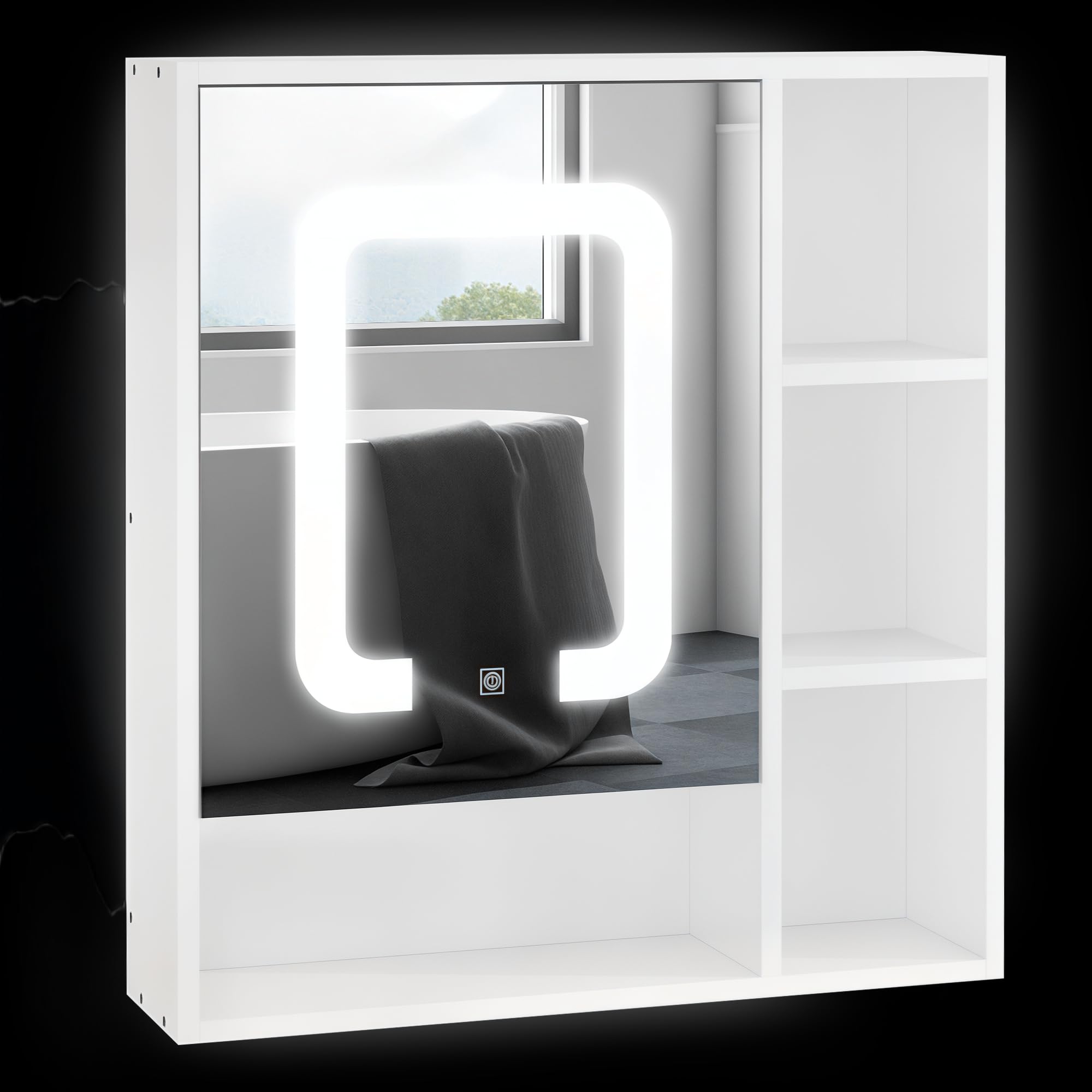
Image 1.1: The kleankin Lighted Medicine Cabinet installed in a modern bathroom setting, showcasing its integrated mirror and open shelving.
2. Saugos informacija
Kad išvengtumėte sužalojimų ar gaminio sugadinimo, laikykitės šių saugos priemonių:
- Prieš montuodami ir montuodami perskaitykite visas instrukcijas.
- Prieš pradėdami surinkimą, įsitikinkite, kad visi komponentai yra ir nepažeisti.
- Always use appropriate tools and follow recommended installation procedures.
- Mount the cabinet securely to a sturdy wall structure to prevent falling.
- Do not overload shelves; adhere to specified weight capacities.
- Keep electrical components (LED lights, USB port) away from direct water exposure.
- Disconnect power before performing any maintenance or cleaning on electrical parts.
- Šis gaminys skirtas naudoti tik patalpose.
3. Pakuotės turinys
Verify that all parts are included in your package. If any parts are missing or damaged, contact customer support immediately.
- Medicine Cabinet Unit with Integrated Mirror and LED Lights
- Reguliuojamos lentynos (kiekis: 4)
- Montavimo įranga (varžtai, inkarai ir kt.)
- Instrukcijų vadovas

Image 3.1: The product is shipped in a single package. Ensure the package is intact upon delivery.
4. Specifikacijos
| Funkcija | Detalė |
|---|---|
| Modelio numeris | 834-418V80 |
| Bendri matmenys (D x P x A) | 6 colio x 23.5 colio x 25.5 colio (15.24 cm x 59.69 cm x 64.77 cm) |
| Medžiaga | Inžinerinė mediena, stiklas |
| Spalva | Baltas |
| Svorio talpa (bendra) | 33 svarai (15 kg) |
| Svorio talpa (lentyna) | 11 svarai (5 kg) |
| Lentynų skaičius | 4 (3 adjustable levels inside cabinet) |
| LED šviesos spalvos temperatūra | 6500K baltas |
| Maitinimo šaltinis | USB (adapteris nepridedamas) |
| Montavimo tipas | Sieninis laikiklis |
| Ypatingos savybės | Dimmable LED, Touch Sensor, Memory Function, USB Charge Port, Soft-Close Door |

Image 4.1: Key dimensions of the medicine cabinet: 25.5" H x 6" D x 23.5" W.
5. Sąranka ir diegimas
Assembly is required for this product. Follow the detailed instructions provided in the separate assembly guide included with your package. Ensure you have all necessary tools before starting.
5.1 Tvirtinimas prie sienos
- Choose a suitable location on a sturdy wall, ensuring there are no hidden electrical wires or plumbing.
- Mark the desired mounting height and positions for the wall anchors/screws using a level.
- Drill pilot holes and insert wall anchors if necessary, according to your wall type.
- Securely attach the cabinet to the wall using the provided mounting hardware.
5.2 Lentynos reguliavimas
The internal shelves are adjustable to three different levels. To adjust a shelf:
- Remove any items from the shelf.
- Atsargiai pakelkite lentyną, kad ją atkabintumėte nuo atraminių kaiščių.
- Relocate the support pins to the desired height.
- Uždėkite lentyną atgal ant atraminių kaiščių, užtikrindami, kad ji būtų lygi ir tvirtai pritvirtinta.

Image 5.1: The adjustable shelf can be moved up or down in 1.25-inch increments to accommodate various item sizes.
6. Operacija
6.1 LED apšvietimas
The cabinet features integrated 6500K white LED lighting with smart touch control.
- Maitinimo įjungimas/išjungimas: Norėdami įjungti arba išjungti LED lemputes, palieskite maitinimo piktogramą ant veidrodinio paviršiaus.
- Dimmer Brightness: Press and hold the power icon to adjust the brightness level. Release when the desired brightness is reached.
- Atminties funkcija: The light system will remember your last brightness setting for convenience.

Image 6.1: The mirror features smart touch controls for dimmable 6500K white LED lighting and a memory function. The unit is USB powered; an adapter is not included.
6.2 USB įkrovimas
A USB port is integrated into the cabinet for convenient charging of small electronic devices. Connect your device's USB cable to the port. Note that a USB power adapter is required and not included with the cabinet.

Image 6.2: The USB power input for the LED lights and charging port is located on the side of the cabinet.
6.3 Soft-Close Door
The cabinet door is equipped with soft-closing hinges to prevent slamming and ensure quiet operation. This mechanism also helps protect the cabinet and its contents from impact.

Image 6.3: The cabinet door features smooth closing hinges for quiet and gentle operation.
7. Priežiūra
To ensure the longevity and appearance of your medicine cabinet, follow these maintenance guidelines:
- Valymas: Nuvalykite minkšta, damp cloth. Avoid abrasive cleaners or harsh chemicals that may damage the finish or mirror surface.
- Veidrodžių priežiūra: Use a glass cleaner specifically designed for mirrors. Spray cleaner onto a cloth, not directly onto the mirror, to prevent liquid from seeping into edges.
- Elektriniai komponentai: Ensure the unit is unplugged from its USB power source before cleaning around the LED lights or USB port.
- Vyriai: Periodically check hinges for tightness and smooth operation. Tighten screws if necessary.
8. Problemų sprendimas
If you encounter issues with your kleankin Lighted Medicine Cabinet, refer to the following common problems and solutions:
| Problema | Galima priežastis | Sprendimas |
|---|---|---|
| LED lemputės neįsijungia. | Nėra maitinimo, atsilaisvinęs kontaktas, sugedęs USB adapteris. | Ensure USB cable is securely connected. Try a different USB power adapter. Verify power outlet is functional. |
| LED lights are too dim or too bright. | Reikia pakoreguoti ryškumo nustatymą. | Press and hold the touch sensor on the mirror to adjust brightness. |
| Durys neužsidaro sklandžiai. | Vyriai yra atsilaisvinę arba netinkamai išlygiuoti. | Check and tighten hinge screws. Ensure cabinet is level. |
| USB įkrovimo prievadas neveikia. | No power, faulty USB cable, device incompatibility. | Ensure cabinet is powered. Try a different USB cable or device. |
If the problem persists after attempting these solutions, please contact kleankin customer support.
9. Garantija ir palaikymas
For warranty information, product support, or to order replacement parts, please contact the retailer or manufacturer directly. Keep your purchase receipt as proof of purchase.
Gamintojas: Aosom LLC
Norėdami gauti daugiau pagalbos, apsilankykite kleankin Store on Amazon.