
Įvadas
This manual provides essential information for the safe and efficient operation of your Westinghouse 43-inch 4K Ultra HD Certified Android LED TV, model WH43UD10. Please read these instructions thoroughly before using your television and retain them for future reference.
Svarbi saugos informacija
- Saugokite televizorių nuo lietaus ar drėgmės, kad išvengtumėte gaisro ar elektros smūgio.
- Neatidarykite spintelės. Aptarnavimą patikėkite tik kvalifikuotam personalui.
- Užtikrinkite tinkamą vėdinimą. Neužblokuokite ventiliacijos angų.
- Saugokite maitinimo laidą, kad ant jo neužeitų ar nesuspaustų.
- Atjunkite televizorių nuo elektros tinklo žaibuojant arba kai jis ilgą laiką nenaudojamas.
- Naudokite tik gamintojo nurodytus priedus/priedus.
Sąranka
Išpakavimas ir pirminė apžiūra
Carefully remove the television and all accessories from the packaging. Inspect for any damage. Keep packaging materials for potential future transport.
Montavimo parinktys
Your television supports both table-top and wall-mount installations.
- Stalo laikiklis: Attach the included stands to the bottom of the TV using the provided screws. Ensure the TV is placed on a stable, level surface.
- Sieninis laikiklis: For wall mounting, use a VESA compatible bracket (200 x 200 mm). Consult a professional for wall mounting to ensure safety and proper installation.

Vaizdas: Priekinė ir šoninė view of the Westinghouse 43-inch TV with detailed dimensions in centimeters and inches.
Periferinių įrenginių prijungimas
Connect your external devices to the appropriate ports on the television.
- HDMI: Connect up to 3 HDMI devices (e.g., set-top box, gaming console, Blu-ray player).
- USB: Connect USB storage devices for media playback (2 USB ports available).
- Ethernet: Laidiniam interneto ryšiui.
- Pagalbinis: Dėl garso įvesties.
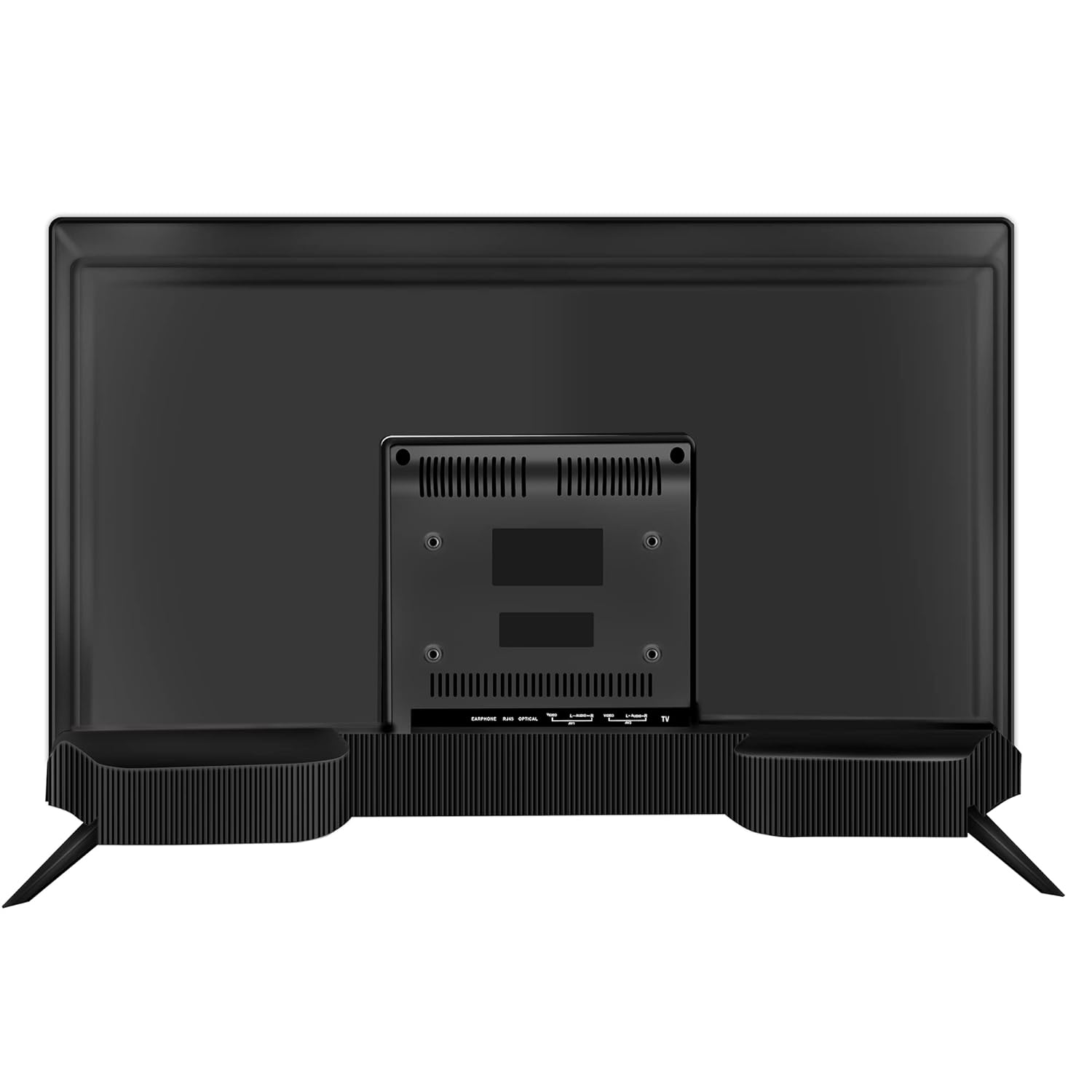
Vaizdas: Galinis view of the Westinghouse 43-inch TV showing various input/output ports including HDMI, USB, and Ethernet.

Vaizdas: Šoninė view of the Westinghouse 43-inch TV highlighting the accessible HDMI and USB ports.
Nuotolinio valdymo pulto sąranka
Insert the two AAA batteries (included) into the remote control, observing polarity. The remote supports both IR and Bluetooth connectivity. For Bluetooth functions like Google Voice Assistance, pair the remote with the TV during initial setup or via the TV's settings menu.
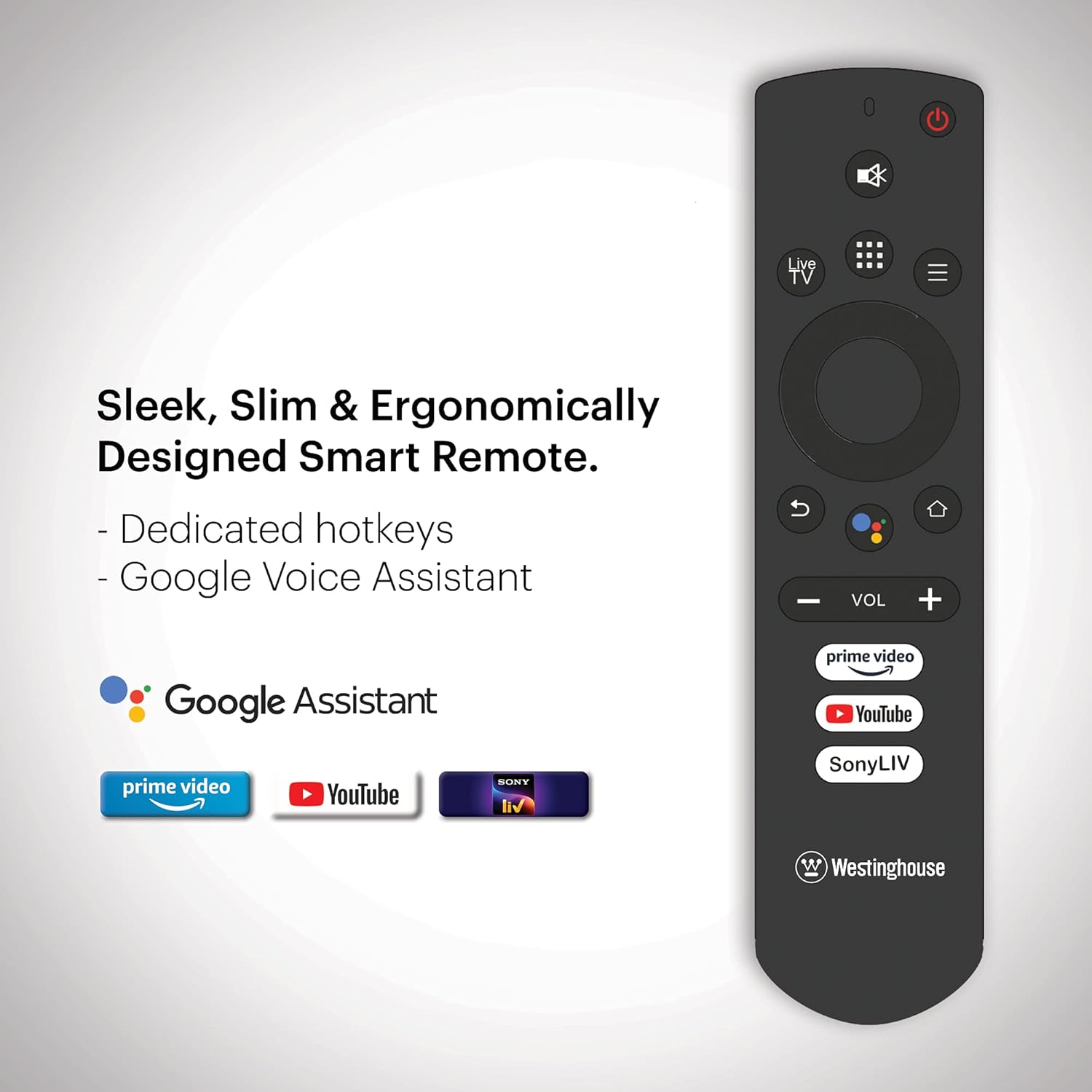
Image: Ergonomically designed smart remote control for the Westinghouse TV, featuring dedicated hotkeys for popular streaming services and Google Voice Assistant button.
Initial Power On and Android TV Setup
After connecting the power cord, press the power button on the remote or TV. Follow the on-screen instructions to complete the initial setup, which includes:
- Kalbos pasirinkimas.
- Tinklo ryšys („Wi-Fi“ arba eterneto).
- Google account sign-in for Android TV features.
- Kanalų paieška (jei naudojate anteną).
- „Bluetooth“ nuotolinio valdymo pulto susiejimas.
Naudojimo instrukcijos
Maitinimo įjungimas/išjungimas
Paspauskite Galia button on the remote control to turn the TV on or off. The TV enters standby mode when turned off.
„Android TV“ naršymas
Naudokite krypties valdymo skydelį ir OK button on your remote to navigate the Android TV interface. The home screen provides access to installed apps, inputs, and settings.

Image: The Westinghouse Android TV home screen displaying various streaming applications and content recommendations.
„Google Assistant“ naudojimas
Paspauskite „Google“ padėjėjas button on your remote and speak into the microphone to control your TV, search for content, get answers, and more.
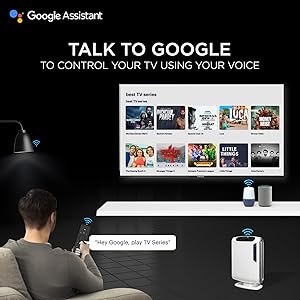
Image: A user interacting with the TV using Google Assistant voice commands via the remote control.
Applications and Streaming
Access a wide range of applications through the Google Play Store. Pre-installed applications include Amazon Prime Video, Sony Liv, Disney+Hotstar, Zee5, YouTube, and MX Player. You can download additional apps and games to enhance your entertainment experience.

Image: A collage of various popular streaming service logos and app icons available on the Android TV platform.
Integruotas „Chromecast“
Use the built-in Chromecast feature to cast content from your compatible mobile devices or computer directly to your TV screen.
Garso funkcijos
The TV is equipped with powerful 40W speakers for an immersive audio experience. Adjust volume using the VOL +/- buttons on the remote. You can also connect external audio devices via Bluetooth for a personalized sound setup.

Image: A couple enjoying music from the TV, illustrating the powerful 40-watt speakers and immersive sound experience.
Priežiūra
Televizoriaus valymas
- Ekranas: Švelniai nuvalykite ekraną minkštu, nepūkuotu skudurėliu. Jei dėmės sunkiai įveikiamos, šiek tiek nuvalykite.ampNuvalykite šluostę vandeniu arba specializuotu ekrano valikliu. Nepurkškite skysčio tiesiai ant ekrano.
- Kabinetas: Televizoriaus korpusą nuvalykite minkštu, sausu skudurėliu. Nenaudokite abrazyvinių valiklių ar tirpiklių.
Programinės įrangos atnaujinimai
Your Android TV may receive periodic software updates. Ensure your TV is connected to the internet to receive these updates, which can improve performance and add new features. You can check for updates manually in the TV's settings menu.
Bendroji priežiūra
- Venkite televizoriaus laikymo tiesioginiuose saulės spinduliuose arba šalia šilumos šaltinių.
- Nedėkite sunkių daiktų ant televizoriaus viršaus.
- Laikykite televizorių atokiau nuo stiprių magnetinių laukų.
Trikčių šalinimas
| Problema | Galimas sprendimas |
|---|---|
| Nėra galios | Patikrinkite, ar maitinimo laidas tvirtai prijungtas prie televizoriaus ir sieninio lizdo. Įsitikinkite, kad sieninis lizdas veikia. |
| Nėra vaizdo, bet yra garsas | Patikrinkite įvesties šaltinį. Įsitikinkite, kad prijungtas įrenginys įjungtas ir veikia tinkamai. Išbandykite kitą HDMI kabelį. |
| Nėra garso, bet vaizdas yra | Check the volume level. Ensure the TV is not muted. Check audio settings and external audio connections. |
| Nuotolinio valdymo pultas neveikia | Replace batteries. Ensure there are no obstructions between the remote and the TV. Re-pair the Bluetooth remote if necessary. |
| Tinklo ryšio problemos | Check your Wi-Fi router or Ethernet cable. Restart your router. Re-enter Wi-Fi password in TV settings. |
| Programėlės veikia lėtai arba stringa | Clear app cache or data in TV settings. Ensure sufficient storage space. Restart the TV. |
Atstatyti gamyklinius nustatymus
If issues persist, a factory reset may resolve them. This will erase all personal data and settings. Navigate to Nustatymai > Įrenginio nuostatos > Atstatyti ir vykdykite ekrane pateikiamus nurodymus.
Specifikacijos
| Funkcija | Detalė |
|---|---|
| Prekės ženklas | Westinghouse |
| Modelio numeris | WH43UD10 |
| Ekrano dydis | 43 colių (108 cm) |
| Ekrano technologija | LED |
| Rezoliucija | 4K Ultra HD |
| Atnaujinimo dažnis | 60 Hz |
| Operacinė sistema | Android 9.0 Pie |
| Atminties talpa | 8 GB |
| Ryšio technologija | Ethernet, HDMI, USB, Wi-Fi, Bluetooth |
| Iš viso HDMI prievadų | 3 |
| Iš viso USB prievadų | 2 |
| Garso išvestis | 40 Watts (Speakers) |
| Reagavimo laikas | 8 milisekundės |
| Viewing kampas | 178 laipsnių |
| Gaminio matmenys (D x P x A) | 23 gylio x 97 pločio x 62 aukščio centimetrų |
| Prekės svoris | 6.4 kilogramo |
| VESA tvirtinimo standartas | 200 x 200 mm |
| Palaikomas HDR formatas | IPS |
| Maximum Display Brightness | 500 Candela Per Square Meter |
| Kontrasto santykis | 5000:1 |
Garantija ir palaikymas
Informacija apie garantiją
This product comes with a 1-year warranty provided by the manufacturer from the date of purchase. Please retain your invoice as proof of purchase.
Pagalba klientams
For assistance, please contact the brand's toll-free number: 1800-103-3036. When contacting support, provide the product's model name (WH43UD10) and the seller's details as mentioned on your invoice. The service center will schedule a convenient service slot.
Gamintojo kontaktinė informacija: SPPL B-29,30&31 Sector 81 Noida UP-201305