
1. Įvadas
This manual provides detailed instructions for the safe and proper installation, operation, and maintenance of your Barkan M121T Monitor Desk Mount. Please read this manual thoroughly before installation and retain it for future reference. This mount is designed for flat and curved screens ranging from 13 to 34 inches, supporting a maximum weight of 17.6 lbs (8 kg).
2. Saugos informacija
ĮSPĖJIMAS: Failure to read and follow all instructions may result in personal injury or damage to the product. Ensure all components are securely fastened as described in this manual. Do not exceed the maximum weight capacity of 17.6 lbs (8 kg).
- Verify that the mounting surface can safely support the combined weight of the mount and the monitor.
- Use only the provided hardware. If any parts are missing or defective, contact Barkan customer support.
- Do not install on a vibrating surface or a surface prone to movement.
- Montavimo metu laikykite vaikus atokiau. Mažos dalys gali kelti užspringimo pavojų.
- Periodically check that the mount is secure and all fasteners are tight.
3. Pakuotės turinys
Before installation, ensure all parts are present and undamaged. Refer to the image below for a visual representation of the included components.
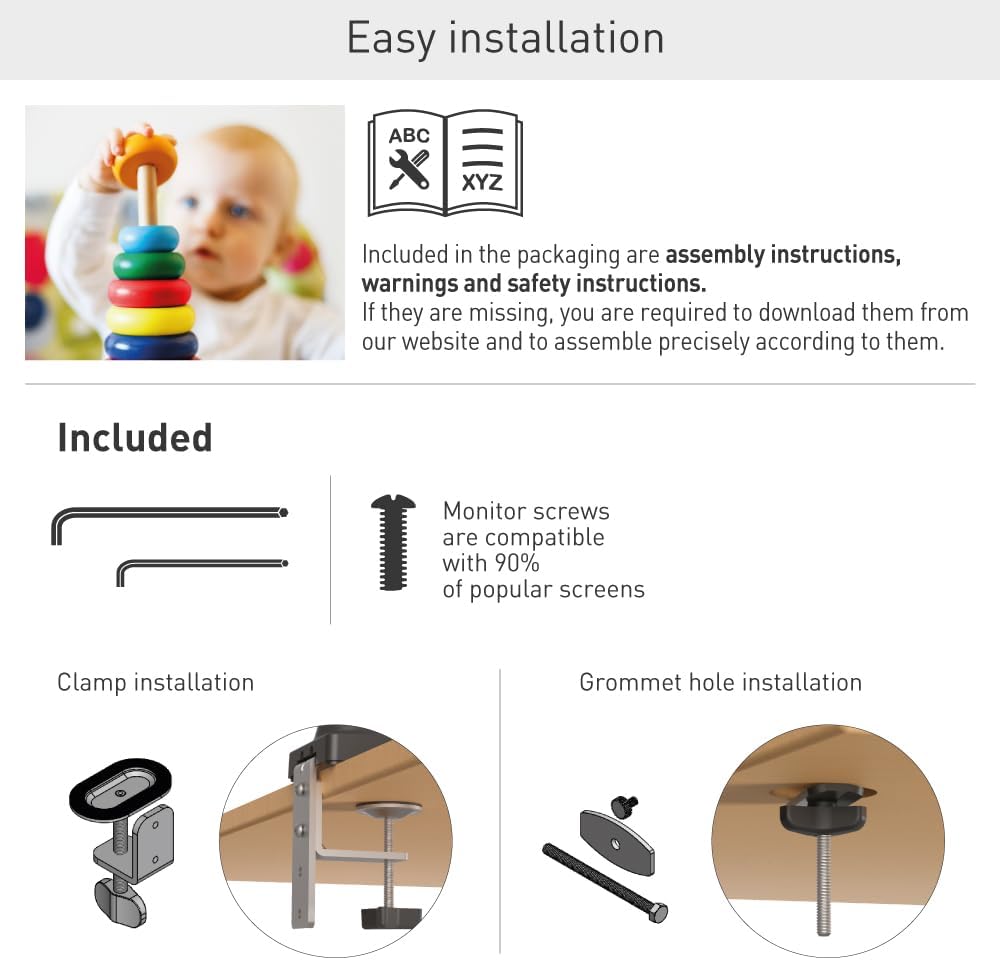
Figure 1: Included components for the Barkan M121T Monitor Desk Mount. This includes various screws, washers, and parts for both clamp ir tarpiklio montavimas.
- Monitor Mount Arm Assembly
- Stalas Clamp Surinkimas
- Žiedinio pagrindo komponentai
- Monitor Mounting Screws (compatible with most screens)
- Šešiakampiai raktai reguliavimui
- Instrukcijų vadovas (šis dokumentas)
4. Specifikacijos
The Barkan M121T Monitor Desk Mount offers robust support and flexibility. Review the detailed specifications below.
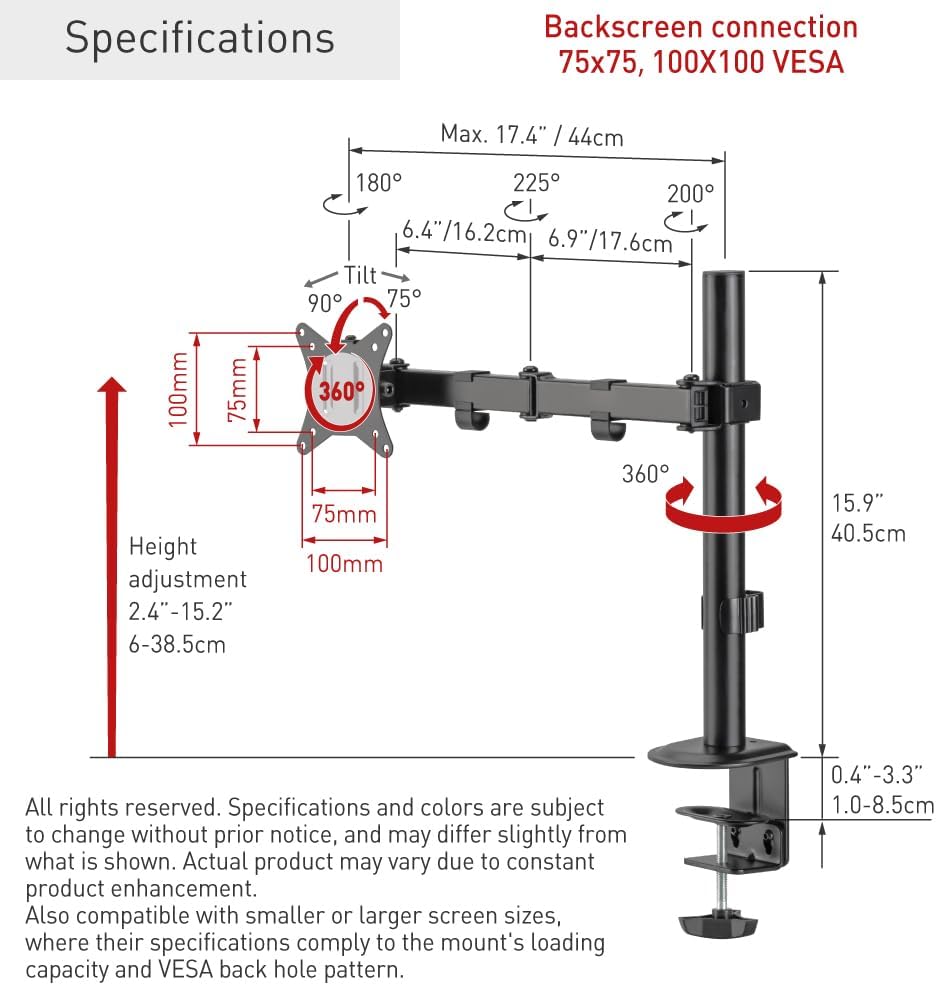
Figure 2: Technical specifications and dimensions of the Barkan M121T Monitor Desk Mount.
| Funkcija | Specifikacija |
|---|---|
| Ekrano dydžio suderinamumas | 13–34 colių |
| Didžiausia apkrova | 17.6 svarai (8 kg) |
| VESA suderinamumas | 75 x 75 mm, 100 x 100 mm |
| Pakreipimo kampas | Up to 165° (tool-free) |
| Pasukimo kampas | 180° (near screen connection plate) |
| Rotacija | 360° (portrait/landscape) |
| Aukščio reguliavimo diapazonas | 2.4–15.2 colio (6–38.5 cm) |
| Montavimo parinktys | Stalas Clamp, Grommet Hole |
| Medžiaga | Geležis |
| Spalva | Juoda |
5. Sąranka ir diegimas
The Barkan M121T offers two installation methods: desk clamp or grommet hole. Choose the method suitable for your desk.
5.1 stalas klamp Montavimas
- Pritvirtinkite stalą klamp assembly to the main pole.
- Padėkite klamp on the edge of your desk and tighten the screw until the mount is secure. Ensure the clamp yra tvirtai pritvirtintas, kad būtų išvengta judėjimo.
5.2 Grommet Hole Installation
- Insert the grommet bolt through the grommet hole in your desk.
- Attach the grommet base components to the bolt from underneath the desk and tighten securely.
- Attach the main pole to the grommet base.
5.3 Monitoriaus prijungimas

Figure 3: Monitor attached to the Barkan M121T mount, demonstrating its adjustable features.
- Carefully attach the VESA plate from the mount to the back of your monitor using the appropriate monitor screws. Ensure the screws are tightened securely but do not overtighten.
- Slide the monitor with the attached VESA plate onto the arm assembly.
- Secure the monitor to the arm using the provided locking mechanism or screw.
6. Naudojimo instrukcijos
The Barkan M121T mount allows for various adjustments to achieve an ergonomic viewpatirtį.
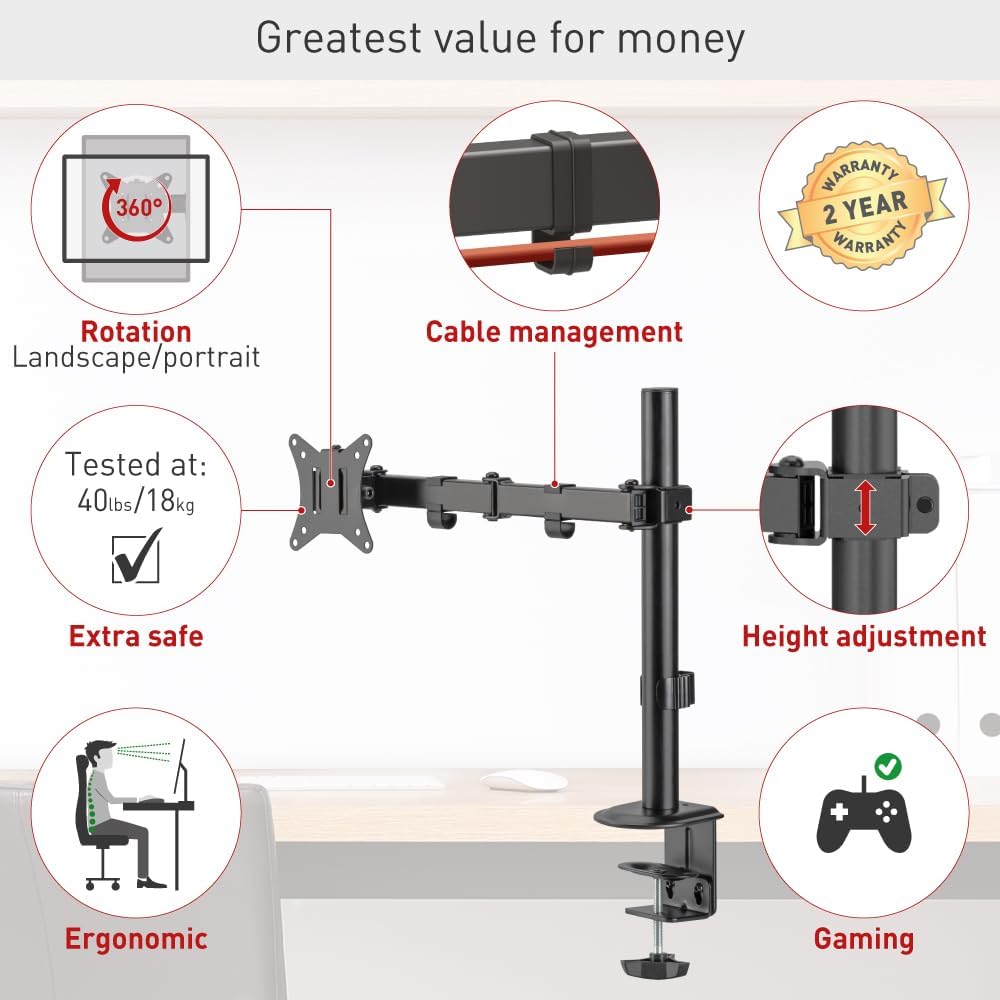
4 pav. Baigtaview of the Barkan M121T mount's adjustable features.
- Aukščio reguliavimas: Loosen the collar on the main pole, adjust the arm to the desired height, and then re-tighten the collar.
- Pakreipti: Gently push or pull the top or bottom of your monitor to adjust the tilt angle up to 165°. This adjustment is tool-free.
- Sukamasis: Rotate the monitor horizontally up to 180° at the screen connection plate.
- Pasukimas: Pasukite monitorių 360°, kad perjungtumėte tarp horizontalios ir vertikalios orientacijos.
- Kabelių valdymas: Utilize the integrated cable management clips on the arm to route and organize your monitor cables for a tidy workspace.
7. Priežiūra
Reguliarus monitoriaus laikiklio aptarnavimas užtikrina jo ilgaamžiškumą ir saugų veikimą.
- Valymas: Nuvalykite laikiklį minkšta,amp skudurėliu. Venkite abrazyvinių valiklių ar tirpiklių.
- Periodiniai patikrinimai: Every 3-6 months, check all screws and connections to ensure they are tight and secure. Re-tighten if necessary.
- Tepimas: Judančioms dalims tepti nereikia.
8. Problemų sprendimas
Jei kyla problemų, žr. toliau pateiktas dažniausiai pasitaikančias problemas ir sprendimus.
| Problema | Galima priežastis | Sprendimas |
|---|---|---|
| Monitorius nusmukęs arba neišlaiko pozicijos. | Mounting screws are loose; monitor weight exceeds capacity. | Ensure all screws are tightened. Verify monitor weight is within 17.6 lbs (8 kg). |
| Kalnas jaučiasi nestabilus. | Rašomasis stalas clamp or grommet base is not securely fastened. | Vėl priveržkite stalo spaustukąamp or grommet base. Ensure the desk surface is stable. |
| Sunku reguliuoti pakreipimą/pasukimą. | Joints may be stiff. | Apply gentle, consistent force. Do not force adjustments. |
If the problem persists, please contact Barkan customer support.
9. Informacija apie garantiją
The Barkan M121T Monitor Desk Mount comes with a 2 metų garantija. This warranty covers defects in materials and workmanship under normal use. It does not cover damage caused by improper installation, misuse, accidents, or unauthorized modifications. Please retain your proof of purchase for warranty claims.
10. Pagalba klientams
For further assistance, technical support, or warranty inquiries, please visit the official Barkan website. Our customer service experts are available to help with any questions you may have regarding your Barkan M121T Monitor Desk Mount.
Gamintojas: Barkan kalnai
Websvetainė: www.barkanmounts.com