

1. Įvadas
This manual provides comprehensive instructions for the CALYPSO K5818/4 X-trem digital watch. This sporty and functional timepiece is designed for daily wear and various activities, featuring a durable plastic case, a comfortable black plastic strap, and 10 ATM water resistance. Please read this manual carefully to ensure proper use and maintenance of your watch.
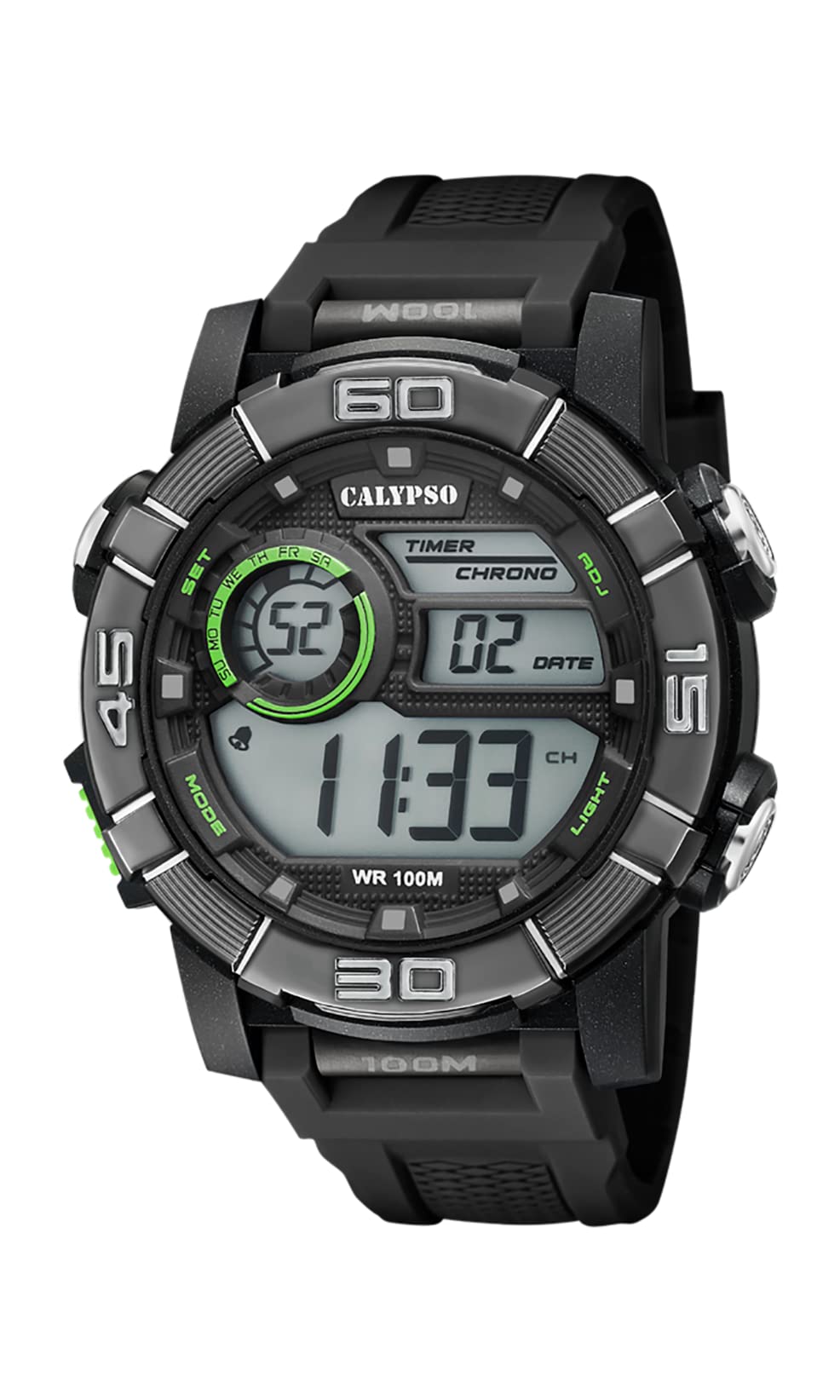
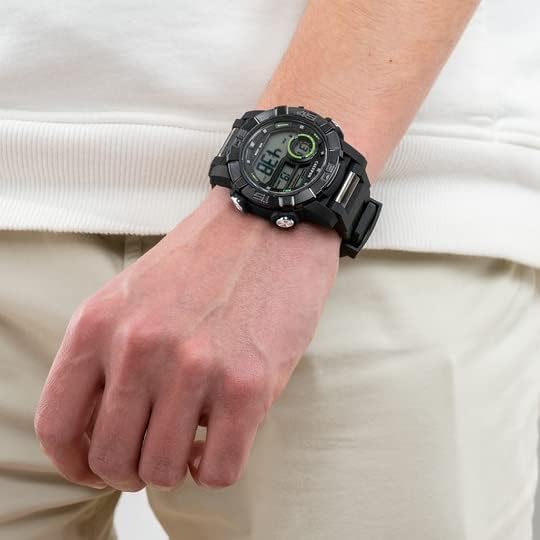
Image 1.1: CALYPSO K5818/4 X-trem Digital Watch on a wrist, showcasing jo dizainas.
Pakuotės turinys:
- CALYPSO K5818/4 X-trem Digital Watch
- Vartotojo vadovas (šis dokumentas)

Image 1.2: The watch is typically supplied in a clear cylindrical packaging.
2. Watch Overview ir mygtukų funkcijos
Familiarize yourself with the buttons and their functions before operating your watch.
2.1 vaizdas: priekis view of the watch, highlighting button locations.
- MODE mygtukas (kairėje apačioje): Cycles through different modes (Time, Chronograph, Alarm).
- SET Button (Left-Top): Used to enter and confirm settings in various modes.
- ADJ Button (Right-Top): Adjusts values during setting, starts/stops chronograph.
- LIGHT Button (Right-Bottom): Activates the backlight for illumination.
3. Sąranka ir pagrindinis veikimas
3.1. Laiko ir datos nustatymas
- In Time Mode (normal time display), press and hold the NUSTATYTI mygtuką, kol pradės mirksėti sekundės. Tai rodo, kad esate nustatymo režime.
- Paspauskite ŠVIESA mygtuką, kad perjungtumėte nustatymus: Sekundės → Valanda → Minutė → Metai → Mėnuo → Diena → 12/24 valandų formatas.
- Naudokite ADJ mygtuką, kad padidintumėte mirksinčią reikšmę.
- Kai visi nustatymai bus sureguliuoti, paspauskite NUSTATYTI mygtuką, norėdami išeiti iš nustatymo režimo.
3.2. Chronografo (chronometro) naudojimas
- Laiko režime paspauskite REŽIMAS button once to enter Chronograph Mode. The display will show '00:00:00'.
- Paspauskite ADJ mygtuką, kad paleistumėte chronometrą.
- Paspauskite ADJ mygtuką dar kartą, kad sustabdytumėte chronometrą.
- Kai chronometras sustabdytas, paspauskite NUSTATYTI button to reset it to '00:00:00'.
- Paspauskite REŽIMAS mygtuką, kad grįžtumėte į laiko režimą.
3.3. Signalo nustatymas
- Laiko režime paspauskite REŽIMAS du kartus paspauskite mygtuką, kad įjungtumėte žadintuvo režimą. Ekrane bus rodomas žadintuvo laikas.
- Paspauskite ir palaikykite NUSTATYTI mygtuką, kol pradės mirksėti valandų skaitmenys.
- Naudokite ADJ mygtuką, kad nustatytumėte norimą žadintuvo valandą.
- Paspauskite ŠVIESA mygtuką, kad pereitumėte prie minučių skaitmenų, tada naudokite ADJ mygtuką norėdami nustatyti norimą žadintuvo minutę.
- Paspauskite NUSTATYTI button to confirm the alarm time and exit setting mode.
- Žadintuvo režime paspauskite ADJ button to toggle the alarm ON or OFF. An alarm icon will appear/disappear on the display.
3.4. Foninio apšvietimo naudojimas
Paspauskite ŠVIESA button at any time to illuminate the display for a few seconds, making it visible in low-light conditions.
4. Atsparumas vandeniui
Your CALYPSO K5818/4 X-trem watch has a water resistance rating of 10 ATM (100 meters).
- This means the watch is suitable for swimming, snorkeling, and water sports.
- Tai yra ne suitable for high-impact water sports or diving.
- Svarbu: Do not operate any buttons while the watch is submerged in water or wet, as this can compromise the water seal and cause damage.
- Po sąlyčio su sūriu vandeniu laikrodį nuplaukite gėlu vandeniu ir kruopščiai nusausinkite.
5. Priežiūra
5.1. Valymas
Kad laikrodis būtų geros būklės:
- Reguliariai valykite laikrodžio korpusą ir dirželį minkšta šluosteamp audinys.
- Avoid using harsh chemicals, solvents, or abrasive cleaners, as these can damage the watch materials.
5.2. Baterijos keitimas
The watch is powered by a quartz movement with a battery. When the display becomes dim or stops functioning, the battery may need replacement. It is recommended to have the battery replaced by a qualified watch technician to ensure the water resistance seal is properly maintained.
5.3. Sandėliavimas
Kai nenaudojate, laikykite laikrodį vėsioje, sausoje vietoje, toliau nuo tiesioginių saulės spindulių ir ekstremalių temperatūrų.
6. Problemų sprendimas
- Ekranas tuščias arba neryškus: Baterija gali būti išsikrovusi arba jos įkrova maža. Pakeiskite bateriją.
- Laikas neteisingas: Reset the time and date according to the instructions in Section 3.1.
- Mygtukai nereaguoja: Ensure the watch is dry. If the issue persists, there may be internal damage, and professional inspection is recommended.
- Kondensatas laikrodžio viduje: This indicates a breach in the water resistance. Stop using the watch immediately and seek professional service to prevent further damage.
7. Specifikacijos
| Funkcija | Specifikacija |
|---|---|
| Modelio numeris | K5818/4 |
| Ekrano tipas | Skaitmeninis |
| Judėjimo tipas | Kvarcas |
| Atsparumas vandeniui | 10 bankomatai (100 metrų) |
| Bylos medžiaga | Polikarbonatas (plastikas) |
| Juostos medžiaga | Polikarbonatas (plastikas) |
| Skaitiklio lango medžiaga | Plastikiniai |
| Korpuso skersmuo | 35 milimetrų |
| Juostos plotis | 23 milimetrų |
| Korpuso storis | 16.3 milimetrų |
| Svoris | 40 gramų |
| Ypatingos savybės | 24-hour Display, Chronograph |
8. Garantija ir palaikymas
8.1. Gamintojo garantija
Your CALYPSO K5818/4 X-trem watch is covered by a manufacturer's warranty. Please refer to the warranty card included with your purchase or visit the official CALYPSO websvetainėje, kur rasite išsamias sąlygas.
8.2. Atsarginių dalių prieinamumas
Šio modelio atsarginės dalys galioja iki 5 metų nuo įsigijimo datos.
8.3. Pagalba klientams
For any questions, service requests, or technical support, please contact CALYPSO customer service through their official websvetainėje arba įgaliotuose techninės priežiūros centruose. Išsaugokite pirkimo kvitą kaip pirkimo įrodymą garantijos pretenzijoms.