
1. Įvadas
Ačiū, kad pirkoteasing the Muse M-308 BT Bluetooth Speaker. This manual provides essential information for the safe and correct use of your device. Please read it thoroughly before use and keep it for future reference.
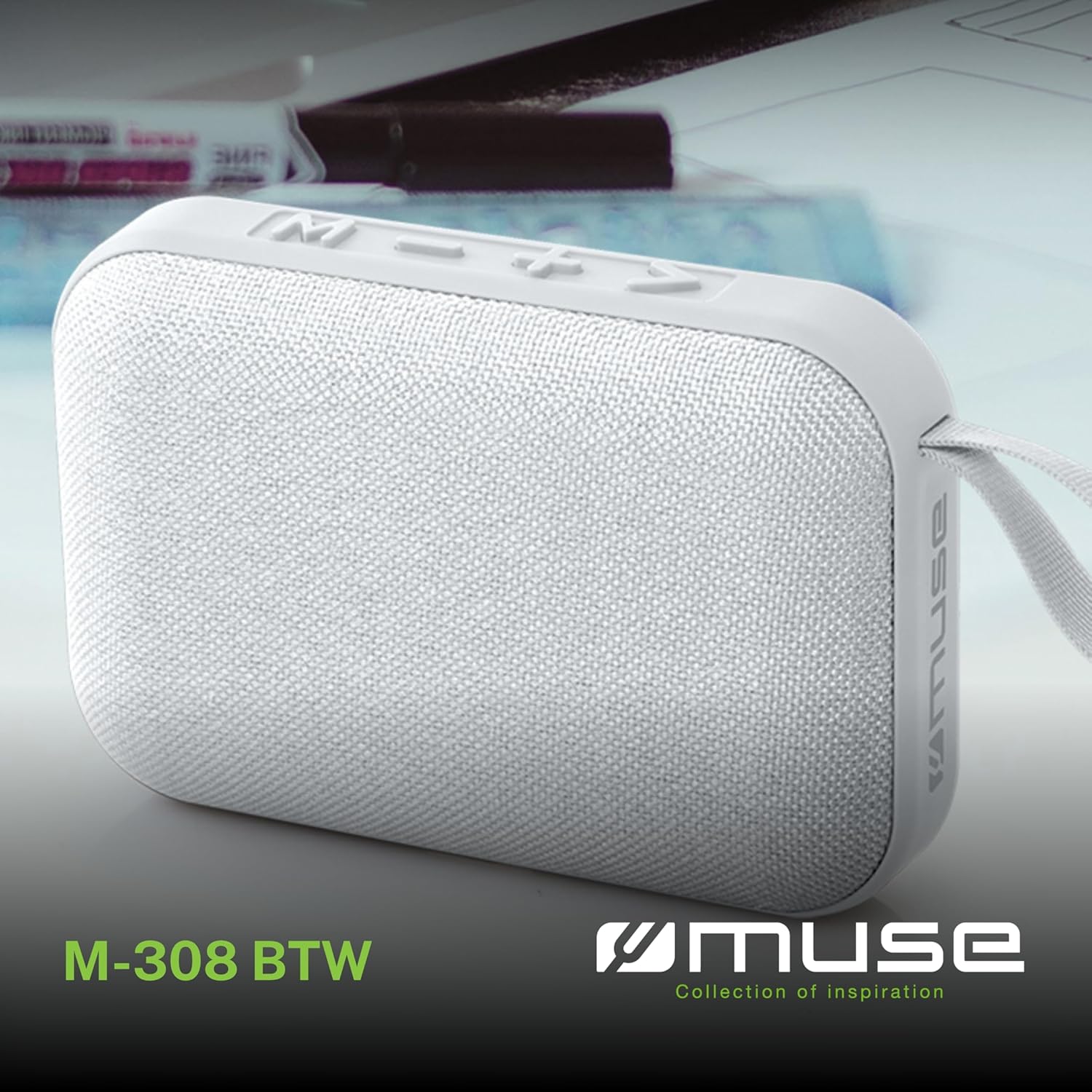
1.1 vaizdas: priekis view of the Muse M-308 BT Bluetooth Speaker.
2. Produkto ypatybės
- Bluetooth ryšys: Belaidžiu būdu transliuokite garsą iš suderinamų įrenginių.
- Laisvų rankų funkcija: Integrated microphone for taking calls.
- Medijos atkūrimas: Supports music playback from USB and MicroSD (TF) cards.
- Stereo poravimas: Connect two M-308 BT speakers for enhanced stereo sound.
- LED indikatorius: Provides visual feedback for Bluetooth pairing and charging status.
- Kompaktiškas ir lengvas: Designed for portability, weighing approximately 200g.
- Integruota įkraunama baterija: 1200mAh capacity for up to 10 hours of playback.
- Išėjimo galia: 5 Watts for clear audio.

Image 2.1: Key features of the Muse M-308 BT speaker.

Image 2.2: Additional functionalities of the Muse M-308 BT speaker.
3. Pakuotės turinys
Išpakuodami įsitikinkite, kad yra visi daiktai:
- Muse M-308 BT Bluetooth Speaker
- USB įkrovimo laidas
- Vartotojo vadovas (šis dokumentas)
4. Valdikliai ir jungtys
Susipažinkite su garsiakalbio valdikliais ir jungtimis:

Image 4.1: Top panel with various connections.
- USB prievadas: Skirta muzikai leisti iš USB atmintinės.
- Mikro-USB prievadas: Garsiakalbio įkrovimui.
- Micro SD (TF) Card Slot: Skirta muzikos grojimui iš „Micro SD“ kortelės.
- ĮJUNGIMO/IŠJUNGIMO jungiklis: To power the speaker on or off.

Image 4.2: Side panel with control buttons.
- M Button (Mode): Press to switch between Bluetooth, USB, and Micro SD modes.
- - Button (Volume Down / Previous Track):
- Trumpas paspaudimas: Sumažinti garsumą.
- Ilgas paspaudimas: Grįžti į ankstesnį takelį.
- + Button (Volume Up / Next Track):
- Trumpas paspaudimas: padidinti garsumą.
- Long press: Go to the next track.
- > Button (Play / Pause / Call):
- Short press: Play or pause music.
- Short press (during incoming call): Answer call.
- Long press (during incoming call): Reject call.
- Short press (during call): End call.
5. Sąranka
5.1 Garsiakalbio įkrovimas
- Connect the supplied USB charging cable to the Micro-USB port on the speaker.
- Kitą USB kabelio galą prijunkite prie USB maitinimo adapterio (nepridedamas) arba kompiuterio USB prievado.
- LED indikatorius užsidegs, rodydamas įkrovimo būseną. Kai bus visiškai įkrautas, jis užges arba pakeis spalvą.
5.2 Įjungimas / išjungimas
- To power on, slide the ON/OFF switch to the 'ON' position. You will hear an audible prompt.
- Norėdami išjungti, įjungimo/išjungimo jungiklį perjunkite į padėtį „IŠJUNGTA“.
5.3 Bluetooth poravimas
- Ensure the speaker is powered on and in Bluetooth mode (indicated by a flashing LED). If not, press the 'M' button to switch to Bluetooth mode.
- Įjunkite „Bluetooth“ savo išmaniajame telefone, planšetiniame kompiuteryje ar kitame suderinamame įrenginyje.
- Ieškokite available Bluetooth devices and select "M-308 BT" from the list.
- Kai įrenginys bus susietas, LED indikatorius nustos mirksėti ir liks šviesti, o jūs išgirsite patvirtinimo signalą.
- The speaker will automatically connect to the last paired device when powered on, if it is within range.
5.4 Stereo susiejimas (TWS funkcija)
To pair two M-308 BT speakers for true wireless stereo sound:
- Ensure both speakers are powered on and in Bluetooth pairing mode (LED flashing).
- On one of the speakers (this will be the primary speaker), double-press the 'M' button. The speaker will search for another M-308 BT speaker.
- Once connected, both speakers will emit a confirmation tone, and the LED on the primary speaker will flash slowly, while the LED on the secondary speaker will remain solid.
- Dabar prijunkite savo įrenginį prie pagrindinio garsiakalbio per „Bluetooth“, kaip aprašyta 5.3 skyriuje.
6. Naudojimo instrukcijos
6.1 Muzikos leidimas
- „Bluetooth“ režimas: After successful pairing, start playing music on your connected device. The audio will stream through the speaker.
- USB / Micro SD režimas: Insert a USB flash drive or Micro SD card into the respective port. The speaker will automatically switch to the corresponding mode and begin playing music. If it doesn't, press the 'M' button to cycle through modes.
6.2 Garsumo valdymas
- Norėdami padidinti garsumą, paspauskite mygtuką „+“.
- Norėdami sumažinti garsumą, paspauskite mygtuką „-“.
6.3 Maršruto navigacija
- Ilgai paspauskite mygtuką „+“, kad pereitumėte prie kito takelio.
- Long press the '-' button to go back to the previous track.
6.4 Skambinimas be rankų
- When a call comes in, the music will pause. Press the '>' button to answer the call.
- To end a call, press the '>' button again.
- To reject an incoming call, long press the '>' button.
7. Priežiūra
- Garsiakalbį saugokite nuo ekstremalių temperatūrų, tiesioginių saulės spindulių ir drėgmės.
- Do not expose the speaker to water or other liquids. This model is not water-resistant.
- Garsiakalbį valykite minkšta, sausa šluoste. Nenaudokite abrazyvinių valiklių ar tirpiklių.
- Nebandykite patys ardyti ar taisyti garsiakalbio. Tai panaikins garantiją.
- When not in use for extended periods, charge the battery at least once every three months to maintain battery health.
8. Problemų sprendimas
| Problema | Galima priežastis | Sprendimas |
|---|---|---|
| Garsiakalbis neįsijungia. | Baterija išsikrovusi. | Įkraukite garsiakalbį naudodami pridedamą USB laidą. |
| Nepavyksta susieti per „Bluetooth“. | Bluetooth is not enabled on your device or speaker is not in pairing mode. Speaker is too far from the device. | Ensure Bluetooth is active on both devices. Make sure the speaker is in Bluetooth pairing mode (flashing LED). Move the speaker closer to your device (within 10 meters). |
| Nėra garso. | Volume is too low. Speaker is not connected. Incorrect mode selected. | Increase the volume on both the speaker and your connected device. Re-pair the Bluetooth connection. Press the 'M' button to cycle through modes (Bluetooth, USB, Micro SD). |
| Music playback from Micro SD card is erratic or "screaming". | Sugadintas files on Micro SD card. Incompatible file formatu. | Užtikrinkite garsą files are in a compatible format (e.g., MP3). Try using a different Micro SD card or reformatting the current one and reloading files. |
| Speaker switches between modes (e.g., SD and BT) unexpectedly. | Interference or a temporary software glitch. | Power off the speaker, wait a few seconds, then power it back on. Ensure no other devices are causing interference. If the issue persists, try removing the Micro SD card if it's inserted. |
9. Specifikacijos
| Modelio pavadinimas | M-308 BT |
| Prekės ženklas | Mūza |
| Ryšio technologija | Bluetooth, laidinis |
| Belaidžio ryšio technologija | Bluetooth |
| Didžiausia garsiakalbio išėjimo galia | 5 vatų |
| Garso išvesties režimas | Stereo |
| Garsiakalbio tipas | Nešiojamas Bluetooth garsiakalbis |
| Ypatingos savybės | Bluetooth |
| Suderinami įrenginiai | Išmanusis telefonas, planšetinis kompiuteris |
| Maitinimo šaltinis | Baterija |
| Baterijos veikimo laikas | 10 valandų |
| Baterijos talpa | 1200 milijonųampvalanda |
| Gaminio matmenys (D x P x A) | 118D x 30B x 76H millimeters (11.8 x 3 x 7.6 cm) |
| Prekės svoris | 200 gramų |
| Medžiaga | Plastic rubber material |
| Is Water Resistant | Nr |
| Įtraukti komponentai | USB įkrovimo laidas |
Image 9.1: Dimensions of the Muse M-308 BT speaker.
10. Garantija ir palaikymas
The Muse M-308 BT Bluetooth Speaker comes with a 2 metų garantija nuo pirkimo datos.
For technical support, warranty claims, or further assistance, please contact your retailer or visit the official MUSE websvetainė kontaktinei informacijai.