
Cuifati Cuifatip0izksa79g3281
Cuifati Wireless Smart Remote Control User Manual
Model: Cuifatip0izksa79g3281
Įvadas
This manual provides comprehensive instructions for the Cuifati Wireless Smart Remote Control. It covers setup, operation, maintenance, and troubleshooting to ensure optimal performance and longevity of your device. This remote control features 2.4G and Bluetooth 5.0 connectivity, voice control, and IR learning capabilities, making it compatible with a wide range of devices such as Nvidia Shield, PCs, Projectors, Smart TVs, and Android TV Boxes.
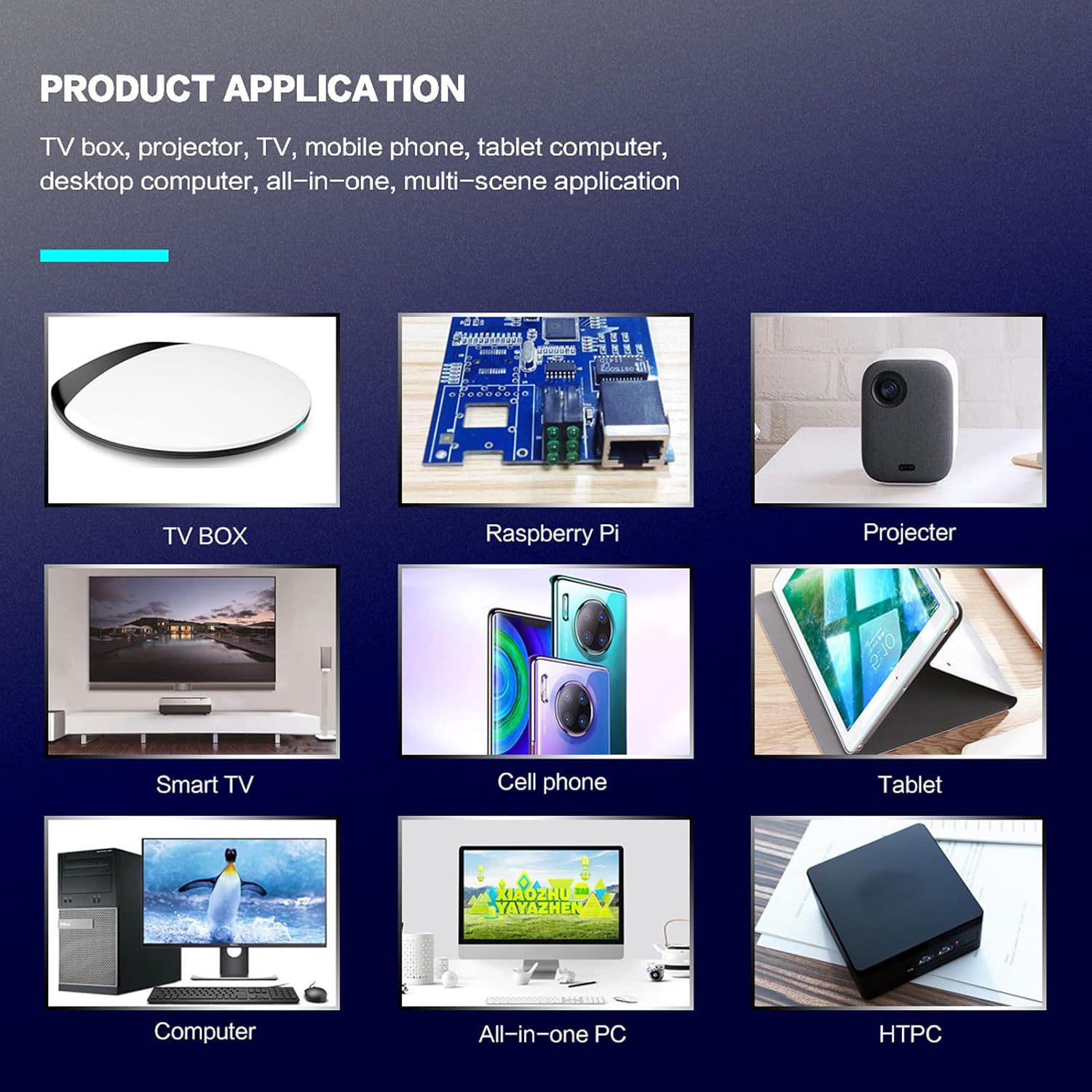
1 paveikslas: Product application examples.
Pakuotės turinys
Prašome patikrinti, ar pakuotėje yra visi reikalingi daiktai:
- 1 x Cuifati Wireless Smart Remote Control
- 1 x 2.4G USB imtuvas
- 1 x Vartotojo vadovas
Specifikacijos
| Funkcija | Detalė |
|---|---|
| Prekės ženklas | Cuifati |
| Modelio numeris | Cuifatip0izksa79g3281 |
| Medžiaga | ABS |
| ttage | 3.0 V |
| Ryšio režimai | 2.4G, Bluetooth 5.0 |
| Veikimo srovė | <15 mA |
| Budėjimo srovė | <20 uA |
| Veikimo atstumas | >10 metrų (32.8 pėdų) |
| Baterijos tipas | 2 x AAA baterijos (į komplektą neįeina) |
| Mygtukų skaičius | 5 (Control buttons, total buttons are more) |
| Suderinami įrenginiai | Streaming devices, Televisions, PCs, Projectors, Smart TVs, Android TV Boxes |
| Ypatinga funkcija | Universal, Voice Control, IR Learning, Backlit |
Sąrankos vadovas
1. Akumuliatoriaus įdėjimas
Nuotolinio valdymo pultui reikalingos dvi AAA baterijos (į komplektą neįeina).
- Atidarykite nuotolinio valdymo pulto gale esantį baterijų skyriaus dangtį.
- Įdėkite dvi AAA tipo baterijas, užtikrindami teisingą poliškumą (+ ir -).
- Saugiai uždarykite akumuliatoriaus skyriaus dangtelį.

2 paveikslas: Battery compartment with AAA batteries.
2. Nuotolinio valdymo pulto prijungimas
The remote control supports both 2.4G wireless and Bluetooth 5.0 connectivity.
2.1. 2.4G Wireless Connection (via USB Receiver)
- Insert the 2.4G USB receiver into an available USB port on your device (e.g., Smart TV, Android TV Box, PC).
- The device should automatically detect and install the necessary drivers.
- Nuotolinio valdymo pultas dabar paruoštas naudoti.
2.2. „Bluetooth 5.0“ ryšys
For Bluetooth connection, ensure your device supports Bluetooth 5.0 or higher.
- Nuotolinio valdymo pulte paspauskite ir palaikykite OK mygtuką ir Grįžti button simultaneously for 3 seconds. The indicator light on the remote will flash rapidly, indicating it is in pairing mode.
- On your device, navigate to the Bluetooth settings and search for available devices.
- Select "G20s Pro" (or similar device name) from the list of found devices to pair.
- Once paired, the indicator light on the remote will stop flashing.

3 paveikslas: Bluetooth poravimo instrukcijos.
Naudojimo instrukcijos
1. Mygtukų funkcijosview
Familiarize yourself with the layout and functions of the remote control buttons.

4 paveikslas: Remote control button layout and functions.
- Power (IR Learning Key): Turns the device on/off. Can be programmed via IR learning.
- Mikrofonas: Activates voice input.
- Indikatoriaus lemputė: Shows status (pairing, IR learning).
- Mute (IR Learning Key): Mutes/unmutes audio. Can be programmed via IR learning.
- Pg+ / Pg-: Page Up / Page Down.
- Navigation Keys (Up/Down/Left/Right): For menu navigation.
- OK / Enter / Mouse Left: Confirms selection or acts as left mouse click.
- Return / Mouse Right: Goes back or acts as right mouse click.
- Pradžia: Returns to the home screen.
- Open Google Voice Assistant: Dedicated button for voice assistant.
- Volume - / Volume +: Adjusts volume.
- Leisti / pristabdyti: Valdo medijos atkūrimą.
- Ankstesnis Kitas: Skips to previous or next media track.
- BackSpace: Deletes characters.
- Meniu: Press and hold to turn on/off the backlight.
2. Valdymas balsu
The remote control supports voice commands for compatible devices. Press the Mikrofonas button and speak clearly into the remote to issue commands or search content.
3. IR Learning Function
The Power and Mute buttons can learn infrared signals from your existing TV remote control, allowing you to control basic TV functions with this remote.

5 paveikslas: IR Learning process for the Power button.
- Paspauskite ir palaikykite Galia mygtuką (arba Nutildyti button) on the Cuifati remote for 3 seconds. The red indicator light will flash slowly, entering IR learning mode.
- Point the infrared emitter of your original TV remote control directly at the infrared receiver of the Cuifati remote (approximately 2-3 cm apart).
- Press the desired button on your original TV remote (e.g., Power button). The Cuifati remote's red indicator light will flash rapidly and then turn off, indicating successful learning.
- Repeat the process for other buttons if desired.
4. Motion Sensing (Air Mouse)
The remote control features a gyroscope core compensation algorithm for motion sensing, allowing it to function as an air mouse. Move the remote in the air to control the cursor on your screen.

6 paveikslas: Motion sensing in action.
Priežiūra
- Keep the remote control dry. Avoid exposure to moisture or liquids.
- Nuotolinio valdymo pultą valykite minkšta, sausa šluoste. Nenaudokite abrazyvinių valiklių ar tirpiklių.
- Jei nuotolinio valdymo pultas nebus naudojamas ilgesnį laiką, išimkite baterijas, kad išvengtumėte pratekėjimo.
- Venkite nuotolinio valdymo pulto numetimo ir stiprių smūgių.
Trikčių šalinimas
- Nuotolinio valdymo pultas nereaguoja:
- Įsitikinkite, kad baterijos įdėtos teisingai ir nėra išsikrovusios. Jei reikia, pakeiskite.
- Check if the 2.4G USB receiver is properly inserted into the device's USB port.
- For Bluetooth connection, ensure the remote is paired correctly. Re-pair if connection is lost.
- Ensure there are no obstructions between the remote and the device (for 2.4G) or within Bluetooth range.
- Balso valdymas neveikia:
- Ensure the remote is properly connected via 2.4G or Bluetooth.
- Verify that your device supports voice input and that the microphone is enabled.
- Kalbėkite aiškiai ir arti nuotolinio valdymo pulto mikrofono.
- IR learning failed:
- Ensure the original remote's IR emitter is pointed directly at the Cuifati remote's IR receiver, within 2-3 cm.
- Make sure the original remote has sufficient battery power.
- Repeat the learning steps carefully.
Garantija ir palaikymas
Specific warranty information is not provided in this manual. For warranty details, technical support, or service inquiries, please refer to the product packaging or contact the manufacturer directly through their official websvetainėje arba klientų aptarnavimo kanaluose.
Ask a question about this manual
Ask about setup, troubleshooting, compatibility, parts, safety, or missing instructions. Manuals+ will review the question and use this page’s manual context to help answer it.