
1. Įvadas
The iFLYTEK A.I.Note X2 XF-DX-T210E is an advanced E-ink smart notebook designed for reading, note-taking, drawing, and on-the-go use. It features a 10.3-inch HD Carta flexible E-ink screen, a powerful 2.3GHz 8-Core CPU, and runs on Android 9.0. This manual provides essential information for setting up, operating, and maintaining your device.
2. Pakuotės turinys
Please verify that all items listed below are present in your product package.
- iFLYTEK A.I.Note X2 Device
- Electromagnetic Pen (No battery required)
- C tipo USB kabelis
- Protective Cover (may vary by package)
- Greitos pradžios vadovas
- Garantijos kortelė

Image: Contents of the iFLYTEK A.I.Note X2 retail package, showing the device, stylus, charging cable, and documentation laid out.
3. Įrenginys baigtasview
3.1 Fiziniai matmenys
The iFLYTEK A.I.Note X2 measures 243mm in length, 173mm in width, and has a thickness of 5.8mm. Its lightweight design makes it suitable for portability.
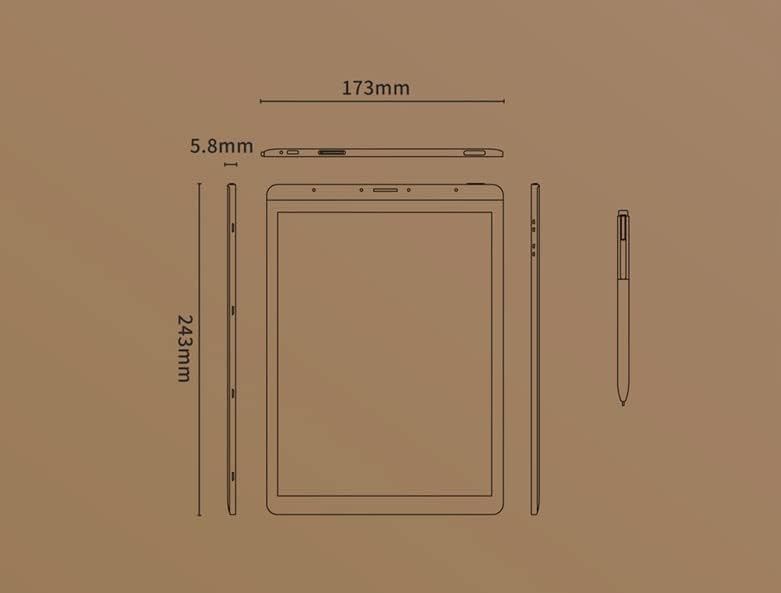
Image: Diagram illustrating the precise dimensions of the iFLYTEK A.I.Note X2 device and its accompanying stylus.
3.2 Komponentai ir prievadai
Familiarize yourself with the device's external features:
- 10.3" HD Carta Flexible E-ink Screen: Main display for reading and interaction.
- C tipo USB prievadas: Įkrovimui ir duomenų perdavimui.
- Maitinimo mygtukas: Įjungti / išjungti įrenginį arba užmigdyti.
- Mikrofonų masyvas: Four-microphone array for audio input.
- 3.5 mm Headphones Jack: Dėl garso išvesties.
- Electromagnetic Pen: For precise input, note-taking, and drawing.
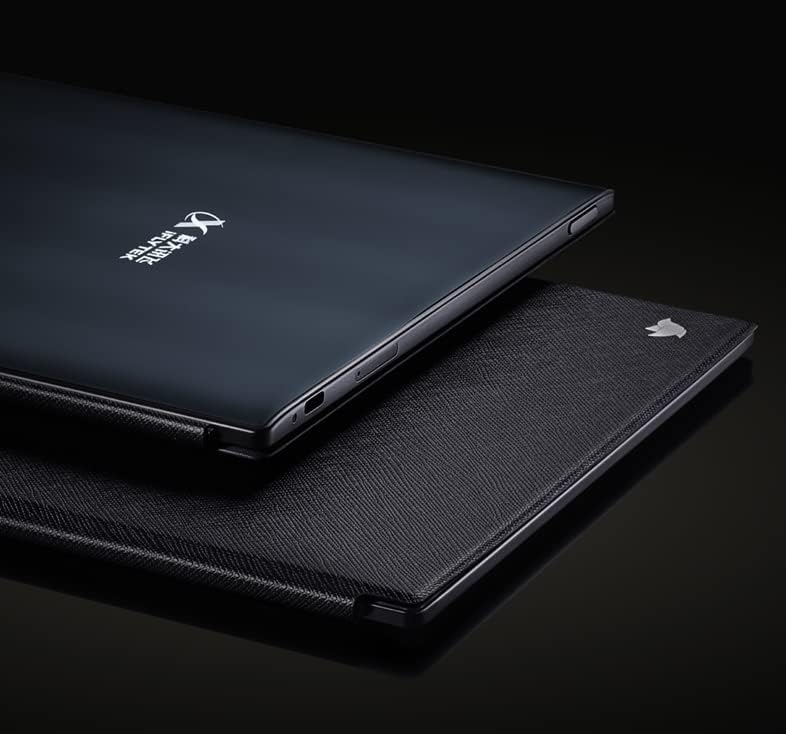
Vaizdas: Stambus planas view of the iFLYTEK A.I.Note X2's side profile, highlighting the slim design and the location of the USB-C port and other physical controls.
4. Sąranka
4.1 Pradinis įkrovimas
Before first use, fully charge your iFLYTEK A.I.Note X2. Connect the provided USB Type-C cable to the device's charging port and a compatible USB power adapter (not included) or a computer's USB port. The charging indicator will show the charging status.
4.2 Įjungimas / išjungimas
- Norėdami įjungti: Paspauskite ir palaikykite maitinimo mygtuką, kol ekranas įsijungs.
- Norėdami išjungti: Press and hold the Power button, then select "Power Off" from the on-screen options.
- Miegui / pabudimui: Trumpai paspauskite maitinimo mygtuką.
4.3 Pradinė konfigūracija
Upon first power-on, follow the on-screen prompts to complete the initial setup, which may include:
- Kalbos pasirinkimas
- Wi-Fi tinklo ryšys
- Laiko ir datos nustatymai
- User account setup (if applicable)
5. Naudojimo instrukcijos
5.1 Sąsajos naršymas
The device uses a capacitive touch screen for navigation. Swipe, tap, and pinch gestures are supported. The electromagnetic pen provides precise input for writing and drawing.
5.2 Užrašų darymas ir piešimas
Access the note-taking application to create new notes or drawings. The electromagnetic pen offers 4096 levels of pressure sensitivity for a natural writing experience. Various pen types, line thicknesses, and colors (simulated grayscale) are available within the application.

Image: The iFLYTEK A.I.Note X2 screen displaying detailed handwritten notes, demonstrating its digital ink capabilities.
5.3 Dokumentų skaitymas
The E-ink screen is designed for comfortable reading. Transfer documents (e.g., PDF, EPUB) to the device via USB or cloud services. Open the reading application to browse and read your files. You can annotate documents directly with the pen.

Image: The iFLYTEK A.I.Note X2 displaying a document with text, alongside its stylus, illustrating its use for reading and interaction.
5.4 Ryšys
The device supports Wi-Fi for internet access and content synchronization. It also features cellular connectivity (4G) for broader network access. Bluetooth may be available for connecting accessories.
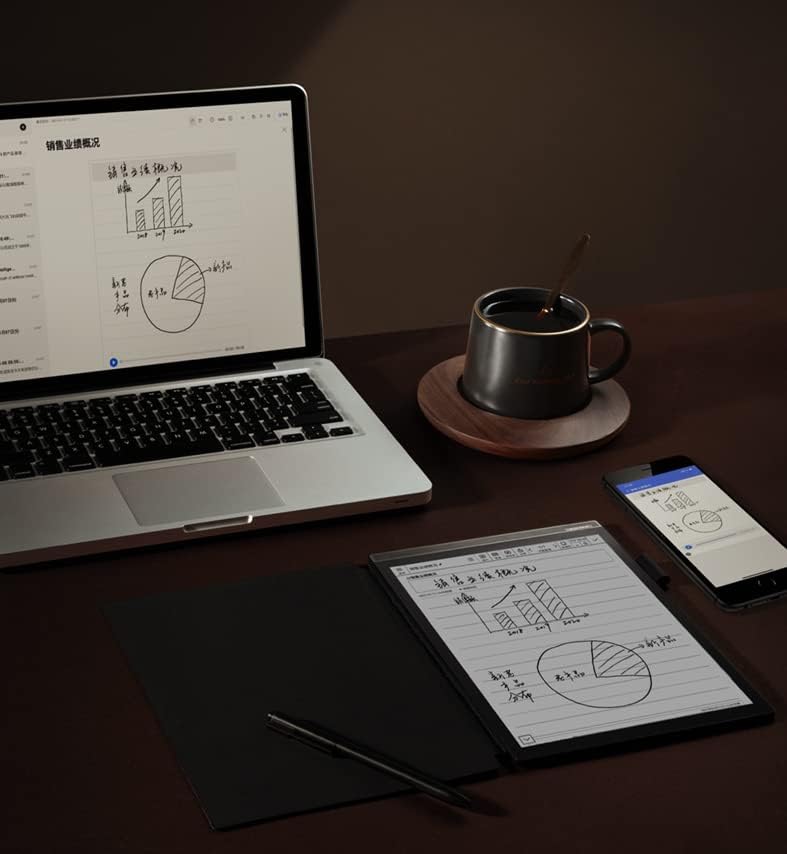
Image: The iFLYTEK A.I.Note X2 on a desk, demonstrating its integration with a laptop and smartphone for a connected workflow.
6. Priežiūra
6.1 Prietaiso valymas
Use a soft, lint-free cloth to gently wipe the screen and body of the device. Do not use abrasive cleaners, alcohol, or solvents, as these can damage the screen and finish. Avoid getting moisture into ports.
6.2 Akumuliatoriaus priežiūra
The device is equipped with a 4200mAh Polymer Li-ion battery. For optimal battery life, avoid exposing the device to extreme temperatures. Charge the device regularly, but avoid leaving it fully discharged for extended periods.
7. Problemų sprendimas
If you encounter issues with your iFLYTEK A.I.Note X2, refer to the following common solutions:
- Įrenginys neįsijungia: Įsitikinkite, kad įrenginys įkrautas. Prijunkite jį prie maitinimo šaltinio ir bandykite dar kartą.
- Ekranas nereaguoja: Atlikite minkštąjį atkūrimą palaikydami maitinimo mygtuką 10–15 sekundžių. Jei problema išlieka, įsitikinkite, kad ekranas švarus ir be šiukšlių.
- Rašiklis nerašo: Check if the pen tip is worn or damaged. Ensure the pen is within the screen's active area. The pen does not require batteries.
- „Wi-Fi“ ryšio problemos: Verify your Wi-Fi password and ensure the device is within range of the router. Try restarting both the device and the router.
- Lėtas veikimas: Close unused applications and clear cache if available in settings. Consider a factory reset as a last resort (this will erase all data).
8. Specifikacijos
Detailed technical specifications for the iFLYTEK A.I.Note X2 XF-DX-T210E:
| Funkcija | Specifikacija |
|---|---|
| Modelio numeris | XF-DX-T210E |
| Matmenys | 243 mm x 173 mm x 5.8 mm |
| Ekranas | 10.3" HD Carta flexible E-ink screen, 1872 x 1404 (227DPI), 16 level grayscale |
| Palieskite | Capacitive touch + Electromagnetic pen |
| Rašiklis | No battery, 4096 levels of pressure sensitivity |
| CPU | 2.3 GHz 8 branduolių |
| RAM | 2 GB |
| Vidinė saugykla | 64 GB |
| Operacinė sistema | Android 9.0 (Android 9 Pie) |
| Baterija | 4200mAh Polymer Li-ion |
| Ryšys | USB Type-C, Wi-Fi, 4G Cellular |
| Garsas | Four-Microphone array, 3.5 mm Headphones Jack |
| Biometrinis saugumas | Pirštų atspaudų atpažinimas |
9. Garantija ir palaikymas
For warranty information and customer support, please refer to the warranty card included in your package or visit the official iFLYTEK websvetainėje. Išsaugokite pirkimo įrodymą garantiniams reikalavimams.
Gamintojas: iFLYTEK
ASIN: B09VXKMMJS