
Įvadas
The Naxa NSH-3001 Wi-Fi Smart Camera provides reliable home security monitoring with 24/7 HD recording capabilities. This camera allows you to check in on your home remotely from anywhere using your smartphone. It features motion detection, two-way audio communication, night vision, and customizable activity alerts.
This manual provides detailed instructions for setting up, operating, and maintaining your Naxa NSH-3001 Wi-Fi Smart Camera to ensure optimal performance and security.
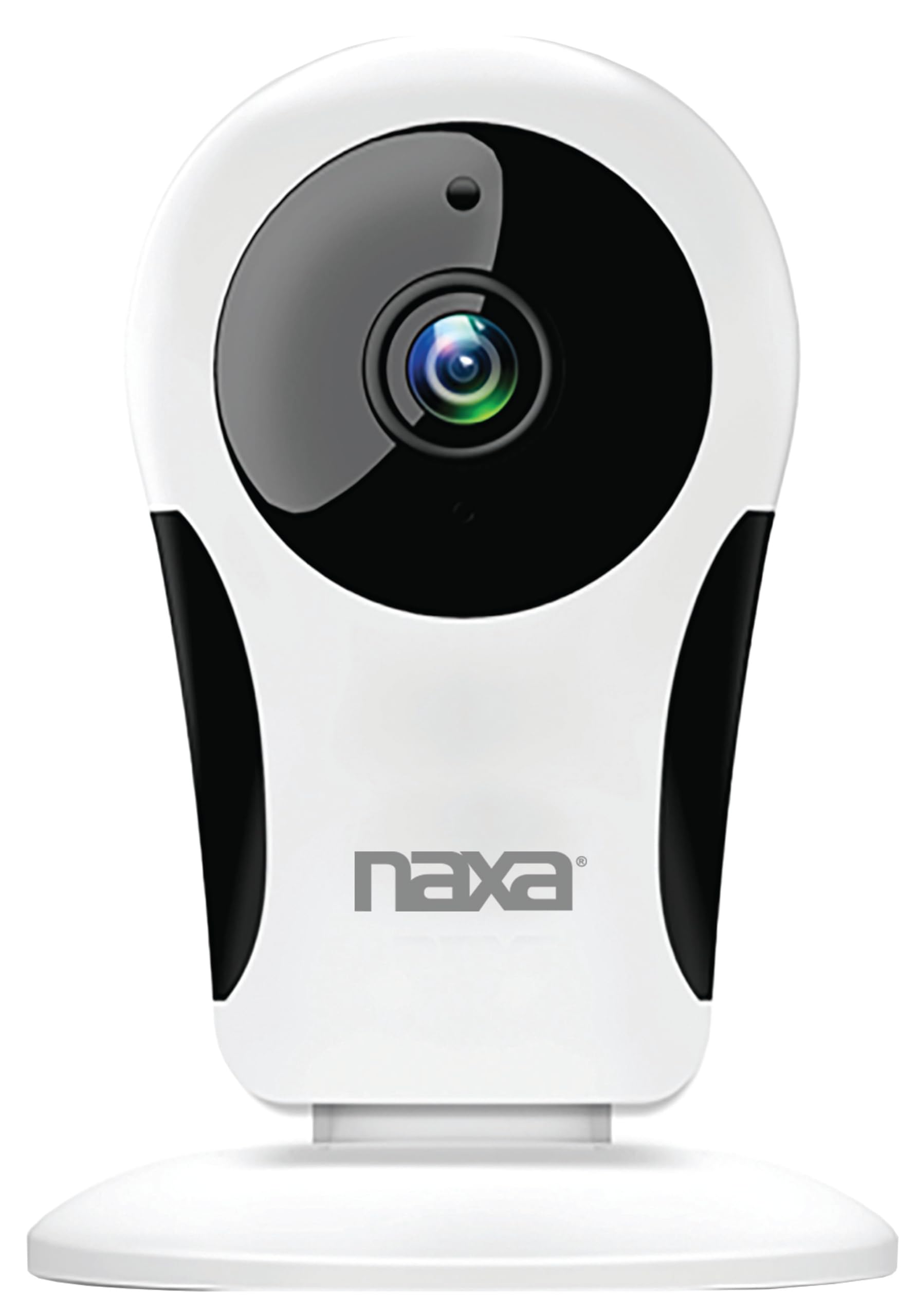
Vaizdas: priekis view of the Naxa NSH-3001 Wi-Fi Smart Camera, showing the lens and Naxa logo.
Kas yra dėžutėje
Upon unpacking your Naxa NSH-3001 Wi-Fi Smart Camera, please ensure all the following components are present:
- „Wi-Fi“ išmanioji kamera
- Kintamos srovės adapteris
- USB kabelis
- Vartotojo vadovas (šis dokumentas)
Produktas baigtasview
Familiarize yourself with the main components of your Naxa NSH-3001 Wi-Fi Smart Camera.

Image: The Naxa NSH-3001 Wi-Fi Smart Camera displayed alongside icons representing its key features: HD Resolution, Encrypted ID, 2-Way Audio, Cloud Service, Motion Detection, IR Night Vision, Time Scheduling, and Hotspot capability.
- Kameros objektyvas: Užfiksuoja vaizdo įrašą footage.
- Infraraudonųjų spindulių (IR) šviesos diodai: Suteikti naktinio matymo galimybes.
- Mikrofonas: Garso įvesties ir dvipusio ryšio palaikymui.
- Pranešėjas: Garso išvesčiai ir dvipusiam ryšiui.
- „Micro USB“ prievadas: Maitinimo jungčiai.
- Atkūrimo mygtukas: Naudojamas norint atkurti gamyklinius fotoaparato nustatymus.
- „Micro SD“ kortelės lizdas: Įrašyto maisto vietiniam saugojimuitage (Micro SD card not included).
Sąrankos vadovas
1. Fotoaparato įjungimas
- Connect the provided USB cable to the camera's Micro USB port.
- Kitą USB laido galą prijunkite prie kintamosios srovės adapterio.
- Prijunkite kintamosios srovės adapterį į standartinį elektros lizdą.
- The camera will power on, and an indicator light will show its status (refer to the camera's LED indicator guide for specific light patterns).
2. Downloading the Smart Life App
The Naxa NSH-3001 camera is controlled via the Smart Life app. Download it to your smartphone:
- For iOS devices, search for "Smart Life" in the Apple App Store.
- For Android devices, search for "Smart Life" in the Google Play Store.
- Install the app and create an account if you don't already have one.

Image: The Naxa NSH-3001 Wi-Fi Smart Camera shown with the Smart Life app logo and icons for the Apple App Store and Google Play, indicating app compatibility.
3. Prisijungimas prie Wi-Fi
Ensure your smartphone is connected to a 2.4 GHz Wi-Fi network. The NSH-3001 camera only supports 2.4 GHz Wi-Fi.
- Open the Smart Life app and tap "Add Device" or the "+" icon.
- Pasirinkite „Apsauga ir vaizdo stebėjimas“, tada „Išmanioji kamera“.
- Follow the on-screen instructions in the app to connect your camera to your Wi-Fi network. This typically involves scanning a QR code generated by the app with the camera's lens.
- Once connected, the camera's indicator light will change (refer to the LED indicator guide), and you will see the camera added to your app.
4. Kameros montavimas
The NSH-3001 camera is designed for wall mount installation, but can also be placed on a flat surface. Choose a location that provides the desired viewing angle (105 degrees) and is within range of your Wi-Fi signal.

Image: The Naxa NSH-3001 Wi-Fi Smart Camera positioned on a nightstand in a bedroom, demonstrating a typical indoor placement.
- For wall mounting, use appropriate screws and anchors (not included) to secure the camera's base to the wall.
- Sureguliuokite kameros kampą, kad apimtumėte norimą sritį.
Naudojimo instrukcijos
Tiesiogiai View ir nuotolinė prieiga
Once connected, you can access your camera's live feed from anywhere using the Smart Life app on your smartphone.
- Open the Smart Life app and select your NSH-3001 camera from the device list.
- The live video stream will appear.
Dvipusis garso ryšys
The camera supports two-way audio, allowing you to hear and speak through the camera.
- Gyvai view interface of the app, tap the microphone icon to speak.
- Norėdami klausytis garso iš kameros vietos, palieskite garsiakalbio piktogramą.
Judesio aptikimas ir įspėjimai
The camera can detect motion and send real-time push notifications to your phone.
- Navigate to the camera settings within the Smart Life app.
- Enable "Motion Detection" and adjust sensitivity levels as needed.
- Configure alert schedules and notification preferences.
Naktinis matymas
The NSH-3001 features an IR-cut filter for clear night vision, automatically switching between day and night modes based on ambient light.
- Night mode activates automatically in low-light conditions.
- The IR-cut filter ensures optimal clarity in both day and night recordings.
Vaizdo įrašymas ir saugojimas
The camera supports 24/7 HD recording. Footage can be stored locally or via cloud service (subscription may be required).
- „Micro SD“ kortelės saugykla: Insert a compatible Micro SD card (up to 128GB, not included) into the camera's SD card slot for continuous or event-based recording.
- Saugykla debesyje: Check the Smart Life app for available cloud storage options and subscription details.
- Review įrašytas footage directly through the Smart Life app.
Video Tuning
Adjust video parameters directly from your smartphone for optimal image quality.
- Within the Smart Life app, access video settings to adjust contrast, brightness, saturation, and sharpness.
Laiko planavimas
Set schedules for camera operation, recording, or alerts.
- Use the Smart Life app's scheduling feature to define specific times for motion detection, recording, or other functions.
Priežiūra
Proper maintenance ensures the longevity and optimal performance of your Naxa NSH-3001 Wi-Fi Smart Camera.
- Valymas: Švelniai nuvalykite fotoaparato objektyvą ir korpusą minkštu, sausu skudurėliu. Venkite naudoti stiprias chemines medžiagas ar abrazyvinius valiklius.
- Programinės įrangos atnaujinimai: Regularly check the Smart Life app for firmware updates for your camera. Keeping the firmware updated ensures you have the latest features and security enhancements.
- Vieta: Ensure the camera is placed in a stable location and protected from extreme temperatures, direct sunlight, and moisture.
Trikčių šalinimas
If you encounter issues with your Naxa NSH-3001 Wi-Fi Smart Camera, refer to the following common solutions:
| Problema | Galimas sprendimas |
|---|---|
| Kamera neprisijungia prie „Wi-Fi“. |
|
| Programėlėje nėra vaizdo transliacijos |
|
| Judesio įspėjimai negaunami |
|
| Neveikia dvipusis garsas |
|
If problems persist, please contact Naxa customer support.
Specifikacijos
| Funkcija | Detalė |
|---|---|
| Modelio pavadinimas | NSH-3001 |
| Prekės ženklas | Naxa |
| Ryšio technologija | „Wi-Fi“ (2.4 GHz) |
| Vaizdo įrašymo raiška | 720p |
| Viewing kampas | 105 laipsnių |
| Ypatinga funkcija | Judesio jutiklis, naktinis matymas, dvipusis garsas |
| Naudojimas viduje / lauke | Indoor, Outdoor (Note: IP54 rating suggests splash resistance, not full outdoor weatherproofing) |
| Maitinimo šaltinis | Su laidu elektra |
| Suderinami įrenginiai | Smartphone (via Smart Life App) |
| Montavimo tipas | Sieninis laikiklis |
| Sandėliavimas | „Micro SD“ kortelė (iki 128 GB, nepridedama), debesies saugykla (pasirinktinai) |
| Matmenys (I x P x A) | 3.2 x 3.2 x 4.3 colio |
| Prekės svoris | 3.2 uncijos |
| Medžiaga | Plastikiniai |
| Tarptautinis apsaugos įvertinimas | IP54 |
Garantija ir palaikymas
Naxa Electronics, Inc. manufactures the NSH-3001 Wi-Fi Smart Camera. For specific warranty information, please refer to the warranty card included with your product or visit the official Naxa websvetainę.
For technical support, troubleshooting assistance beyond this manual, or inquiries about your product, please contact Naxa customer service. Contact details can typically be found on the Naxa websvetainėje arba ant produkto pakuotės.
Naxa Official Websvetainė: www.naxa.com