
Star Micronics BSH-HR2081BT BLK
Star Micronics BSH-HR2081BT Wireless Bluetooth 1D/2D Barcode Scanner User Manual
Model: BSH-HR2081BT BLK
1. Įvadas
This manual provides comprehensive instructions for the setup, operation, maintenance, and troubleshooting of your Star Micronics BSH-HR2081BT Wireless Bluetooth 1D/2D Barcode Scanner. Designed for efficiency and durability, this scanner is a reliable solution for various point-of-sale and inventory management applications.
The BSH-HR2081BT scanner is equipped with a high-power CPU, enabling it to effortlessly capture high-density, high-volume, and even distorted barcodes from both printed materials and digital screens. Its robust design, coupled with advanced wireless capabilities, ensures seamless integration into your workflow.
2. Pagrindinės savybės
- Didelio našumo nuskaitymas: Powerful CPU captures high-density, high-volume, and distorted 1D/2D barcodes on paper or screen.
- Pailgintas akumuliatoriaus veikimo laikas: Offers up to 12 hours of continuous operation (one scan every six seconds) with its 2200mAh battery.
- Universalus ryšys: Connects directly to the host device via Bluetooth Low Energy (BLE) or wirelessly to a Star printer using the included USB dongle.
- Reliable Wireless Range: Maintains a stable wireless connection to transmit data, with communication distances up to 50 meters (approximately 164 feet).
- Patvari konstrukcija: Features an IP42-rated design and a drop-resistant housing, capable of withstanding drops from up to 1.2 meters (approximately 4 feet).
3. Sąrankos vadovas
3.1. Išpakavimas ir pirminė apžiūra
Atsargiai išimkite visus komponentus iš pakuotės. Patikrinkite, ar yra šie daiktai:
- Star Micronics BSH-HR2081BT Barcode Scanner
- USB įkrovimo laidas
- USB Dongle (for wireless connection to Star printers)
- Skaitytuvo stovas

Figure 3.1: Barcode scanner and its USB dongle.
3.2. Skaitytuvo įkrovimas
Before first use, fully charge the scanner. Connect the USB charging cable to the scanner's charging port (located at the bottom of the handle) and plug the other end into a USB power adapter (not included) or a computer's USB port. The charging indicator light will show the charging status.

Figure 3.2: USB charging port at the base of the scanner handle.
3.3. Skaitytuvo prijungimas
The BSH-HR2081BT scanner offers two primary connection methods:
3.3.1. Bluetooth Connection (Direct to Host Device)
- Įsitikinkite, kad skaitytuvas įjungtas.
- Pagrindiniame įrenginyje (išmaniajame telefone, planšetiniame kompiuteryje arba kompiuteryje) įjunkite „Bluetooth“.
- Ieškokite available Bluetooth devices. The scanner should appear as "Star Micronics BSH-HR2081BT" or similar.
- Select the scanner to pair. Follow any on-screen prompts to complete the pairing process.
3.3.2. Wireless Connection (via USB Dongle to Star Printer)
- Insert the provided USB dongle into an available USB port on your compatible Star printer (e.g., mC-Print, mPOP).
- Power on the scanner. The scanner and dongle should automatically establish a connection.
- Refer to your Star printer's manual for specific instructions on connecting external devices.

Figure 3.3: Barcode scanner placed in its included stand.
4. Naudojimo instrukcijos
4.1. Basic Scanning Operation
To scan a barcode, point the scanner's window at the barcode and press the trigger button. A successful scan will typically be indicated by an audible beep and/or a visual confirmation light.
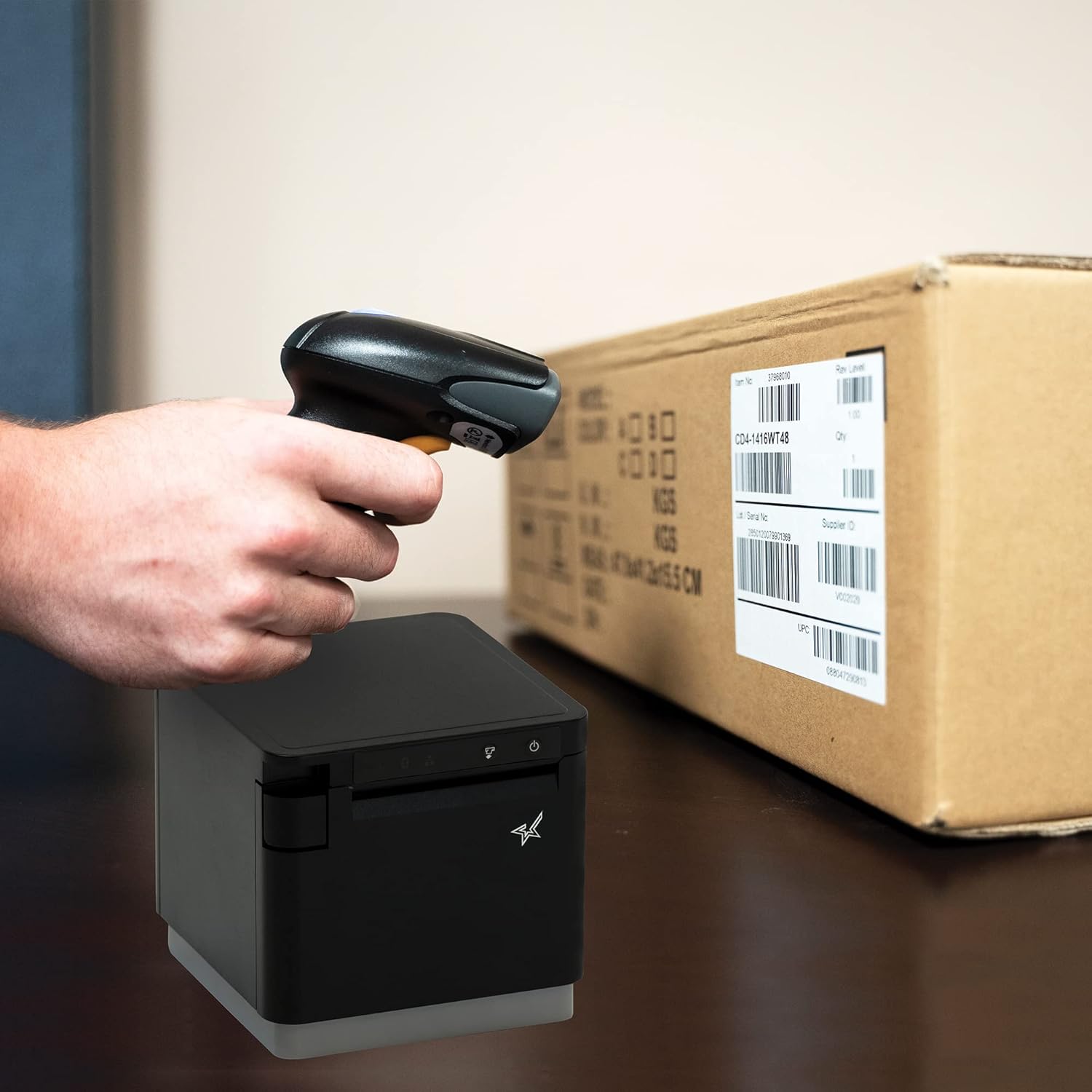
4.1 pav. Pvzamppavyzdžiui, nuskaityti brūkšninį kodą ant pakuotės.
4.2. Skenavimo režimai
The BSH-HR2081BT scanner supports six different scanning modes to accommodate various operational needs:
- Lygio režimas: The scanner's trigger will activate the decode session.
- Aktyviklio režimas: A trigger pull activates a decode session.
- Jutimo režimas: The scanner activates a decode session every time it detects a barcode.
- Nepertraukiamas režimas: The scanner automatically starts one decode session after another.
- Pulso režimas: When the trigger is pulled and released, scanning is activated until a barcode is decoded or the decode session timeout expires.
- Paketinis režimas: When the trigger is pulled and released, scanning is activated until the trigger is released.
Refer to the full user guide (link in Section 7) for detailed instructions on how to switch between these modes and configure specific settings.
5. Priežiūra
5.1. Skaitytuvo valymas
Norėdami išlaikyti optimalų našumą, skaitytuvo langą laikykite švarų. Naudokite minkštą, nepūkuotą šluostę, lengvai nuvalytą.ampened with water or a mild, non-abrasive cleaner. Do not use harsh chemicals or abrasive materials, as they may damage the scanner's surface or optical components.
5.2. Akumuliatoriaus priežiūra
The scanner is equipped with a Lithium Ion battery. To prolong battery life:
- Venkite dažnai visiškai iškrauti akumuliatorių.
- Kai ilgesnį laiką nenaudojate skaitytuvo, laikykite jį vėsioje, sausoje vietoje.
- Charge the battery regularly, even if the scanner is not in frequent use.
6. Problemų sprendimas
6.1. Skaitytuvas neprisijungia
- Patikrinkite galią: Ensure the scanner is fully charged and powered on.
- „Bluetooth“ susiejimas: For Bluetooth connections, ensure Bluetooth is enabled on your host device and the scanner is in pairing mode. Try unpairing and re-pairing the device.
- USB raktas: If using the USB dongle, ensure it is securely plugged into the Star printer and the printer is powered on.
- Diapazonas: Ensure the scanner is within the effective communication range (up to 50m) of the host device or dongle.
6.2. Scanner Not Reading Barcodes
- Brūkšninio kodo būklė: Įsitikinkite, kad brūkšninis kodas yra skaidrus, netepamas, neplyšęs ar pernelyg neatspindintis.
- Atstumas ir kampas: Adjust the distance and angle of the scanner to the barcode. Try different scanning modes if applicable.
- Apšvietimas: Užtikrinkite tinkamą apšvietimą. Venkite tiesioginio akinimo ant brūkšninio kodo.
- Skaitytuvo langas: Clean the scanner's reading window as described in the Maintenance section.
6.3. Trumpas baterijos veikimo laikas
- Visas įkrovimas: Ensure the scanner is charged until the indicator shows a full charge.
- Usage Pattern: Continuous heavy usage will deplete the battery faster.
- Baterijos amžius: Over time, rechargeable batteries naturally lose capacity.
7. Techninės specifikacijos
| Specifikacija | Detalė |
|---|---|
| Gaminio matmenys | 5.7 x 4 x 2.7 colio |
| Prekės svoris | 1.06 svaro |
| Modelio numeris | BSH-HR2081BT BLK |
| Baterijos | Reikalinga 1 ličio jonų baterija (pridedama) |
| Gamintojas | Star Micronics |
| Suderinami įrenginiai | Išmanusis telefonas, planšetinis kompiuteris |
| Maitinimo šaltinis | Maitinamas baterijomis |
| Ryšio technologija | Bluetooth, USB laidas |
| IP reitingas | IP42 |
| Atsparumas kritimui | Iki 1.2 metrų |
8. Garantija ir palaikymas
For warranty information and technical support, please contact Star Micronics directly or visit their official websvetainėje. Išsaugokite pirkimo kvitą kaip pirkimo įrodymą garantiniams reikalavimams.
Išsamų vartotojo vadovą PDF formatu galima atsisiųsti:
Ask a question about this manual
Ask about setup, troubleshooting, compatibility, parts, safety, or missing instructions. Manuals+ will review the question and use this page’s manual context to help answer it.