
1. Įvadas
This manual provides essential information for the safe and efficient use of your Princess 357250 Smart Air Cooler Fan. Please read these instructions carefully before operating the appliance and retain them for future reference.

Figure 1: Princess 357250 Smart Air Cooler Fan in operation, illustrating air circulation.
The Princess 357250 is a versatile 3-in-1 appliance functioning as a fan, air cooler, and air freshener. It features a 3.5-liter water reservoir, three operating modes, and can be controlled via the HomeWizard Climate app, voice commands, or the included remote control.
2. Svarbios saugos instrukcijos
Naudodami elektros prietaisus, visada laikykitės pagrindinių saugos priemonių, kad sumažintumėte gaisro, elektros smūgio ir sužalojimo riziką.
- Prieš naudodami perskaitykite visas instrukcijas.
- Įsitikinkite, kad ttagant prietaiso nurodyta e atitinka jūsų vietinio elektros tinklo įtampątage prieš prisijungiant.
- Nemerkite prietaiso, laido ar kištuko į vandenį ar kitus skysčius.
- Atidžiai prižiūrėti būtina, kai bet kurį prietaisą naudoja vaikai arba jį naudoja šalia vaikų.
- Atjunkite įrenginį nuo elektros lizdo, kai nenaudojate, prieš surenkant ar išardant dalis ir prieš valant.
- Nenaudokite prietaiso, kurio laidas ar kištukas pažeistas, arba po to, kai prietaisas neveikia arba buvo kaip nors sugadintas.
- Nenaudoti lauke.
- Neleiskite laidui kaboti virš stalo ar prekystalio krašto ir neliesti karštų paviršių.
- Nedėkite ant įkaitusios dujinės ar elektrinės viryklės ar šalia jos, taip pat į įkaitintą orkaitę.
- Always place the appliance on a dry, stable, and level surface.
- Naudokite tik gamintojo rekomenduojamus arba parduodamus priedus.
- Neužblokuokite jokių ventiliacijos angų.
- Do not fill the water tank above the MAX level indicator.
- Prieš naudodami visada įsitikinkite, kad vandens bakelis yra tvirtai pritvirtintas.
3. Gaminio komponentai
The Princess 357250 Smart Air Cooler Fan comes with the following components:
- Princess 357250 Smart Air Cooler Fan unit
- Nuotolinio valdymo pultas
- 2 x CR2032 batteries (for remote control)
- Naudojimo instrukcija
- Ice packs (typically 2, for enhanced cooling)

2 pav.: Pridedamas nuotolinio valdymo pultas patogiam valdymui.
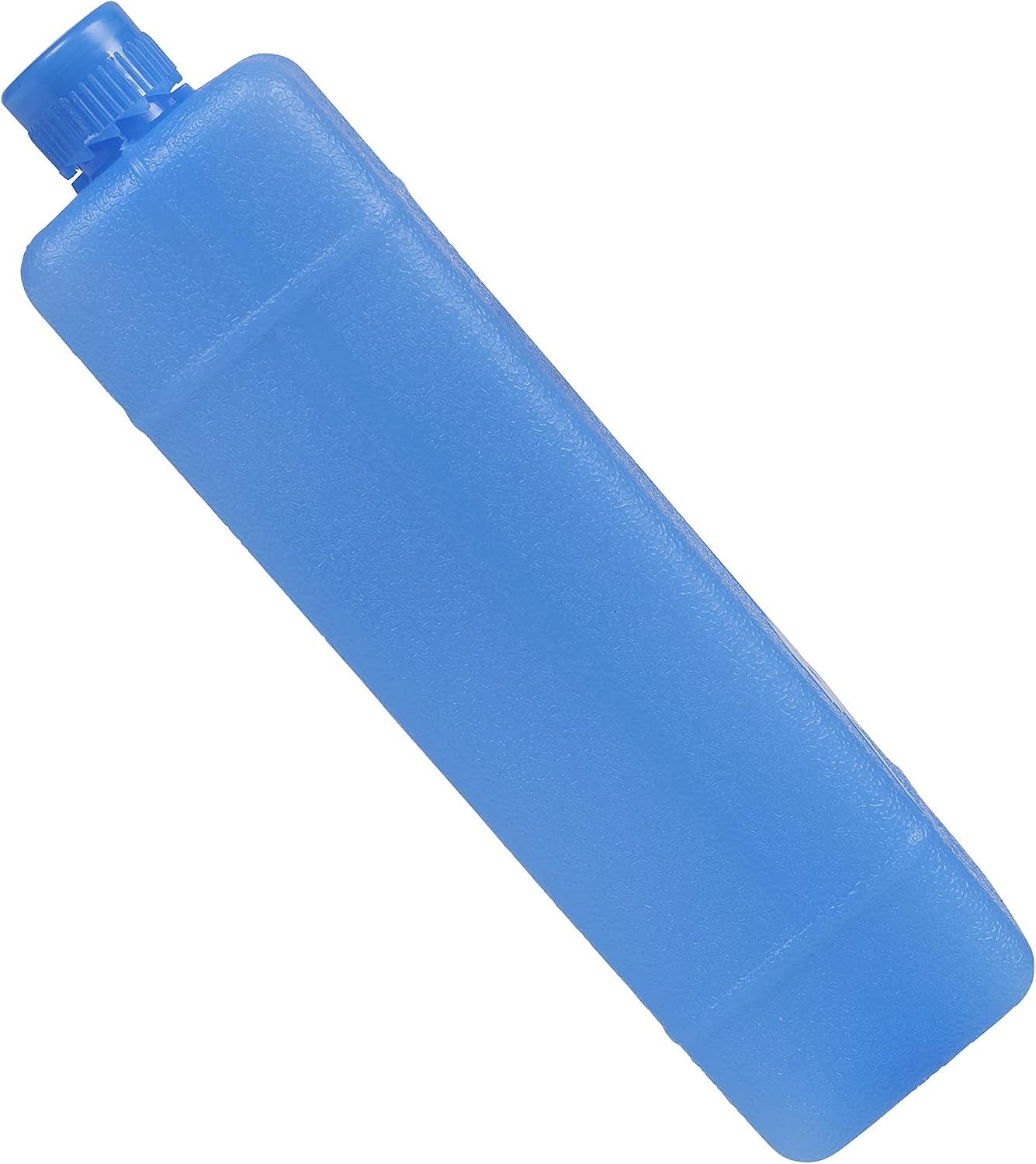
3 pav. Pvzample of an ice pack used to enhance cooling performance.
4. Sąranka ir pirmasis naudojimas
4.1 Išpakavimas
Carefully remove the air cooler from its packaging. Retain the packaging for future storage or transport. Check that all components listed in Section 3 are present and undamaged.
4.2 Įdėjimas
Place the air cooler on a firm, level surface. Ensure there is adequate space around the unit for proper air circulation. Do not place it directly against a wall or furniture that could obstruct the air intake or outlet.
4.3 Vandens rezervuaro pildymas
- Ištraukite vandens baką iš apatinės įrenginio galinės dalies.
- Fill the water tank with clean, cool water. Do not exceed the 'MAX' fill line.
- For enhanced cooling, place the included ice packs in a freezer until frozen. Once frozen, add them to the water tank.
- Atsargiai įstumkite vandens bakelį atgal į įrenginį, kol jis spragtelės ir užsifiksuos.
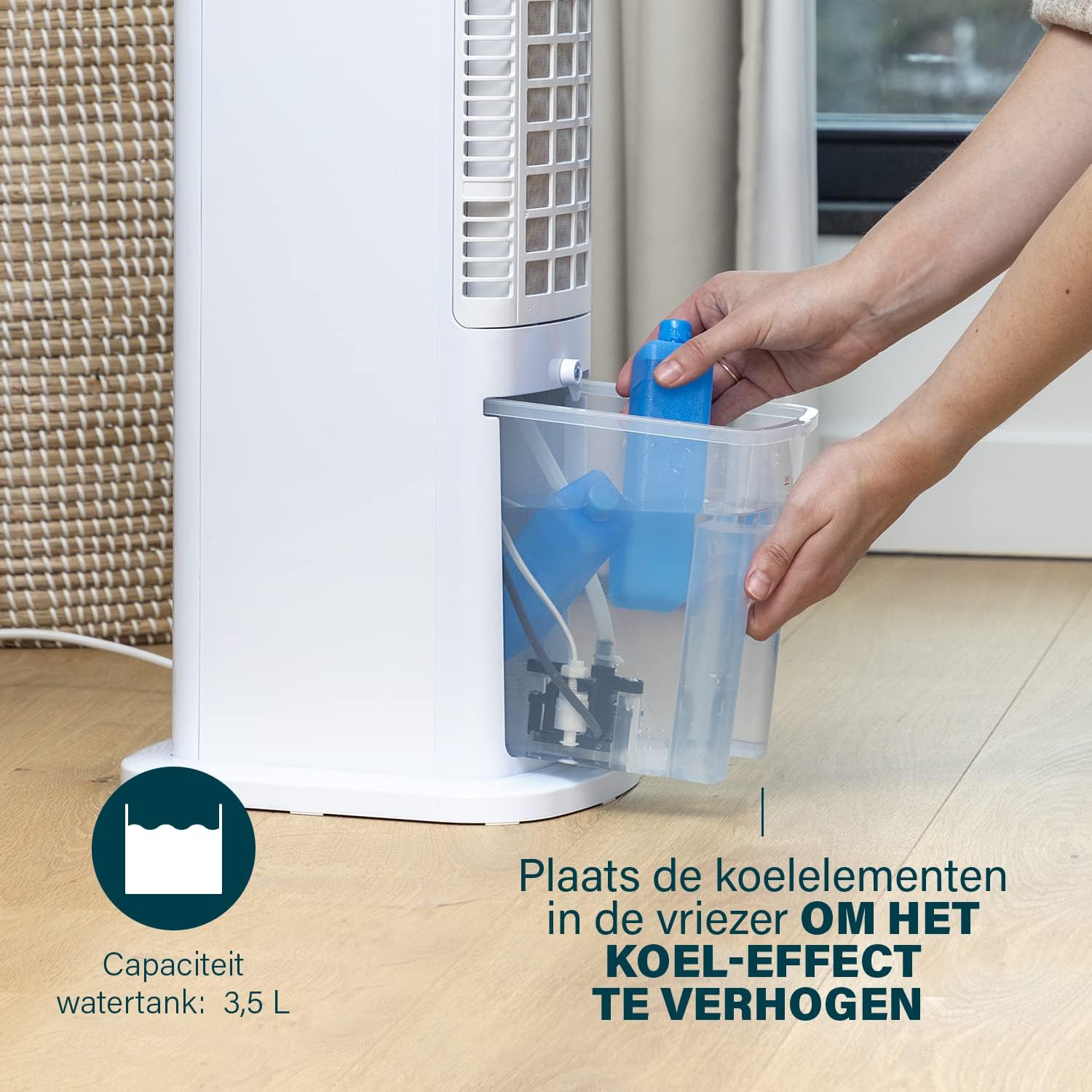
Figure 4: Adding ice packs to the water reservoir to increase cooling effect.
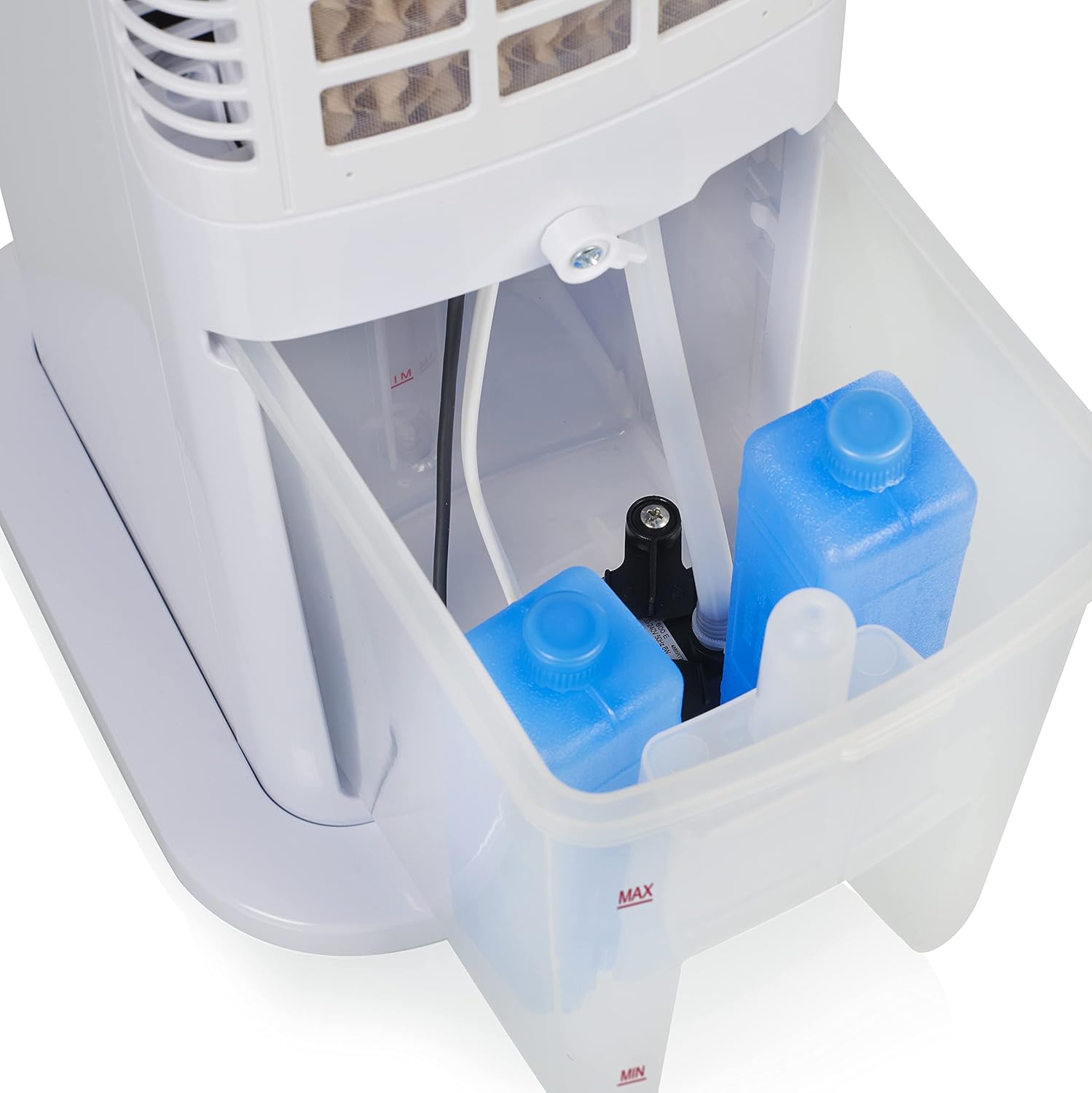
Figure 5: Water tank with ice packs, indicating fill levels.
4.4 Maitinimo jungtis
Plug the power cord into a suitable electrical outlet (230V). The unit will enter standby mode.
5. Naudojimo instrukcijos
The Princess 357250 can be operated via its control panel, remote control, or the HomeWizard Climate app.
5.1 Valdymo skydas baigtasview
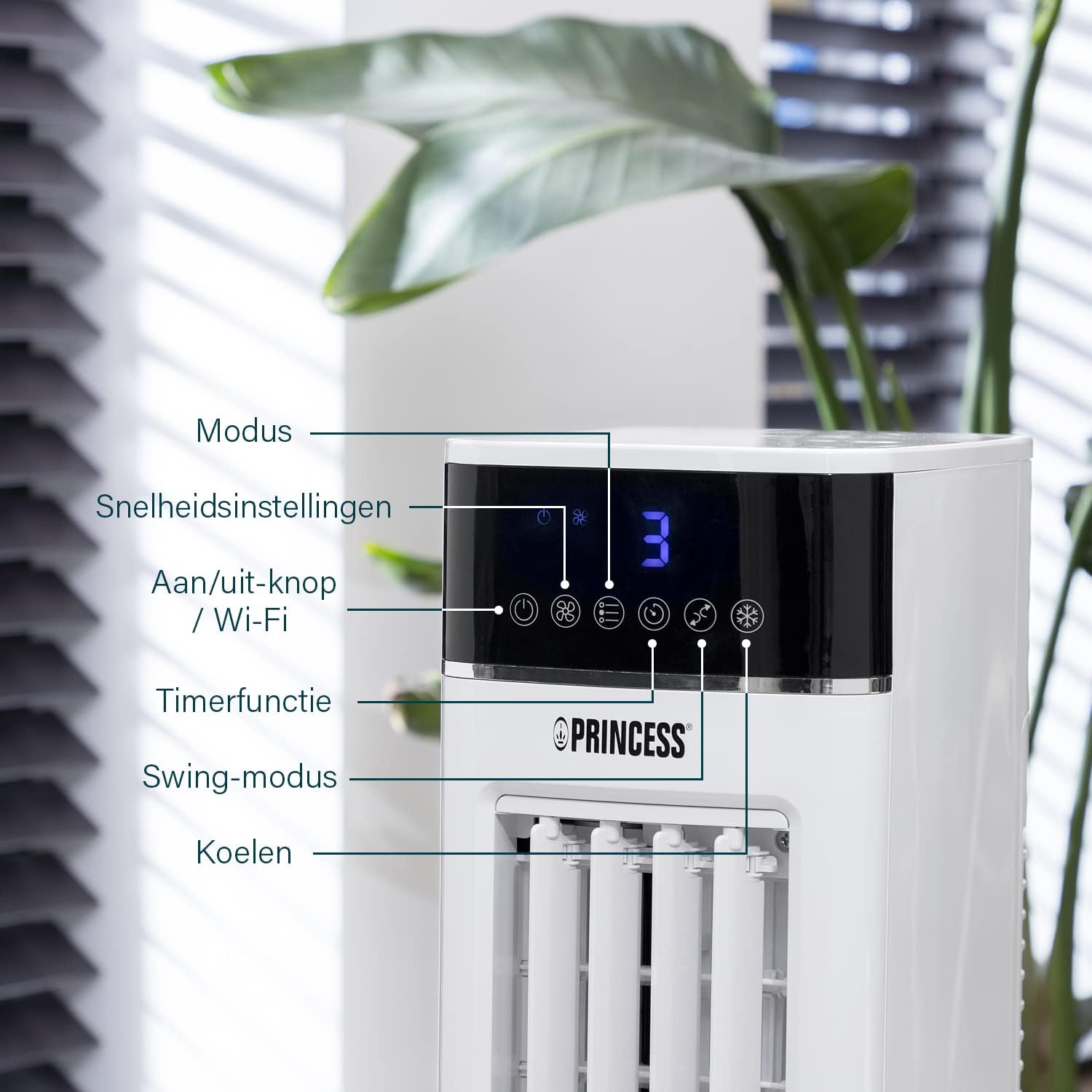
Figure 6: Control panel with various function buttons.
- Power Button (On/Off / Wi-Fi): Turns the unit on or off. Press and hold to activate Wi-Fi pairing mode.
- Režimo mygtukas: Cycles through operating modes (Normal, Natural, Sleep).
- Greičio mygtukas: Reguliuoja ventiliatoriaus greitį (mažas, vidutinis, didelis).
- Laikmačio mygtukas: Sets the operating timer.
- Sūpynės mygtukas: Activates or deactivates the oscillation function.
- Šaltas mygtukas: Activates or deactivates the evaporative cooling function (requires water in the tank).

Figure 7: Manual control via the top panel buttons.
5.2 Darbo režimai
- Normalus režimas: Provides a constant airflow at the selected speed.
- Natūralus režimas: Simulates natural breeze by varying fan speed intermittently.
- Miego režimas: Operates at a lower, quieter speed, gradually decreasing fan speed over time for undisturbed sleep.
5.3 Osciliacijos funkcija
Press the 'Swing' button to activate the oscillation function. The unit will rotate horizontally to distribute air across a wider area (Oscillation range: 50°). Press again to stop oscillation.
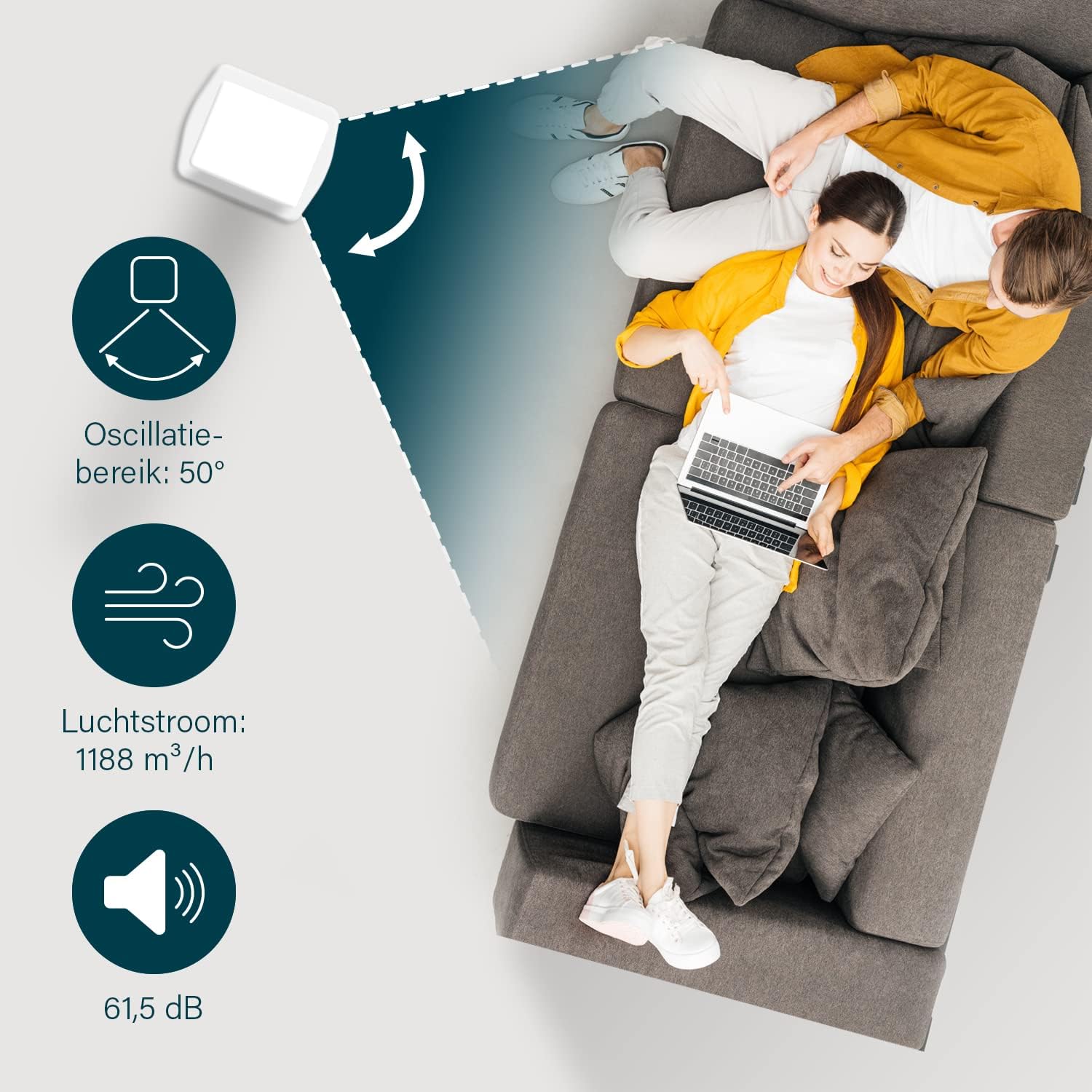
Figure 8: The oscillation function distributes cool air across a 50° range.
5.4 Evaporative Cooling Function
To activate the cooling function, ensure the water tank is filled. Press the 'Cool' button. The unit will use the water from the reservoir to cool the air through evaporation. This function works best in dry climates.

Figure 9: Innovative cooling technology utilizes a membrane system to cool air particles.
5.5 Smart Control (HomeWizard Climate App & Voice Control)
The Princess 357250 can be controlled remotely via the HomeWizard Climate app or voice commands (compatible with Siri and Google Assistant).
- Download the HomeWizard Climate app from your device's app store.
- Follow the in-app instructions to pair your air cooler with your Wi-Fi network. This typically involves pressing and holding the Power/Wi-Fi button on the unit until the Wi-Fi indicator blinks.
- Once paired, you can control all functions of the air cooler from your smartphone or tablet.
- For voice control, link your HomeWizard Climate account with your preferred voice assistant (Siri or Google Assistant) through their respective apps.

Figure 10: Control your air cooler using the HomeWizard Climate app and voice assistants.
6. Priežiūra ir valymas
Regular cleaning ensures optimal performance and extends the lifespan of your air cooler.
6.1 Bendras valymas
- Prieš valydami prietaisą visada ištraukite iš elektros tinklo.
- Išorinius paviršius nuvalykite minkšta, damp audinys. Nenaudokite abrazyvinių valiklių ar tirpiklių.
- Įsitikinkite, kad vanduo nepatenka į valdymo skydelį ar kitas elektros dalis.
6.2 Vandens bako valymas
The water tank should be cleaned regularly, especially if using the cooling function frequently, to prevent mold and bacteria growth.
- Atjunkite oro aušintuvą.
- Išimkite vandens baką iš įrenginio.
- Išpilkite likusį vandenį.
- Clean the inside of the tank with a mild detergent and warm water. Use a soft brush if necessary to remove any residue.
- Kruopščiai nuplaukite švariu vandeniu.
- Prieš vėl įdėdami baką į įrenginį, leiskite jam visiškai išdžiūti.
6.3 Cooling Pad Cleaning/Replacement
The cooling pad (evaporative filter) may accumulate dust and mineral deposits over time. Refer to the diagram for its location.

Figure 11: The cooling pad, which should be cleaned periodically.
- Atjunkite oro aušintuvą.
- Carefully remove the back panel to access the cooling pad.
- Gently remove the cooling pad.
- Rinse the cooling pad under running water to remove dust and deposits. For stubborn deposits, soak in a mild descaling solution (e.g., vinegar and water) for 30 minutes, then rinse thoroughly.
- Allow the cooling pad to dry completely before reinserting.
- Replace the cooling pad if it is damaged or heavily soiled and cannot be cleaned effectively.
7. Problemų sprendimas
Jei kyla problemų dėl oro aušintuvo, dažniausiai pasitaikančias problemas ir sprendimus rasite šioje lentelėje.
| Problema | Galima priežastis | Sprendimas |
|---|---|---|
| Įrenginys neįsijungia. | Nėra maitinimo. | Patikrinkite, ar maitinimo laidas tvirtai įjungtas į veikiantį lizdą. |
| No cool air/weak cooling effect. | Vandens bakas tuščias arba jame mažai vandens. Aušinimo funkcija neaktyvuota. Cooling pad is dirty. | Užpildykite vandens baką. Paspauskite mygtuką „Aušinimas“. Clean or replace the cooling pad (see Section 6.3). |
| Iš įrenginio sklinda nemalonus kvapas. | Stagnant water or dirty water tank/cooling pad. | Clean the water tank and cooling pad thoroughly (see Section 6.2 & 6.3). Use fresh water. |
| Nuotolinio valdymo pultas neveikia. | Baterijos išsikrovė arba įdėtos neteisingai. | Replace the CR2032 batteries. Ensure they are inserted with correct polarity. |
| Programos valdymas neveikia. | Wi-Fi connection issue. App not paired correctly. | Check your Wi-Fi network. Re-pair the device with the HomeWizard Climate app (see Section 5.5). |
Jei problema išlieka ir išbandžius šiuos sprendimus, susisiekite su klientų aptarnavimo tarnyba.
8. Techninės specifikacijos
| Funkcija | Detalė |
|---|---|
| Modelio numeris | 01.357250.01.001 |
| Prekės ženklas | Princesė |
| Tipas | Smart Air Cooler Fan (3-in-1: fan, air freshener, air cooler) |
| Medžiaga | Akrilnitrilo butadieno stirenas (ABS) |
| Spalva | Baltas |
| Montavimo tipas | Pastatomas |
| Valdymo tipas | Remote control, Control Panel, HomeWizard Climate App, Voice Control (Siri, Google Assistant) |
| Vandens rezervuaro talpa | 3.5 litrai |
| Veikimo režimai | Normalus, natūralus, miegas |
| Greičių skaičius | 3 |
| Osciliacijos diapazonas | 50 laipsnių |
| Vattage | 70 vatų |
| ttage | 230 voltų |
| Triukšmo lygis | 61.5 decibelų |
| Prekės svoris | 4 kilogramo |
| Matmenys (G x P x A) | 28 gylio x 22 pločio x 76 aukščio centimetrų |
| Atsarginių dalių prieinamumas (ES) | 2 metai |

Figure 12: Dimensions and key specifications of the air cooler.
9. Garantija ir palaikymas
9.1 Informacija apie garantiją
This Princess 357250 Smart Air Cooler Fan comes with a 2 metų gamintojo garantija from the date of purchase. This warranty covers manufacturing defects and material faults under normal use conditions. It does not cover damage resulting from misuse, neglect, accident, alteration, or unauthorized repair.
Išsaugokite pirkimo įrodymą, kad galėtumėte kreiptis dėl garantijos.
9.2 Pagalba klientams
For technical assistance, warranty claims, or questions regarding your Princess 357250 Smart Air Cooler Fan, please contact your retailer or visit the official Princess websvetainėje rasite palaikymo kontaktinę informaciją.
Taip pat galite kreiptis į produkto puslapis svetainėje Amazon.nl papildomos informacijos ir išteklių.