
i-Star 90081PI
I-Star Digital Alarm Clock User Manual
Model: 90081PI
Įvadas
Thank you for choosing the i-Star Digital Alarm Clock. This portable and easy-to-use alarm clock features a clear LCD display, multiple alarm settings, and displays room temperature and humidity. This manual provides detailed instructions to help you set up and operate your new device.

Image: The i-Star Digital Alarm Clock displaying 9:30, Friday, May 3rd, 21°C, and 53% humidity.
Pagrindinės savybės
- Clear large digit LCD time display
- 12 hr and 24 hr clock display options
- Weekday and date display
- Set up to three alarms
- 5, 6 & 7 Day alarm setting options
- Touch control snooze and backlight function
- Room temperature and humidity display
Pakuotės turinys
- 1 x i-Star Digital Alarm Clock (Model: 90081PI)
- 1 x Vartotojo vadovas
Note: 2x AA batteries are required for operation and are not included in the package.
Sąranka
1. Akumuliatoriaus įdėjimas
The i-Star Digital Alarm Clock is powered by 2x AA batteries (not supplied). To install the batteries:
- Laikrodžio gale suraskite akumuliatoriaus skyrių.
- Atidarykite akumuliatoriaus skyriaus dangtelį.
- Insert 2x AA batteries, ensuring the correct polarity (+ and -) as indicated inside the compartment.
- Saugiai uždarykite akumuliatoriaus skyriaus dangtelį.
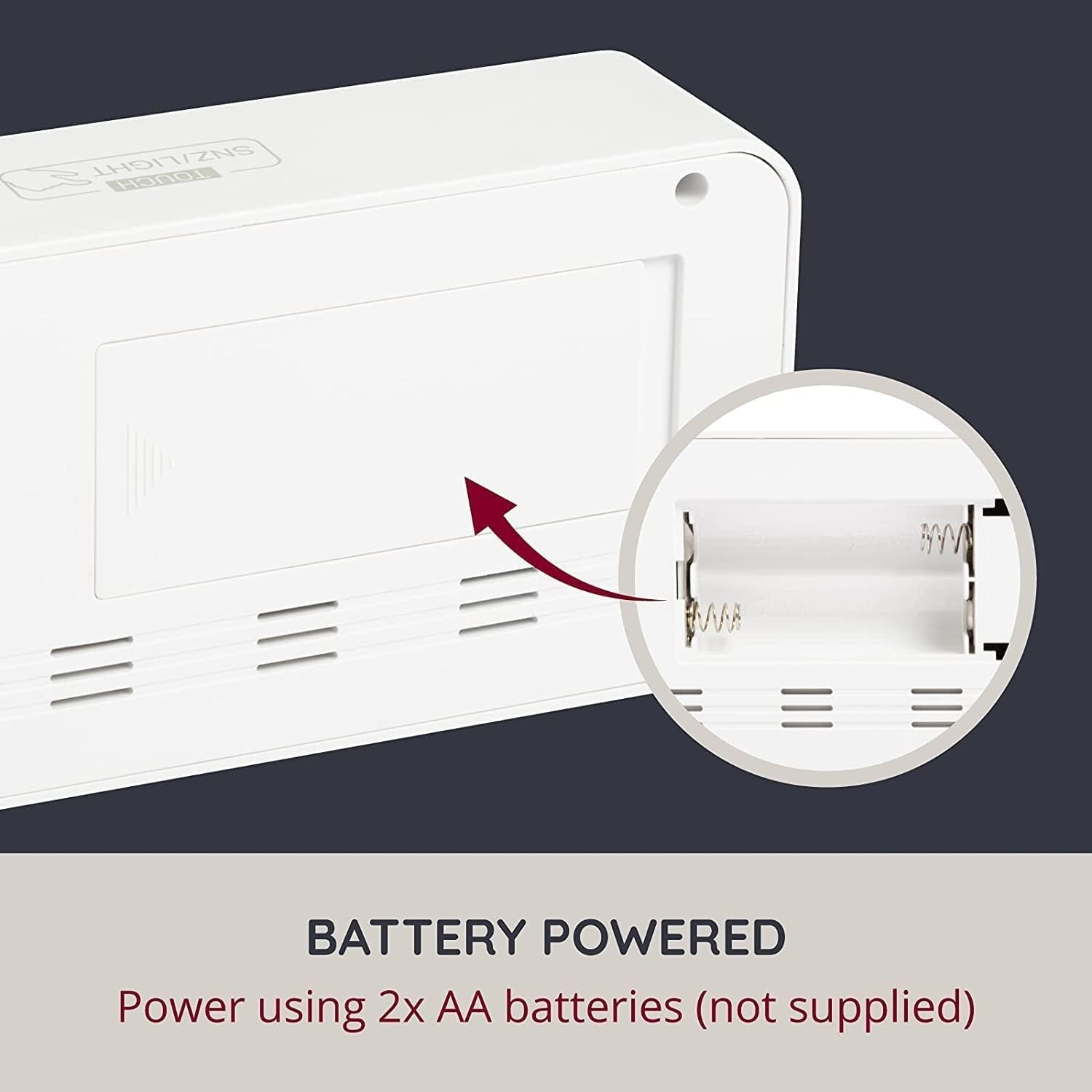
Vaizdas: Galinis view of the alarm clock with the battery compartment open, indicating where to insert AA batteries.
2. Pradinis įjungimas
Once batteries are installed, the clock display will light up, and you can proceed to set the time and other functions.
Naudojimo instrukcijos
The clock features control buttons typically located on the back or side, and a touch-sensitive area on the top for snooze/backlight.
Setting Time (12/24 Hour Format)
Refer to the specific buttons (e.g., 'SET', 'MODE', 'UP', 'DOWN') on your device to enter time setting mode. Typically, you press a 'SET' or 'MODE' button, then use 'UP'/'DOWN' to adjust hours and minutes, confirming each step with 'SET' or 'MODE'. You can usually toggle between 12-hour and 24-hour formats during this process.
Setting Date and Day
Similar to setting the time, enter the date setting mode. Adjust the year, month, and day using the 'UP'/'DOWN' buttons and confirm with 'SET' or 'MODE'. The weekday will automatically update based on the date.
Signalų nustatymas
This clock supports up to three independent alarms. To set an alarm:
- Press the 'ALARM' button (or similar) repeatedly to cycle through Alarm 1, Alarm 2, and Alarm 3 settings.
- When the desired alarm is displayed, press 'SET' (or similar) to enter its setting mode.
- Adjust the alarm hour and minute using 'UP'/'DOWN' buttons.
- Select the alarm schedule: 5-day (Monday-Friday), 6-day (Monday-Saturday), or 7-day (Monday-Sunday).
- Confirm settings. Ensure the alarm is activated (an alarm icon usually appears on the display).
Snaudimo funkcija
When an alarm sounds, touch the 'TOUCH SNZ/LIGHT' area on the top of the clock to activate the snooze function. The alarm will pause for a few minutes (typically 5-10 minutes) and then sound again. To turn off the alarm completely, press any other button on the clock.
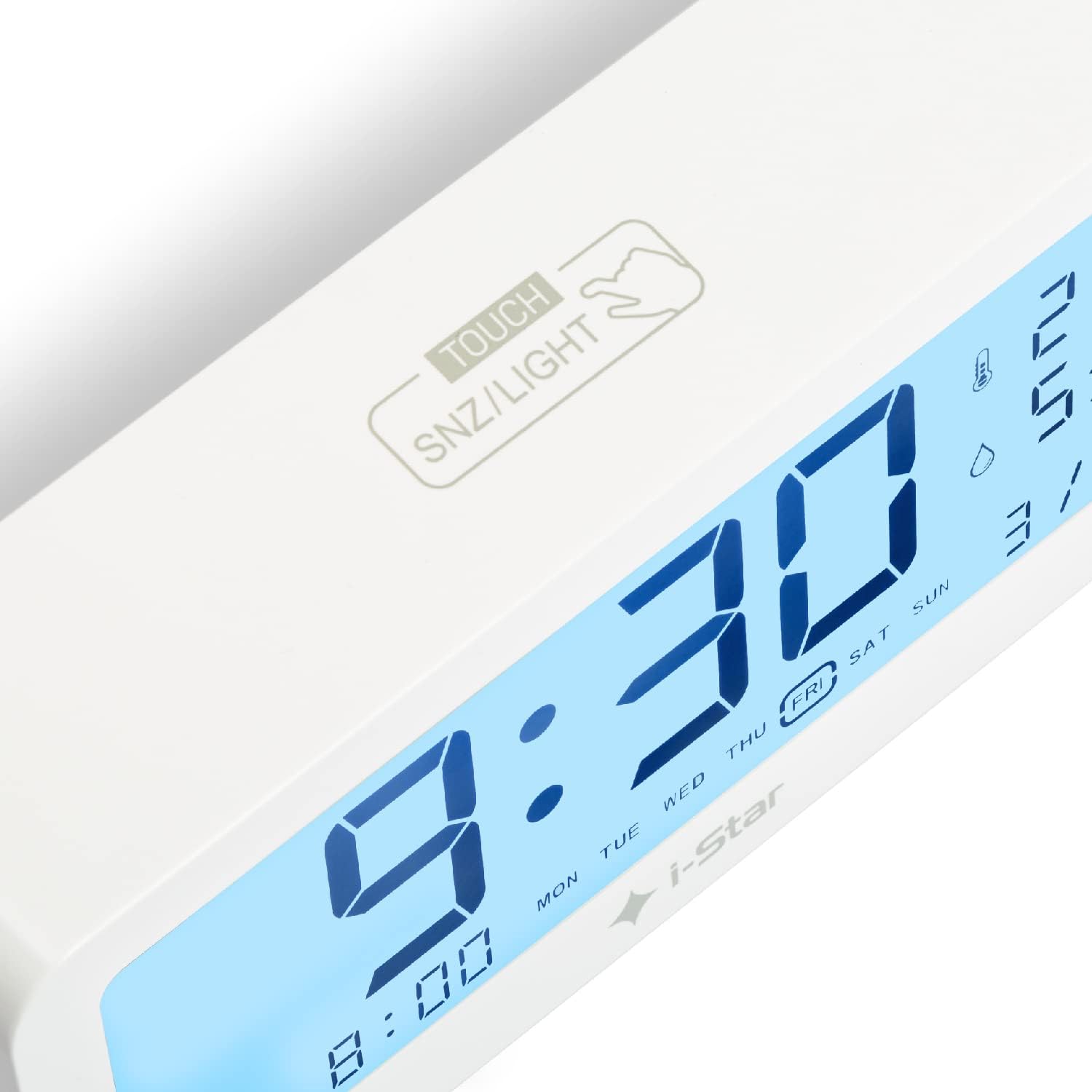
Vaizdas: Stambus planas view of the top surface of the alarm clock, highlighting the touch-sensitive area labeled 'TOUCH SNZ/LIGHT' for snooze and backlight control.
Foninio apšvietimo valdymas
The LCD display features a backlight for easy reading in low light conditions. Touch the 'TOUCH SNZ/LIGHT' area on the top of the clock to momentarily illuminate the display. This is useful for checking the time at night without disturbing sleep.

Image: A split image demonstrating the alarm clock's display in bright conditions (top, no backlight) and in dark conditions with the backlight activated (bottom).
Temperatūros ir drėgmės ekranas
The clock continuously displays the current room temperature and humidity. The temperature can typically be switched between Celsius (°C) and Fahrenheit (°F) by pressing a dedicated button (often labeled 'C/F' or integrated with another setting button).
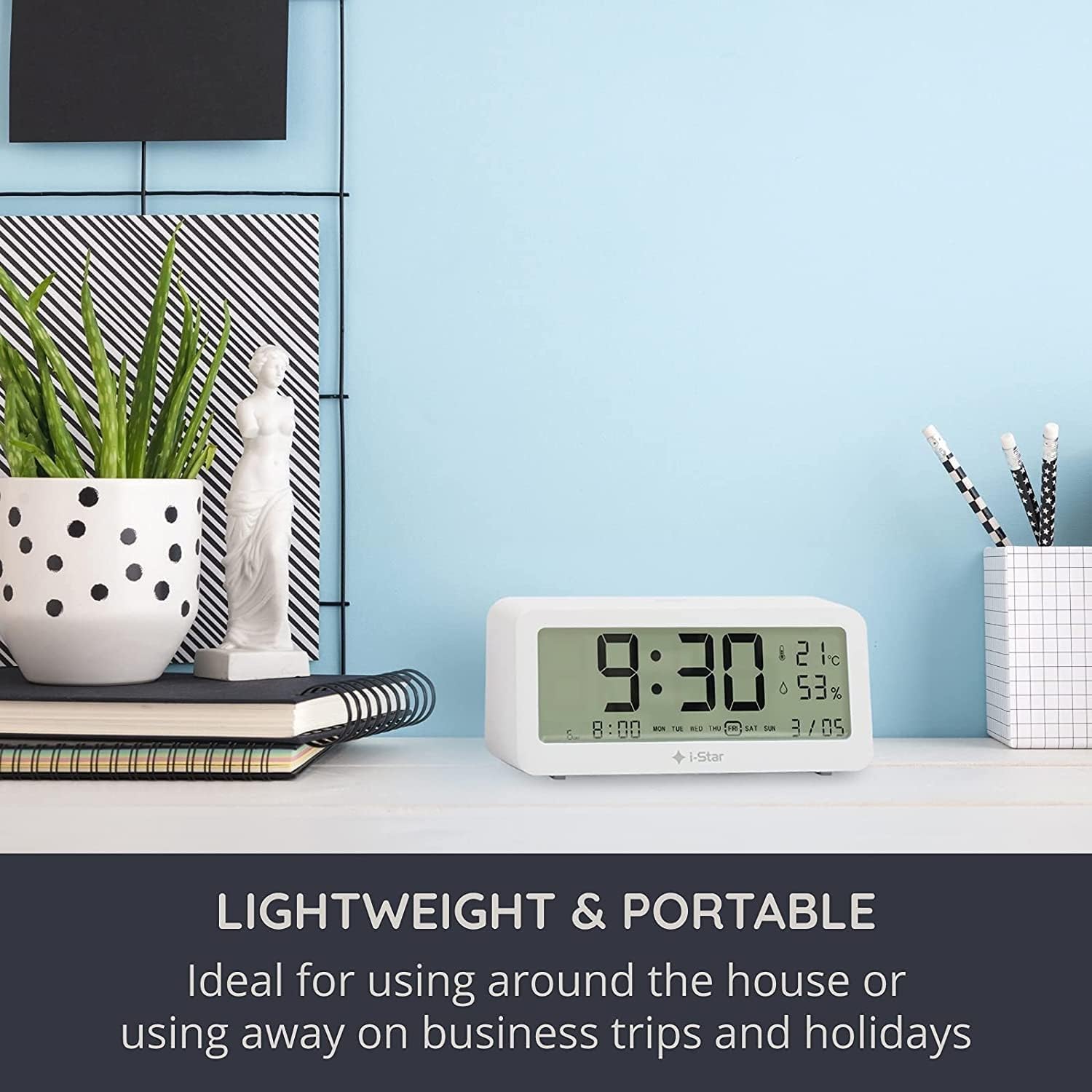
Image: The i-Star Digital Alarm Clock placed on a modern desk alongside books and a plant, illustrating its compact and portable design.
Priežiūra
Valymas
To clean your i-Star Digital Alarm Clock, gently wipe the surface with a soft, dry cloth. Do not use abrasive cleaners, solvents, or immerse the device in water. Keep the device away from excessive dust and moisture.
Baterijos keitimas
When the display dims or functions become erratic, it's time to replace the batteries. Follow the battery installation steps outlined in the Setup section.
Trikčių šalinimas
- Ekranas tuščias arba blankus:
Check if the batteries are inserted correctly with the right polarity. Replace old batteries with new ones. - Signalizacija neskamba:
Ensure the alarm is set and activated (look for the alarm icon on the display). Check the alarm volume setting if applicable (though this model typically has a fixed alarm sound). - Neteisingas laikas / data:
Re-enter the time and date settings following the operating instructions. Ensure you are confirming each step. - Temperatūros / drėgmės rodmenys atrodo netikslūs:
Ensure the clock is placed in a stable environment, away from direct sunlight, heat sources, or drafts, which can affect readings.
Specifikacijos
| Funkcija | Detalė |
|---|---|
| Prekės ženklas | „i-Star“ |
| Modelio numeris | 90081PI |
| Ekrano tipas | Skaitmeninis LCD |
| Maitinimo šaltinis | Maitinamas baterijomis (2 x AA, nepridedamos) |
| Ypatingos savybės | Temperature Display, Humidity Display, Alarm, Snooze, Backlight |
| Medžiaga | Plastikiniai |
| Gaminio matmenys | 5 x 3.81 x 8 cm (apytiksliai) |
| Prekės svoris | 200 g (maždaug) |
| Spalva | Baltas |
Garantija ir palaikymas
Dėl garantijos informacijos ir klientų aptarnavimo žr. pirkimo metu pateiktus dokumentus arba susisiekite su pardavėju. Išsaugokite pirkimo kvitą kaip pirkimo įrodymą.
Susiję dokumentai - 90081PI
 |
i-Star IS-SB01 20W Portable Mini Soundbar User Guide User guide for the i-Star IS-SB01 20W Portable Mini Soundbar, covering setup, operation, features, troubleshooting, and specifications. Learn how to connect via Bluetooth, AUX, USB, and SD card. |
 |
i-Star White Noise Machine (WNM1) User Guide - Models 90047PI, 90065PI User guide for the i-Star WNM1 White Noise Machine, detailing features, operation, power options, specifications, and safety for models 90047PI and 90065PI. Learn how to use the various sound settings, timer, and volume controls. |
 |
i-Star Wireless Bluetooth Ceiling Speaker Kit (12302R) User Guide User manual for the i-Star Wireless Bluetooth Ceiling Speaker Kit (12302R). Includes installation, wiring, pairing, and troubleshooting instructions. |
 |
i-Star 90058PI/90059PI Portable DAB/FM Radio User Guide Comprehensive user guide for the i-Star 90058PI and 90059PI portable DAB/FM radios. Learn how to set up, tune, and operate your radio for optimal listening experience. |
 |
i-Star 90043PI Wireless Karaoke Microphone User Guide User guide for the i-Star 90043PI Wireless Karaoke Microphone. Includes setup, Bluetooth pairing, charging instructions, and troubleshooting. |
 |
i-Star PI00648 PI00649 Wireless Rechargeable Karaoke Microphone User Manual User manual for the i-Star PI00648 and PI00649 Wireless Rechargeable Karaoke Microphone, detailing features, controls, charging, Bluetooth pairing, SD card playback, operation, troubleshooting, specifications, and safety information. |
Ask a question about this manual
Ask about setup, troubleshooting, compatibility, parts, safety, or missing instructions. Manuals+ will review the question and use this page’s manual context to help answer it.