
Revolo RE002
Revolo Keyless Entry Door Lock User Manual
Modelis: RE002
Įvadas
This manual provides detailed instructions for the installation, operation, and maintenance of your Revolo Keyless Entry Door Lock with Touchscreen Keypads. Please read this manual thoroughly before installation and use to ensure proper function and safety.

Image: The Revolo Keyless Entry Door Lock in Oil Rubbed Bronze, installed on a white interior door, showcasindėl savo elegantiško dizaino ir jutiklinės klaviatūros.
Produkto savybės
- Įėjimas be rakto: Highly responsive touchscreen for quick manual locking and unlocking. Supports up to 30 access codes for family use. Eliminates the need for physical keys.
- Automatinis užraktas: Configurable auto-lock feature after 30 seconds or one-touch motorized locking.
- Anti-Peeking Password: Enhances security by allowing entry of random digits before or after the PIN code to prevent exposure.
- Certified Highest Security: All-metal construction with sturdy zinc alloy and stainless steel frame. Certified ANSI/BHMA A156.40 Grade 2 for durability and security.
- Atsparus oro sąlygoms: IP65 weatherproof rating ensures protection in temperatures ranging from -35°C/-31°F to 66°C/151°F.
- Ultra Long Lifespan: Designed for long-term use in private houses, apartments, or offices. Includes two mechanical keys for backup.
- Lengvas montavimas: Quick DIY installation in minutes with no drilling required. Compatible with right-handed or left-handed doors and fits most standard door preparations.
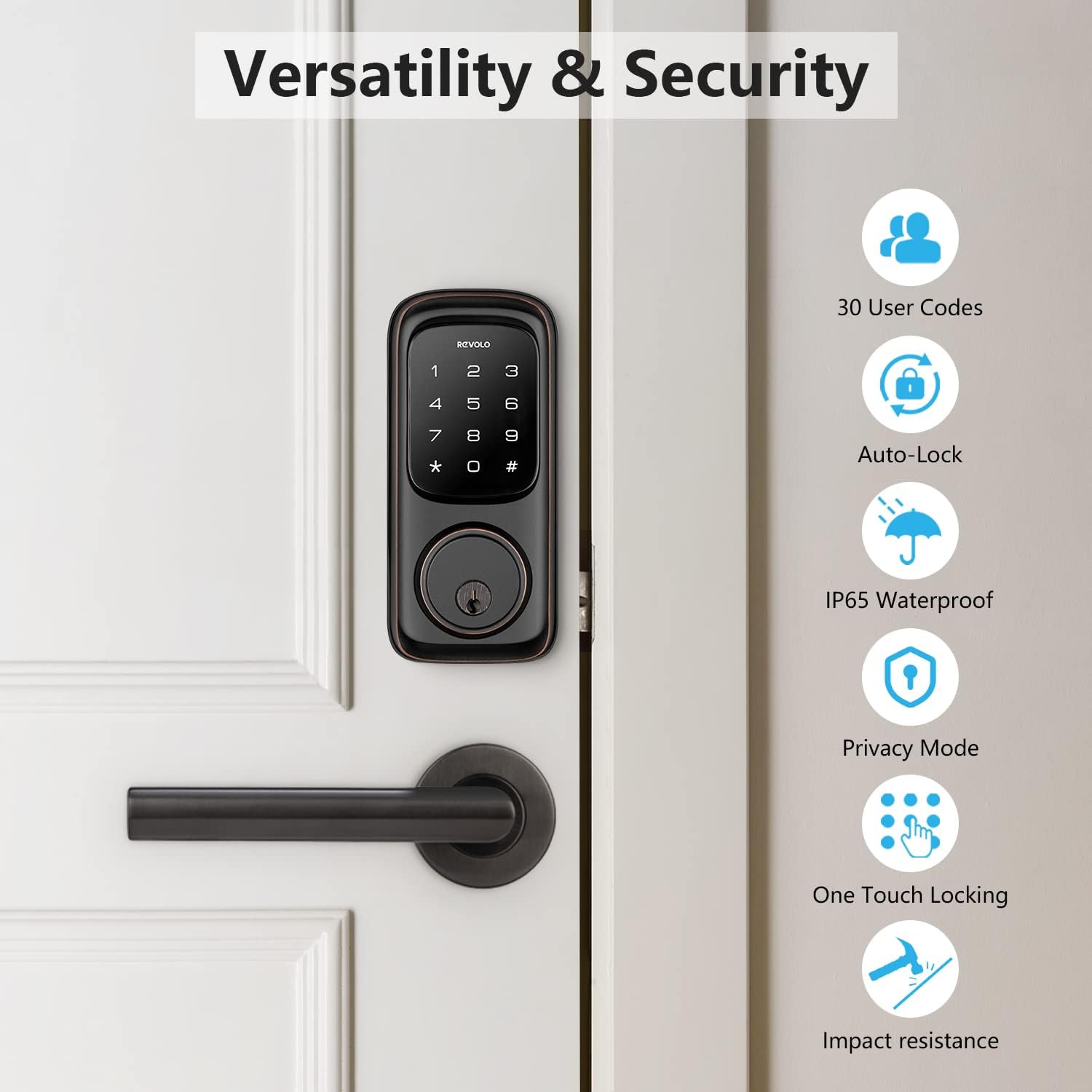
Image: An infographic highlighting the versatility and security features of the Revolo lock, including support for 30 user codes, auto-lock, IP65 waterproofing, privacy mode, one-touch locking, and impact resistance.
Kas įtraukta
The Revolo Keyless Entry Door Lock package includes the following components:
- Revolo RE002 touchscreen keypad door lock (exterior and interior assemblies)
- 2 Mechanical Keys (for backup access)
- Skląstis
- Streiko plokštė
- Montavimo instrukcijos (šis vadovas)
- Programavimo instrukcijos
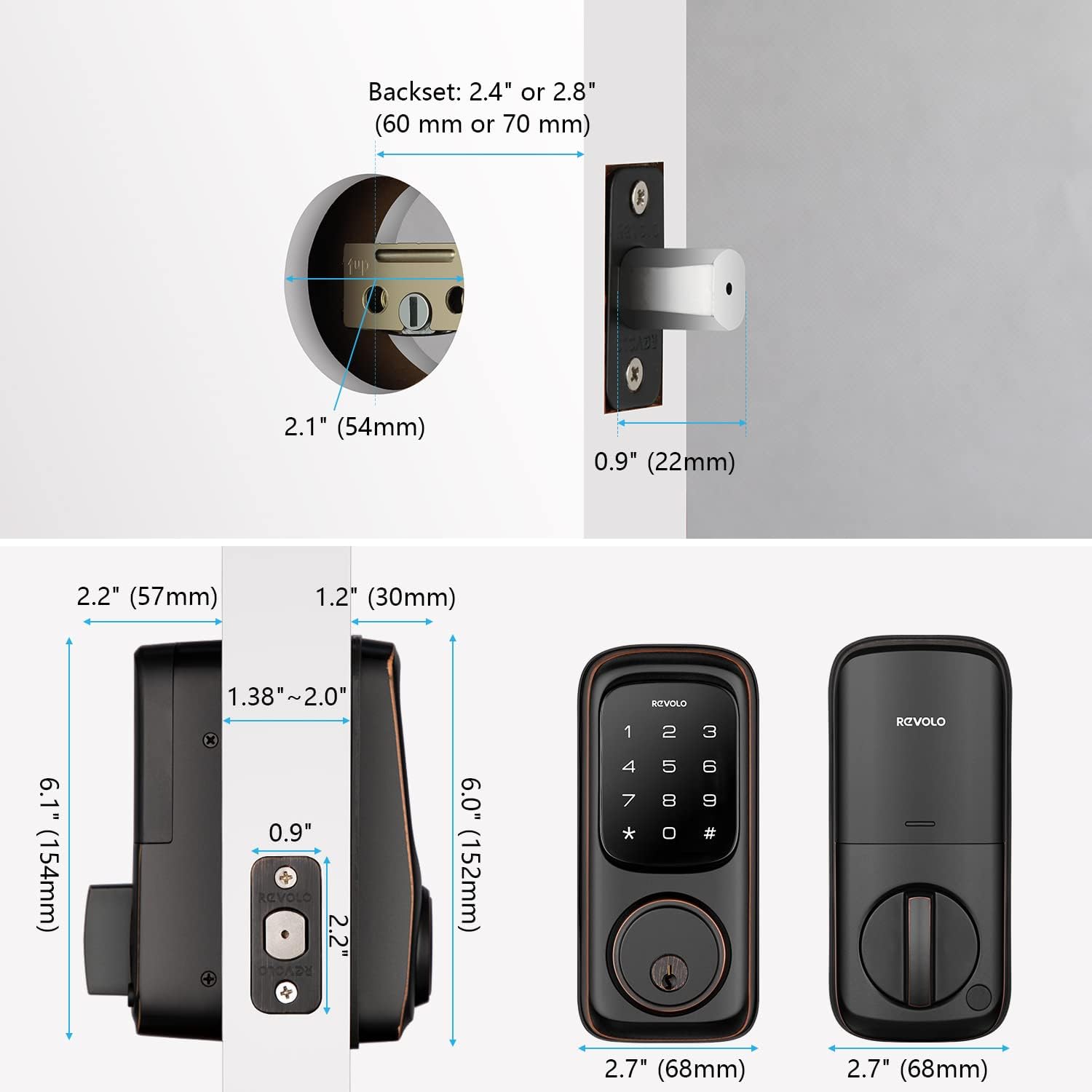
Image: A detailed diagram illustrating the dimensions of the Revolo Keyless Entry Door Lock components, including the exterior keypad, interior assembly, latch, and strike plate, along with measurements for door preparation.
Sąranka ir diegimas
Follow these steps for a successful installation of your Revolo Keyless Entry Door Lock. For a visual guide, please refer to the installation video below.
Diegimo vaizdo vadovas
Video: Official Revolo Keyless Entry Door Lock Installation Guide for Model RE002. This video provides a step-by-step visual walkthrough of the installation process.
Žingsnis po žingsnio diegimas
- Paruoškite duris: Ensure your door is properly prepared for a deadbolt installation. Check the backset (2.4" or 2.8") and bore hole diameter (2.1").
- Įdiekite užraktą: Insert the latch into the door edge. Ensure the latch bolt is facing the correct direction (downward for standard installation). Secure it with the provided screws.

Image: A hand inserting the latch mechanism into the door's edge, preparing it for the lock assembly.
- Įdiekite išorinę klaviatūrą: Carefully align the exterior keypad with the latch. Ensure the lock cylinder is correctly aligned with the latch mechanism. Pass the cable through the door hole.

Image: A person installing the exterior keypad of the Revolo lock onto a door, demonstrating the ease of DIY installation.
- Sumontuokite montavimo plokštę: Position the mounting plate on the interior side of the door, ensuring the screw of the mounting plate aligns with the screw of the latch. Secure it with the long screws provided.
- Prijunkite laidus ir sumontuokite vidinę konstrukciją: Connect the cable from the exterior keypad to the connector on the interior assembly. Carefully tuck excess cable. Attach the interior assembly to the mounting plate and secure it with the small screws.
- Įdėkite baterijas: Open the battery cover on the interior assembly. Insert 4 AA alkaline batteries (not included), ensuring correct polarity. Close the battery cover.
- Test the Latch and Deadbolt: Manually operate the deadbolt from the interior to ensure it extends and retracts smoothly. Test the keypad functionality.
Naudojimo instrukcijos
Durų atrakinimas
- Naudojant kodą: Touch the keypad to activate it. Enter your 4-8 digit user code followed by the '#' key. The deadbolt will retract.
- Using Mechanical Key: Įkiškite mechaninį raktą į rakto skylutę ir pasukite, kad atrakintumėte.

Image: The Revolo lock keypad illustrating the capability of storing up to 30 unique password combinations for various users.
Durų užrakinimas
- Automatinis užraktas: If enabled, the lock will automatically extend the deadbolt after 30 seconds of being unlocked. This duration can be adjusted (10 to 99 seconds).

Image: The Revolo lock demonstrating its automatic locking feature, where the deadbolt extends automatically after a set period.
- Užrakinimas vienu paspaudimu: Press and hold any key on the keypad for 2 seconds to lock the door instantly.
- Rankinis užrakinimas: From the interior, turn the thumb-turn knob to extend the deadbolt.
Anti-Peeking Password
To prevent others from guessing your code, you can enter random digits before or after your actual PIN. For example, if your PIN is 1234, you can enter 567123489#.
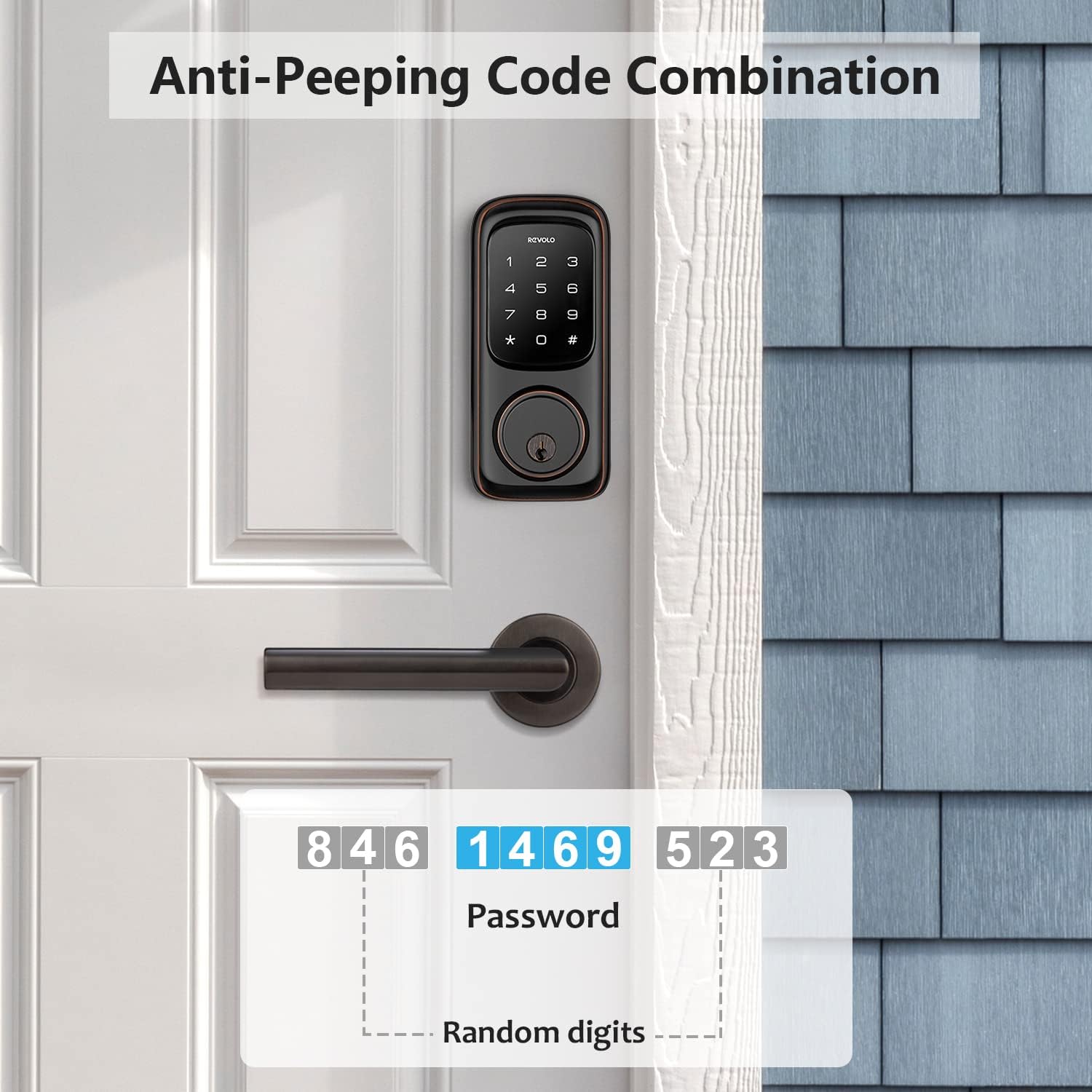
Image: An illustration of the anti-peeking code combination feature, showing how random digits can be added before and after the actual password for enhanced security.
Priežiūra
- Valymas: Clean the touchscreen keypad periodically with a soft, dry cloth to remove fingerprints and smudges. Avoid abrasive cleaners or solvents.
- Baterijos keitimas: The lock will indicate low battery with a warning light or sound. Replace all four AA batteries promptly to ensure continuous operation.

Image: The Revolo lock with a battery icon, indicating the battery status and reminding users about battery maintenance.
- Tepimas: Periodically lubricate the latch bolt and deadbolt mechanism with a silicone-based lubricant to ensure smooth operation. Do not lubricate the cylinder.
- Apsauga nuo oro sąlygų: While the lock is IP65 weatherproof, extreme conditions can affect performance. Ensure proper installation to minimize exposure to direct heavy rain or snow.

Image: The Revolo lock illustrating its robust weather resistance, capable of withstanding temperatures from -31°F to 151°F, backed by its IP65 weatherproof rating.
Trikčių šalinimas
| Problema | Galima priežastis | Sprendimas |
|---|---|---|
| Užraktas nereaguoja į klaviatūros paspaudimus. | Low batteries; incorrect code entered; keypad malfunction. | Replace batteries; re-enter code carefully; use mechanical key for access and contact support if issue persists. |
| Skląstis neišsiskleidžia / nesusitraukia sklandžiai. | Neteisingas išlygiavimas montavimo metu; kliūtis durų rėme; susidėvėjęs mechanizmas. | Check alignment of lock and strike plate; clear any obstructions; lubricate mechanism (avoid cylinder); contact support. |
| Automatinio užrakinimo funkcija neveikia. | Funkcija išjungta; neteisingas laiko nustatymas. | Refer to programming instructions to enable and set auto-lock time. |
| Keypad lights up but no response. | Internal connection issue; electronic fault. | Ensure all cables are securely connected (refer to installation); contact technical support. |
Specifikacijos
- Prekinis ženklas: Revolo
- Modelio pavadinimas: RE002
- Užrakto tipas: Klaviatūros išjungimas
- Medžiaga: Zinc (All-metal construction)
- Spalva: Aliejumi trinama bronza
- Prekės matmenys (I x P x A): 9 x 7 x 4 colio
- Prekės svoris: 4.18 svaro
- Maitinimo šaltinis: 4 AA baterijos (į komplektą neįeina)
- Ypatingos savybės: Auto-Lock, Anti-Peeking Password, IP65 Weatherproof
- Sertifikatai: ANSI/BHMA A156.40 2 klasė
- Darbinės temperatūros diapazonas: -35°C/-31°F iki 66°C/151°F
- Durų suderinamumas: Right-handed or left-handed doors, fits most standard door preparations.
Garantija ir palaikymas
Revolo provides a 1-Year product warranty from the date of purchase. Additionally, customers receive nemokama visą gyvenimą trunkanti techninė pagalba.
For technical assistance, troubleshooting, or warranty claims, please contact Revolo customer service through the official channels provided at the time of purchase or visit the Revolo Store on Amazon.
Ask a question about this manual
Ask about setup, troubleshooting, compatibility, parts, safety, or missing instructions. Manuals+ will review the question and use this page’s manual context to help answer it.