
Įvadas
This user manual provides comprehensive instructions for the installation, operation, and maintenance of your Haloview BTC128 belaidis FHD 1080P didelės raiškos galinis televizorius View Camera. Designed for seamless integration with Haloview BT7/BT6 systems, this camera enhances visibility and safety for your vehicle. Please read this manual thoroughly before installation and use to ensure proper function and longevity of the product.
Saugos informacija
- Ensure all power connections are secure and correctly polarized to prevent electrical damage.
- Nebandykite ardyti ar modifikuoti fotoaparato. Tai gali panaikinti garantiją ir sukelti gedimų.
- Keep the camera and its components away from extreme temperatures, direct sunlight for prolonged periods, and corrosive substances.
- When cleaning, use a soft, dry cloth. Avoid abrasive cleaners or solvents.
- Always ensure the antenna is securely tightened to maintain optimal signal strength.
Pakuotės turinys
Atidarę pakuotę, patikrinkite, ar yra visi šie komponentai:
- BTC128 fotoaparatas
- Tarpiklis
- Camera conversion cable
- Vartotojo vadovas

Figure 1: Package Contents. This image displays the BTC128 camera, a gasket, a camera conversion cable, and the user manual, illustrating all items included in the product package.
Produktas baigtasview
Haloview BTC128 camera is a robust, high-definition wireless camera designed for rear view applications. It features a durable housing and an integrated antenna for reliable signal transmission.

2 pav.: priekis view of the BTC128 camera. This image shows the camera's lens, surrounding LED lights, and the attached wireless antenna.
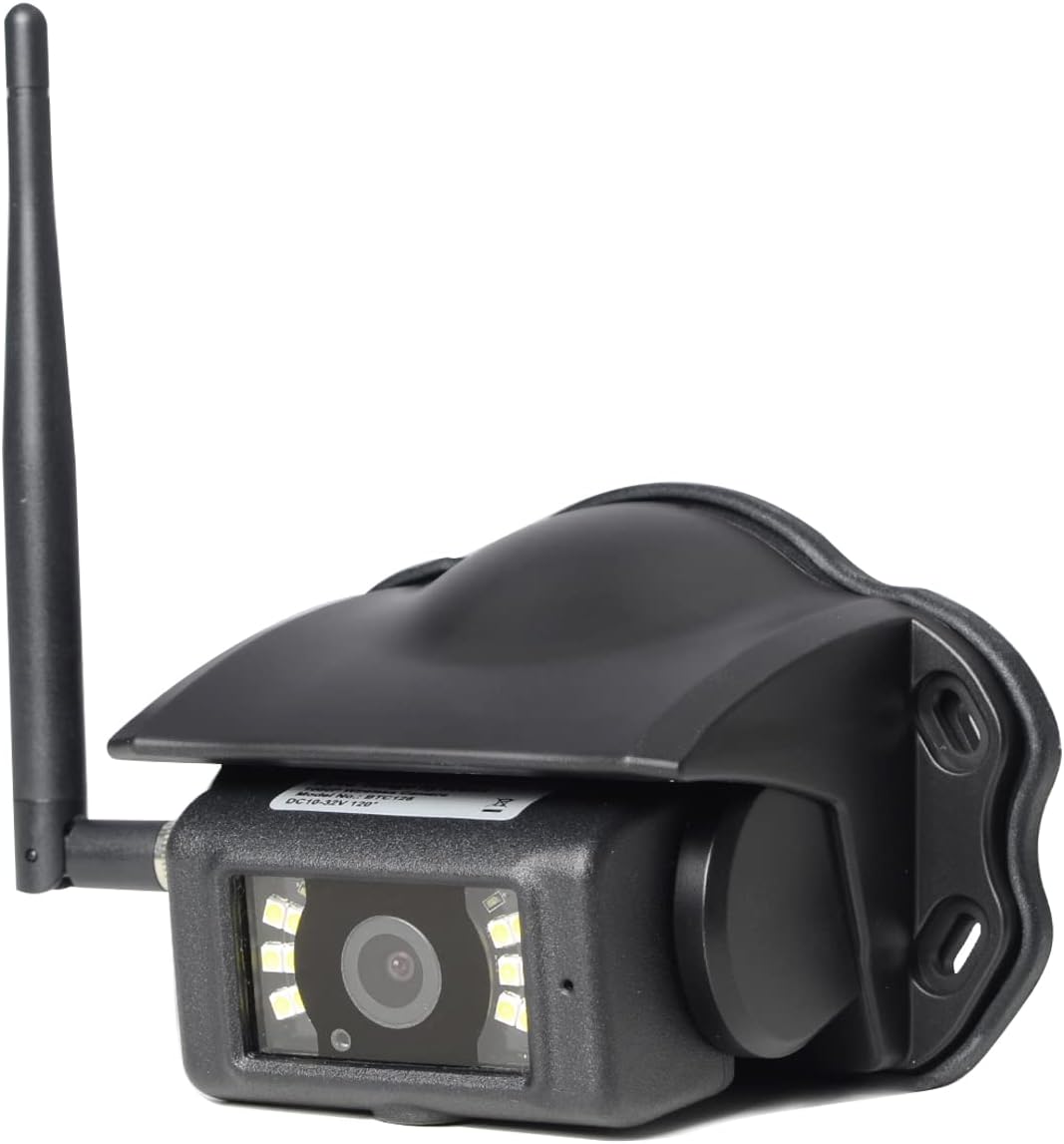
3 pav.: Kampinis view of the BTC128 camera. This perspective highlights the camera's protective housing and the angle of the antenna.
Sąranka
1. Kameros montavimas
The BTC128 camera is designed for surface mounting. Choose a location that provides a clear, unobstructed view of the area you wish to monitor. Ensure the mounting surface is flat and stable. Use the provided gasket as a template for drilling pilot holes if necessary, and secure the camera using appropriate fasteners (not included, as mounting hardware varies by application).

4 pav.: šonas view of the BTC128 camera. This image illustrates the camera's profile and the pre-drilled mounting holes on its base.
2. Maitinimo prijungimas
Connect the camera to a stable power source (DC 10-32V) using the camera conversion cable. Ensure proper polarity. The camera is compatible with 12V and 24V vehicle electrical systems. The cable typically includes a trigger wire for specific system integrations, if applicable to your setup.
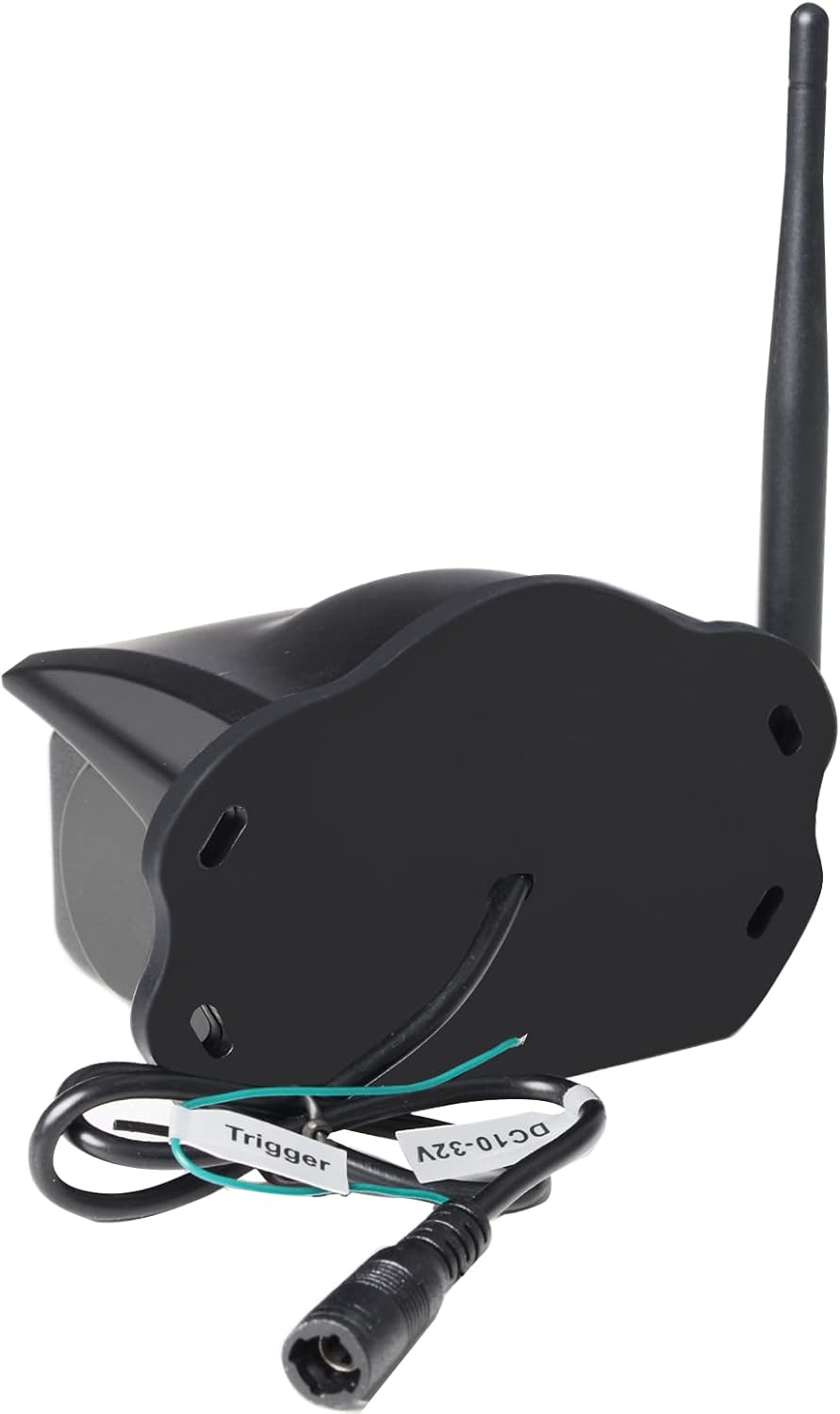
5 pav.: galinis view of the BTC128 camera. This image shows the power input port and the labeled trigger wire for electrical connection.
3. Pairing with Haloview BT7/BT6 System
Refer to your Haloview BT7 or BT6 monitor's user manual for specific instructions on pairing the BTC128 camera. Generally, the process involves activating pairing mode on the monitor and then powering on the camera. The system should automatically detect and connect to the camera.
Veikiantis
Viewing the Camera Feed
Once paired, the camera feed will be displayed on your Haloview BT7/BT6 monitor. The camera provides a Full HD 1080P resolution image, offering clear and detailed visuals. The system allows for real-time viewing, which is crucial for backing up or monitoring blind spots.
Prastos šviesos efektyvumas
The BTC128 camera is equipped with white-light LEDs to illuminate the area in low-light conditions. These LEDs provide visible light to enhance the camera's image clarity at night. Please note: This system utilizes white-light illumination, not infrared (IR) night vision.
Priežiūra
- Valymas: Reguliariai valykite kameros objektyvą ir korpusą minkšta,amp cloth to remove dirt, dust, or water spots. Do not use harsh chemicals or abrasive materials.
- Antenos patikrinimas: Periodically check the antenna connection to ensure it remains tight and secure. A loose antenna can lead to signal degradation.
- Kabelio apžiūra: Inspect the power cable and conversion cable for any signs of wear, fraying, or damage. Replace if necessary.
Trikčių šalinimas
| Problema | Galima priežastis | Sprendimas |
|---|---|---|
| Nėra vaizdo monitoriuje | Camera not powered, not paired, or signal interference. | Check power connection. Re-pair the camera with the monitor. Ensure no large metallic objects are blocking the signal path. |
| Vaizdas neryškus arba neaiškus | Dirty lens, condensation, or camera not focused (if adjustable). | Clean the camera lens. Allow time for condensation to dissipate. |
| Intermittent signal or flickering image | Loose antenna, signal interference, or distance too great. | Tighten the antenna. Reduce distance between camera and monitor if possible. Check for other wireless devices causing interference. |
| Kamera neįsijungia | Nėra maitinimo, neteisingas garsumastage, or faulty wiring. | Patikrinkite maitinimo šaltinio garsumątage (10-32V). Check all wiring connections for continuity and correct polarity. |
Specifikacijos
| Funkcija | Detalė |
|---|---|
| Modelis | BTC128 |
| Montavimo tipas | Paviršinis montavimas |
| Vaizdo įrašymo raiška | 1080p (Full HD) |
| Belaidžio ryšio technologija | Wi-Fi |
| ttage | 10-32 voltų nuolatinė srovė |
| Prekės svoris | 1.04 svaro (0.47 kilogramo) |
| Tarptautinis apsaugos įvertinimas | IP67 |
| Pakuotės matmenys | 7.64 x 5.91 x 4.02 colio |
| Suderinami įrenginiai | Haloview BT7/BT6 Systems |
| Naudojimas viduje / lauke | Viduje, Lauke |
| Vaizdo įrašymo formatas | MPEG-4 |
| Kanalų skaičius | 1 |
Garantija ir palaikymas
Haloview products typically come with a manufacturer's warranty. Please refer to the warranty card included with your product or visit the official Haloview website for detailed warranty terms and conditions. For technical support, troubleshooting assistance beyond this manual, or warranty claims, please contact Haloview customer service directly. Contact information can usually be found on the product packaging or the official Haloview websvetainę.
Pastaba: pateiktuose duomenyse nerasta jokių oficialių šio produkto pardavėjo vaizdo įrašų.