
1. Įvadas
Thank you for choosing the ASHATA 95 Keys Wired Mechanical Gaming Keyboard. This compact and versatile keyboard is designed for both gaming and office use, offering a comfortable typing experience with its durable mechanical switches and plug-and-play functionality. This manual provides essential information for setting up, operating, and maintaining your new keyboard.
2. Produkto ypatybės
- 95 klavišų išdėstymas: Compact design with a full set of essential keys, available with English and Arabic keycaps.
- Laidinis ryšys: Reliable USB-A connection for stable performance.
- Mechaniniai jungikliai: Provides tactile feedback and durability for an enhanced typing and gaming experience.
- Plug and Play: No complex driver installation required; simply connect and use.
- Patvarus dizainas: Features legible, fade-resistant key printing for long-lasting use.
- Patogus rašymas: Ergonomically designed for extended use in office or home environments.
- Ultra-compact Design: Approximately 60% size of a standard keyboard, saving desk space.
- Didelis patvarumas: Rated for over 10 million keystrokes life.
- Plonas ir nešiojamas: With a thickness of approximately 1 cm, it is easy to transport.
- Tylus dizainas: Equipped with quality silicone keys for a quiet typing environment.
- Independent Multimedia Buttons: Dedicated buttons for quick access to media controls.

Vaizdas: Viršview of the ASHATA Wired Keyboard highlighting its features.

Vaizdas: Stambus planas view of the comfortable 95-key layout.

Paveikslėlis: Šoninis profesionalasfile illustrating the thin and portable design.

Image: Detail of a keycap, demonstrating the silent design feature.
3. Pakuotės turinys
Įsitikinkite, kad pakuotėje yra visi daiktai:
- 1x laidinė klaviatūra
4. Sąrankos instrukcijos
The ASHATA 95 Keys Wired Mechanical Gaming Keyboard is designed for simple plug-and-play operation.
- Išpakuokite klaviatūrą: Atsargiai išimkite klaviatūrą iš pakuotės.
- Prisijunkite prie savo įrenginio: Locate an available USB-A port on your computer (desktop, laptop, etc.). Insert the USB connector of the keyboard cable into the USB-A port.
- Automatinis atpažinimas: Your operating system (e.g., Windows) will automatically detect and install the necessary drivers. This process usually takes a few seconds.
- Pradėti naudoti: Kai klaviatūra atpažinta, ji yra paruošta naudoti iš karto.

Image: The keyboard with its integrated USB cable, approximately 1.5m long.

Image: USB interface for plug and play functionality, with cable length of 1.5m.

Image: Keyboard connected and ready for use with a desktop computer.
5. Naudojimo instrukcijos
This keyboard functions like a standard QWERTY keyboard with additional multimedia controls.
5.1 Pagrindinis spausdinimas
Simply press the desired keys to input characters. The keyboard supports both English and Arabic characters, depending on the specific model and your operating system's language settings.
5.2 Daugialypės terpės klavišai
The keyboard features dedicated multimedia buttons located above the function keys (F1-F12) for quick access to media controls. These buttons allow you to:
- Adjust Volume (Volume Up, Volume Down, Mute)
- Control Media Playback (Play/Pause, Previous Track, Next Track)
- Open Default Media Player
- Open Default Web Naršyklė
- Atidaryti el. pašto klientą
- Paieškos funkcija

Image: Detail of the independent multimedia buttons for quick access to functions.
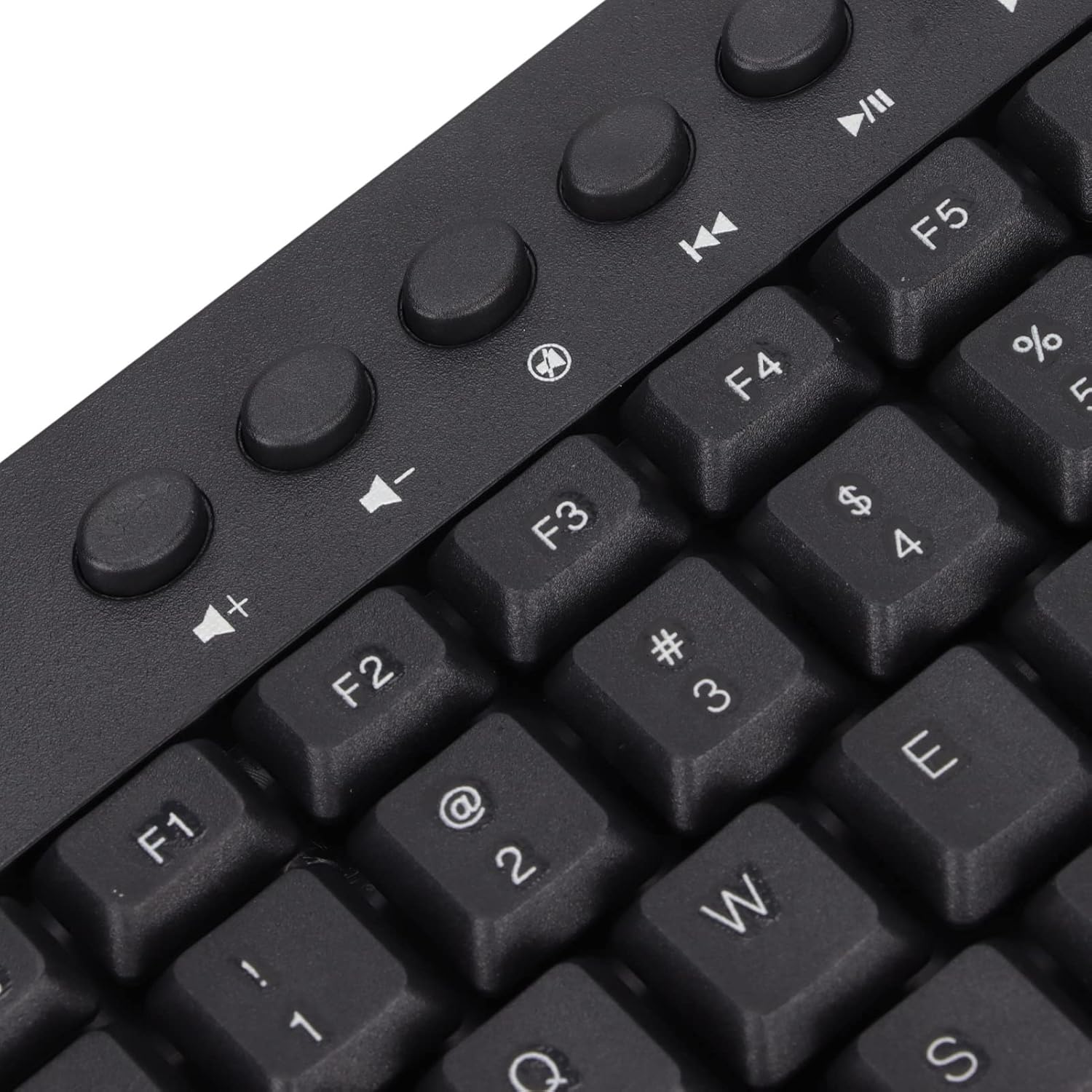
Vaizdas: Stambus planas view of the dedicated multimedia control keys.

Image: Detail of the right-side keys, including navigation and control keys.
6. Priežiūra
To ensure the longevity and optimal performance of your ASHATA keyboard, follow these maintenance guidelines:
- Valymas: Use a soft, dry cloth to wipe the surface of the keyboard. For deeper cleaning, you may use a slightly damp cloth with a mild cleaning solution, ensuring no liquid enters the key switches or internal components.
- Dulkių šalinimas: Norėdami pašalinti dulkes ir šiukšles iš tarpų tarp klavišų dangtelių, naudokite suslėgtą orą.
- Venkite skysčių: Nepilkite skysčių ant klaviatūros. Jei išsiliejo, nedelsdami atjunkite klaviatūrą nuo kompiuterio ir leiskite jai visiškai išdžiūti prieš vėl prijungdami.
- Saugykla: Klaviatūrą laikykite vėsioje, sausoje vietoje, apsaugotoje nuo tiesioginių saulės spindulių ir ekstremalių temperatūrų.
7. Problemų sprendimas
Jei kyla problemų dėl klaviatūros, žr. toliau pateiktas dažniausiai pasitaikančias problemas ir sprendimus:
7.1 Klaviatūra nereaguoja
- Patikrinkite USB jungtį: Ensure the USB cable is securely plugged into a working USB-A port on your computer. Try a different USB port.
- Iš naujo paleiskite kompiuterį: Kartais paprastas kompiuterio paleidimas iš naujo gali išspręsti ryšio problemas.
- Bandymas kitame įrenginyje: Connect the keyboard to another computer to determine if the issue is with the keyboard or your original device.
7.2 Klavišai neveikia tinkamai
- Švarūs raktai: Check for any debris or foreign objects lodged under the non-functioning keys. Use compressed air to clear them.
- Programinės įrangos konfliktas: Ensure no conflicting software or drivers are installed that might interfere with keyboard input.
7.3 Multimedia Keys Not Working
- Operacinės sistemos nustatymai: Verify that your operating system's media key settings are configured correctly.
- Programų suderinamumas: Some applications may not fully support universal multimedia keys.
Jei šie veiksmai neišsprendžia problemos, kreipkitės į klientų aptarnavimo tarnybą ir gaukite daugiau pagalbos.
8. Specifikacijos
| Funkcija | Detalė |
|---|---|
| Prekės ženklas | ASHATA |
| Modelio numeris | ASHATA8x4ni917wp552-12 |
| Ryšio technologija | USB-A (laidinis) |
| Raktų skaičius | 95 |
| Jungiklio tipas | Mechaninis |
| Medžiaga | Plastikiniai |
| Spalva | Black (Arabic layout) |
| Suderinami įrenginiai | PC (Desktop, Laptop) |
| Suderinama operacinių sistemų šeima | Windows |
| Kabelio ilgis | Approx. 1.5m / 1.6yd |
| Ypatinga funkcija | Nepriklausomi daugialypės terpės mygtukai |

Vaizdas: Apačia view of the keyboard, displaying regulatory information and adjustable feet.
9. Garantija ir palaikymas
Dėl garantijos informacijos ir klientų aptarnavimo žr. prie pirkimo pridėtus dokumentus arba susisiekite tiesiogiai su pardavėju / gamintoju. Išsaugokite pirkimo įrodymą, jei prireiktų pateikti garantijos pretenziją.