
Įvadas
This manual provides essential information for setting up, operating, maintaining, and troubleshooting your Acer Aspire 3 A315-58-79LA laptop. Please read this guide thoroughly to ensure proper use and longevity of your device.
1. Sąranka
1.1 Išpakavimas ir pirminė apžiūra
Carefully remove the laptop and all accessories from the packaging. Inspect the device for any signs of damage. Retain the packaging for future transport or service needs.
1.2 Maitinimo prijungimas
Connect the AC adapter to the laptop's power input port and then plug the adapter into a power outlet. The battery will begin charging automatically. It is recommended to fully charge the battery before the first use.
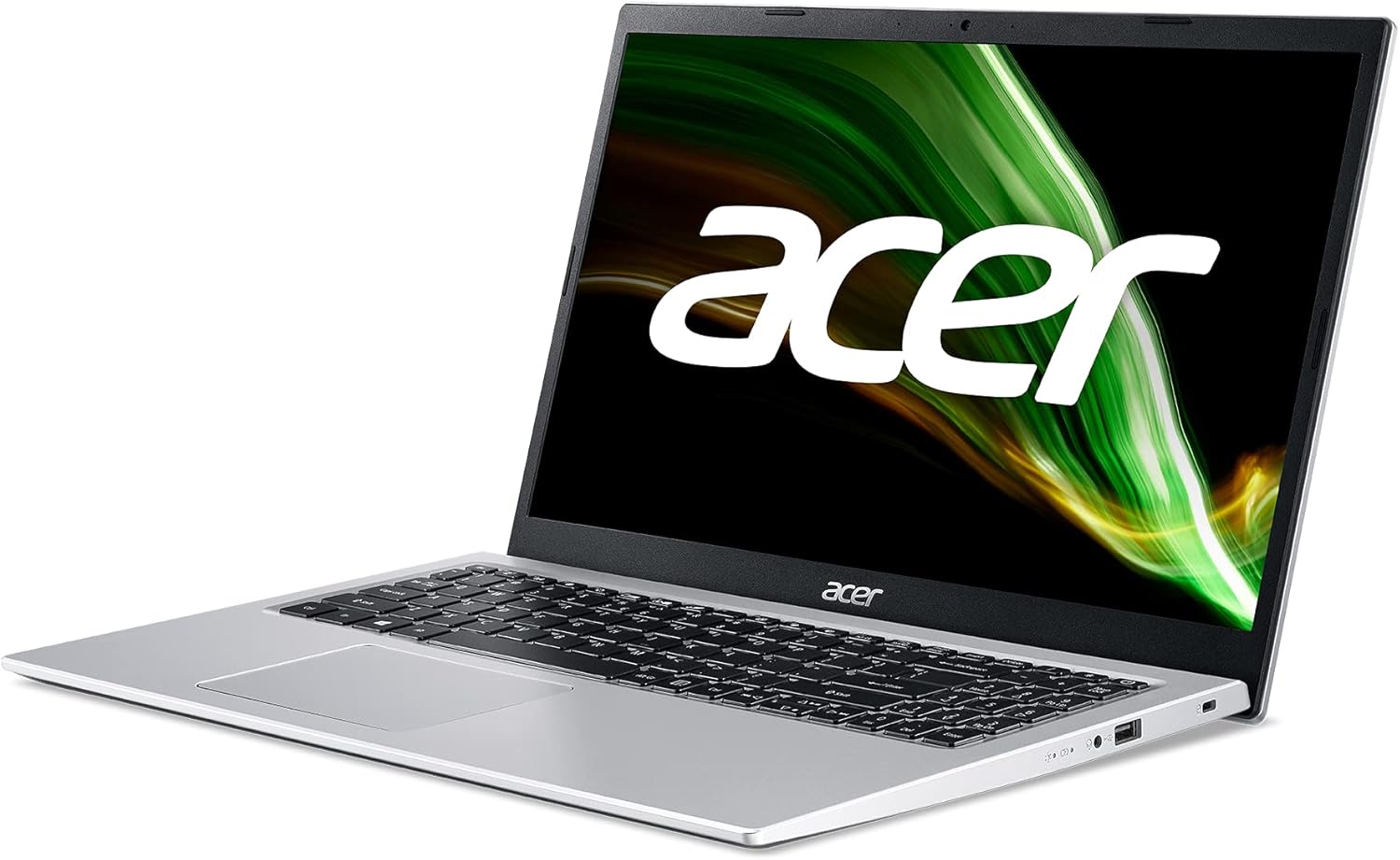
Vaizdas: Dešinė pusė view of the Acer Aspire 3 laptop, showing the power input port.
1.3 Pirmasis paleidimas ir „Windows“ sąranka
Press the power button to turn on the laptop. Follow the on-screen instructions to complete the Windows 11 Home setup process. This includes selecting your language, region, connecting to a network, and creating a user account.
1.4 Išorinių įrenginių prijungimas
You can connect external devices such as a mouse, keyboard, or external storage via the available USB ports. For external displays, use the HDMI port.

Vaizdas: Kairė pusė view of the Acer Aspire 3 laptop, highlighting the HDMI and USB ports for connecting external devices.
2. Nešiojamojo kompiuterio valdymas
2.1 Power On/Off and Sleep Modes
- Maitinimas: Paspauskite klaviatūroje esantį maitinimo mygtuką.
- Išjungti: Spustelėkite mygtuką „Pradėti“, tada „Maitinimas“ ir pasirinkite „Išjungti“.
- Miegas: Close the laptop lid or click the Start button, then Power, and select "Sleep".
2.2 Klaviatūra ir jutiklinė planšetė
The laptop features a QWERTY Spanish keyboard layout and a precision touchpad. Use the touchpad for navigation and gestures. Refer to Windows settings for touchpad customization.

Vaizdas: Iš viršaus į apačią view of the Acer Aspire 3 laptop, showing the QWERTY Spanish keyboard and the integrated touchpad.
2.3 Tinklo ryšys
- „Wi-Fi“: Access Wi-Fi settings through the Windows taskbar network icon to connect to available wireless networks. The laptop supports Wi-Fi 5 (802.11a/b/g/n/ac).
- Bluetooth: Enable Bluetooth in Windows settings to pair with compatible devices like headphones or mice (Bluetooth version 5.0).
- Ethernet: Connect an Ethernet cable to the LAN port for a wired internet connection (up to 1000 Mbps).
3. Priežiūra
3.1 Nešiojamojo kompiuterio valymas
Naudokite minkštą, nepūkuotą audinį dampened with a small amount of water or a specialized screen cleaner to clean the display and exterior surfaces. Avoid harsh chemicals or abrasive materials. For the keyboard, use compressed air to remove dust and debris.
3.2 Akumuliatoriaus priežiūra
To maximize battery life, avoid extreme temperatures. Do not leave the laptop plugged in constantly after it is fully charged for extended periods. Periodically discharge and recharge the battery. The laptop uses a 1-cell Lithium Ion battery with an estimated life of 8 hours.
3.3 Programinės įrangos naujiniai
Regularly check for and install Windows updates to ensure your system has the latest security patches and performance improvements. Acer may also provide driver updates through their support websvetainę.
3.4 Saugojimo valdymas
Periodiškai review ir ištrinkite nereikalingus files to free up storage space on the 512GB SSD. Consider using cloud storage for large files to optimize local performance.
4. Problemų sprendimas
4.1 Bendrosios problemos ir sprendimai
- Nešiojamasis kompiuteris neįsijungia: Ensure the AC adapter is securely connected and the power outlet is functional. Try a different power outlet. If the battery is completely drained, it may take a few minutes to show signs of life after plugging in.
- Display problems (no image, flickering): Connect an external monitor via HDMI to check if the issue is with the laptop's internal display. Restart the laptop. Update graphics drivers.
- Nėra „Wi-Fi“ ryšio: Patikrinkite, ar „Windows“ nustatymuose įjungtas „Wi-Fi“. Paleiskite maršrutizatorių ir nešiojamąjį kompiuterį iš naujo. Įsitikinkite, kad tvarkyklės yra atnaujintos.
- Lėtas veikimas: Close unnecessary applications. Check for malware. Ensure sufficient free storage space. Update Windows and drivers.
4.2 Restoring System
Windows 11 offers recovery options to reset your PC or restore from a previous point. Access these options via Windows Settings > System > Recovery.
4.3 Kada susisiekti su palaikymo tarnyba
If you encounter persistent issues that cannot be resolved with the above steps, or if you suspect a hardware malfunction, contact Acer customer support or an authorized service center.
5. Specifikacijos
| Funkcija | Detalė |
|---|---|
| Modelio pavadinimas | A315-58 |
| Produkto modelio numeris | NX.ADDEB.01L |
| Procesorius | Intel Core i7-1165G7 (4C/Quadcore 2.80GHz) |
| Grafika | „Intel Iris Xe“ grafika (integruota) |
| RAM | 16 GB DDR4 SDRAM (2800 MHz, Max 64 GB, 3 total slots) |
| Sandėliavimas | 512 GB SSD PCI Express (Solid State) |
| Operacinė sistema | Windows 11 Home |
| Ekranas | 15.6 inches, FullHD (1920 x 1080 pixels), LED LCD |
| Belaidis ryšys | „Wi-Fi 5“ (802.11a/b/g/n/ac), „Bluetooth 5.0“ |
| Laidinis ryšys | Ethernet (1000 Mbps), HDMI (1 port), USB (3 ports) |
| Klaviatūros išdėstymas | QWERTY ispanų |
| Nukreipimo įtaisas | Jutiklinė dalis |
| Webkumštelis | Integruota |
| Mikrofonas | Taip |
| Garsiakalbiai | Integruoti stereo garsiakalbiai |
| Baterija | 1-cell Lithium Ion, 36 Watt-hours, approx. 8 hours life |
| Matmenys (I x P x A) | 36.3 cm x 2 cm x 23.8 cm |
| Svoris | 1.7 kg |
| Spalva | Sidabras |
| Modelio metai | 2022 |
6. Informacija apie garantiją
This Acer Aspire 3 laptop comes with a 3 metų ribota garantija. For detailed terms and conditions, including coverage, exclusions, and how to make a claim, please refer to the warranty documentation included with your product or visit the official Acer support websvetainę.
7. Parama
Dėl papildomos pagalbos, techninės pagalbos arba norėdami atsisiųsti naujausias tvarkykles ir programinę įrangą, apsilankykite oficialioje „Acer“ palaikymo svetainėje. websvetainė. Paprastai ten galite rasti DUK, trikčių šalinimo vadovus ir klientų aptarnavimo kontaktinę informaciją.
Acer palaikymas Websvetainė: www.acer.com/support