
Vanja 430C
Vanja USB-C SD Card Reader (Model 430C) User Manual
Išsamios instrukcijos, skirtos įrengimui, naudojimui ir priežiūrai.
1. Įvadas
This manual provides detailed instructions for the Vanja USB-C SD Card Reader, Model 430C. This device is designed for high-speed data transfer between various memory cards and USB-C enabled devices. Please read this manual thoroughly to ensure proper usage and optimal performance.
2. Produktas baigtasview
The Vanja USB-C SD Card Reader (Model 430C) is a compact and efficient tool for managing data from various memory card formats. It features a USB-C interface for broad compatibility and high-speed data transfer.
Pagrindinės funkcijos:
- USB 3.2 1 kartos sąsaja: Supports data transfer speeds up to 5 Gbps, enabling quick transfer of large files.
- Universal Card Compatibility: Reads SD, MicroSD, SDXC, SDHC, MMC, and UHS-I cards up to 2TB capacity.
- Platus įrenginių palaikymas: Compatible with iPhone 15/16 series, MacBook Pro, iPad, Mac desktops, Windows laptops, and USB-C Android devices.
- Laidinis ryšys: Ensures stable and reliable data transfer without wireless interference or battery concerns.
- Plug & Play: No drivers or complex setup required for most operating systems (iOS, iPadOS, macOS, Windows, Android).
- Kompaktiškas ir patvarus dizainas: Features an aluminum shell for heat dissipation and a nylon cable for enhanced durability.
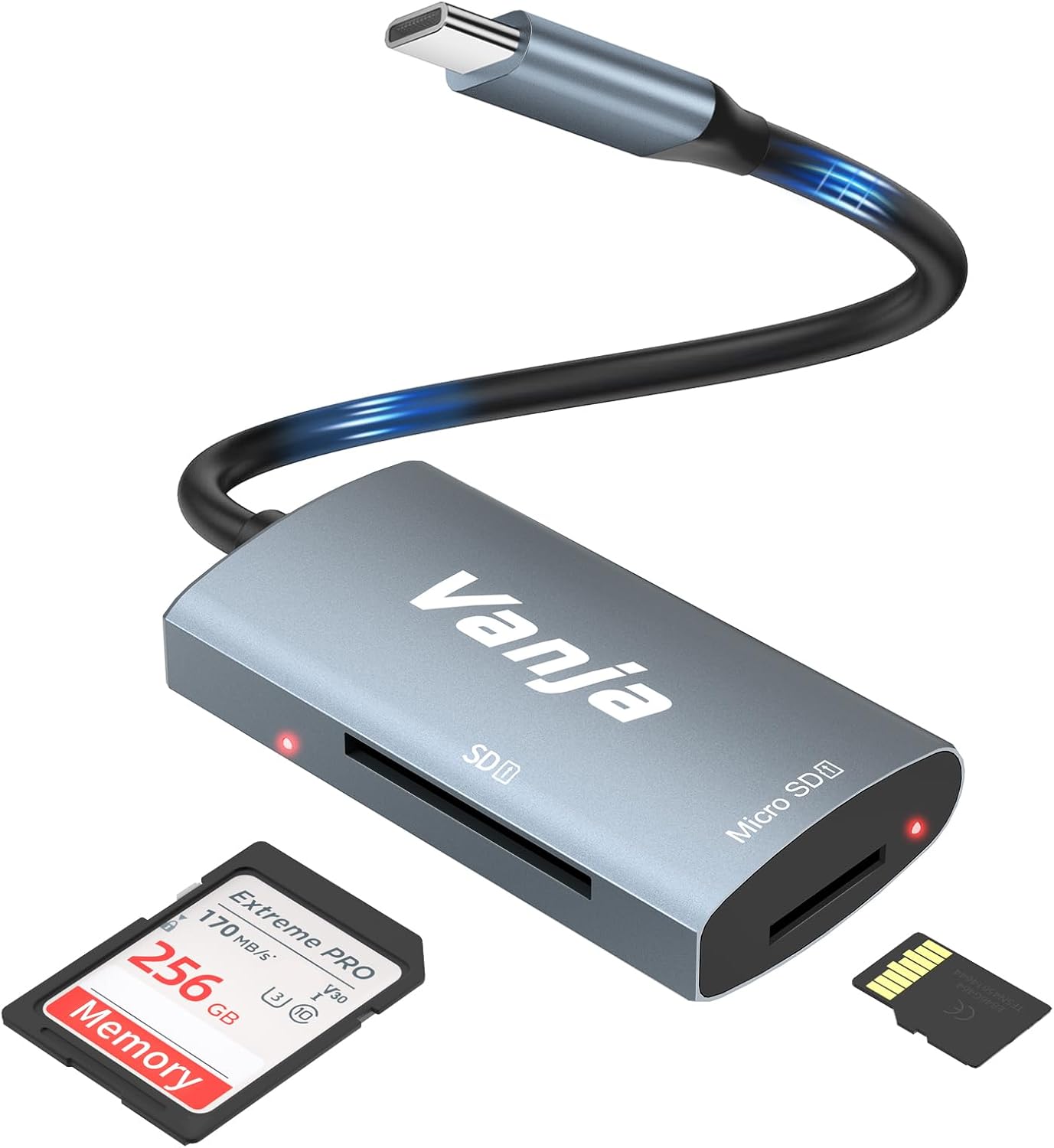
Figure 1: The Vanja USB-C SD Card Reader, showing its USB-C connector, SD card slot, and MicroSD card slot, alongside an SD card and a MicroSD card.
3. Sąrankos instrukcijos
The Vanja USB-C SD Card Reader is designed for simple plug-and-play operation. No software installation or drivers are typically required.
- Įdėkite atminties kortelę: Gently insert your SD card into the SD slot or your MicroSD card into the MicroSD slot on the card reader. Ensure the card is inserted correctly with the contacts facing down. A slight click indicates it is securely in place.
- Prisijunkite prie įrenginio: Plug the USB-C connector of the card reader into an available USB-C port on your compatible device (e.g., iPhone 15/16, MacBook, iPad, Windows laptop, Android phone).
- Prieiga Files: Your device should automatically detect the card reader and the inserted memory card. You can then access the files through your device's file manager or photo application.
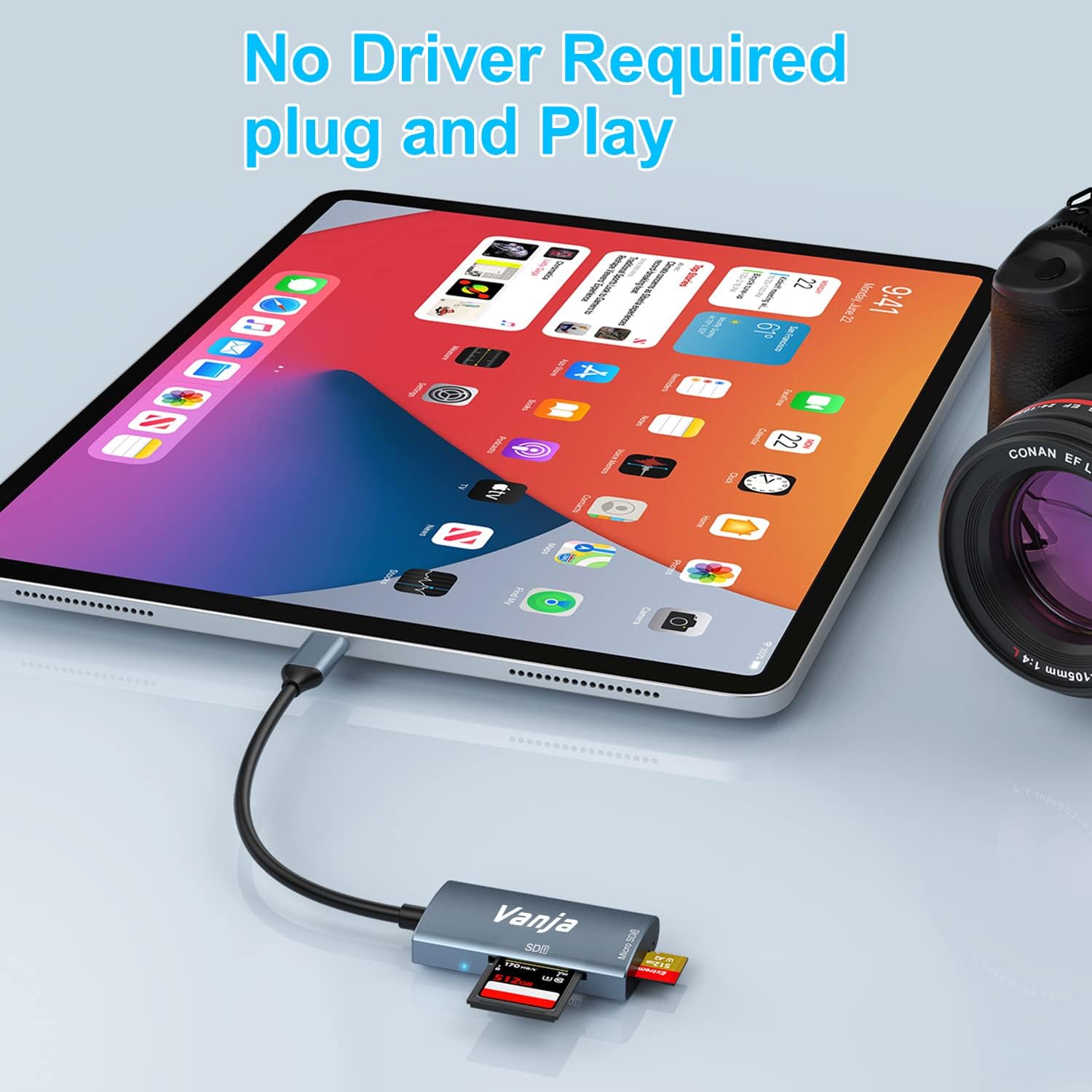
Figure 2: The card reader connected to an iPad Pro, demonstrating the plug-and-play functionality with a MicroSD card inserted.
4. Naudojimo instrukcijos
Once connected, the card reader functions like any external storage device.
Duomenų perdavimas:
- Locate Drive: On Windows, the card will appear as a removable drive under "This PC." On macOS, it will appear on the desktop or in Finder. On iOS/iPadOS, access it via the "Files" app. On Android, use your device's file vadovas.
- Kopijuoti / perkelti Files: Vilkite ir numeskite files between the memory card and your device's internal storage, or use the copy/paste functions provided by your operating system.
- Saugiai išstumti: Always safely eject the memory card or card reader from your operating system before physically disconnecting it to prevent data corruption.

Figure 3: The card reader connected to a laptop, illustrating high-speed data transfer (5 Gbps) between a memory card and the computer.
5. Suderinamumas
Palaikomi atminties kortelių tipai:
- SD kortelė
- MicroSD Card (TF Card)
- SDHC
- SDXC
- MMC
- UHS-I kortelės
- Supports capacities up to 2TB.
Compatible Devices and Operating Systems:
- „Apple“ įrenginiai: iPhone 15/16 series (USB-C models), MacBook Pro, iPad (USB-C models), Mac desktops.
- „Windows“ įrenginiai: Laptops and desktops with USB-C ports.
- Android įrenginiai: Samsung Galaxy smartphones and other USB-C enabled Android phones/tablets.
- Operacinės sistemos: iOS, iPadOS, macOS, Windows, Android, Linux, Chrome OS.

Figure 4: Visual representation of the universal compatibility of the card reader with different memory card formats and USB-C enabled devices.
6. Specifikacijos
| Prekės ženklas | Vanja |
| Modelio numeris | 430C |
| Ryšio technologija | USB C tipo (USB 3.2 1 kartos) |
| Duomenų perdavimo greitis | Iki 5 Gbps |
| Palaikomi laikmenų tipai | SD Card, SDHC, SDXC, microSD, microSDHC, MMC, UHS-I |
| Maksimali palaikoma talpa | 2TB (depending on card type) |
| Operacinės sistemos suderinamumas | Android, iOS, Linux, Mac OS, Windows |
| Prekės svoris | 1.13 uncijos (apie 32 gramų) |
| Pakuotės matmenys | 5.35 x 3.35 x 0.55 colio (apytiksliai 13.6 x 8.5 x 1.4 cm) |
| Spalva | Blue-Gray |
| Ypatingos savybės | Compact, Easy Setup, Plug & Play, Aluminum Housing, Nylon Cable |
7. Problemų sprendimas
If you encounter issues with your Vanja USB-C SD Card Reader, try the following solutions:
- Įrenginys neatpažintas:
- Ensure the card reader is firmly plugged into the USB-C port of your device.
- Try a different USB-C port on your device, if available.
- Paleiskite kompiuterį arba įrenginį iš naujo.
- Patikrinkite, ar atminties kortelė tinkamai įdėta į kortelių skaitytuvą.
- Test the card reader with a different memory card to rule out card issues.
- Įsitikinkite, kad jūsų įrenginio operacinė sistema yra atnaujinta.
- Lėtas duomenų perdavimas:
- Verify that your device's USB-C port supports USB 3.0/3.1/3.2 speeds. Older USB 2.0 ports will result in slower transfers.
- Ensure your memory card is a high-speed card (e.g., UHS-I or faster).
- Venkite perkelti daug mažų filevienu metu; jų suspaudimas į archyvą kartais gali padidinti greitį.
- Uždarykite kitas programas, kurios gali eikvoti sistemos išteklius.
- Atminties kortelė neskaito:
- Check if the memory card is damaged or corrupted. Try it in another device if possible.
- Ensure the memory card is inserted in the correct orientation.
- Clean the contacts on the memory card with a soft, dry cloth.
8. Priežiūra
To ensure the longevity and optimal performance of your Vanja USB-C SD Card Reader, follow these maintenance guidelines:
- Laikyti švarų: Kortelių skaitytuvo išorę valykite minkšta, sausa šluoste. Venkite naudoti skystus valiklius ar tirpiklius.
- Apsaugokite prievadus: Keep the card slots and USB-C connector free from dust and debris. Use compressed air if necessary, but gently.
- Tinkamai laikykite: Kai nenaudojate kortelių skaitytuvo, laikykite jį vėsioje, sausoje vietoje, toliau nuo tiesioginių saulės spindulių ir ekstremalių temperatūrų.
- Elkitės atsargiai: Saugokite įrenginį nuo kritimo ir stiprių smūgių. Nekiškite atminties kortelių į lizdus jėga.
9. Garantija ir palaikymas
For warranty information, technical support, or further assistance with your Vanja USB-C SD Card Reader, please refer to the official Vanja websvetainėje arba susisiekite tiesiogiai su jų klientų aptarnavimo tarnyba.
You can visit the official Vanja store for more product information and support resources: Vanja Store on Amazon.
Ask a question about this manual
Ask about setup, troubleshooting, compatibility, parts, safety, or missing instructions. Manuals+ will review the question and use this page’s manual context to help answer it.