
1. Įvadas
Thank you for choosing the Kaidi TWS Smart Touch Wireless Earbuds KD-771. These earbuds feature Bluetooth V5.1 for stable connectivity, Smart Touch controls for easy operation, and an IPX4 splash-resistant design, making them suitable for various activities. This manual provides detailed instructions to help you get the most out of your new earbuds.
Pakuotės turinys:
- 1 Pair of Kaidi KD-771 Wireless Earbuds
- 1 Įkrovimo dėklas
- 1 USB Charging Cable (Type-C, typically)
- 1 Vartotojo vadovas
2. Sąranka
2.1 Ausinių ir įkrovimo dėklo įkrovimas
Before first use, fully charge the earbuds and the charging case. The charging case acts as a portable power bank for your earbuds.
- Ausinių įkrovimas: Place the earbuds into their respective slots in the charging case. Ensure the charging contacts align. The indicator lights on the earbuds will show their charging status.
- Dėklo įkrovimas: Connect the USB charging cable to the charging port on the case and the other end to a USB power adapter (not included) or a computer USB port. The charging case indicator will illuminate to show charging status. A full charge for the case and earbuds typically takes approximately 4 hours.
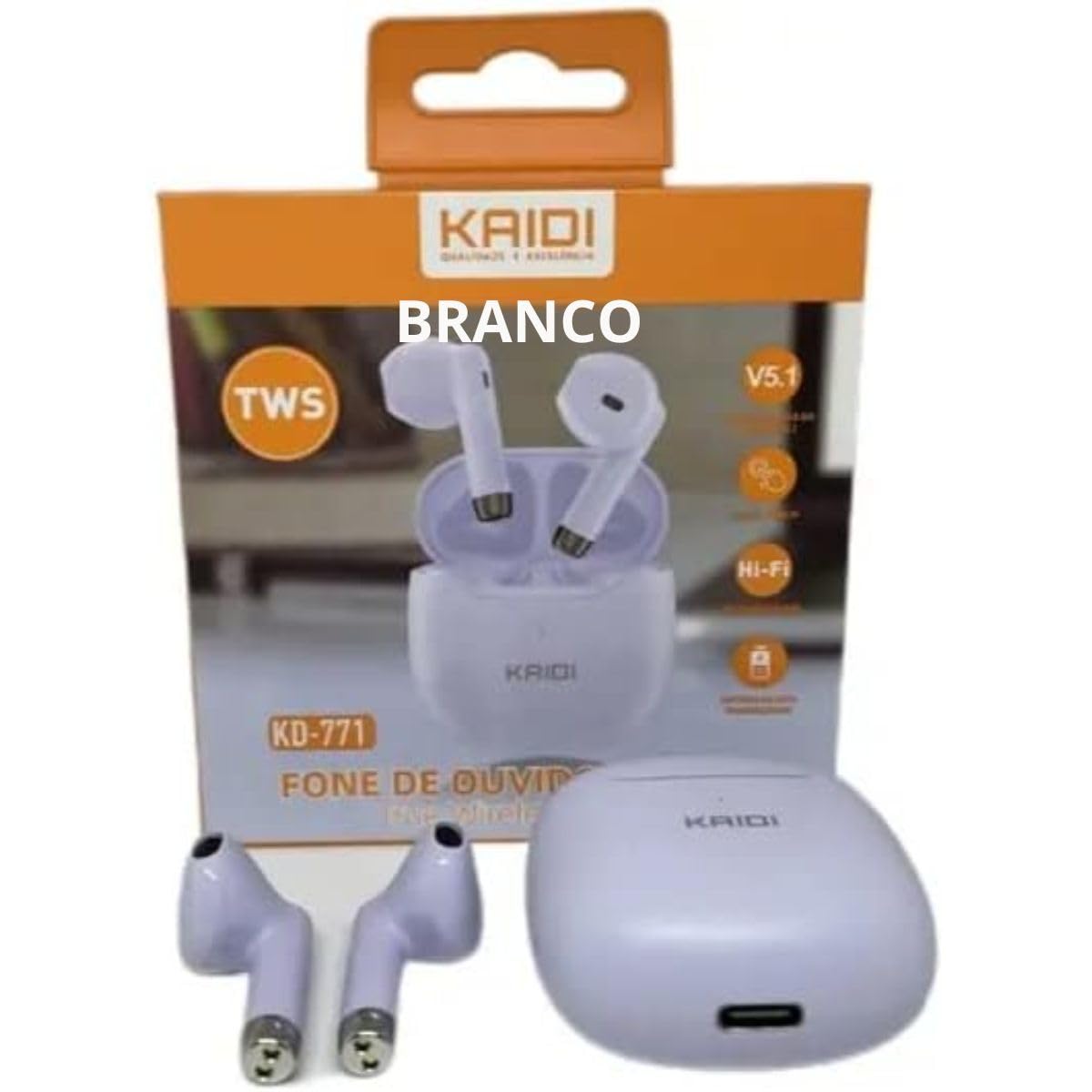
Image: Kaidi KD-771 Earbuds in their charging case. The earbuds are white and sit securely in the case, which is also white. This image illustrates the product's appearance and how the earbuds are stored.
2.2 Susiejimas su jūsų įrenginiu
Follow these steps to pair your Kaidi KD-771 earbuds with your smartphone or other Bluetooth-enabled device:
- Maitinimas: Open the charging case. The earbuds will automatically power on and enter pairing mode. You will hear an audible prompt, and the indicator lights on the earbuds will flash (typically blue and red alternately).
- Suaktyvinkite „Bluetooth“: On your device, go to the Bluetooth settings and ensure Bluetooth is turned on.
- Pasirinkite ausines: In the list of available Bluetooth devices, look for "KD-771" or a similar name and select it to connect.
- Patvirtinimas: Once connected, you will hear a confirmation sound from the earbuds, and the indicator lights will stop flashing or flash slowly.
Pastaba: Ausinės automatiškai prisijungs prie paskutinio suporuoto įrenginio, kai bus išimtos iš dėklo, jei įrenginyje įjungtas „Bluetooth“.
3. Naudojimo instrukcijos
The Kaidi KD-771 earbuds feature Smart Touch controls for convenient operation.
3.1 Maitinimo įjungimas/išjungimas
- Maitinimas: Atidarykite įkrovimo dėklą arba maždaug 3 sekundes palaikykite nuspaudę abiejų ausinių jutiklinę sritį.
- Išjungti: Įdėkite ausines atgal į įkrovimo dėklą ir uždarykite dangtelį arba maždaug 5 sekundes ilgai paspauskite abiejų ausinių jutiklinę sritį.
3.2 Muzikos atkūrimas
- Leisti / pristabdyti: Tap the touch area on either the left or right earbud once.
- Kitas takelis: Dukart palieskite jutiklinę sritį ant dešiniojo ausinio.
- Ankstesnis takelis: Dukart palieskite jutiklinę sritį ant kairiosios ausinės.
3.3 Skambučių valdymas
- Atsiliepti / Baigti skambutį: Tap the touch area on either earbud once during an incoming call or during an active call.
- Atmesti skambutį: Long-press the touch area on either earbud for approximately 2 seconds during an incoming call.
3.4 Balso padėjėjas
- Suaktyvinti „Voice Assistant“: Tris kartus palieskite bet kurios ausinės jutiklinę sritį.
3.5 Garsumo valdymas
- Padidinti garsumą: Long-press the touch area on the right earbud.
- Sumažinti garsumą: Long-press the touch area on the left earbud.
4. Priežiūra
4.1 Valymas
- Ausinėms ir įkrovimo dėklui valyti naudokite minkštą, sausą, nepūkuotą šluostę.
- Nenaudokite abrazyvinių valiklių, tirpiklių ar aerozolinių purškalų.
- Švelniai nuvalykite ausinių ir dėklo įkrovimo kontaktus sausu vatos tamponėliu, kad užtikrintumėte tinkamą įkrovimą.
4.2 Saugykla
- Kai nenaudojate, laikykite ausines įkrovimo dėkle, kad jos būtų apsaugotos ir įkrautos.
- Laikykite prietaisą vėsioje, sausoje vietoje, toliau nuo ekstremalių temperatūrų ir tiesioginių saulės spindulių.
4.3 Atsparumas vandeniui (IPX4)
The Kaidi KD-771 earbuds are rated IPX4, meaning they are splash-resistant. This protects them from splashing water from any direction. They are suitable for light rain or sweaty workouts.
- Nenardinkite ausinių į vandenį.
- Venkite jų paveikti aukšto slėgio vandens srovėmis.
- Prieš dėdami ausines atgal į įkrovimo dėklą, įsitikinkite, kad jos yra sausos, kad nepažeistumėte įkrovimo kontaktų.
5. Problemų sprendimas
5.1 Ausinės nesusijungia
- Įsitikinkite, kad abi ausinės yra įkrautos.
- Išjunkite „Bluetooth“ savo įrenginyje ir vėl jį įjunkite.
- Delete "KD-771" from your device's Bluetooth list and try pairing again.
- If only one earbud connects, try resetting the earbuds (refer to the full reset instructions if available in a separate guide, or try placing them back in the case and taking them out again).
5.2 Nėra garso arba tylus garsas
- Patikrinkite garsumo lygį tiek savo įrenginyje, tiek ausinėse.
- Įsitikinkite, kad ausinės tinkamai prijungtos prie jūsų įrenginio.
- Nuvalykite visas šiukšles nuo ausinių garsiakalbio tinklelio.
5.3 Įkrovimo problemos
- Įsitikinkite, kad įkrovimo laidas yra tvirtai prijungtas tiek prie dėklo, tiek prie maitinimo šaltinio.
- Verify that the power source is working.
- Nuvalykite ausinių ir dėklo vidaus įkrovimo kontaktus.
6. Specifikacijos
| Funkcija | Specifikacija |
|---|---|
| Modelio numeris | KD-771 |
| Bluetooth versija | V5.1 |
| Baterijos veikimo laikas (ausinės) | Approx. 4 hours (talk time/music playback) |
| Įkrovimo laikas | Maždaug 4 valandos (visam dėklo ir ausinių įkrovimui) |
| Atsparumas vandeniui | IPX4 (atsparus purslams) |
| Varža | 32 omai |
| Dažnių diapazonas | 2.400–2.485 GHz |
| Garso tvarkyklės tipas | Subalansuotas armatūros vairuotojas |
| Kontrolės metodas | Palieskite |
| Sudedamosios dalys | Earbuds, Charging Case |
| ANATEL sertifikatas | 18583-21-14467 |
7. Garantija ir palaikymas
7.1 Informacija apie garantiją
This Kaidi KD-771 product is covered by a 3 mėnesių garantija from the date of purchase against manufacturing defects. Please retain your proof of purchase for warranty claims.
Garantija neapima žalos, atsiradusios dėl:
- Netinkamas naudojimas ar tvarkymas.
- Neleistinas remontas ar modifikavimas.
- Accidental damage, drops, or extreme temperatures.
- Water damage beyond the IPX4 rating (e.g., submersion).
7.2 palaikymas
For further assistance, troubleshooting, or warranty inquiries, please contact the retailer or the manufacturer (KAIDI) directly. Refer to your purchase documentation for specific contact details.