
1. Įvadas
Welcome to the user manual for your GOODTEL G10 10-inch Android 12 Tablet. This guide provides essential information for setting up, operating, maintaining, and troubleshooting your device. The G10 tablet is designed for versatility, featuring an Octa-Core processor, 4GB RAM, 64GB internal storage (expandable), a 10-inch IPS display, and an 8000mAh battery. It comes with a suite of accessories including a Bluetooth keyboard, mouse, stylus, protective case, and screen protector, allowing it to function as a portable workstation.

1.1 vaizdas: Baigėsiview of GOODTEL G10 Tablet key features including Android 12 OS, 64GB ROM, 10.1-inch Smart Display, 4GB RAM, 4GB-1TB MicroSD/TF Expansion, Octa-Core processor, 8000mAh Battery, 2-in-1 Tablet functionality with Bluetooth Keyboard and Wireless Mouse, Bluetooth, WiFi, Dual Camera (5MP front, 8MP rear), Screen Record, Parental Controls, SD/TF Card Slot, and Type-C charging/data ports.
2. Sąranka
2.1 Išpakavimas ir pirminė apžiūra
Carefully remove all items from the packaging. Verify that all accessories are present:
- GOODTEL G10 planšetinis kompiuteris
- Bluetooth klaviatūra
- Belaidė pelė
- OTG adapteris
- Įkroviklis
- C tipo USB kabelis
- Screen Protector (pre-applied or spare)
- Apsauginis dėklas
- Rašiklis
2.2 Charging the Tablet and Keyboard
Before first use, fully charge the tablet and the Bluetooth keyboard. Connect the charger to the tablet's Type-C port and to a power outlet. The keyboard typically charges via a Micro USB cable (included).
2.3 Įjungimas / išjungimas
- Norėdami įjungti: Paspauskite ir palaikykite maitinimo mygtuką (paprastai šone), kol ekranas užsidegs.
- Norėdami išjungti: Press and hold the Power button, then select 'Power off' from the on-screen options.
- Norėdami paleisti iš naujo: Press and hold the Power button, then select 'Restart' from the on-screen options.
2.4 Pradinio nustatymo vedlys
Pirmą kartą įjungus planšetinį kompiuterį, jis atliks pradinį nustatymo procesą:
- Pasirinkite norimą kalbą.
- Prisijunkite prie „Wi-Fi“ tinklo.
- Prisijunkite naudodami „Google“ paskyrą arba sukurkite naują. Tai būtina norint atsisiųsti programas iš „Google Play“ parduotuvės.
- Review ir sutikite su sąlygomis ir nuostatomis.
- Nustatykite ekrano užraktą (PIN kodą, šabloną arba slaptažodį).
2.5 Priedų prijungimas
Bluetooth Keyboard and Mouse:
- Įsitikinkite, kad klaviatūra ir pelė yra įkrautos ir įjungtos.
- Planšetiniame kompiuteryje eikite į Nustatymai > Prijungti įrenginiai > Bluetooth.
- Įjunkite Bluetooth.
- The tablet will scan for available devices. Select the keyboard and mouse from the list to pair. Follow any on-screen prompts.
Rašiklis: The included stylus is typically a passive capacitive stylus and does not require pairing. Simply use it directly on the screen.
OTG Adapter: The OTG adapter allows you to connect USB devices (like flash drives) to your tablet's Type-C port.
2.6 „MicroSD“ / TF kortelės įdėjimas
To expand storage, locate the MicroSD/TF card slot on the side of the tablet. Gently insert the card with the gold contacts facing down until it clicks into place. The tablet supports up to 256GB expansion.
3. Naudojimo instrukcijos
3.1 Pagrindinė navigacija ir „Android 12“ funkcijos
The G10 tablet runs on Android 12, offering an intuitive user experience. Use touch gestures for navigation:
- Bakstelėkite: Pasirinkite elementą.
- Perbraukimas: Slinkite per puslapius arba sąrašus.
- Žnybtelėjimas, norint priartinti: Priartinkite arba atitolinkite vaizdus ir web puslapių.
- Ilgai paspauskite: Pasiekite kontekstinius meniu arba perkelkite piktogramas.
Android 12 includes features like multi-user support, multi-window mode for multitasking, and enhanced parental controls via Google Family Link.

3.1 vaizdas: The GOODTEL G10 Tablet displaying a game, illustrating the smooth performance provided by the Octa-Core processor and Android 12 OS for application processing.
3.2 Ekranas ir vaizdai
The 10-inch IPS display provides clear and rich colors. It features flexible response and anti-blue light technology for comfortable viewing.
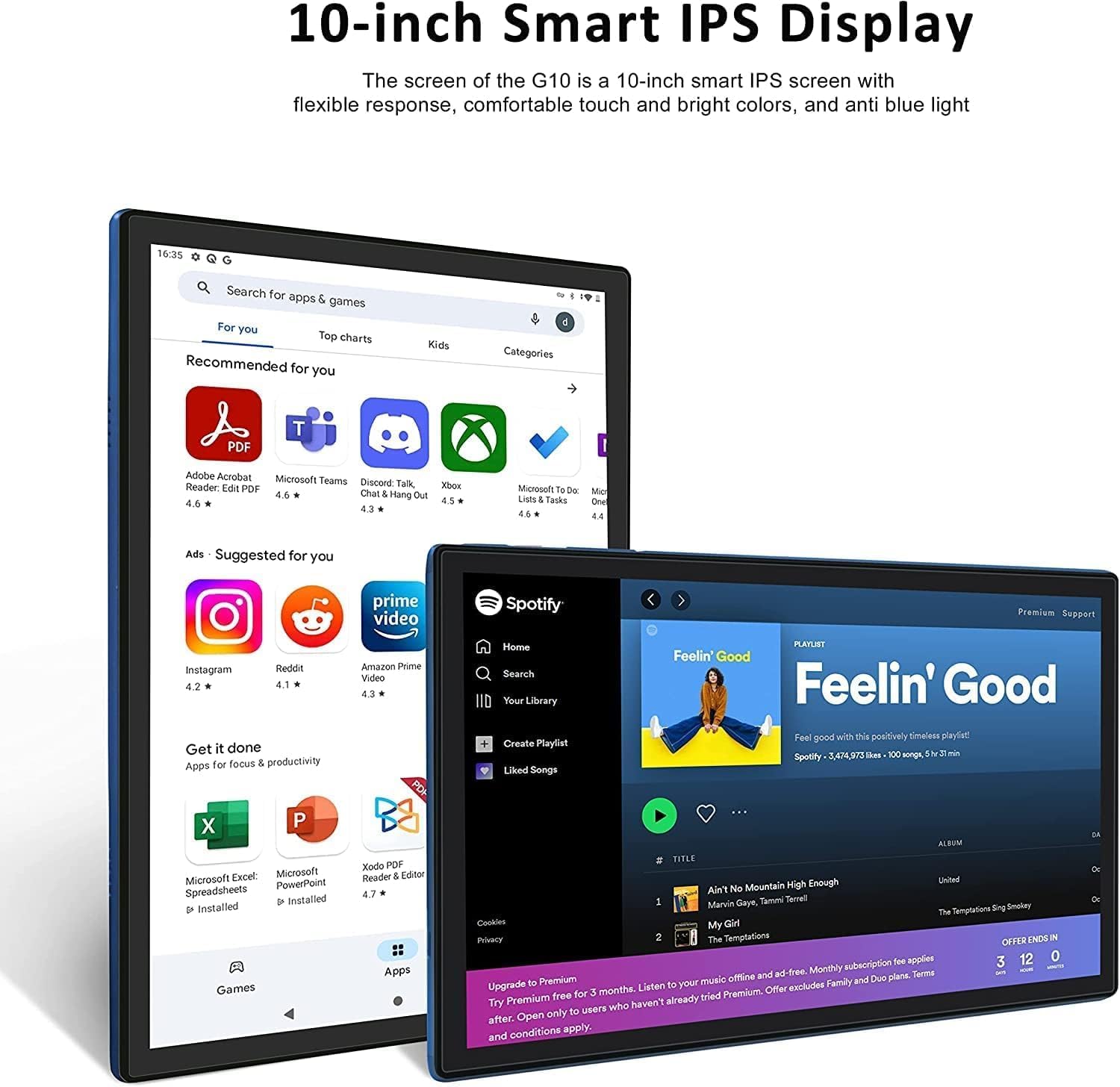
3.2 vaizdas: The 10-inch Smart IPS Display of the GOODTEL G10 Tablet, showcasing its ability to render applications like PDF readers, communication apps, and media players with clarity and vibrant colors.
3.3 Ryšys („Wi-Fi“ ir „Bluetooth“)
„Wi-Fi“: The tablet supports both 2.4GHz and 5GHz Wi-Fi for faster and more stable internet access. To connect, go to Nustatymai > Tinklas ir internetas > Wi-Fi, turn it on, and select your network.

3.3 vaizdas: The GOODTEL G10 Tablet highlighting its 2.4G/5G WiFi support for faster internet access, enabling smoother browsing and application usage.
Bluetooth: For connecting wireless headphones, speakers, or other Bluetooth devices, go to Nustatymai > Prijungti įrenginiai > Bluetooth, turn it on, and pair with your desired device.
3.4 fotoaparatai
The tablet features a 5MP front camera and an 8MP rear camera. Open the Camera app to take photos or record videos. These are suitable for video calls and casual photography.
3.5 Saugojimo valdymas
The tablet comes with 64GB of internal storage. You can expand this by inserting a MicroSD/TF card (up to 256GB, sold separately). To manage storage, go to Nustatymai > Sandėliavimas. Here you can see storage usage and free up space.
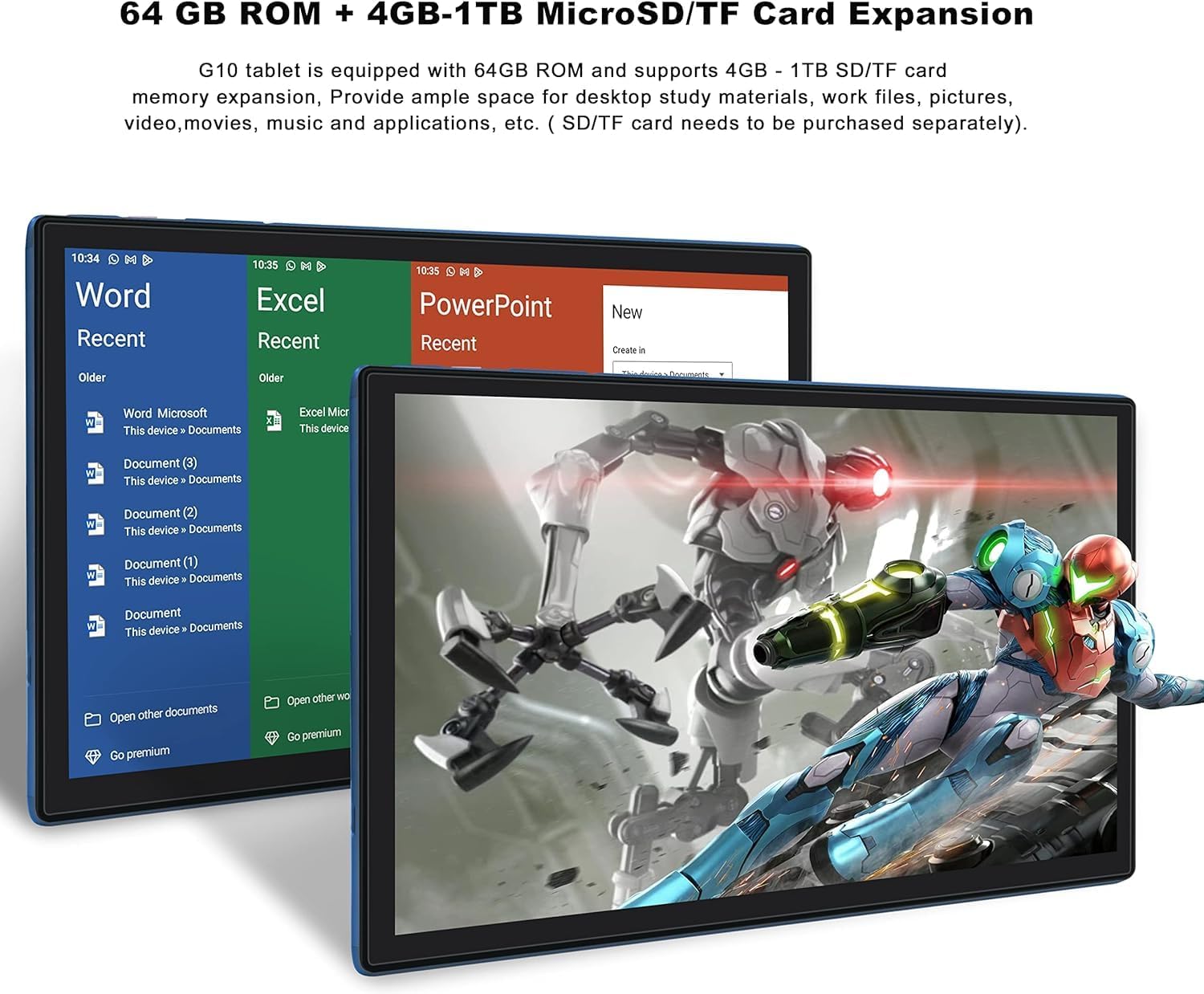
3.4 vaizdas: The GOODTEL G10 Tablet illustrating its 64GB ROM and 4GB RAM, with support for 4GB-1TB MicroSD/TF card expansion for additional storage of documents, media, and applications.
3.6 Tėvų kontrolė
Utilize Google Family Link to set up parental controls. This allows remote management of the device, setting usage limits, and content filtering for children's profiles.
4. Priežiūra
4.1 Prietaiso valymas
Planšetinio kompiuterio ekraną ir korpusą valykite minkštu, nepūkuotu audiniu. Įsisenėjusias dėmes šiek tiek nuvalykite.ampNuvalykite šluostę vandeniu arba ekranui saugiu valymo tirpalu. Venkite stiprių cheminių medžiagų ar abrazyvinių medžiagų.
4.2 Akumuliatoriaus priežiūra
The G10 tablet is equipped with an 8000mAh battery. To prolong battery life:
- Venkite ekstremalių temperatūrų.
- Neleiskite baterijai reguliariai visiškai išsikrauti.
- Optimaliam įkrovimui naudokite pridedamą įkroviklį.
- Atjunkite įkroviklį, kai planšetinis kompiuteris bus visiškai įkrautas.
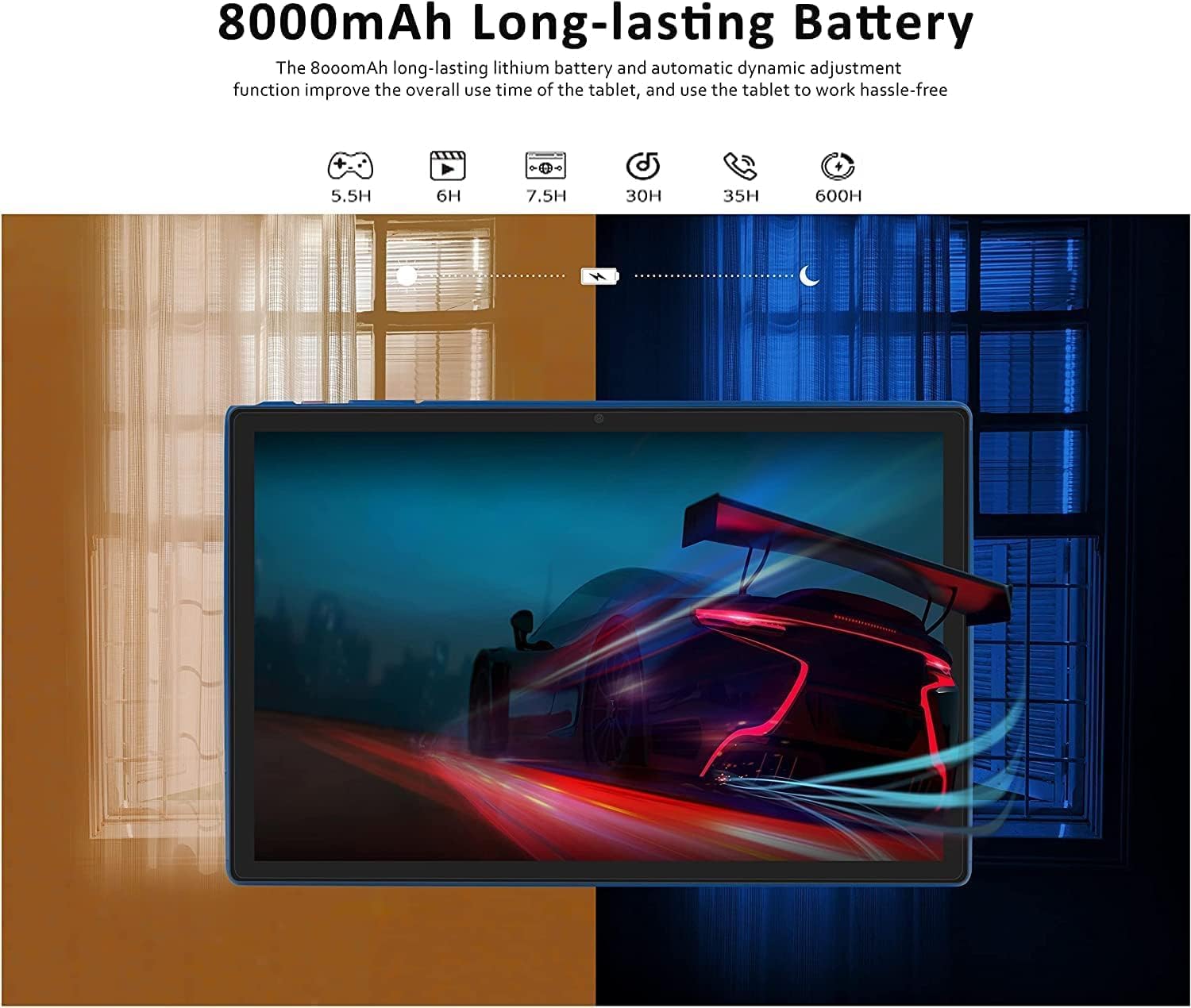
4.1 vaizdas: The GOODTEL G10 Tablet highlighting its 8000mAh long-lasting battery, with estimated usage times for various activities such as gaming (5.5H), video playback (6H), web browsing (7.5H), standby (30H), call time (35H), and music playback (600H).
4.3 Programinės įrangos naujiniai
Reguliariai tikrinkite, ar yra sistemos atnaujinimų, kad jūsų planšetiniame kompiuteryje būtų įdiegtos naujausios funkcijos ir saugos pataisymai. Eikite į Nustatymai > Sistema > Sistemos atnaujinimas.
4.4 Saugyklos optimizavimas
Periodically clear cache data from apps, uninstall unused applications, and transfer large files (photos, videos) to your MicroSD card or cloud storage to maintain optimal performance.
5. Problemų sprendimas
5.1 Bendrosios problemos ir sprendimai
- Planšetinis kompiuteris neįsijungia: Įsitikinkite, kad akumuliatorius įkrautas. Prijunkite įkroviklį ir bandykite dar kartą. Jei įrenginys nereaguoja, paspauskite ir 10–15 sekundžių palaikykite nuspaudę maitinimo mygtuką, kad priverstumėte įrenginį paleisti iš naujo.
- „Wi-Fi“ ryšio problemos: Patikrinkite, ar nustatymuose įjungtas „Wi-Fi“. Paleiskite maršrutizatorių ir planšetinį kompiuterį iš naujo. Pamirškite tinklą ir prijunkite iš naujo.
- Lėtas veikimas: Close unused apps, clear app caches, free up storage space, and restart the tablet.
- Programėlės stringa arba užstringa: Išvalykite programos talpyklą ir duomenis Nustatymai > ProgramėlėsJei problema išlieka, pašalinkite programėlę ir įdiekite ją iš naujo.
- Jutiklinis ekranas nereaguoja: Restart the tablet. If the issue continues, ensure the screen is clean and free of debris.
5.2 Gamyklinių parametrų atkūrimas (kraštutinė priemonė)
Jei nuolatinių problemų išspręsti nepavyksta, gali tekti atkurti gamyklinius nustatymus. Warning: This will erase all data on your tablet. Back up important files prieš tęsdami.
- Eikite į Nustatymai > Sistema > Iš naujo nustatyti parinktis.
- Pasirinkite Ištrinti visus duomenis (atkurti gamyklinius).
- Patvirtinkite savo sprendimą ir vykdykite ekrane pateikiamus nurodymus.
6. Specifikacijos
| Funkcija | Specifikacija |
|---|---|
| Modelis | G10 |
| Operacinė sistema | Android 12 OS |
| Procesorius | Aštuonių branduolių, 2 GHz |
| RAM | 4 GB |
| Vidinė atmintis (ROM) | 64 GB |
| Išplečiama saugykla | MicroSD/TF card up to 256GB |
| Ekrano dydis | 10 colių |
| Ekrano technologija | IPS Smart Touchscreen |
| Ekrano raiška | 1280 x 800 pikselių |
| Priekinė kamera | 5 MP |
| Galinė kamera | 8 MP |
| Baterijos talpa | 8000mAh ličio jonai |
| Wi-Fi | 2.4G/5G (802.11ac) |
| Bluetooth | Bluetooth 5.0 |
| Uostai | 1x Type-C, 1x 3.5mm AUX, 1x MicroSD/TF slot |
| Kitas ryšys | Hotspot, AGPS, Gravity Sensor, FM Radio |
| Matmenys (I x P x A) | 26 x 17.6 x 0.9 cm |
| Svoris | 450 gramų |
7. Garantija ir palaikymas
Specific warranty details are not available in the provided product information. For warranty claims, technical support, or service inquiries, please refer to the documentation included with your purchase or contact GOODTEL customer support directly through their official websvetainę arba mažmenininką, iš kurio buvo pirktas produktas.