
Įvadas
This manual provides detailed instructions for the setup, operation, maintenance, and troubleshooting of your GOODTEL G10 10-inch Android tablet. Please read this guide thoroughly to ensure proper use and to maximize your device's performance and longevity.
Sąranka
1. Pakuotės turinys
Išpakuodami patikrinkite, ar yra visi reikalingi daiktai:
- GOODTEL G10 planšetinis kompiuteris
- Stylus for touchscreen
- Apsauginis dėklas
- Įkroviklis
- Vartotojo vadovas
2. Planšetinio kompiuterio įkrovimas
Before first use, fully charge the tablet. Connect the provided charger to the USB Type-C port on the tablet and plug it into a power outlet. The charging indicator will show the charging status.
3. Įjungimas/išjungimas
- Norėdami įjungti: Paspauskite ir palaikykite maitinimo mygtuką, kol ekranas užsidegs.
- Norėdami išjungti: Press and hold the power button, then select 'Power off' from the options on the screen.
4. „MicroSD“ kortelės įdėjimas
The tablet supports MicroSD/TF cards from 4GB to 256GB for expanded storage. Locate the MicroSD card slot, gently insert the card with the gold contacts facing down until it clicks into place.
5. Prisijungimas prie Wi-Fi
- Eikite į Nustatymai > Tinklas ir internetas > Wi-Fi.
- Perjungti „Wi-Fi“ On.
- Iš sąrašo pasirinkite norimą „Wi-Fi“ tinklą.
- Jei būsite paraginti, įveskite slaptažodį, tada palieskite Prisijunkite.
6. „Bluetooth“ poravimas
- Eikite į Nustatymai > Prijungti įrenginiai > Bluetooth.
- Perjungti Bluetooth On.
- The tablet will scan for available devices. Select the device you wish to pair with from the list.
- Jei būsite paraginti, patvirtinkite susiejimo kodą.

This detailed diagram illustrates the location and function of all external ports and buttons on the GOODTEL G10 tablet, such as the USB Type-C charging port, headphone jack, and MicroSD card slot.
Naudojimo instrukcijos
1. „Android 12“ operacinės sistemos navigacija
Your GOODTEL G10 tablet runs on Android 12, offering an intuitive user interface. Swipe up from the bottom of the screen to access the app drawer, swipe down from the top for quick settings and notifications. The 10-inch IPS display provides wide viewing angles and responsive touch sensitivity.
2. Kameros naudojimas
The tablet features a 5MP front camera and an 8MP rear camera. Open the Camera application to capture photos and videos. Tap the screen to focus and press the shutter button to take a picture.
3. Garsas ir multimedija
The tablet is equipped with dual speakers for audio output. For private listening, connect headphones to the 3.5mm headphone jack. The device supports various multimedia applications for streaming videos and music.
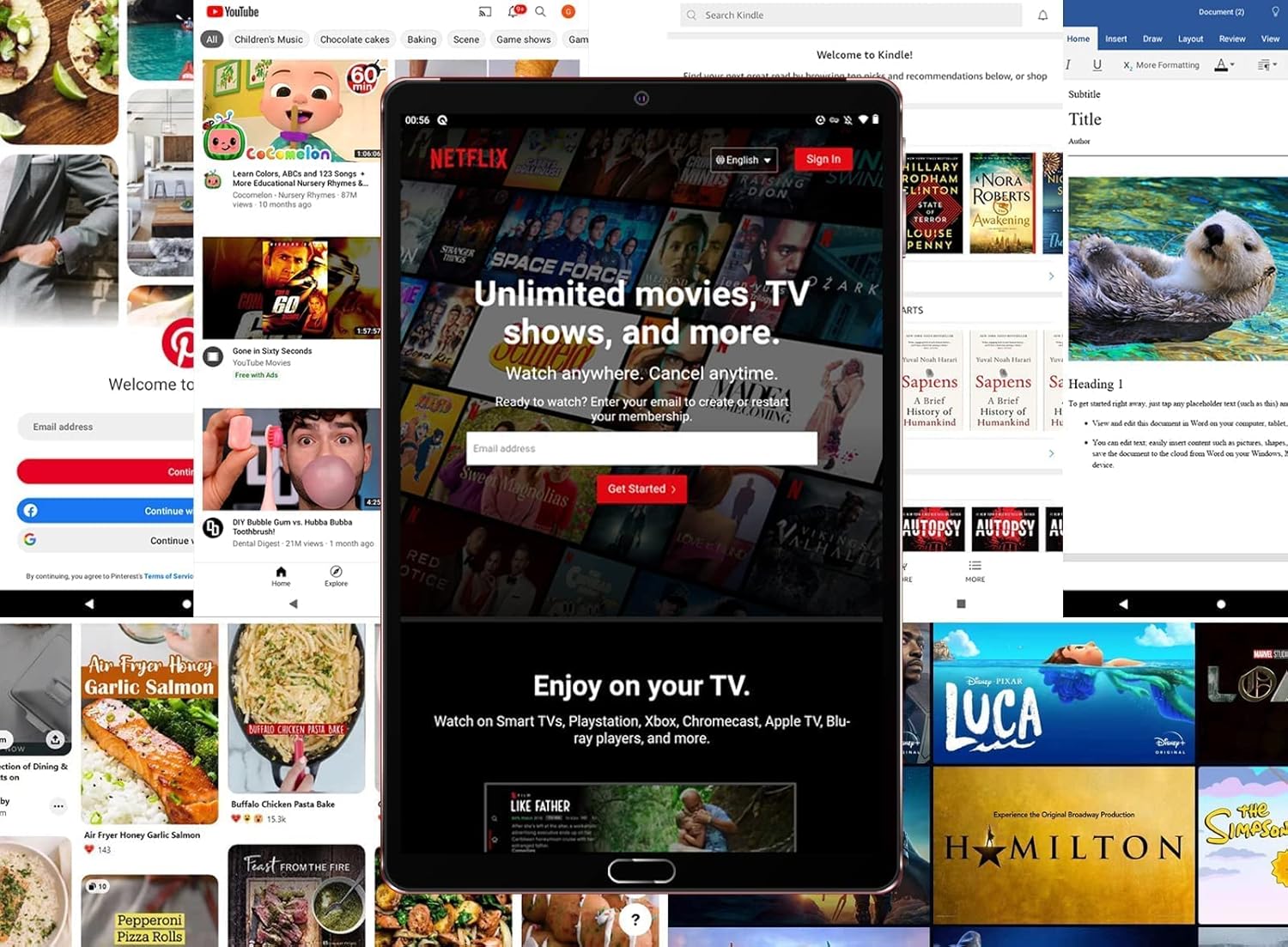
The tablet is shown running the Netflix application, illustrating its suitability for streaming video content and entertainment.
4. Saugojimas ir našumas
With 4GB RAM and 64GB internal storage (ROM), the tablet provides ample space for applications and files. The Octa-Core processor ensures smooth performance for multitasking and running various applications. Expand storage up to 256GB using a MicroSD card.

This image highlights the main technical specifications and features of the GOODTEL G10 tablet, including its operating system, memory, connectivity options, and display characteristics.
5. Productivity and Communication
The G10 tablet is compatible with WPS Office and other office applications (WORD, EXCEL, PPT, PDF) for document editing and management. It supports voice and video calls, making it suitable for connecting with family, friends, and colleagues via applications like ZOOM.
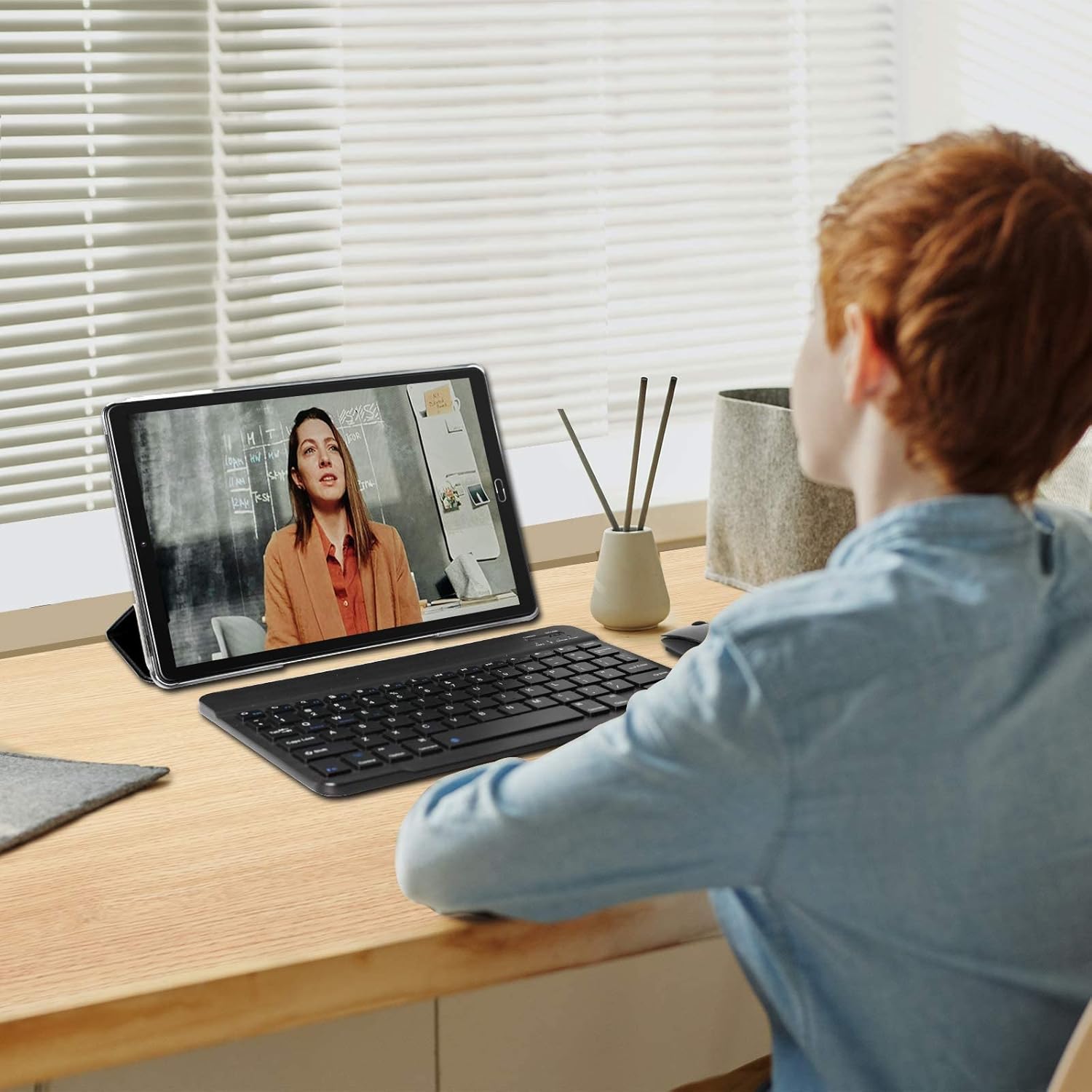
The tablet is depicted in a work or study environment, paired with an external keyboard, demonstrating its use for educational purposes or office applications.
6. Tėvų kontrolė
The tablet includes Google's Family Link parental control feature, allowing remote device management, usage time limits, and content filtering via the Family Link application.
7. Papildomos funkcijos
The G10 supports gravity detection, FM radio, quick screenshot capture, and screen recording functionalities.

This image shows the tablet's user interface, featuring the Android home screen with common applications, indicating ease of access and navigation.
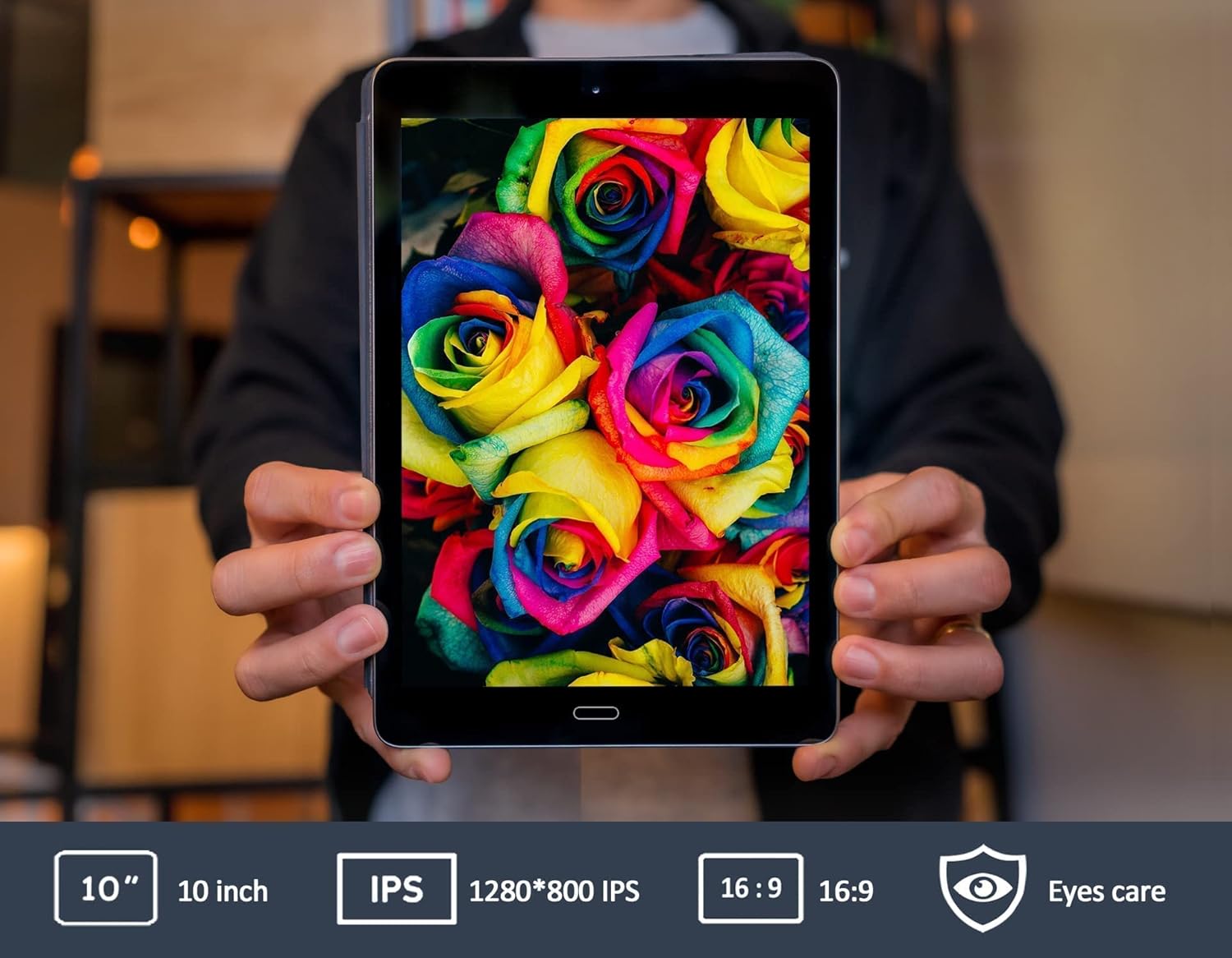
This image emphasizes the tablet's 10-inch IPS screen, known for its wide viewing angles and vivid color reproduction.

The GOODTEL G10 tablet is shown in a home setting, demonstrating its use for entertainment and interaction with smart home devices.
Priežiūra
1. Akumuliatoriaus priežiūra
8000 mAh baterija užtikrina ilgesnį naudojimą. Norėdami pailginti baterijos veikimo laiką:
- Venkite ekstremalių temperatūrų.
- Neleiskite akumuliatoriui dažnai visiškai išsikrauti.
- Use the original charger provided.
2. Planšetinio kompiuterio valymas
Planšetinio kompiuterio ekraną ir korpusą valykite minkštu, nepūkuotu audiniu. Venkite naudoti stiprių cheminių medžiagų ar abrazyvinių medžiagų, kurios gali pažeisti paviršių.
3. Programinės įrangos atnaujinimai
Reguliariai tikrinkite, ar yra sistemos atnaujinimų, Nustatymai > Sistema > Sistemos atnaujinimas to ensure your tablet has the latest features and security patches. While specific software update guarantees are not available, keeping your device updated is recommended.
Trikčių šalinimas
Dažnos problemos ir sprendimai:
- Tablet does not power on: Ensure the tablet is sufficiently charged. Connect the charger and wait a few minutes before attempting to power on again.
- „Wi-Fi“ ryšio problemos: Check if Wi-Fi is enabled in settings. Restart your Wi-Fi router. If the issue persists, try forgetting the network and reconnecting.
- Applications are slow or unresponsive: Close unused applications running in the background. Restart the tablet. If the problem continues, consider clearing the cache of problematic apps or performing a factory reset as a last resort (note: a factory reset will erase all data on the tablet).
- Touchscreen is unresponsive: Paleiskite planšetinį kompiuterį iš naujo. Įsitikinkite, kad ekranas švarus ir be šiukšlių.
Jei susiduriate su čia neaptartomis problemomis, pagalbos ieškokite pagalbos skyriuje.
Specifikacijos
| Prekės ženklas | GOODTEL |
| Modelio pavadinimas | G10 |
| Modelio numeris | G2 |
| Operacinė sistema | Android 12 OS |
| Procesorius | Aštuonių branduolių, 1.6 GHz |
| RAM | 4 GB |
| Vidinė atmintis (ROM) | 64 GB |
| Išplečiama saugykla | MicroSD/TF (4-256 GB) |
| Ekrano dydis | 10 colių |
| Ekrano tipas | IPS |
| Baterijos talpa | 8000 mAh |
| Galinė kamera | 8 MP |
| Priekinė kamera | 5 MP |
| Ryšys | WiFi, Bluetooth, AGPS, Hotspots |
| Belaidė technologija | 802.11b, 802.11g |
| Uostai | USB C tipo, 3.5 mm ausinių lizdas |
| Svoris | 450 gramų |
Informacija apie garantiją
Specific warranty details for the GOODTEL G10 tablet are not provided in the product information. Please refer to the warranty card included in your package or contact the seller/manufacturer directly for comprehensive warranty terms and conditions. Information regarding spare parts availability and guaranteed software updates is also not available.
Palaikymas
For further assistance, technical support, or inquiries regarding your GOODTEL G10 tablet, please contact our service team. GOODTEL provides a friendly and professional service and technical team dedicated to offering prompt and excellent pre-sales and after-sales support.
Please refer to the contact information provided with your purchase documentation or visit the official GOODTEL webpalaikymo parinkčių svetainė.


