
Įvadas
Thank you for choosing the Varmilo MA Series V2 Koi TKL EC Mechanical Keyboard. This keyboard combines a space-saving Tenkeyless (TKL) form factor with Varmilo's EC Ivy V2 electrocapacitive switches for a unique typing experience. It features durable Dye Sub PBT keycaps, USB-C connectivity, and a distinctive Koi design. This manual provides essential information for setting up, operating, maintaining, and troubleshooting your new keyboard.
Sąranka
Follow these steps to set up your Varmilo MA Series V2 Koi TKL keyboard:
- Išpakuokite klaviatūrą: Carefully remove the keyboard and included USB-C cable from its packaging.
- Prijunkite USB-C laidą: Insert one end of the provided USB-C cable into the USB-C port on the back of the keyboard. Connect the other end to an available USB port on your computer (PC, Laptop), smartphone, or tablet.
- Kabelio maršrutas: The keyboard features cable grooves on the bottom case, allowing the cable to exit from the left, right, or middle. Route the cable as desired for a tidy setup.
- Sureguliuokite atramas: The keyboard is equipped with double-section kickstands. Gently flip them out to adjust the typing angle to your preference.

Vaizdas: Apačia view of the keyboard, illustrating the double-section kickstands and cable routing grooves.
Your computer should automatically detect and install the necessary drivers. No additional software is typically required for basic functionality.
Veikiantis
The Varmilo MA Series V2 Koi TKL keyboard is designed for intuitive use. Here are some key operational aspects:
- Rašant: The keyboard uses Varmilo EC Ivy V2 electrocapacitive switches, known for their smooth and consistent feel. The keycaps are made from thick Dye Sub PBT, offering durability and a pleasant texture.
- Foninis apšvietimas: This model features single-color LED backlighting. Specific key combinations (often involving the Fn key) can be used to adjust brightness or lighting modes. Refer to the quick guide or manufacturer's website for detailed key combinations.
- Indikacinės lemputės: All indicator lights (e.g., Caps Lock, Scroll Lock) are located on the top right of the keyboard to minimize distractions during use.
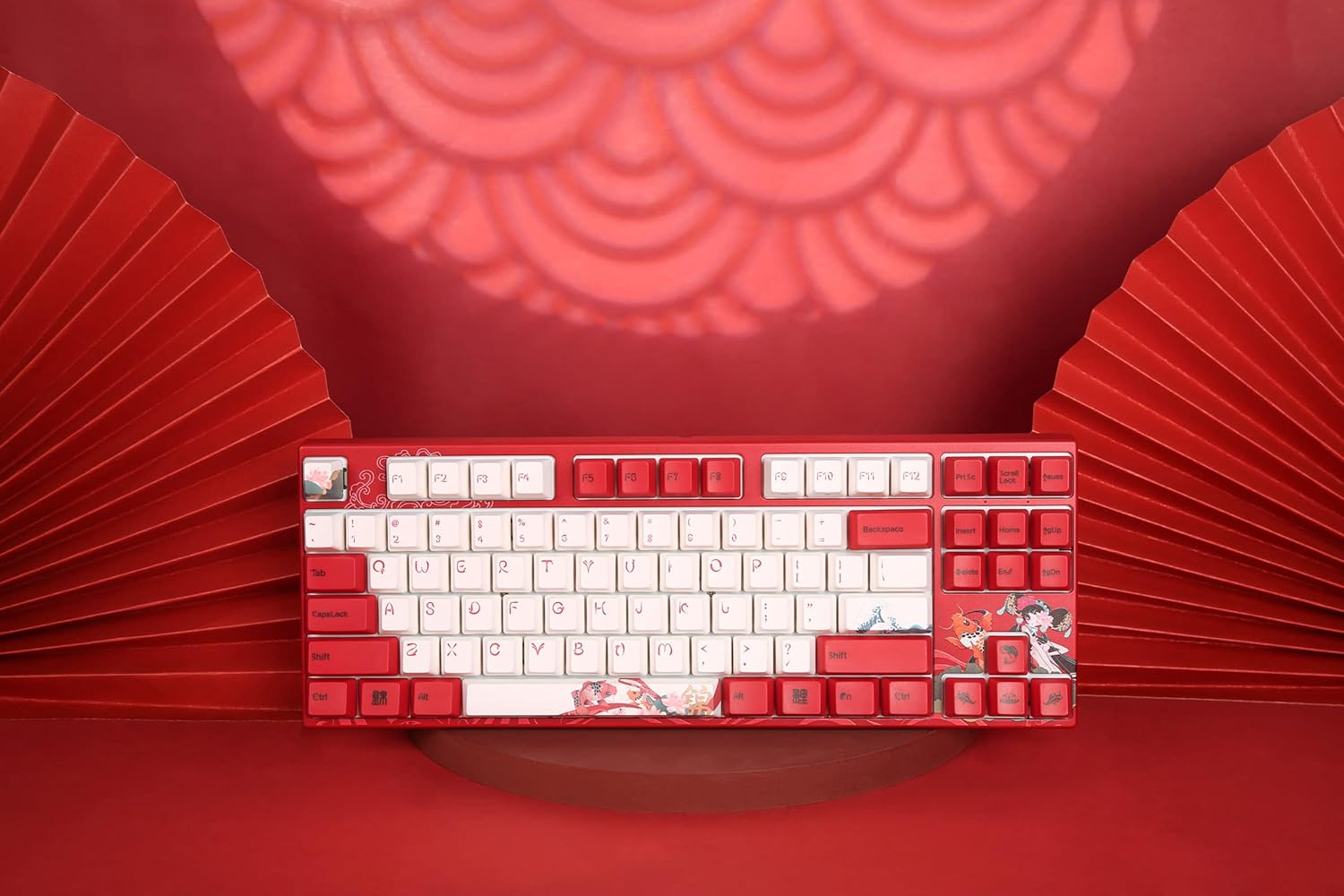
Vaizdas: Iš viršaus į apačią view of the keyboard, highlighting the TKL layout and keycap design.
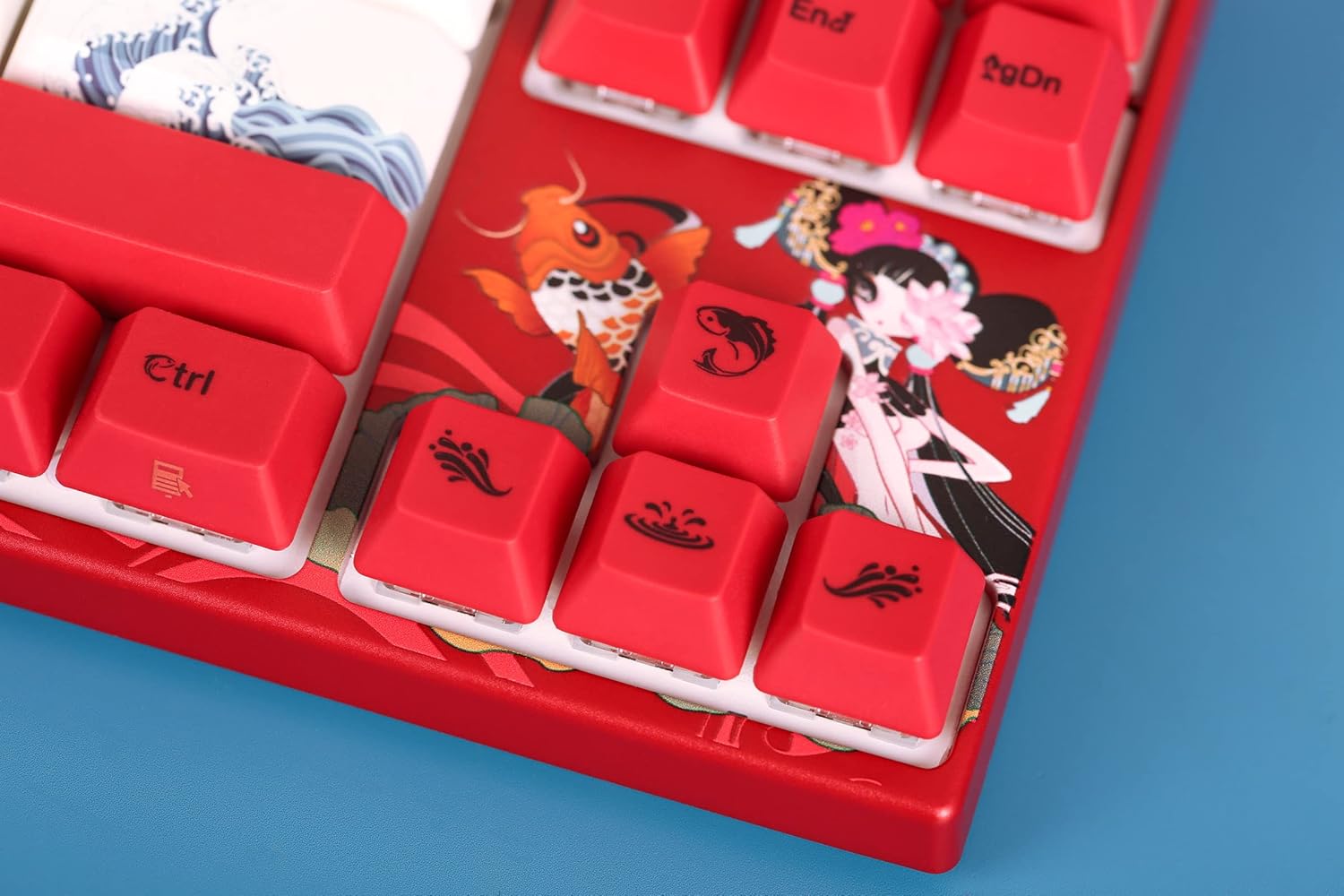
Image: Close-up of the keyboard's keycaps, detailing the unique Koi artwork and legends.
Priežiūra
Tinkama priežiūra užtikrina jūsų klaviatūros ilgaamžiškumą ir našumą:
- Klaviatūros valymas: Regularly clean the keyboard with a soft, dry cloth. For dust and debris between keycaps, use compressed air. Avoid using harsh chemicals or abrasive materials.
- Klaviatūros dangtelio nuėmimas: If you need to clean under the keycaps or replace them, use a keycap puller. Gently pull the keycap straight up to avoid damaging the switch stem. When reattaching, align the keycap with the switch stem and press down firmly until it clicks into place.
- Išsiliejimo prevencija: Keep liquids away from the keyboard to prevent damage to the internal electronics.

Image: Loose keycaps and a keycap puller, useful for cleaning and customization.
Trikčių šalinimas
Jei kyla problemų dėl klaviatūros, pabandykite atlikti šiuos trikčių šalinimo veiksmus:
- Klaviatūra nereaguoja:
- Įsitikinkite, kad USB-C laidas yra tvirtai prijungtas prie klaviatūros ir kompiuterio.
- Pabandykite prijungti klaviatūrą prie kito kompiuterio USB prievado.
- Išbandykite klaviatūrą kitame kompiuteryje, kad nustatytumėte, ar problema susijusi su klaviatūra, ar su originaliu kompiuteriu.
- Iš naujo paleiskite kompiuterį.
- Neregistruojami raktai:
- Remove the keycap of the problematic key and check for any obstructions or debris around the switch. Clean if necessary.
- Įsitikinkite, kad klavišo dangtelis tinkamai uždėtas ant jungiklio koto.
- Foninio apšvietimo problemos:
- Check if the backlighting is turned off or set to the lowest brightness level using the keyboard's function keys.
- Įsitikinkite, kad klaviatūra gauna pakankamai energijos iš USB prievado.
Jei šie veiksmai neišsprendžia problemos, daugiau pagalbos ieškokite skyriuje „Garantija ir palaikymas“.
Specifikacijos
| Funkcija | Detalė |
|---|---|
| Modelio pavadinimas | MA Series V2 Koi TKL |
| Gamintojas | Varmilo |
| Prekės modelio numeris | 06924427360865 |
| Ryšio technologija | USB-C |
| Klaviatūros aprašymas | Mechaninis |
| Jungiklio tipas | Varmilo EC Ivy V2 (Electrocapacitive) |
| Keycap medžiaga | Thick Dye Sub PBT |
| Klaviatūros apšvietimas | Vienintelis spalvotas LED |
| Suderinami įrenginiai | Laptop, Smartphone, Tablet, PC |
| Medžiaga | Polybutylene Terephthalate (PBT), Silicone |
| Įtraukti komponentai | USB kabelis |
Garantija ir palaikymas
Varmilo products are manufactured with quality and reliability in mind. For specific warranty information regarding your Varmilo MA Series V2 Koi TKL EC Mechanical Keyboard, please refer to the warranty card included with your product or visit the official Varmilo websvetainę.
If you require technical support, have questions about your product, or need assistance with troubleshooting beyond what is covered in this manual, please contact Varmilo customer service through their official channels. Details can typically be found on the Varmilo websvetainėje arba produkto pakuotėje.