
Andoer 2.7K Digital Camera Compact Video Camcorder
Andoer 2.7K Digital Camera 48MP User Manual
Model: 2.7K Digital Camera Compact Video Camcorder
Įvadas
This manual provides essential instructions for the safe and effective operation of your Andoer 2.7K Digital Camera. Please read this manual thoroughly before using the camera and retain it for future reference.
The Andoer 2.7K Digital Camera is a compact device designed for capturing high-resolution photos and videos. It features a 48MP image sensor, 2.7K video recording capabilities, a 2.88-inch IPS screen, 16X digital zoom, and various functions such as anti-shake, face detection, and a built-in LED fill light.
Pakuotės turinys
Patikrinkite, ar pakuotėje yra visi toliau išvardyti daiktai:
- 1 x Andoer 2.7K Digital Camera
- 2 x Lithium Batteries (3.7V 700mAh)
- 1x USB įkrovimo laidas
- 1 x Riešo dirželis
- 1 x nešiojimo krepšys
- 1 x Naudotojo vadovas (anglų kalba)

Figure 1: Contents of the camera package.
Fotoaparatas baigtasview

2 pav.: Priekinė ir galinė dalys view of the camera with included batteries.
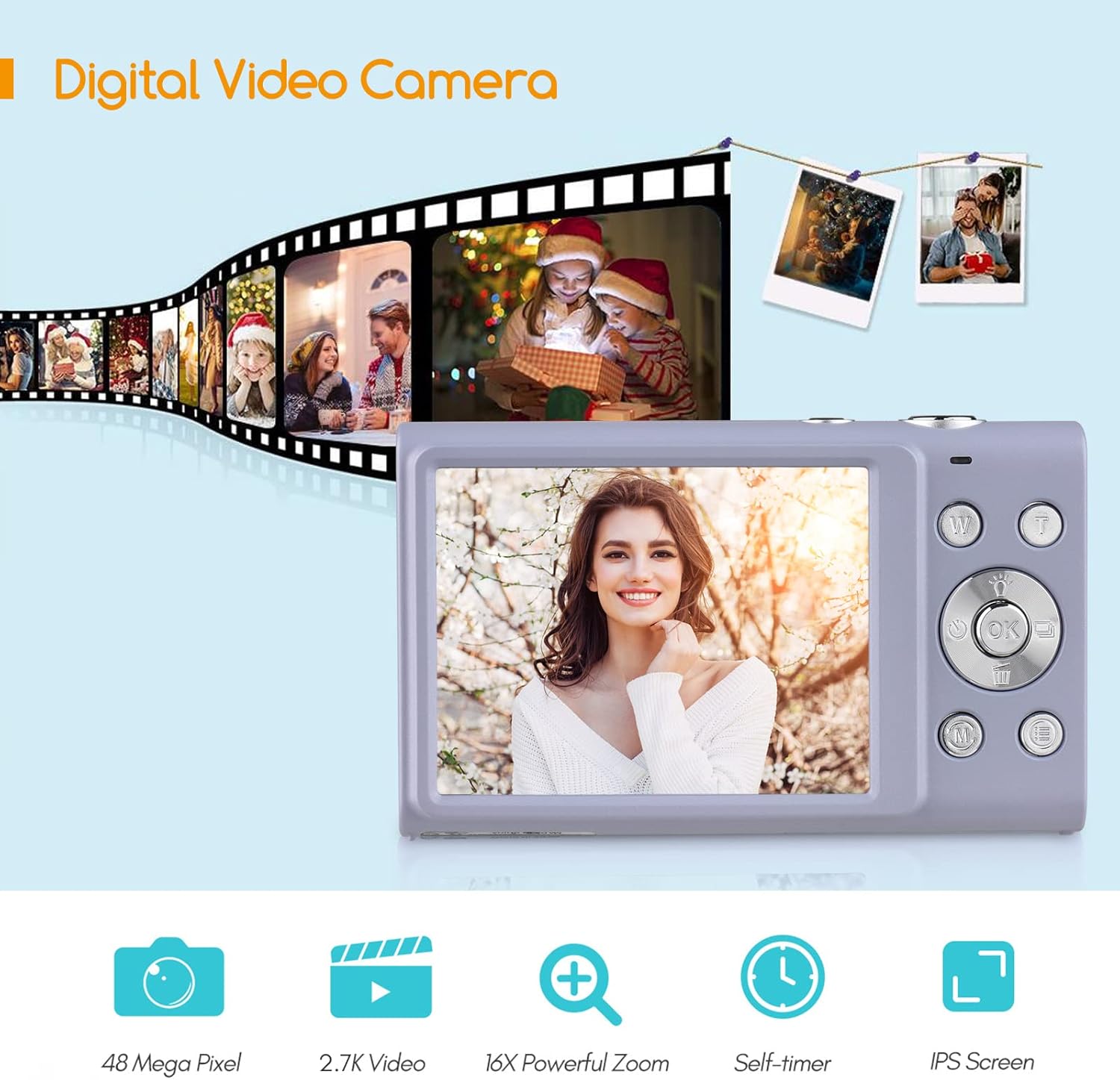
Figure 3: Camera features highlighted.
Sąranka
1. Akumuliatoriaus įdėjimas
- Atidarykite baterijų skyriaus dangtelį, esantį fotoaparato apačioje.
- Insert a fully charged lithium battery (3.7V 700mAh) into the compartment, ensuring correct polarity.
- Saugiai uždarykite akumuliatoriaus skyriaus dangtelį.
2. Akumuliatoriaus įkrovimas
- Connect the camera to a power source (e.g., computer USB port or USB wall adapter) using the provided USB charge cable.
- Užsidegs įkrovimo indikatoriaus lemputė. Kai įkrovimas bus baigtas, ji užges arba pakeis spalvą.
- Pilnas įkrovimas paprastai trunka maždaug 2–3 valandas.
3. Atminties kortelės įdėjimas
The camera requires an external Class-10 memory card (up to 128GB, not included) for storing photos and videos.
- Suraskite atminties kortelės angą fotoaparato šone.
- Insert the memory card with the metal contacts facing the front of the camera until it clicks into place.
- Norėdami išimti, švelniai paspauskite kortelę, kol ji iššoks.
4. Riešo dirželio pritvirtinimas
Thread the wrist strap through the strap eyelet on the side of the camera to prevent accidental drops.
5. Trikojo tvirtinimas
The camera features a universal 1/4" screw hole on the bottom, allowing it to be mounted on a tripod for stable shots.

Figure 4: Universal 1/4" screw hole for tripod attachment.
Naudojimo instrukcijos
1. Maitinimo įjungimas/išjungimas
- Press and hold the Power button (usually marked with a circle and a line) to turn the camera on or off.
- The camera has an auto power-off feature (1min/3min/5min) to conserve battery life. This can be adjusted in the settings.
2. Fotografavimas
- Turn on the camera. The screen will display the live view.
- Frame your shot using the 2.88-inch IPS screen.
- Press the Shutter button (typically on top of the camera) halfway down to focus. The camera features auto-focus.
- Press the Shutter button fully down to capture the photo.
Photo Modes and Features:
- Rezoliucija: Supports up to 48MP. Adjust in settings.
- Skaitmeninis priartinimas: Use the W/T (Wide/Telephoto) buttons to zoom in or out (up to 16X digital zoom).
- Anti-shake: Digital image stabilization helps reduce blur from camera movement.
- Face Detection & Smile Capture: The camera can detect faces and automatically capture a photo when a smile is detected.
- Laikmatis: Options for Off, 2 sec, 5 sec, 10 sec delays.
- Nepertraukiamas fotografavimas: Capture a rapid sequence of photos.
- Built-in LED Fill Light: Activate for additional illumination in low-light conditions.

Figure 5: Demonstrations of Self-Timer, Continuous Shooting, LED Fill Light, and Face Detection.

6 pav. Pvzample of 16X Digital Zoom in use.

Figure 7: Face Detection and Smile Capture in action.
3. Vaizdo įrašų įrašymas
- Switch the camera to video mode (if applicable, usually via a mode button or menu option).
- Press the Record button (often marked with a red dot) to start recording.
- Norėdami sustabdyti įrašymą, dar kartą paspauskite įrašymo mygtuką.
Vaizdo įrašo funkcijos:
- Rezoliucija: Supports 2.7K (2688x1520), 1080P (1920x1080), 720P (1280x720), VGA (640x480).
- Skaitmeninis priartinimas: Available during video recording.

Figure 8: Camera's 2.7K video and 48MP photo capabilities.
4. Atkūrimas
- Press the Playback button (often marked with a triangle icon) to enter playback mode.
- Use the navigation buttons to browse through your photos and videos.
- Press the Playback button again or the Shutter button to exit playback mode.
5. Prisijungimas prie kompiuterio
- Išjunkite fotoaparatą.
- Prijunkite fotoaparatą prie kompiuterio naudodami pateiktą USB kabelį.
- Kamera kompiuteryje bus rodoma kaip išimamas diskas.
- You can then transfer photos and videos to your computer.
- Supported Operating Systems: Windows XP/ Vista/ 7/ 8/ 10, Mac 10.2 and above.
Priežiūra
- Valymas: Use a soft, dry cloth to clean the camera body. For the lens and screen, use a specialized lens cleaning cloth and solution. Avoid harsh chemicals.
- Akumuliatoriaus priežiūra: Baterijas laikykite vėsioje, sausoje vietoje. Nelaikykite jų ekstremalioje temperatūroje. Jei fotoaparato ilgesnį laiką nenaudosite, išimkite bateriją.
- Saugykla: When not in use, store the camera in its carry bag in a dry, dust-free environment.
- Atsparumas vandeniui: Ši kamera yra ne water resistant. Avoid exposure to water or high humidity.
Trikčių šalinimas
| Problema | Galima priežastis | Sprendimas |
|---|---|---|
| Kamera neįsijungia. | Baterija išsikrovusi arba netinkamai įdėta. | Charge the battery or re-insert it correctly. Ensure the battery compartment is closed. |
| Negalima fotografuoti / filmuoti. | Atminties kortelė pilna, neįdėta arba sugadinta. | Įdėkite atminties kortelę, ištrinkite nereikalingus filearba formatuokite kortelę (tai ištrins visus duomenis). |
| Vaizdai neryškūs. | Camera shake, dirty lens, or out of focus. | Hold the camera steady, clean the lens, ensure auto-focus is engaged (half-press shutter). Use anti-shake feature. |
| Blykstė neveikia. | Blykstė išjungta arba baterija išsikrovusi. | Check flash settings. Ensure battery is sufficiently charged. |
| Kamera užstringa. | Programinės įrangos triktis. | Remove and re-insert the battery to reset the camera. |
Specifikacijos
| Funkcija | Detalė |
|---|---|
| Vaizdo jutiklis | CMOS jutiklis |
| Paveikslėlio raiška | 48 MP, 44 MP, 36 MP, 24 MP, 20 MP, 16 MP, 12 MP, 10 MP |
| Vaizdo raiška | 2.7K (2688x1520), 1080P (1920x1080), 720P (1280x720), VGA (640x480) |
| Ekranas | 2.88 colio IPS ekranas |
| Skaitmeninis priartinimas | 16X |
| Diafragma | F/3.2 |
| Židinio nuotolis | f = 7.36 mm |
| File Formatas | JPG / AVI |
| Poveikis | EV-3 to EV+3 |
| Laikmatis | Išjungta / 2 sek. / 5 sek. / 10 sek |
| Automatinis išjungimas | 1min / 3min / 5min |
| Ypatingos savybės | Anti-Shake, Face Detect, Smile Capture, Built-in LED Fill Light, Continuous Photography |
| Sandėliavimas | Supports Class-10 external memory card up to 128GB (not included) |
| Maitinimo šaltinis | 1 x Lithium battery (3.7V 700mAh) |
| Prekės dydis | 9.4 * 5.6 * 1.9 cm / 3.7 * 2.2 * 0.7 col. |
| Prekės svoris | 115 g / 4.1 uncijos (su baterija) |
| Operacinės sistemos reikalavimas | Windows XP/ Vista/ 7/ 8/ 10, Mac 10.2 |
Garantija ir palaikymas
For warranty information, please refer to the documentation provided at the time of purchase or contact your retailer. Andoer products typically come with a standard manufacturer's warranty covering defects in materials and workmanship.
If you encounter any issues not covered in the troubleshooting section, or require further assistance, please contact Andoer customer support through their official websvetainėje arba kontaktinėje informacijoje, pateiktoje kartu su jūsų produktu.
Ask a question about this manual
Ask about setup, troubleshooting, compatibility, parts, safety, or missing instructions. Manuals+ will review the question and use this page’s manual context to help answer it.