
1. Įvadas
Thank you for choosing the LDNIO SCW1050 WiFi Smart Plug. This manual provides essential information for the safe and efficient use of your smart plug. Please read it thoroughly before installation and operation, and retain it for future reference.
2. Produktas baigtasview
The LDNIO SCW1050 is a smart electric plug designed to integrate seamlessly into your smart home ecosystem. It features WiFi connectivity for remote control, a timing function for scheduled operations, and multiple safety protections. Its fire-resistant polycarbonate structure ensures durability and safety.
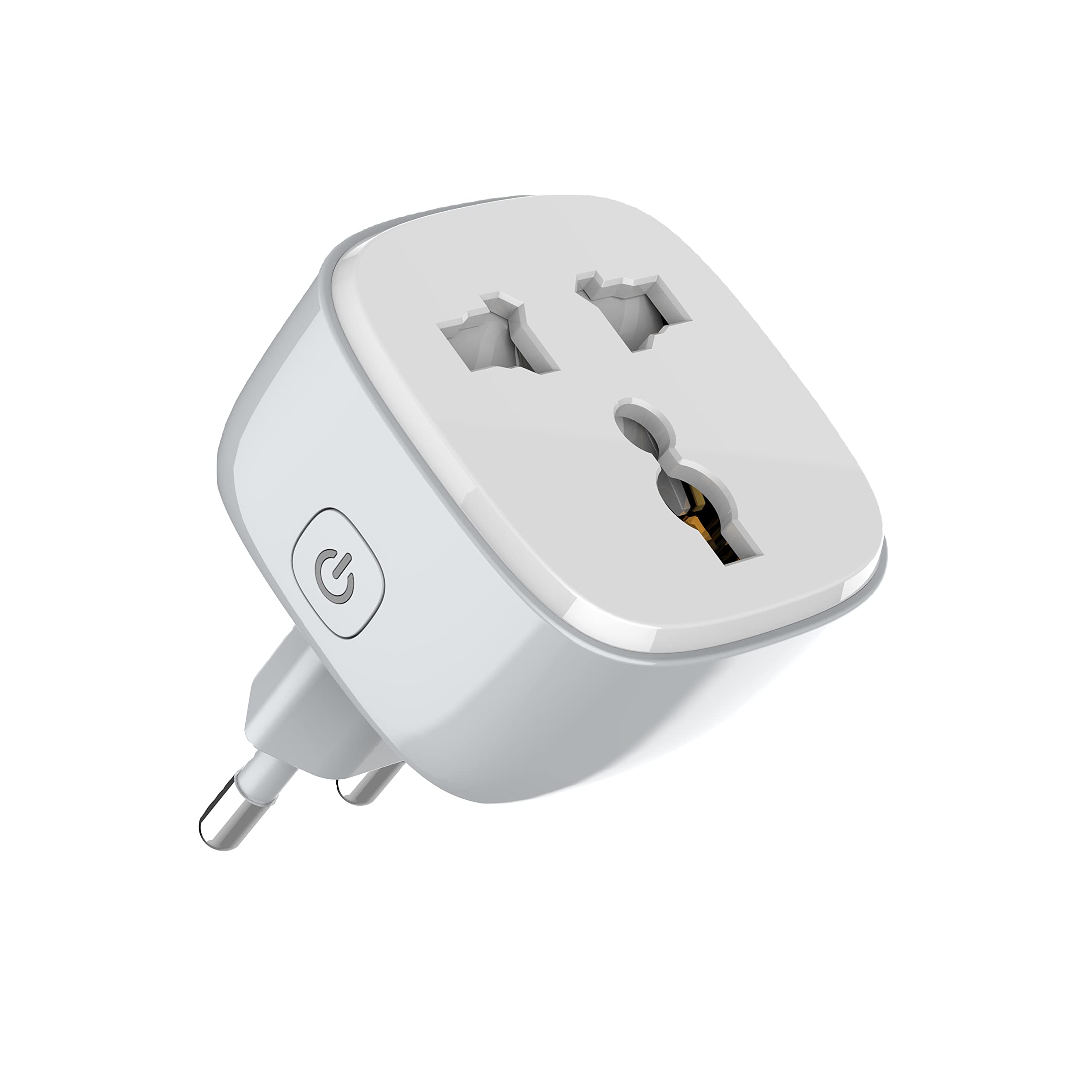
1 pav.: priekis view of the LDNIO SCW1050 WiFi Smart Plug.

2 pav.: Kampinis view of the LDNIO SCW1050 WiFi Smart Plug, highlighting its compact design.
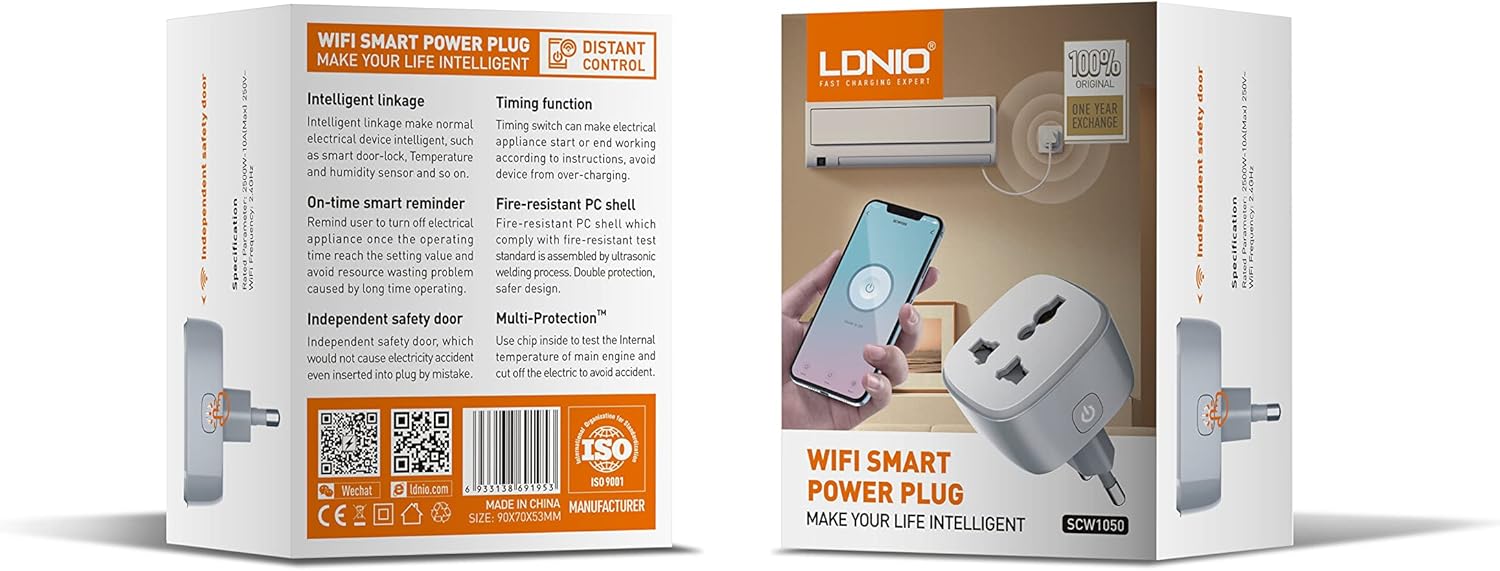
Figure 3: Product packaging illustrating key features such as intelligent linkage, timing function, on-time smart reminder, independent safety door, fire-resistant PC shell, and multi-protection. For more information, visit www.siyoteam.com.
3. Saugos informacija
- Neardykite ir nemodifikuokite įrenginio.
- Įsitikinkite, kad kištukas yra visiškai įkištas į sieninį lizdą.
- Do not overload the smart plug beyond its rated capacity (2500W, 10A).
- Laikykite prietaisą atokiau nuo vandens, drėgmės ir aukštos temperatūros.
- Šis gaminys skirtas naudoti tik patalpose.
- Jei prietaisas pažeistas, nedelsdami nutraukite jo naudojimą ir susisiekite su palaikymo tarnyba.
4. Sąranka
4.1 Pradinis prisijungimas
- Plug the LDNIO SCW1050 Smart Plug into a standard wall outlet.
- Ensure the indicator light on the smart plug is blinking, indicating it is in pairing mode. If not, press and hold the power button for 5-10 seconds until it blinks rapidly.
4.2 Programėlės diegimas ir susiejimas
- Download the compatible smart home application (e.g., Tuya Smart or Smart Life app) from your mobile device's app store.
- Užsiregistruokite arba prisijunkite prie savo paskyros programėlėje.
- Norėdami pradėti susiejimo procesą, palieskite piktogramą „+“ arba „Pridėti įrenginį“.
- Įrenginių sąraše pasirinkite „Elektros lizdas“ arba „Išmanusis kištukas“.
- Follow the on-screen instructions to connect the smart plug to your 2.4GHz WiFi network. Ensure your phone is connected to the same 2.4GHz network during setup.
- Sėkmingai suporavus, galite pervadinti įrenginį ir priskirti jį kambariui.

Figure 4: Remote control of the smart plug using a mobile application.
5. Naudojimo instrukcijos
5.1 Rankinis valdymas
Norėdami rankiniu būdu įjungti arba išjungti prijungtą prietaisą, paspauskite išmaniojo kištuko maitinimo mygtuką.
5.2 Programų valdymas
- Įjungta/Išjungta: Tap the power icon next to the device in the app to toggle power.
- Laiko nustatymo funkcija: Set schedules for the smart plug to turn on or off automatically at specific times. This is useful for managing lighting or other appliances.
- Išmanieji priminimai: Configure smart reminders within the app to receive notifications or automate actions based on usage patterns or set conditions.
- Pažangus susiejimas: Connect your smart plug with other smart devices or sensors to create automated scenarios (e.g., turn on a lamp when a motion sensor is triggered).
6. Priežiūra
- To clean the smart plug, disconnect it from the power outlet and wipe it with a dry, soft cloth.
- Nenaudokite skystų ar aerozolinių valiklių.
- Reguliariai tikrinkite, ar nėra pažeidimų ar susidėvėjimo požymių.
7. Problemų sprendimas
- Įrenginys neprisijungia prie „Wi-Fi“: Ensure your WiFi network is 2.4GHz. Check that the smart plug is within range of your router. Restart the smart plug and your router, then try pairing again.
- Programėlės valdymas neveikia: Verify your phone has an active internet connection. Ensure the smart plug is connected to WiFi and its indicator light is solid. Update the app to the latest version.
- Prietaisas neįsijungia / neišsijungia: Check if the appliance is properly plugged into the smart plug and if the appliance itself is functional. Ensure the smart plug is receiving power.
- Indicator light behavior:
- Greitas mirksėjimas: Paruošta susieti.
- Lėtas mirksėjimas: Disconnected from WiFi.
- Tvirtas: Connected to WiFi and operating normally.
8. Specifikacijos
| Funkcija | Specifikacija |
|---|---|
| Modelio numeris | SCW1050 |
| Nominali galia | 2500W |
| Nominali srovė | 10A (maks.) |
| Įvertintas ttage | 250V ~ |
| WiFi dažnis | 2.4 GHz |
| Gaminio matmenys | 7.62 x 5.08 x 5.08 cm |
| Produkto svoris | 70 gramų |
| Korpuso medžiaga | Fire-resistant Polycarbonate |
9. Garantija ir palaikymas
LDNIO offers a One Year Exchange warranty for this product, as indicated on the packaging. For technical support, warranty claims, or further inquiries, please visit the official LDNIO websvetainė adresu www.siyoteam.com arba susisiekite su vietiniu platintoju.
You may also find additional resources and community support through the WeChat platform by scanning the QR code found on the product packaging (refer to Figure 3).