
1. Įvadas
The Qubo Handheld Gimbal is a 3-axis smartphone stabilizer designed to capture smooth and steady footage. It features gesture control, human and object recognition, and multiple operating modes to enhance your mobile videography and photography experience.
This manual provides essential information for the proper setup, operation, and maintenance of your Qubo Handheld Gimbal.
2. Pakuotės turinys
Patikrinkite, ar pakuotėje yra visi reikalingi daiktai:
- Qubo Handheld Gimbal x 1
- Grip Tripod Stand x 1
- Maitinimo kabelis x 1
- Wrist Strap Lanyard x 1
- Garantijos talonas x 1
3. Produktas baigtasview
Familiarize yourself with the components of your Qubo Handheld Gimbal.
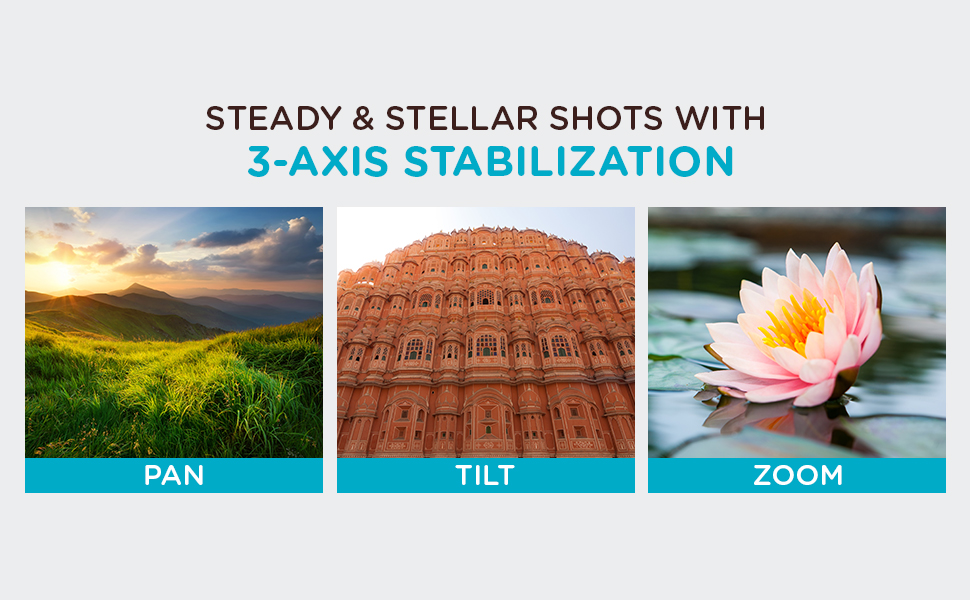
Image: Key components of the Qubo Handheld Gimbal, including the smartphone clamp, roll monitor, tilt monitor, click trigger, pan monitor, and attachable tripod. The image highlights the 3-axis stabilization system.
- Išmanusis telefonas Clamp: Secures your smartphone to the gimbal.
- Roll Monitor: Controls the roll axis for horizontal stability.
- Tilt Monitor: Controls the tilt axis for vertical stability.
- Pan Monitor: Controls the pan axis for horizontal rotation.
- Click Trigger: Multi-function button for quick actions.
- Trikojis: Attachable stand for stable placement on surfaces.
4. Sąrankos vadovas
- Įkraukite stabilizatorių: Before first use, fully charge the gimbal using the provided power cable. Connect the cable to the charging port on the gimbal and a suitable USB power source.
- Attach the Tripod (Optional): Screw the grip tripod stand onto the bottom of the gimbal handle if you intend to use it for stationary shots.
- Pritvirtinkite savo išmanųjį telefoną:
- Extend the smartphone clamp and carefully place your smartphone in it.
- Ensure the phone is securely centered in the clamp to maintain balance.
- The gimbal supports both iPhones and Android smartphones (Android 8.0+ / iOS 13+).

Image: A smartphone securely mounted in the Qubo Handheld Gimbal's clamp, ready for use in landscape mode.
- Maitinimas: Paspauskite ir palaikykite maitinimo mygtuką, kol užsidegs indikatoriaus lemputės.
- Connect via QuboPro App:
- Download the "QuboPro" app from your smartphone's app store.
- Įjunkite „Bluetooth“ savo išmaniajame telefone.
- Open the QuboPro app and follow the on-screen instructions to connect to your gimbal.
5. Naudojimo instrukcijos
5.1. 3-Axis Stabilization
The Qubo Gimbal provides powerful 3-axis stabilization to eliminate shaky footage. It automatically adjusts to maintain smooth video in various orientations.
Image: Visual representation of the Qubo Gimbal's 3-axis stabilization capabilities, illustrating smooth movement across pan, tilt, and zoom functions.
Different modes allow for steady shots in portrait, landscape, and underslung orientations. Refer to the QuboPro app for specific mode selections and controls.
5.2. Gestų valdymas
Initiate photo and video recording hands-free using gesture control. This feature is ideal for selfies, group shots, livestreams, and vlogs.

Image: A user demonstrating a thumbs-up gesture, which can be used to activate the Qubo Gimbal's recording functions.
Consult the QuboPro app for a list of supported gestures and their corresponding actions.
5.3. Human and Object Recognition
The gimbal can automatically track humans and objects, keeping them centered in the frame. This is useful for capturing dynamic scenes where subjects are in motion.

Image: The Qubo Gimbal actively tracking a person during movement, demonstrating its human and object recognition capabilities to keep the subject in focus.
Activate and manage tracking features within the QuboPro app.
5.4. Naudojimo režimai
The Qubo Gimbal offers versatile usage options:
- Rankinis režimas: For on-the-go stabilization.
- Trikojo režimas: Mount the gimbal on its tripod for stable, stationary shots.

Image: The Qubo Gimbal shown in both handheld configuration for mobile use and mounted on its tripod for stable, static recording.
6. QuboPro Application
The QuboPro app provides advanced controls and features for your gimbal, including:
- Gesture control settings
- Face recognition enhancements
- Mode selection and customization
- Firmware atnaujinimai

Image: The compact Qubo Gimbal fitting into a pocket, alongside a smartphone screen showing the user-friendly interface of the QuboPro application.
Regularly check the app for updates to ensure optimal performance and access to new features.
7. Specifikacijos
| Funkcija | Detalė |
|---|---|
| Prekės ženklas | Qubo |
| Modelio pavadinimas | Qubo |
| Spalva | Pilka |
| Suderinami įrenginiai | Cellphones (iPhones, Android smartphones) |
| Operacinės sistemos suderinamumas | Android 8.0 and Above, iOS 13 and Above |
| Montavimo tipas | Trikojis |
| Produkto savybės | Gesture Control, Human and Object Recognition, 3-Axis Stabilization |
| Prekės matmenys (I x P x A) | 11x4.6x15.2 cm |
| Prekės svoris | 350 gramų |
8. Priežiūra
- Valymas: Kardano valymui naudokite minkštą, sausą šluostę. Venkite naudoti skystus valiklius ar tirpiklius.
- Saugykla: Laikykite stabilizatorių vėsioje, sausoje vietoje, toliau nuo tiesioginių saulės spindulių ir ekstremalių temperatūrų.
- Akumuliatoriaus priežiūra: For long-term storage, charge the battery to approximately 50-60% every three months to prolong battery life.
- Firmware atnaujinimai: Regularly check the QuboPro app for firmware updates to ensure optimal performance and access to new features.
9. Problemų sprendimas
| Problema | Galimas sprendimas |
|---|---|
| Kardaninis stabilizatorius neįsijungia. | Ensure the gimbal is fully charged. Press and hold the power button for a few seconds. |
| Gimbal is unstable or tilted. |
|
| Cannot connect to QuboPro app. |
|
| Gesture control or tracking not working. |
|
Jei problemos išlieka, susisiekite su klientų aptarnavimo tarnyba.
10. Garantija ir palaikymas
Your Qubo Handheld Gimbal comes with a 1 metų gamintojo garantija nuo pirkimo datos.
For warranty claims, technical assistance, or any other support, please contact:
Gamintojas: Hero Electronix Pvt. Ltd.
Adresas: 503, Rectangle-1, D4, Saket District Center, New Delhi 110017
Prašome išsaugoti pirkimo įrodymą garantijos galiojimui.
