
1. Produktas baigtasview
The Inateck KU8212 is a high-performance USB PCIe expansion card designed to provide additional USB connectivity and charging capabilities to your computer. It features 8 USB ports, including 2 USB-C ports with Power Delivery (PD) and 6 USB-A ports with BC 1.2 charging protocol. This card offers a total bandwidth of 16 Gbps, with individual ports capable of up to 10 Gbps data transfer when used solely.
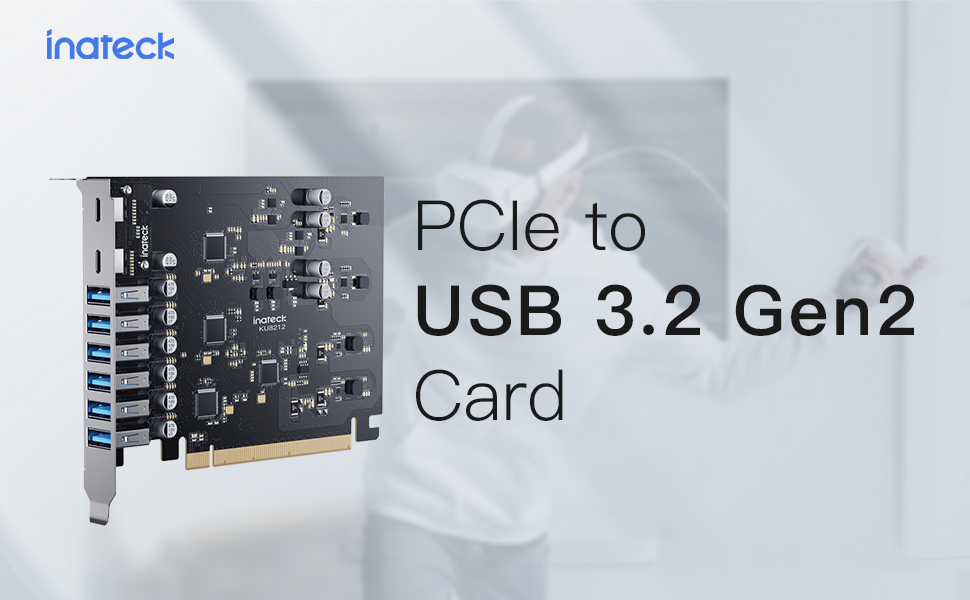
Image 1: Inateck KU8212 USB PCIe Card, showcasing its design and multiple ports.
The card is powered directly by the PCIe interface, eliminating the need for an external power supply. It incorporates overcurrent and ESD protection for enhanced device safety.
2. Pakuotės turinys
Prašome patikrinti, ar pakuotėje yra visi reikalingi daiktai:
- Inateck KU8212 USB PCIe Card
- Instrukcijų vadovas
- Mounting Screws (typically included for PCIe card installation)
1 vaizdo įrašas: Viršview of the Inateck Power Supply USB PCIe Card KU8212, demonstrating its features and components.
3. Sistemos reikalavimai
Ensure your system meets the following requirements for proper functionality:
- Suderinami įrenginiai: Personal Computers, Laptops, Servers with an available PCIe slot.
- Operacinė sistema: Windows 7/8/10/11, Linux, Mac OS 10.8.2 and later.
- PCIe lizdas: Compatible with PCIe 2.0, 3.0, and 4.0 slots.
- Galia: The card is powered by the PCIe slot. For optimal performance, especially when utilizing the full 100W charging power (if applicable to your specific setup), ensure your chassis power supply can handle the additional power consumption.
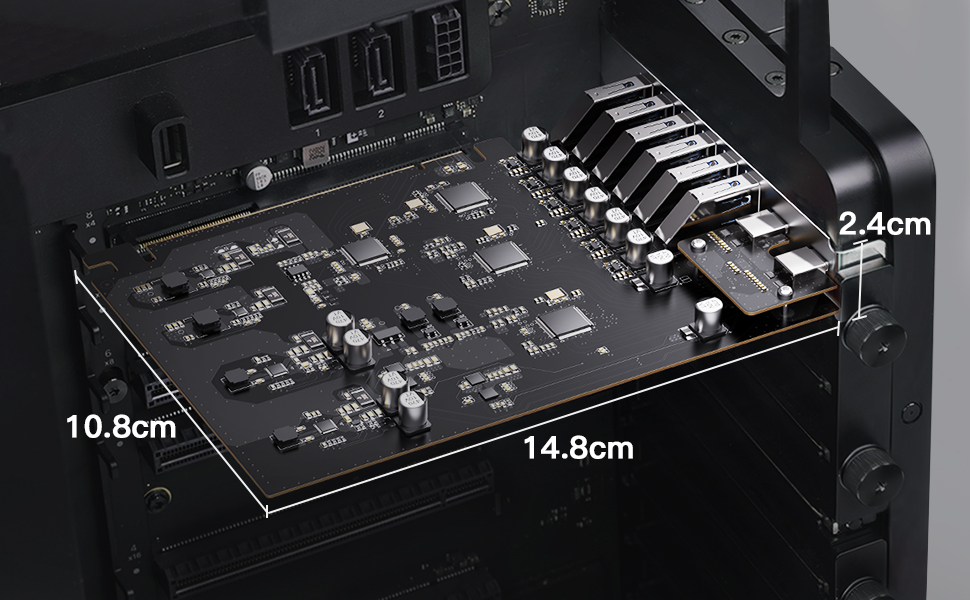
Image 2: Illustration of compatible operating systems: Windows 7/8/10/11, Mac OS 10.8.2 and later, and Linux.
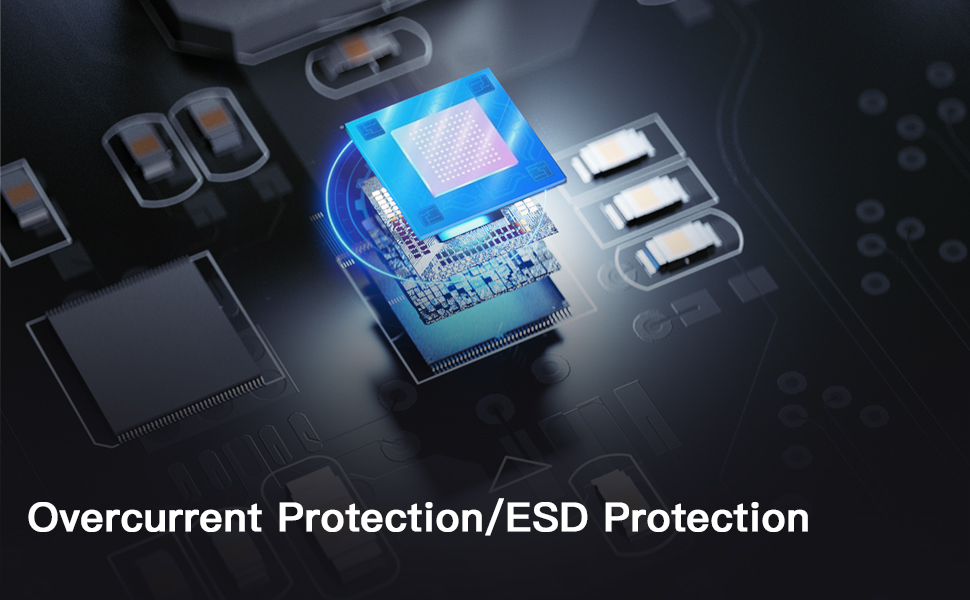
Image 3: Details on PCIe compatibility (2.0, 3.0, 4.0) and important notes regarding bandwidth allocation and power supply considerations.
4. Diegimo vadovas
4.1 Saugos priemonės
- Always power off your computer and unplug it from the power source before opening the case or installing any internal components.
- Discharge any static electricity by touching a grounded metal object (e.g., the computer chassis) before handling the card.
- Handle the PCIe card by its edges to avoid touching the gold connectors or components.
4.2 diegimo žingsniai
- Paruoškite savo kompiuterį: Power down your computer completely and disconnect all cables. Open the computer case.
- Raskite laisvą PCIe lizdą: Identify an empty PCIe x16, x8, or x4 slot on your motherboard. The card is designed to fit various slot sizes.
- Nuimkite lizdo dangtelį: Remove the metal slot cover corresponding to the chosen PCIe slot on the back of your computer case.
- Insert the PCIe Card: Carefully align the gold connectors of the Inateck KU8212 card with the chosen PCIe slot. Apply even, firm pressure to push the card straight down into the slot until it is fully seated. Ensure the retention clip (if present on your motherboard) locks the card in place.
- Apsaugokite kortelę: Use a screw to secure the metal bracket of the PCIe card to the computer case.
- Uždaryti bylą ir prisijungti iš naujo: Uždarykite kompiuterio korpusą, prijunkite visus laidus ir įjunkite kompiuterį.
- Tvarkyklės diegimas (jei reikia): For most modern operating systems (Windows 10/11, recent Linux distributions, Mac OS), drivers should install automatically. If the card is not recognized, check the Inateck website for specific driver downloads for your operating system.

Image 4: The Inateck KU8212 PCIe card correctly installed within a computer's PCIe slot.

Image 5: Detail showing the elevated design of the USB-C ports, preventing obstruction by chassis baffles.
5. Operacija
5.1 Duomenų perdavimas
The Inateck KU8212 card supports USB 3.2 Gen 2 standard, offering high-speed data transfer. Each port can achieve up to 10 Gbps transfer rate when used individually. The 8 USB ports share a total bandwidth of 16 Gbps. For optimal performance, avoid simultaneously transferring large files on all ports if maximum speed is required for a specific device.
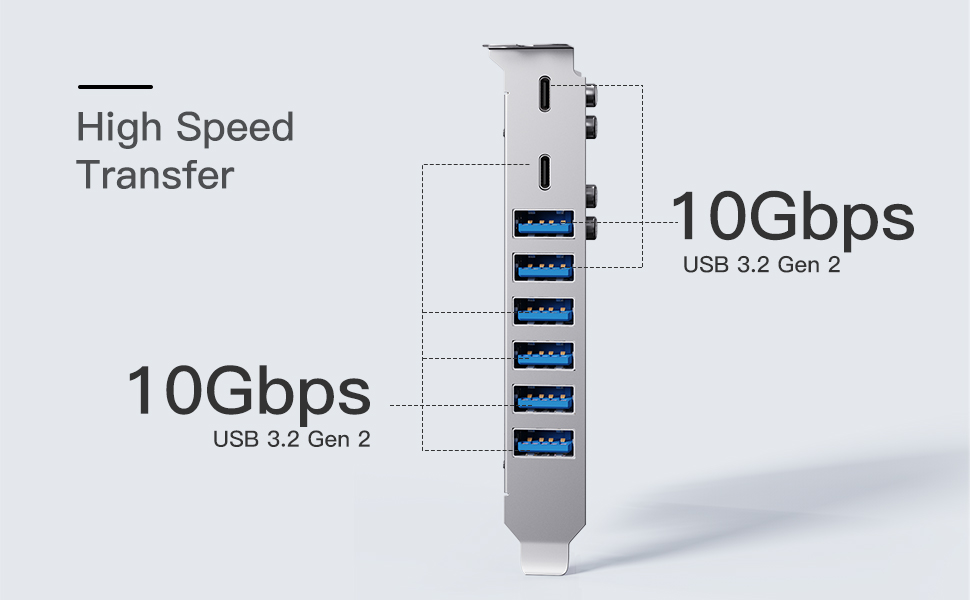
Image 6: Diagram illustrating the 10 Gbps data transfer rate per port and shared 16 Gbps bandwidth for USB 3.2 Gen 2.
5.2 Įkrovimo galimybės
The card provides robust charging capabilities:
- USB-C prievadai (x2): Support Power Delivery (PD) protocol, providing up to 30W charging power per port. Suitable for recharging phones, tablets, and even some laptops.
- USB-A prievadai (x6): Support BC 1.2 protocol, providing up to 7.5W charging power per port. Ideal for charging smartphones and other standard USB devices.
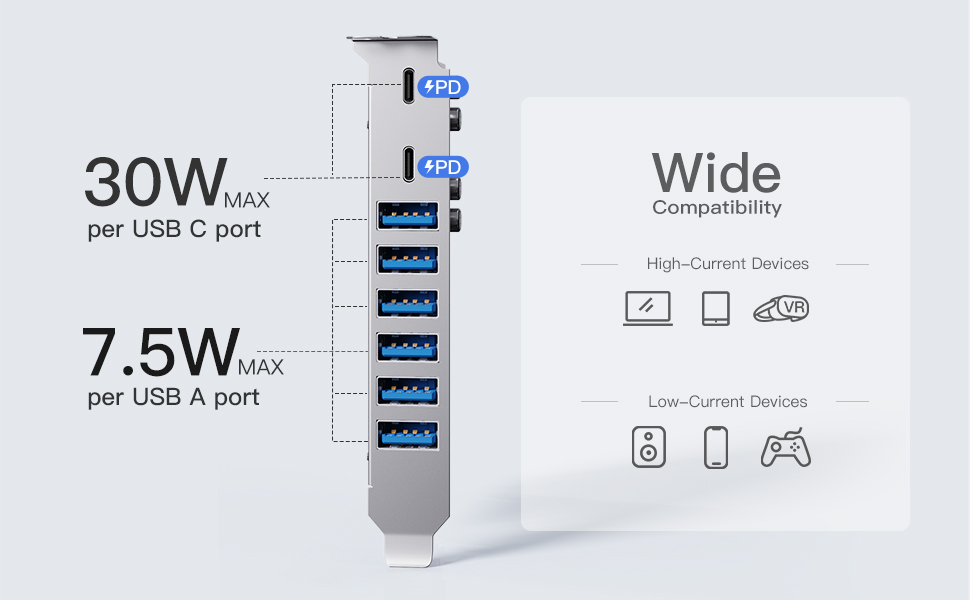
Image 7: Visual representation of charging capabilities: 30W Max per USB-C port and 7.5W Max per USB-A port.

Image 8: Demonstrates wide compatibility with both high-current devices (laptops, tablets, VR headsets) and low-current devices (speakers, phones, game controllers).
6. Priežiūra
To ensure the longevity and optimal performance of your Inateck KU8212 PCIe card, follow these maintenance guidelines:
- Laikyti švarų: Periodically open your computer case and gently clean any dust accumulation on the card using compressed air. Ensure the computer is powered off and unplugged before cleaning.
- Venkite fizinės žalos: Handle the card with care. Avoid bending or dropping it.
- Aplinkos sąlygos: Operate the card within standard computer operating temperatures and humidity levels.
7. Problemų sprendimas
7.1 Bendrosios problemos ir sprendimai
- Kortelė neaptikta:
- Įsitikinkite, kad kortelė yra visiškai įstatyta į PCIe lizdą.
- Jei yra, išbandykite kitą PCIe lizdą.
- Verify that your operating system is compatible (Windows 7/8/10/11, Linux, Mac OS 10.8.2+).
- Check if drivers are installed. For older OS versions, manual driver installation might be required from the Inateck websvetainę.
- Mažas duomenų perdavimo greitis:
- Confirm that the connected device also supports USB 3.2 Gen 2 (10 Gbps).
- Ensure the PCIe slot used is compatible with PCIe 3.0 or 4.0 for optimal bandwidth. If the motherboard's allocated bandwidth/lane number for the PCIe interface is insufficient (e.g., PCIe 2.0 with 2X lanes instead of 4X for USB 3.2 Gen 2), speeds may be affected.
- Avoid simultaneous heavy data transfers on multiple ports if a single device requires maximum bandwidth.
- Refer to your motherboard's manual for information on PCIe lane allocation.
- Įkrovimo problemos:
- Ensure the device being charged supports the respective USB-C PD or USB-A BC 1.2 protocols.
- Check the charging cable for damage and ensure it supports the required power delivery.
- For high-power charging, ensure your computer's power supply unit (PSU) has sufficient wattage to support the card and connected devices.
7.2 Overcurrent and ESD Protection
The Inateck KU8212 PCIe card is equipped with advanced circuit design and an overcurrent-protection chip to prevent damage from sudden power fluctuations or overloads. It has also passed the IEC61000-4-2 Ed.2 ESD test, providing protection against electrostatic discharge, safeguarding both the card and connected devices.

Image 9: Illustration of the dual protection features, including overcurrent and ESD protection, integrated into the card's design.
8. Specifikacijos
| Funkcija | Detalė |
|---|---|
| Prekės ženklas | Inateck |
| Modelio numeris | KU8212 |
| Techninės įrangos sąsaja | PCI Express x16 |
| USB prievadai | 8 (2 x USB-C, 6 x USB-A) |
| USB standartas | USB 3.2 Gen 2 |
| Maksimalus duomenų perdavimo greitis | 10 Gbps (per port, when used solely); 16 Gbps (total shared bandwidth) |
| USB-C įkrovimas | Up to 30W per port (Power Delivery) |
| USB-A įkrovimas | Up to 7.5W per port (BC 1.2) |
| Gaminio matmenys | 5.83 colio ilgio x 4.25 colių pločio x 0.94 colio aukščio |
| Prekės svoris | 0.26 svaro |
| Suderinamos operacinės sistemos | Windows 7/8/10/11, Linux, Mac OS 10.8.2 and later |
| Apsaugos ypatybės | Overcurrent Protection, ESD Protection (IEC61000-4-2 Ed.2) |
9. Garantija ir palaikymas
Inateck products are designed for reliability and performance. For warranty information or technical support, please refer to the official Inateck websvetainėje arba susisiekite tiesiogiai su jų klientų aptarnavimo tarnyba. Išsaugokite pirkimo kvitą garantiniams reikalavimams.
Kontaktinė informacija: Prašome apsilankyti www.inateck.com norėdami gauti naujausius pagalbos išteklius ir kontaktinę informaciją.