
Hikvision HE-FCE-RCGNIZ-DS-K1T342MFWX-X1
Hikvision DS-K1T342MFWX Face Access Terminal User Manual
Model: HE-FCE-RCGNIZ-DS-K1T342MFWX-X1
Įvadas
This manual provides essential information for the installation, operation, and maintenance of the Hikvision DS-K1T342MFWX Face Access Terminal. This device is designed for secure access control using multiple verification methods.
The DS-K1T342MFWX is a sophisticated face access terminal featuring a 4.3-inch LCD display, a 2 MP wide-angle lens, and a Mifare card reading module. It supports face recognition from a distance of 0.3 m to 1.5 m, along with finger and card access capabilities, and includes Wi-Fi connectivity.
Produktas baigtasview
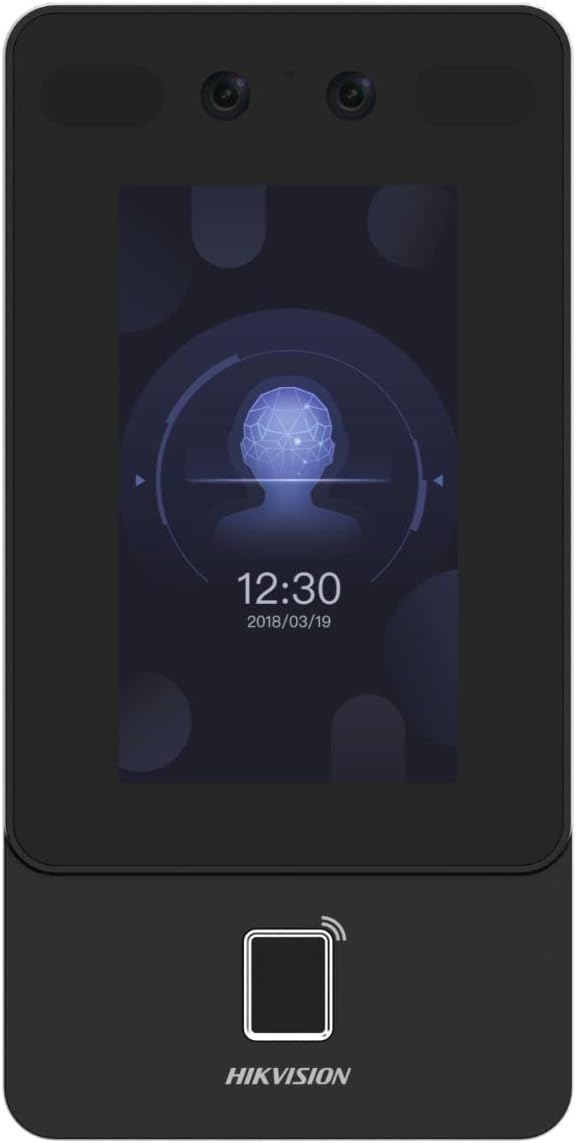
1 pav.: priekis view of the terminal, showing the LCD display and dual cameras at the top.
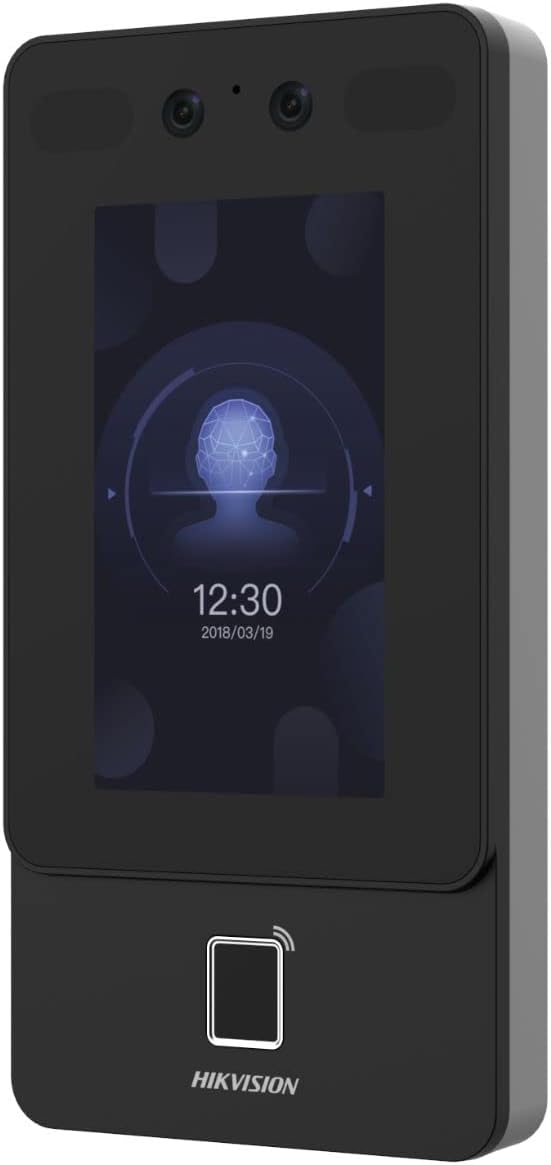
2 pav.: Kampinis view of the terminal, highlighting its slim profile and the integrated card reader area at the bottom.

Figure 3: Bottom angled view, illustrating the various connectivity ports and interfaces.
Sąranka ir diegimas
1. Išpakavimas
Carefully unpack all components from the box. Verify that all items listed in the packing list are present and undamaged. Retain the original packaging for future transport or storage.
2. Montavimo vieta
Choose a suitable mounting location. The terminal should be installed at a height that allows for optimal face recognition for users of varying heights (typically 1.1 m to 1.5 m from the ground to the center of the device). Ensure the location is free from direct sunlight or strong backlighting, which can affect recognition performance. Avoid areas with excessive vibration or extreme temperatures.
3. Maitinimo prijungimas
Connect the power adapter to the terminal's power input port. Use only the power adapter supplied with the device or a Hikvision-approved equivalent. Ensure the power source meets the device's voltage ir dabartinius reikalavimus.
4. Tinklo ryšys (neprivaloma)
For network connectivity, the terminal supports Wi-Fi. Refer to the on-screen setup guide or the device's web interface for Wi-Fi configuration. Alternatively, if an Ethernet port is available, connect an Ethernet cable for wired network access.
Naudojimo instrukcijos
1. Initial Setup and User Enrollment
Upon first power-on, follow the on-screen prompts to complete the initial setup, including setting the date, time, and administrator password. To enroll users:
- Access the administrator menu.
- Select "User Management" or "Enrollment".
- Choose the desired enrollment method: Face, Fingerprint, or Card.
- Follow the on-screen instructions to capture the user's biometric data or register their card.
- Assign a user ID and any necessary access permissions.
2. Access Verification
To gain access, users can present their registered credentials to the terminal:
- Veido atpažinimas: Stand within 0.3 m to 1.5 m of the terminal, facing the camera directly. Ensure your face is well-lit and unobstructed.
- Pirštų atspaudų prieiga: Place a registered finger firmly on the fingerprint sensor.
- Prieiga prie kortelės: Present a registered Mifare card to the card reading module area on the terminal.
Upon successful verification, the terminal will indicate access granted (e.g., with a green light or audible confirmation), and the connected door lock will open.
Priežiūra
1. Valymas
Regularly clean the terminal's screen and camera lens with a soft, lint-free cloth. For stubborn marks, slightly dampen the cloth with a non-abrasive, electronics-safe cleaning solution. Do not spray cleaners directly onto the device.
2. Programinės įrangos atnaujinimai
Periodically check for firmware updates from the Hikvision official website or through the device's network settings. Keeping the firmware updated ensures optimal performance, security, and access to new features.
3. Duomenų atsarginė kopija
It is recommended to regularly back up user data and configuration settings to an external storage device or network location to prevent data loss.
Trikčių šalinimas
| Problema | Galima priežastis | Sprendimas |
|---|---|---|
| Įrenginys neįsijungia. | Nėra maitinimo šaltinio; sugedęs maitinimo adapteris; atsilaisvinęs prijungimas. | Check power cable connection; ensure power outlet is active; try a different power adapter if available. |
| Face recognition fails frequently. | Poor lighting; incorrect distance; face obstruction; unregistered face. | Ensure adequate lighting; maintain recommended distance (0.3-1.5m); remove masks/hats; re-enroll face if necessary. |
| Card/Fingerprint not recognized. | Unregistered credential; dirty sensor/card; incorrect placement. | Verify card/fingerprint is enrolled; clean sensor/card; ensure proper placement on sensor/reader. |
| Tinklo ryšio problemos. | Incorrect Wi-Fi password; router issues; IP conflict. | Verify Wi-Fi password; restart router; check network settings for IP conflicts. |
Specifikacijos
- Modelis: HE-FCE-RCGNIZ-DS-K1T342MFWX-X1
- Ekranas: 4.3 colių LCD
- Kamera: 2 MP wide-angle lens
- Kortelių skaitytuvas: Mifare card reading module
- Face Recognition Distance: 0.3 m iki 1.5 m
- Prieigos būdai: Face, Finger, Card
- Ryšys: Wi-Fi
- Gaminio matmenys: 9.1 x 18.1 x 2.4 cm
- Svoris: 930 g
Garantija ir palaikymas
Informacijos apie garantiją ieškokite prie gaminio pridėtoje garantijos kortelėje arba apsilankykite oficialioje „Hikvision“ svetainėje. website. Technical support is available through Hikvision's customer service channels. Please have your product model number (HE-FCE-RCGNIZ-DS-K1T342MFWX-X1) and serial number ready when contacting support.
Extended warranty options may be available from third-party providers, such as the 1-Year or 2-Year Extended Warranty by Salama Care mentioned in product listings. These are separate from the manufacturer's standard warranty.
For the latest support resources and FAQs, visit the Hikvision Store on Amazon or the official Hikvision support portal.