
1. Produktas baigtasview
The ZGCINE ZG-V99 is a compact and powerful 99Wh (6800mAh, 14.8V) V-Mount Li-ion battery designed for professional photographic equipment, including cameras and DSLRs. It features multiple output ports for versatile power supply to various devices, an OLED display for real-time battery information, and intelligent battery management for safe operation.

1.1 vaizdas: priekis view of the ZGCINE ZG-V99 V-Mount Battery, highlighting its capacity, voltage, and integrated safety features.
Pagrindinės funkcijos:
- Kompaktiškas ir lengvas: Designed for portability, weighing approximately 1.1 lbs, making it suitable for travel (please check local airline regulations).
- Didelė talpa: 99Wh (6800mAh, 14.8V) provides extended power for your devices.
- Keli išvesties prievadai: Equipped with D-TAP, BP, USB-C, and USB-A output ports to power a wide range of devices simultaneously.
- PD greitas įkrovimas: Supports PD USB-C charging at 45W or 60W, allowing a full charge in approximately 3.5 hours.
- OLED ekranas: Real-time display of battery information, including charge status.
- Išmanus akumuliatorių valdymas: Incorporates overcurrent, overpower, overvoltage, overcharge, short circuit, temperature, and reset protection for safe and reliable operation.
- Aukštos kokybės ląstelės: Utilizes imported high-quality battery cells for optimal performance and safety.
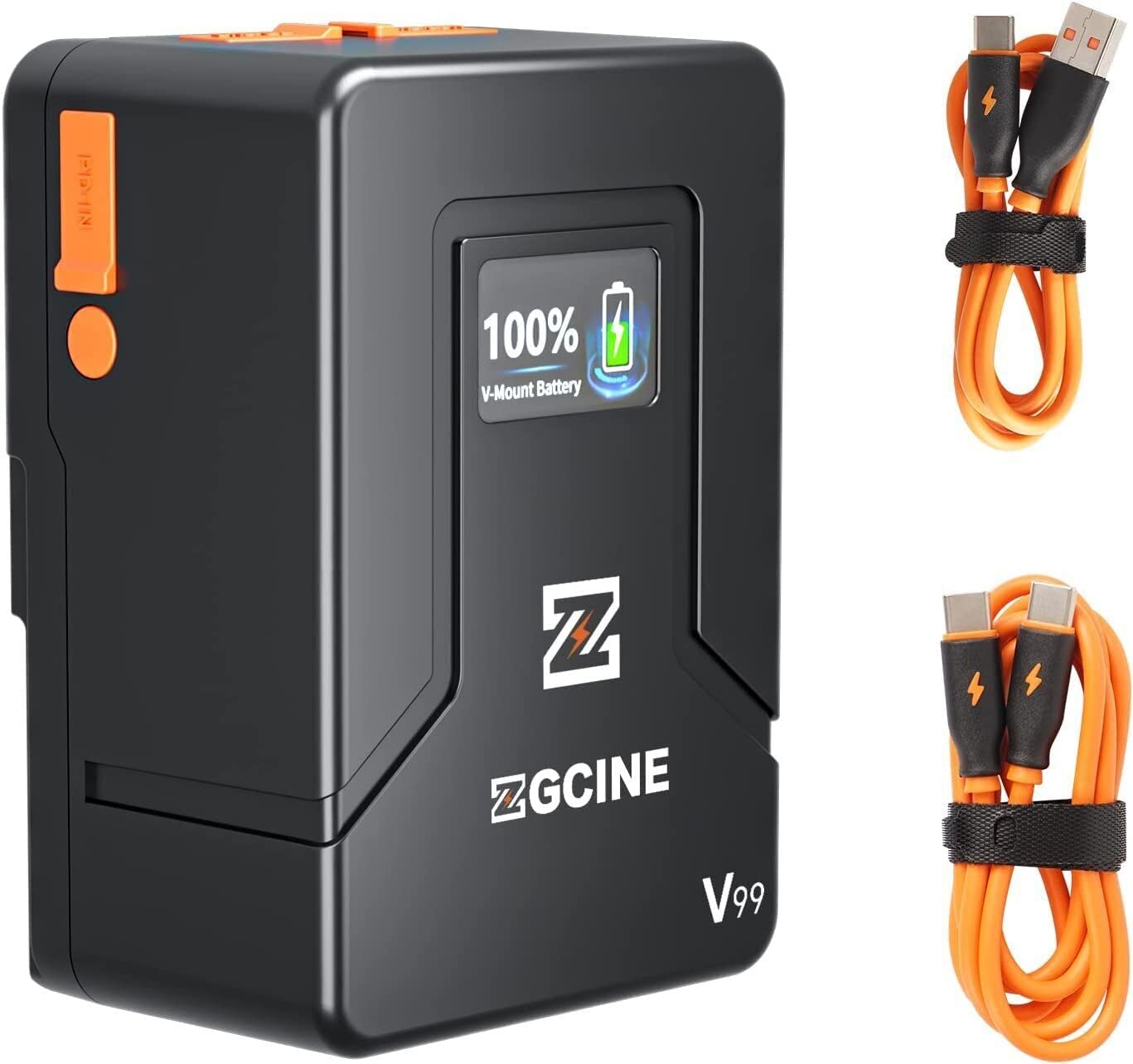
Image 1.2: The ZGCINE ZG-V99 battery demonstrating its compact size and portability, fitting easily into a bag.
2. Specifikacijos
| Funkcija | Specifikacija |
|---|---|
| Modelis | ZG-V99 |
| Baterijos tipas | Ličio jonų V-Mount baterija |
| Talpa | 99 Wh / 6800 mAh |
| ttage | 14.8 V |
| Prekės svoris | 1.1 svaro (apie 0.5 kg) |
| USB-C įvestis / išvestis | PD 45W/60W (Input), 24W (Output) |
| USB-A išvestis | 24W |
| D-Tap įvestis/išvestis | 133.2W |
| BP Charging Port | 133.2W |
| Matmenys (I x P x A) | apytiksliai 4.33 x 2.2 x 2.95 colio (108 x 55 x 74 mm) |
| Charging Time (PD 45W/60W) | apytiksliai 3.5 valandas |
| Apsaugos ypatybės | Overcurrent, Overpower, Overvoltage, Overcharge, Short Circuit, Temperature, Reset, Circuit Protection |
3. Pakuotės turinys
Patikrinkite pakuotę, ar joje yra šie daiktai:
- ZGCINE ZG-V99 V-Mount baterija
- Vartotojo vadovas
Note: Charging cables and power adapters are typically sold separately.
4. Saugos informacija
To ensure safe operation and prolong the lifespan of your ZGCINE ZG-V99 V-Mount Battery, please read and adhere to the following safety guidelines:
- Do not disassemble, crush, puncture, or short-circuit the battery.
- Avoid exposing the battery to high temperatures (above 60°C / 140°F) or direct sunlight.
- Laikykite bateriją atokiau nuo vandens, ugnies ir ėsdinančių medžiagų.
- Naudokite tik suderinamus įkroviklius ir laidus.
- If the battery shows signs of swelling, leakage, or damage, discontinue use immediately.
- Išmeskite bateriją pagal vietinius ličio jonų baterijų išmetimo reikalavimus.
- Laikyti vaikams nepasiekiamoje vietoje.

4.1 vaizdas: Baigtaview of the intelligent battery management system and its various protection mechanisms.
5. Darbo pradžia
5.1 Akumuliatoriaus įkrovimas
The ZG-V99 battery supports PD fast charging via its USB-C port. To charge the battery:
- Connect a compatible USB-C PD charger (45W or 60W recommended) to the USB-C port on the battery.
- The OLED display will show the charging status and current battery level.
- Charging typically takes about 3.5 hours for a full charge with a 45W/60W PD charger.

Image 5.1: The ZG-V99 battery being charged via its USB-C port using a PD charger.
5.2 Akumuliatoriaus montavimas
The ZG-V99 is a V-Mount battery and can be attached to any device or rig equipped with a standard V-Mount plate.
- Align the V-Mount plate on the battery with the V-Mount receiver on your camera or accessory.
- Slide the battery downwards until it clicks securely into place.
- To remove, press the release button (usually orange) on the side of the battery and slide it upwards.

Image 5.2: The ZG-V99 battery mounted on a camera rig, demonstrating its integration into a professional setup.
5.3 Įrenginių prijungimas
The ZG-V99 offers various ports to power multiple devices simultaneously:
- D-Tap prievadas: For devices requiring D-Tap power input.
- BP Port: For devices compatible with BP power input.
- USB-C prievadas: Can be used as an output to charge devices like laptops, tablets, or smartphones.
- USB-A prievadas: Skirta išmaniesiems telefonams ir kitiems priedams, maitinamiems per USB, įkrauti.

5.3 pav.: Išsamus view of the ZG-V99's various input/output ports.
6. Operacija
6.1 Įjungimas / išjungimas
To power on the battery, press and hold the power button located on the side. The OLED display will illuminate. To power off, press and hold the power button again until the display turns off.
6.2 Išvesties prievadų naudojimas
Once the battery is powered on, connect your devices to the appropriate output ports (D-Tap, BP, USB-C, USB-A). The battery can supply power to multiple devices simultaneously.

Image 6.1: The ZG-V99 battery powering a laptop and a smartphone simultaneously.
6.3 OLED ekrano informacija
The integrated OLED display provides real-time information about the battery's status, including:
- Dabartinis akumuliatoriaus procentastage.
- Charging status (when connected to a charger).
- Output status (when powering devices).
7. Priežiūra
Proper maintenance ensures the longevity and optimal performance of your ZG-V99 battery:
- Valymas: Use a soft, dry cloth to clean the battery's exterior. Do not use harsh chemicals or abrasive materials.
- Saugykla: Store the battery in a cool, dry place, away from direct sunlight and extreme temperatures. For long-term storage, it is recommended to keep the battery charged to approximately 50-70%.
- Įkrovimo ciklai: Venkite dažnai visiškai iškrauti akumuliatorių, nes tai gali sutrumpinti jo tarnavimo laiką.
- Uosto apsauga: Keep the dust-proof caps on unused ports to prevent dust and debris accumulation.
8. Problemų sprendimas
If you encounter issues with your ZGCINE ZG-V99 battery, refer to the following table:
| Problema | Galima priežastis | Sprendimas |
|---|---|---|
| Akumuliatorius neįkraunamas | Incompatible charger; Loose connection; Faulty cable/charger | Ensure using a PD 45W/60W USB-C charger. Check all connections. Try a different cable or charger. |
| Battery not powering devices | Battery is off; Low battery level; Device incompatibility; Loose connection | Press the power button to turn on. Charge the battery. Verify device compatibility. Check cable connections. |
| OLED ekranas neveikia | Battery is off; Malfunction | Press the power button. If still unresponsive, contact customer support. |
| Akumuliatoriaus perkaitimas | Overload; Poor ventilation; Environmental temperature too high | Disconnect devices immediately. Allow battery to cool down. Ensure proper ventilation. Avoid use in high ambient temperatures. |
9. Oficialus produkto vaizdo įrašas
9.1 vaizdo įrašas: Oficialus produkto vaizdo įrašo demonstravimasasing the ZGCINE ZG-V99 V-Mount Battery's features, ports, and mounting process on a camera rig.
10. Garantija ir palaikymas
The ZGCINE ZG-V99 V-Mount Battery comes with a 1 metų gamintojo garantija nuo pirkimo datos. Ši garantija apima medžiagų ir gamybos defektus normaliai naudojant.
Garantija netaikoma:
- Žala, atsiradusi dėl netinkamo naudojimo, piktnaudžiavimo, nelaimingo atsitikimo ar aplaidumo.
- Neleistinas remontas ar modifikavimas.
- Normalus nusidėvėjimas.
For warranty claims or technical support, please contact ZGCINE customer service through your retailer or the official ZGCINE website. Please have your proof of purchase and product model number ready.