
1. Įvadas
This manual provides instructions for the safe and efficient operation of your MEDION P64145 Stereo System. Please read this manual thoroughly before using the device and keep it for future reference. The MEDION P64145 is a compact audio system featuring DAB+ and PLL FM radio, a CD/MP3 player, Bluetooth connectivity, and USB playback.
2. Saugos informacija
Kad nesugadintumėte įrenginio ar nesusižalotumėte, laikykitės šių saugos priemonių:
- Saugokite prietaisą nuo lietaus ar drėgmės.
- Neuždenkite vėdinimo angų.
- Įsitikinkite, kad maitinimo laidas nėra suspaustas arba ant jo nevaikščiojama.
- Naudokite tik gamintojo nurodytus priedus/priedus.
- Atjunkite prietaisą žaibuojant arba kai nenaudojate ilgą laiką.
- Visus techninės priežiūros darbus patikėkite kvalifikuotam techninės priežiūros personalui.
3. Pakuotės turinys
Patikrinkite, ar pakuotėje yra visi daiktai:
- MEDION P64145 AiO Audio System (MD44125)
- Nuotolinio valdymo pultas (su baterija)
- Maitinimo kabelis
- Vartotojo vadovas
- Garantijos kortelė
4. Įrenginys baigtasview
Priekinis skydelis
The front panel features the LCD display, CD tray, control buttons, and volume knob.

Vaizdas: priekis view of the MEDION P64145 stereo system, highlighting the central display, CD slot, and various control buttons.
Galinis skydelis ir jungtys
The rear panel includes the power input, antenna connection, and auxiliary ports.

Vaizdas: Galinis view of the MEDION P64145 stereo system, illustrating its dimensions (120mm height, 377mm width, 220mm depth) and available connection ports including Line In, USB, AUX-In (3.5 mm), and Headphone Jack.
5. Sąranka
5.1 Maitinimo jungtis
- Prijunkite maitinimo laidą prie AC IN lizdo, esančio įrenginio gale.
- Plug the other end of the power cable into a wall outlet (100-240V ~ 50/60 Hz).
5.2 Antenos prijungimas
For optimal radio reception, ensure the antenna is fully extended and positioned correctly.
5.3 Pradinis įjungimas
Press the Power button on the unit or remote control to turn on the system. The LCD display will illuminate.
6. Naudojimo instrukcijos
6.1 Pagrindinės operacijos
- Maitinimo įjungimas/išjungimas: Paspauskite GALIA mygtuką.
- Garsumo valdymas: Pasukite TOMAS rankenėlę arba naudokite VOL +/- nuotolinio valdymo pulto mygtukai.
- Šaltinio pasirinkimas: Paspauskite ŠALTINIS button to switch between DAB+, FM, CD, Bluetooth, USB, and AUX modes.
6.2 Radio Operation (DAB+/PLL FM)
The system supports both digital DAB+ radio and analog PLL FM radio.

Image: The MEDION P64145 stereo system with 'DAB+' shown on its display, signifying its capability for digital radio reception with high sound quality.
- Pasirinkite DAB+ or FM režimas naudojant ŠALTINIS mygtuką.
- Automatinis nuskaitymas: In DAB+ mode, the system will automatically scan for available stations upon first use. For FM, press and hold the NUSKAITYTI mygtuką.
- Rankinis derinimas: Naudokite TUNE+/- mygtukais, kad rankiniu būdu reguliuotumėte dažnį.
- Išankstiniai stoties nustatymai: Save up to 30 stations by pressing and holding a preset number button (1-30) after tuning to a station. Recall saved stations by pressing the corresponding preset number.
6.3 CD/MP3 grotuvas

Image: A hand inserting a compact disc into the front-loading CD player of the MEDION P64145 stereo system, demonstrating its CD/MP3 playback capability.
- Pasirinkite CD režimu.
- Insert a CD (audio CD or MP3 CD) into the CD slot. The disc will load automatically.
- Naudokite PALEISTI / PAUZĖ, STOP, SKIP +/- atkūrimo valdymo mygtukai.
6.4 Srautas per „Bluetooth“
Belaidžiu būdu transliuokite muziką iš savo išmaniojo telefono ar planšetinio kompiuterio.

Image: A smartphone screen showing a music playback interface, positioned next to the MEDION P64145 stereo system. A Bluetooth symbol is visible, illustrating the wireless music streaming feature from a mobile device to the stereo system.
- Pasirinkite Bluetooth mode. The display will show "Pairing" or similar.
- On your mobile device, enable Bluetooth and search for "MEDION P64145" (or similar device name).
- Select the device to pair. Once connected, you can play music from your device through the stereo system.
- The effective range for Bluetooth streaming is up to 10 meters, depending on environmental conditions.
6.5 USB atkūrimas
- Įdėkite USB atmintinę su MP3 failais files į USB prievadą.
- Pasirinkite USB mode. The system will automatically detect and begin playing MP3 files.
- Norėdami naršyti takelius, naudokite atkūrimo valdiklius.
6.6 AUX įvestis
- Connect an external audio device (e.g., MP3 player) to the 3.5mm AUX IN port using an audio cable (not included).
- Pasirinkite AUX režimu.
- Valdykite atkūrimą iš išorinio įrenginio.
6.7 Garso nustatymai
Adjust the audio output to your preference.
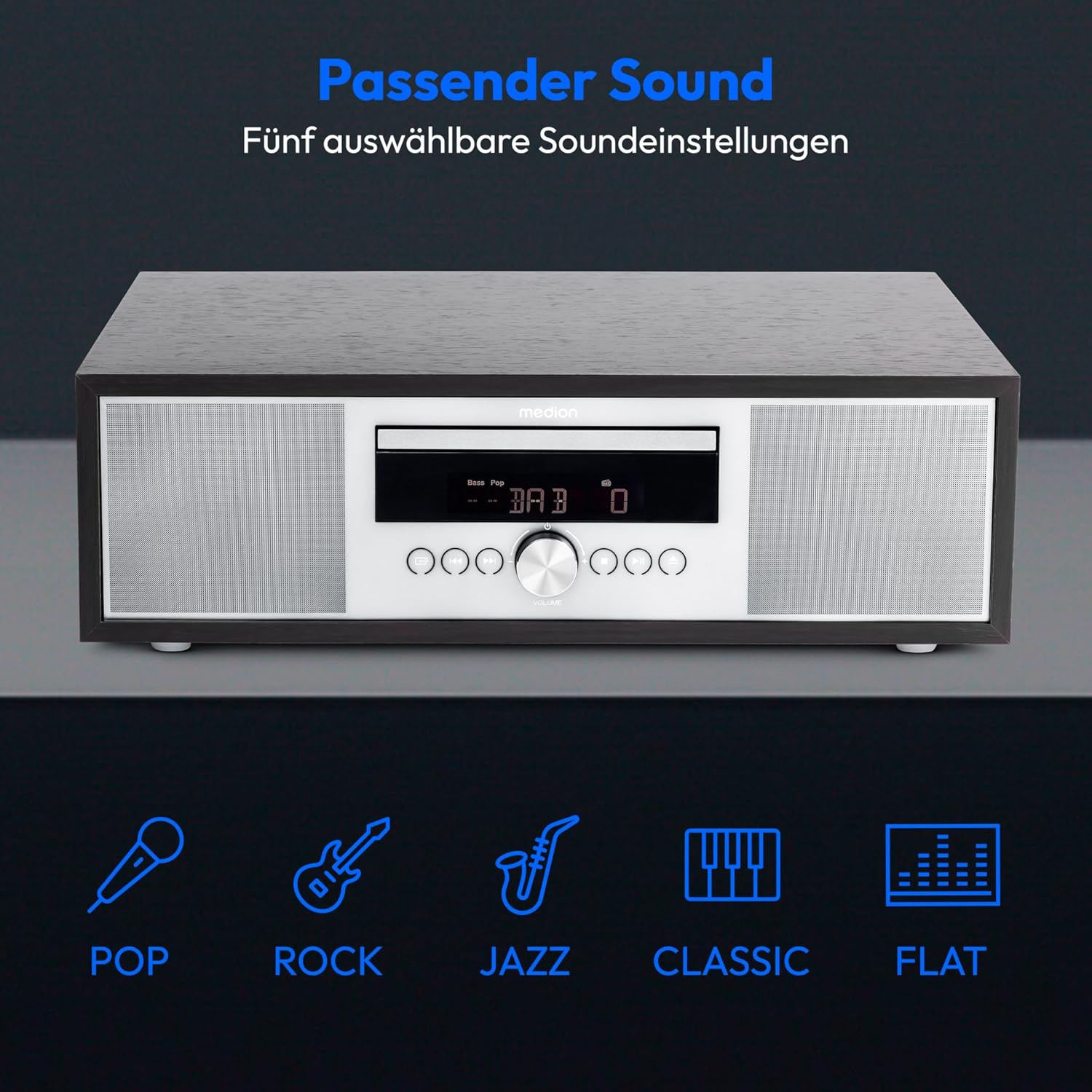
Image: The MEDION P64145 stereo system accompanied by graphical icons for five distinct sound equalization presets: Pop, Rock, Jazz, Classic, and Flat, indicating customizable audio profiles.
- Ekvalaizerio iš anksto nustatyti parametrai: Naudokite EQ button on the remote to cycle through preset sound modes: Pop, Rock, Jazz, Classic, and Flat.
- Žemų/aukštų dažnių reguliavimas: Naudokite skirtą BASS+/- ir TREBLE+/- buttons on the remote control to fine-tune the sound.
6.8 Žadintuvas ir miego laikmatis
- Signalizacijos funkcija: Set an alarm to wake up to radio, CD, USB, or a standard alarm sound. Refer to the detailed instructions in the full manual for setting specific alarm times and sources.
- Snaudimo funkcija: Kai skamba žadintuvas, paspauskite SNAIGĖ mygtuką, kad laikinai nutildytumėte.
- Automatinė miego funkcija: Set a timer for the system to automatically turn off after a specified period. Use the MIEGAS nuotolinio valdymo pulto mygtuką.
7. Priežiūra
7.1 Įrenginio valymas
Nuvalykite įrenginį minkštu, sausu skudurėliu. Nenaudokite abrazyvinių valiklių ar tirpiklių.
7.2 CD grotuvo priežiūra
Handle CDs by their edges. Clean dirty CDs with a soft, lint-free cloth, wiping from the center outwards. Do not use scratched or warped discs.
8. Problemų sprendimas
If you encounter issues, consult the following table before contacting support:
| Problema | Galima priežastis | Sprendimas |
|---|---|---|
| Nėra galios | Maitinimo laidas neprijungtas; lizdas neaktyvus. | Patikrinkite maitinimo laido jungtį; pabandykite įjungti į kitą lizdą. |
| Nėra garso | Per mažas garsumas; pasirinktas neteisingas šaltinis; prijungtos ausinės. | Increase volume; select correct source; disconnect headphones. |
| Prastas radijo priėmimas | Antenna not extended or positioned poorly. | Adjust antenna position; try automatic scan again. |
| CD negroja | CD inserted incorrectly; disc scratched or dirty; unsupported format. | Reinsert CD correctly; clean or replace disc; ensure it's an audio CD or MP3 CD. |
| „Bluetooth“ susiejimas nepavyko | Device too far; Bluetooth not enabled on mobile device; system not in pairing mode. | Move device closer; enable Bluetooth; ensure system is in Bluetooth pairing mode. |
9. Specifikacijos
| Funkcija | Specifikacija |
|---|---|
| Modelio numeris | P64145 (MD44125) |
| Prekės ženklas | MEDIONAS |
| Spalva | Juoda-sidabrinė |
| Ryšio technologija | Bluetooth, USB |
| Ypatingos savybės | Bluetooth, DAB+, USB, AUX Input, CD Player, Alarm Function, Sleep Timer |
| Gaminio matmenys (I x P x A) | 22 cm x 37.7 cm x 12 cm |
| Prekės svoris | 3.2 kilogramo |
| Derintuvo technologija | DAB plius |
| Palaikomos radijo dažnių juostos | DAB+/PLL-UKW |
| Maitinimo šaltinis | Corded Electric (100-240V ~ 50/60 Hz) |
| Maksimali garsiakalbio išvesties galia | 2 x 15 vatai RMS |
| Ekrano tipas | LCD |
| Garso išvesties režimas | Stereo |
| Suderinami įrenginiai | Išmanusis telefonas, planšetinis kompiuteris, MP3 grotuvas |
| Medžiaga | Nerūdijantis plienas (priekinis skydelis) |
10. Informacija apie garantiją
Your MEDION P64145 Stereo System comes with a 2-year limited warranty. Please retain your proof of purchase for warranty claims. For detailed terms and conditions, refer to the included warranty card or visit the official MEDION websvetainę.
11. Parama
For further assistance, technical support, or service inquiries, please visit the official MEDION support website or contact their customer service. Contact details can typically be found on the warranty card or the manufacturer's websvetainę.
Official MEDION Websvetainė: www.medion.com


