
Įvadas
This manual provides essential information for the safe and efficient operation of your Ulefone Power Armor 16 Pro rugged smartphone. Please read this guide thoroughly before using your device to ensure proper functionality and to maximize its features. Keep this manual for future reference.

Priekyje view of the Ulefone Power Armor 16 Pro smartphone, showcasindėl savo ekrano ir tvirto dizaino.
Kas yra dėžutėje
Patikrinkite, ar jūsų prekės pakuotėje yra visi šie daiktai:
- Ulefone Power Armor 16 Pro Smartphone
- AC Power Charger (100~240V /US plug)
- Data Cable (100cm)
- Apsauginė plėvelė (iš anksto sumontuota)
- Grūdinto stiklo ekrano apsauga
- SIM kortelės adata
- Virvelė
- Daugiakalbis vartotojo vadovas
- Multi Function Instruction Card
- Charging Instruction Card
- Safety Prompt Card

Image showing the Ulefone Power Armor 16 Pro smartphone and its included accessories, such as charger, cable, and documentation.
Produktas baigtasview
Familiarize yourself with the physical components and layout of your Ulefone Power Armor 16 Pro.

Galinis view of the Ulefone Power Armor 16 Pro, highlighting the large speaker, camera module, and magnetic charging pins.
Sąranka
1. SIM kortelės ir „MicroSD“ kortelės įdėjimas
Your device supports two Nano SIM cards and one MicroSD card simultaneously. Use the provided SIM needle to open the card tray.
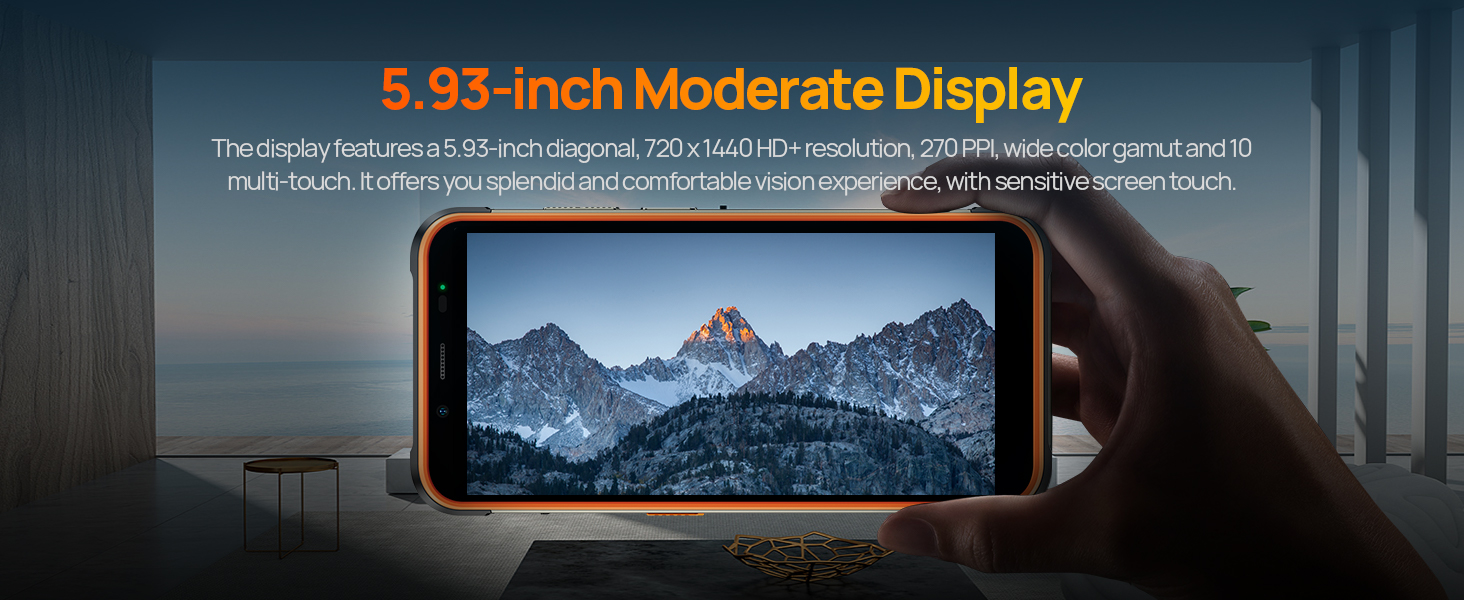
Illustration of the 3-card slot, detailing how to insert two Nano SIM cards and one MicroSD card into the Ulefone Power Armor 16 Pro.
2. Pradinis įjungimas
Press and hold the power button located on the side of the device until the Ulefone logo appears. Follow the on-screen instructions to complete the initial setup, including language selection, network connection, and Google account setup.
3. Įrenginio įkrovimas
Connect the provided USB-C cable to the phone's charging port and the other end to the AC power charger. Plug the charger into a wall outlet. The device supports 18W fast charging. For convenient charging, a dock charger is available separately.
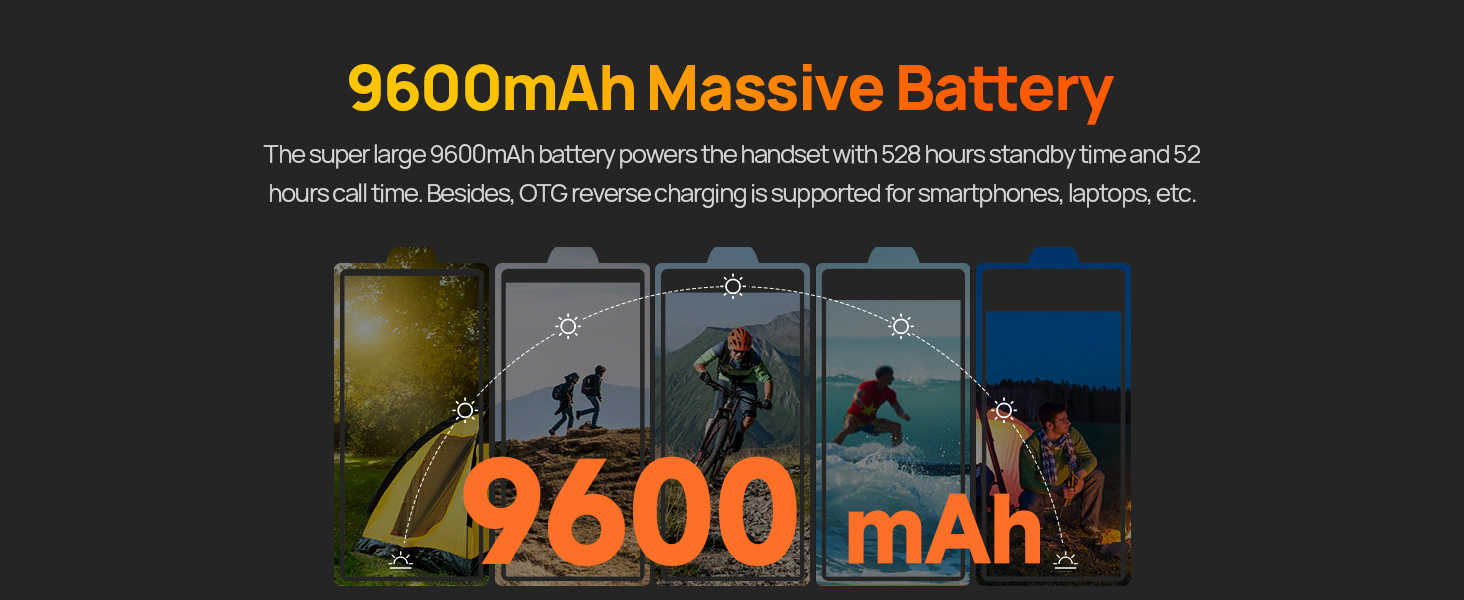
The Ulefone Power Armor 16 Pro displaying its 9600mAh battery capacity and 18W fast charging capability.
The Ulefone Power Armor 16 Pro being charged on an optional dock, illustrating the convenience of dock charging.
Naudojimo instrukcijos
1. „Android 12“ operacinė sistema
Your device runs on Android 12, offering a personalized and secure user experience. Navigate through the interface using gestures and customize settings to your preference.

Various screenshots demonstrating the Android 12 operating system interface on the Ulefone Power Armor 16 Pro.
2. Kameros naudojimas
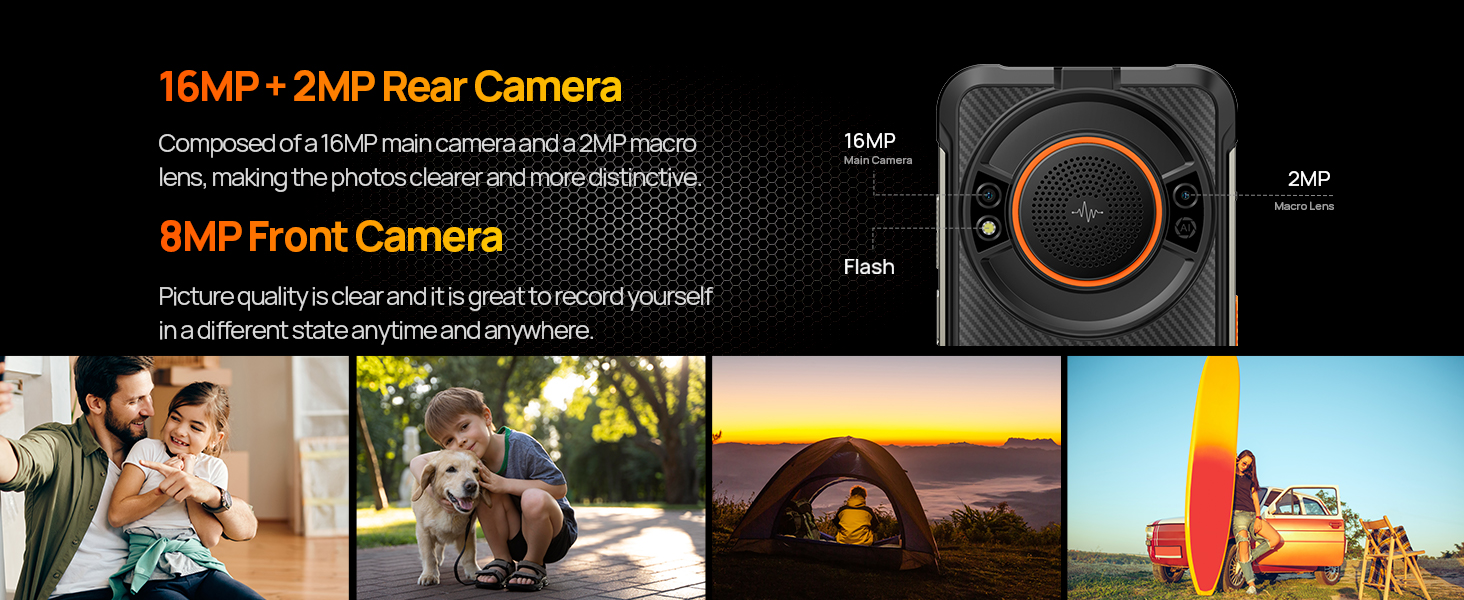
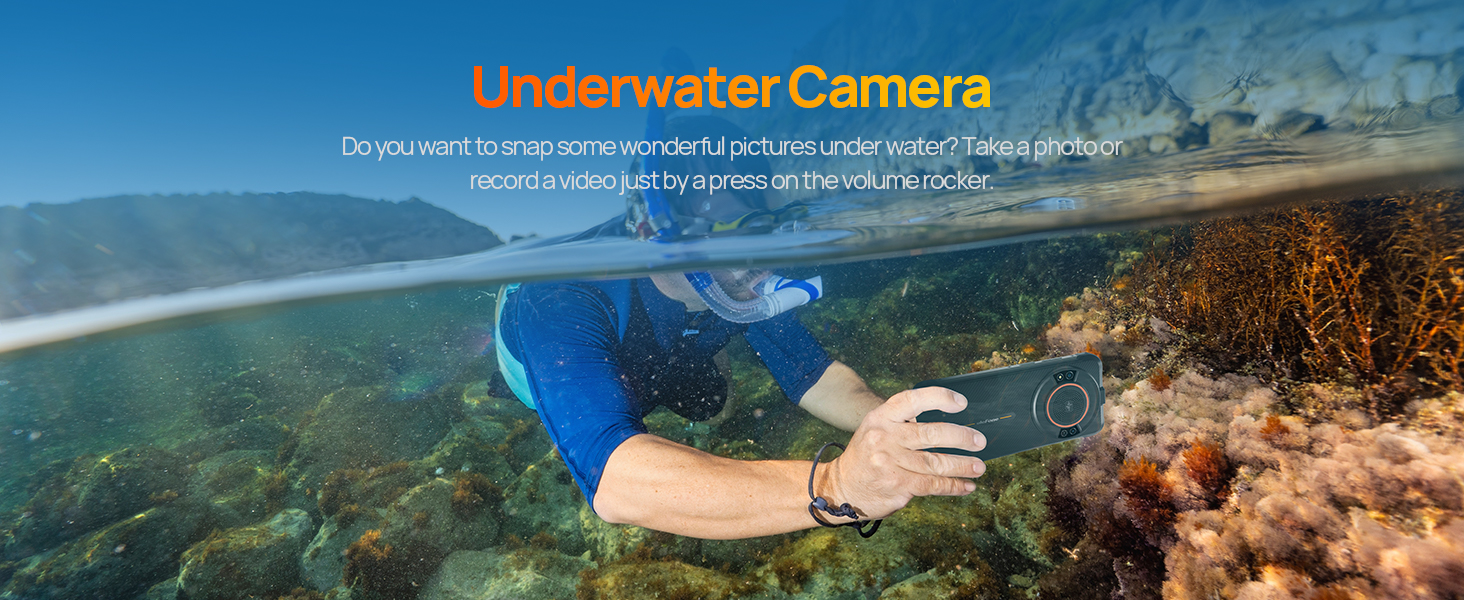
The Ulefone Power Armor 16 Pro features a 16MP rear camera and an 8MP front camera. Open the camera application to capture photos and videos. Utilize the various modes available, including underwater photography.
Details of the 16MP rear camera and 8MP front camera on the Ulefone Power Armor 16 Pro, accompanied by exampnuotraukos.
A person using the Ulefone Power Armor 16 Pro to take photos underwater, demonstrating its waterproof camera feature.
3. Built-in Glare Flashlight
The device includes a high-brightness flashlight located at the top. Activate it for illumination in dark environments. This feature is useful for outdoor activities, emergencies, or general utility.
The Ulefone Power Armor 16 Pro's integrated flashlight illuminating a dark area, useful for various situations.
4. 122dB Loudest Speaker
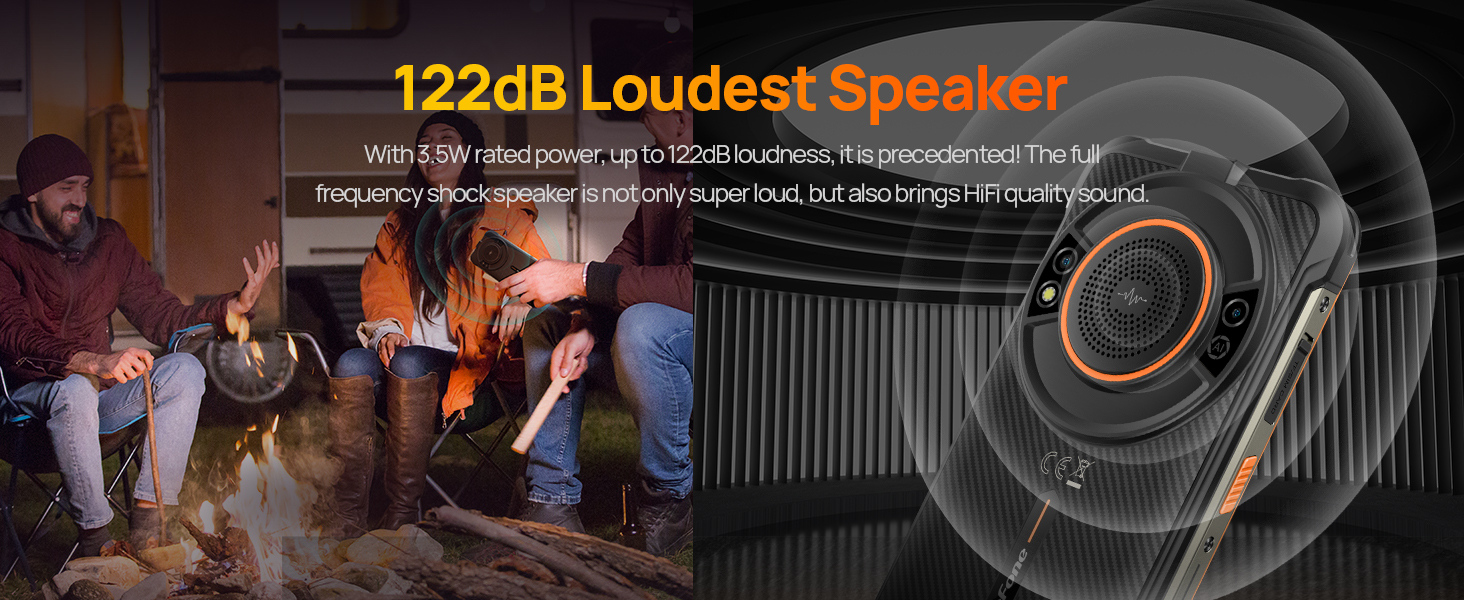
The Power Armor 16 Pro features a 3.5W 122dB speaker, providing clear and loud audio output. This is ideal for outdoor use or when high volume is required.
Visual representation of the Ulefone Power Armor 16 Pro's 122dB loud speaker, emphasizing its audio capabilities.
5. Customizable Key
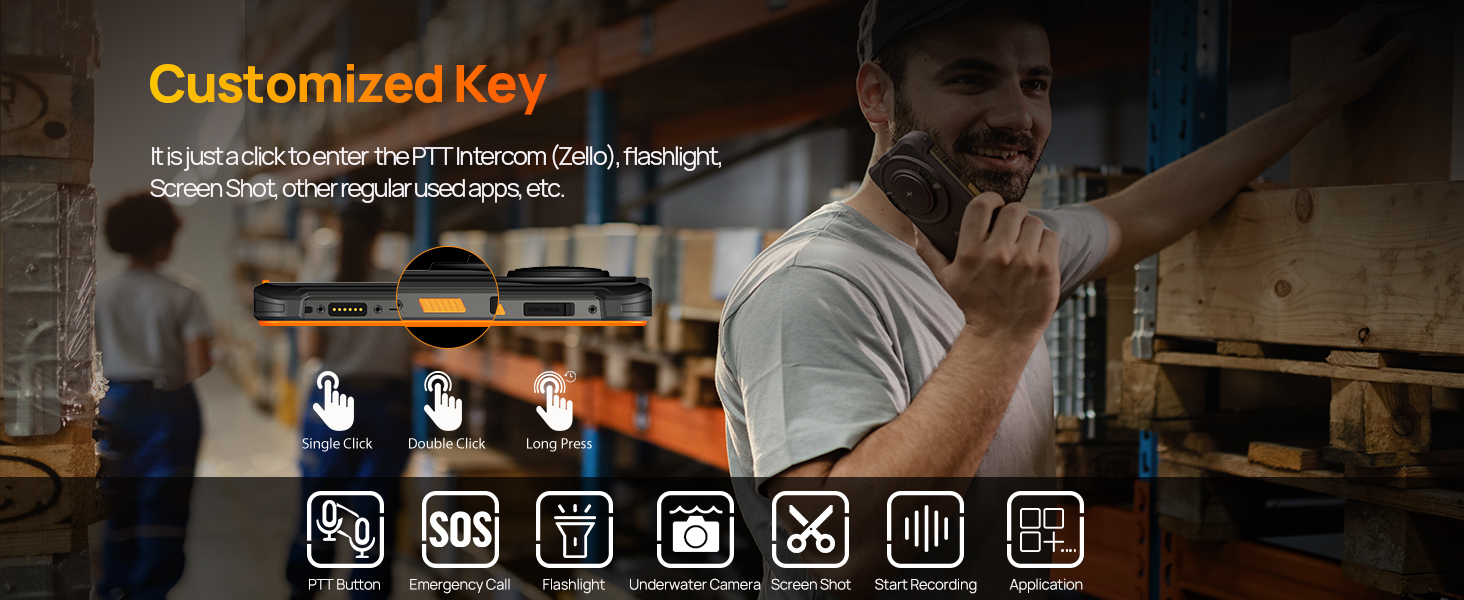
The device includes a customizable side key. You can assign various functions to single click, double click, or long press actions, such as activating the flashlight, PTT intercom (Zello), screenshot, or opening specific applications.
An illustration detailing the customizable key on the Ulefone Power Armor 16 Pro and examples of functions that can be assigned to it.
6. „uSmart“ išplėtimo jungtis
The Power Armor 16 Pro supports uSmart Expansion accessories, such as endoscopes and microscopes (sold separately). Connect these devices via the dedicated connector for specialized tasks.
Official video demonstrating the connection and use of the Ulefone uSmart E02 Dual Camera Endoscope with the Power Armor 16 Pro smartphone.
7. Skaitmeninis įrankių rinkinys
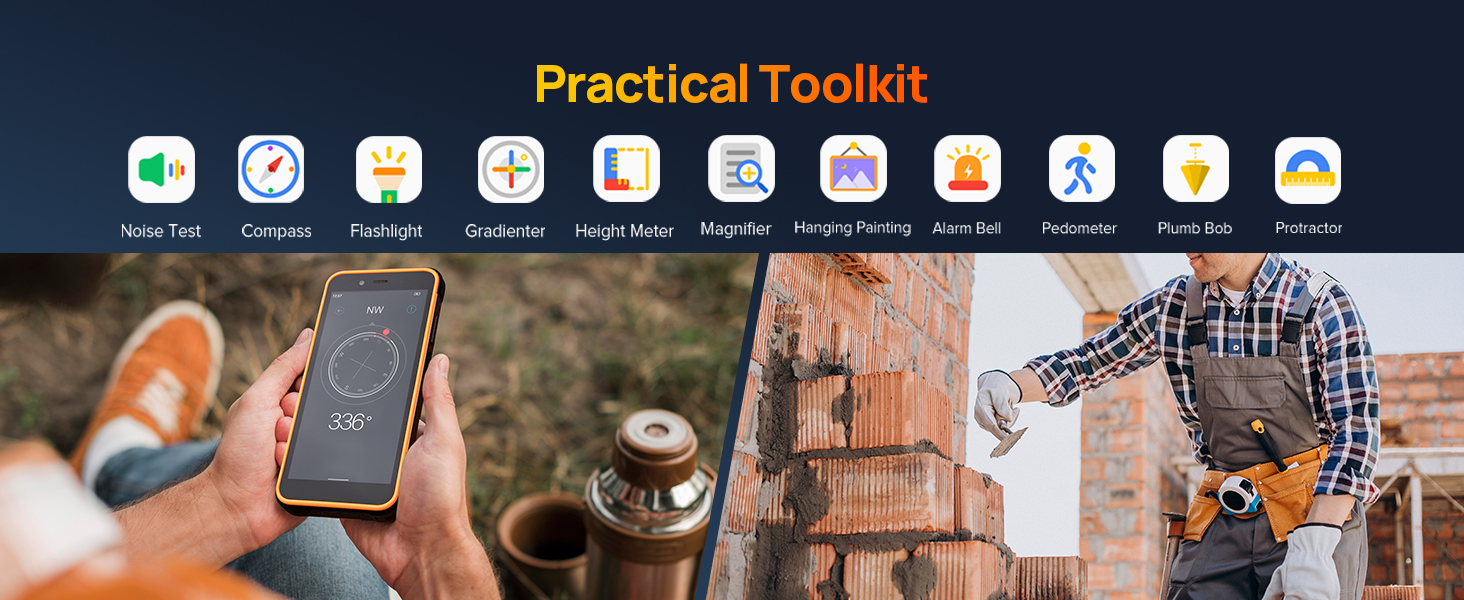
Access a suite of practical tools including Noise Test, Compass, Flashlight, Gradienter, Height Meter, Magnifier, Hanging Painting, Alarm Bell, Pedometer, Plumb Bob, and Protractor. These tools are available in the Digital Toolkit application.
The Ulefone Power Armor 16 Pro showcasing its built-in Digital Toolkit, featuring various utility applications.
8. Navigacijos sistema
The device integrates GPS, GLONASS, Beidou, and Galileo navigation systems, along with a digital compass, for accurate positioning and navigation.
The Ulefone Power Armor 16 Pro showing a map with GPS navigation, highlighting its multi-system satellite support.
Ryšys
1. 4G LTE Dual SIM
The Power Armor 16 Pro supports global 4G frequency bands and features a 3-card slot for two Nano SIM cards and one TF card. This allows for flexible network usage and expanded storage.
The Ulefone Power Armor 16 Pro displaying its 4G global network capabilities and the physical 3-card slot for SIM and storage expansion.
2. „Wi-Fi“
Connect to available Wi-Fi networks for internet access. Go to Nustatymai > Tinklas ir internetas > „Wi-Fi“ to manage your connections.
Apsaugos funkcijos
1. Face Unlock and Fingerprint ID
Secure your device using biometric authentication. Set up Face Unlock or Fingerprint ID in the security settings for convenient and secure access.
The Ulefone Power Armor 16 Pro illustrating its Face Unlock and Fingerprint ID security options for quick and secure device access.
2. NFC ir „Google Pay“
The device supports NFC (Near Field Communication) for contactless payments and data transfer. Set up Google Pay to make secure transactions with your phone.
The Ulefone Power Armor 16 Pro demonstrating NFC functionality for mobile payments and public transport access.
Priežiūra
1. Tvirtumas ir ilgaamžiškumas
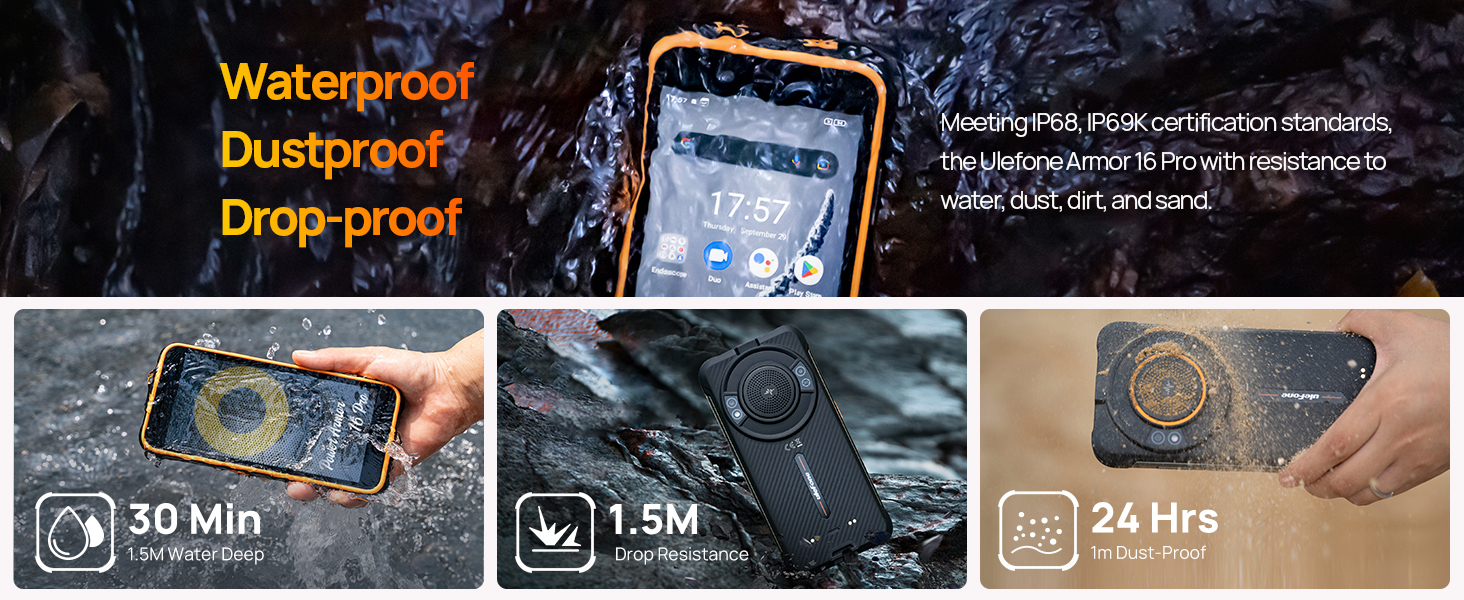
The Ulefone Power Armor 16 Pro is designed to meet IP68, IP69K, and MIL-STD-810G standards, making it waterproof, dustproof, and drop-proof. It can withstand immersion in 1.5m of water for up to 30 minutes, drops from 1.5m, and is 99% resistant to dust, dirt, and sand. It operates in temperatures from -20°C to 50°C.
The Ulefone Power Armor 16 Pro shown in various rugged scenarios, highlighting its resistance to water, dust, and drops.
2. Akumuliatoriaus priežiūra
To prolong battery life, avoid extreme temperatures and fully discharging the battery frequently. Use only the provided charger and cable. If the device will not be used for an extended period, charge it to about 50% before storing.
Trikčių šalinimas
- Įrenginys neįsijungia: Įsitikinkite, kad akumuliatorius įkrautas. Prijunkite prie įkroviklio ir bandykite dar kartą.
- Ekranas nereaguoja: Restart the device by holding the power button. If unresponsive, force restart by holding power and volume down buttons simultaneously for 10 seconds.
- Tinklo problemos: Check SIM card insertion. Verify mobile data is enabled in settings. Contact your carrier if issues persist.
- Programėlės stringa: Clear the cache of the problematic app (Settings > Apps > [App Name] > Storage & cache > Clear cache). If the issue continues, reinstall the app.
- Lėtas veikimas: Uždarykite nereikalingas fonines programas. Išvalykite talpyklą ir laikinąsias files. Consider a factory reset as a last resort (back up data first).
Specifikacijos
| Funkcija | Specifikacija |
|---|---|
| Prekės ženklas | Ulefone |
| Operacinė sistema | Android 12.0 |
| RAM atmintis | 4 GB |
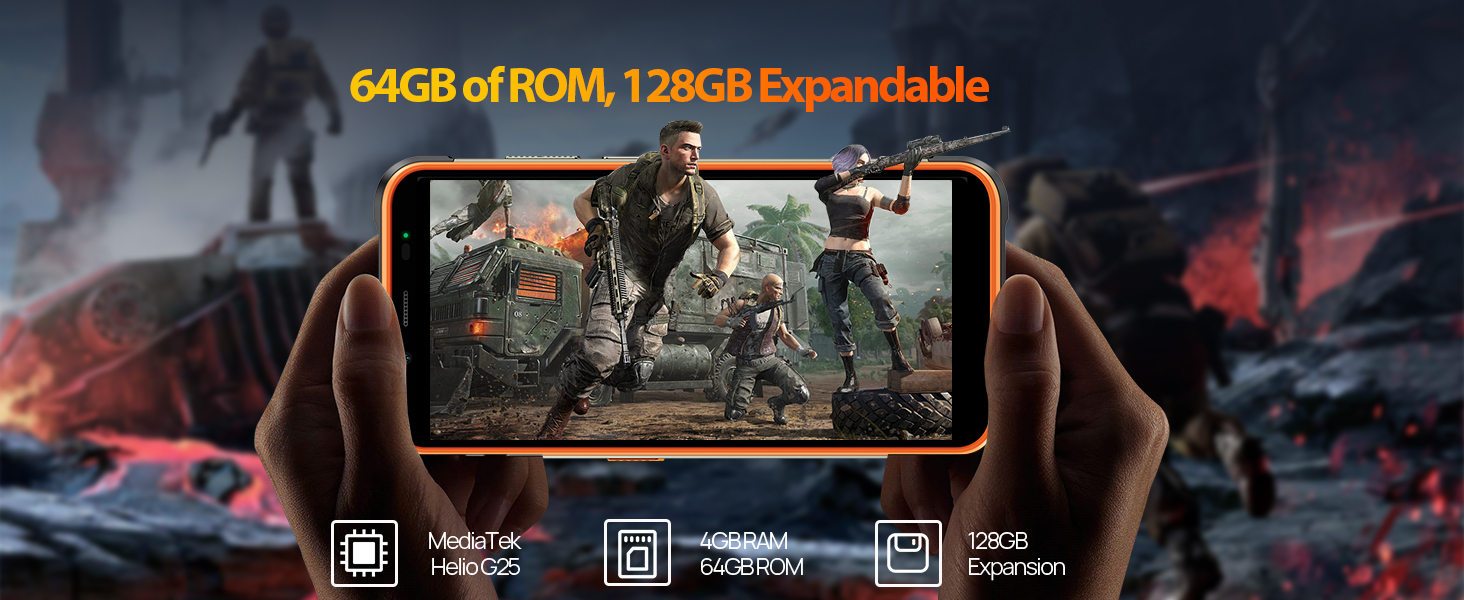
| Atminties talpa | 64 GB (Expandable to 128GB) |
| Ekrano dydis | 5.93 colio HD+ raiška |
| Modelio pavadinimas | Armor 16 Pro |
| Belaidis nešiklis | Atrakinta |
| Korinio ryšio technologija | 4G |
| Ryšio technologija | NFC |
| Spalva | Juoda |
| SIM kortelių lizdų skaičius | Dvi SIM kortelės |
| Jungties tipas | C tipo USB |
| Biometric Security Feature | Pirštų atspaudų atpažinimas |
| SIM kortelės dydis | Nano |
| Atsparumo vandeniui lygis | Waterproof (IP68/IP69K) |
| Ausinės Jack | 3.5 mm |
| Galinės kameros skiriamoji geba | 16 MP |
| Baterijos talpa | 9600 milijonųamp Valandos |
| Baterijos tipas | Ličio jonų |
| Vaizdo įrašymo raiška | 1080p |
| Ekrano tipas | LCD |
| Display Pixel Density | 282 Pixels Per Inch (PPI) |
| Modelio metai | 2022 |
Garantija ir palaikymas
The Ulefone Power Armor 16 Pro comes with a 1-year manufacturer's warranty. For technical support, warranty claims, or further assistance, please refer to the contact information provided in your product packaging or visit the official Ulefone websvetainę.
Oficialus produkto vaizdo demonstravimasasing various features and capabilities of the Ulefone Power Armor 16 Pro smartphone.