
1. Įvadas
The MAUL Commercial Calculator MXL16 is designed for commercial use, offering a stable and resilient build with an extra-large case (20.5 x 15.5 cm) for comfortable operation. It features a large, angled 16-digit display for improved readability and large, distinctively colored buttons for quick and accurate input. This calculator combines precision and reliability for both desk and mobile use.
Pagrindinės funkcijos:
- 16-digit LCD display with 1 line.
- Angled display for optimal viewing.
- Solar and battery powered (LR44 battery included).
- Automatic shut-off to conserve energy.
- Comprehensive functions including tax calculation, 3-button memory, root calculation, and percentage.
- Durable plastic buttons for easy cleaning.
2. Sąranka
2.1 Maitinimo šaltinis
The MAUL MXL16 calculator operates using both solar power and a single LR44 battery. The solar panel provides power in well-lit environments, while the battery ensures operation when light is insufficient. An LR44 battery is included with the calculator.

2.1 paveikslas: Apačia view of the calculator, indicating the battery compartment.
2.2 Pradinis naudojimas
Upon first use, ensure the calculator is exposed to adequate light for solar power or that the included LR44 battery is correctly installed. The calculator features an automatic shut-off function to conserve power when not in use.

2.2 paveikslas: Šoninė view showing the angled display for better reading.
3. Naudojimo instrukcijos
The MAUL MXL16 calculator provides a range of functions for commercial calculations. The buttons are color-coded for easier identification and faster operation.
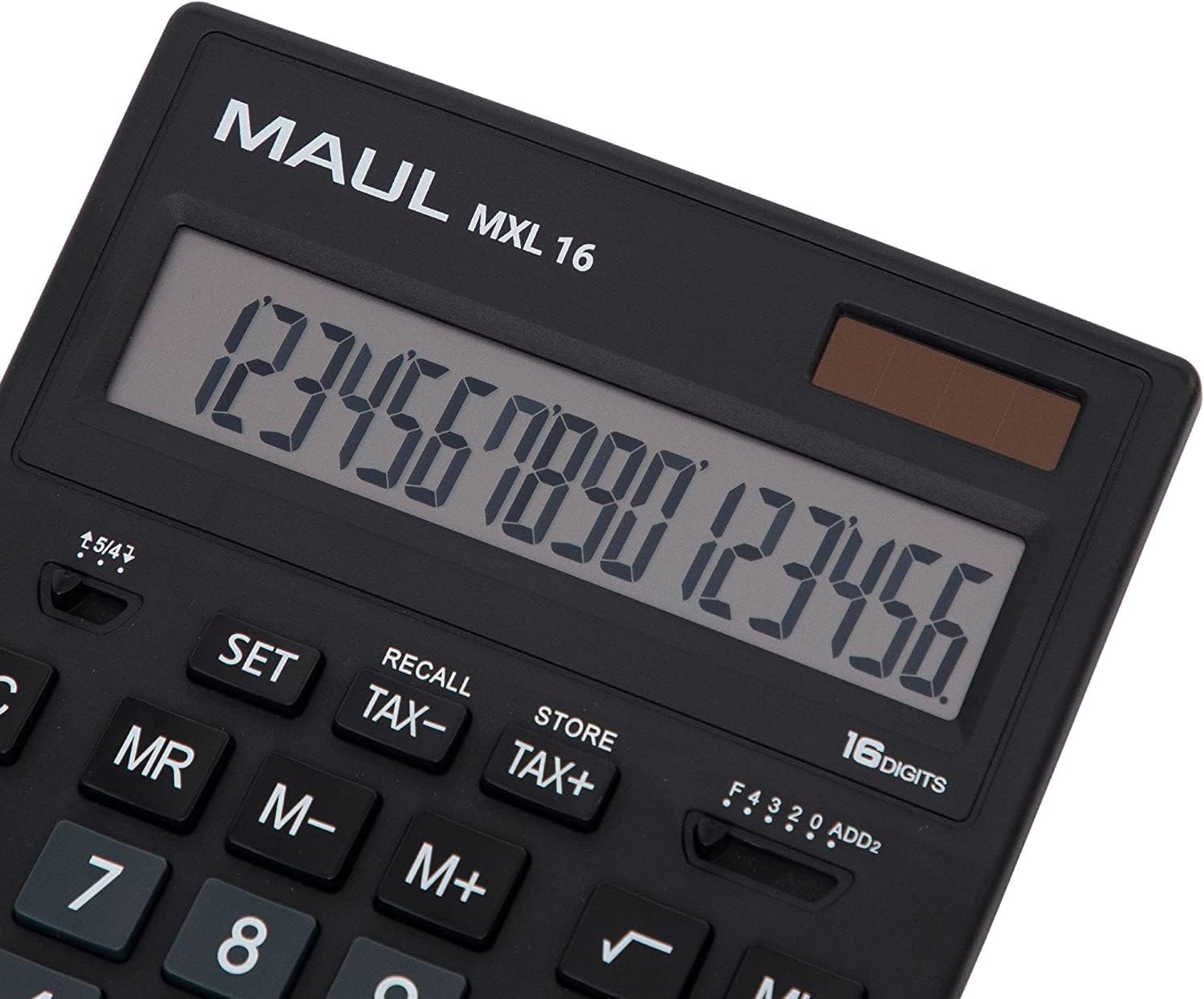
3.1 paveikslas: Display and key layout of the MAUL MXL16.
3.1 Pagrindinės operacijos
- ON/AC: Įjungia skaičiuotuvą arba išvalo visus įrašus ir atmintį.
- CE/C: Clears the last entered number or the current calculation without affecting memory. Pressing twice may clear all.
- Skaičių klavišai (0–9): Input numerical values.
- Dešimtainis taškas (.): Įveda dešimtainį kablelį.
- Aritmetiniai operatoriai (+, -, ×, ÷): Atlikite sudėties, atimties, daugybos ir dalybos veiksmus.
- Lygu (=): Displays the result of a calculation.
3.2 Specialiosios funkcijos
- Mokesčių apskaičiavimas (TAX+, TAX-): Allows for easy calculation of prices with or without tax. Use the SET button to configure the tax rate.
- Memory Functions (MR, M-, M+):
- M+: Prideda rodomą reikšmę į atmintį.
- M-: Atima rodomą reikšmę iš atminties.
- MR: Recalls the value stored in memory.
- MC: Clears the memory (often by pressing MR twice or a dedicated MC button).
- Root Calculation (√): Apskaičiuoja rodomo skaičiaus kvadratinę šaknį.
- Proctage (%): Performs percentage skaičiavimai.
- Ženklo pasikeitimas (+/-): Pakeičia rodomo skaičiaus ženklą (teigiamą į neigiamą arba atvirkščiai).
- Double Zero (00) / Triple Zero (000): For quick entry of multiple zeros.
- Comma Selector Switch: Adjusts the decimal point display.
- Automatic Rounding: Allows selection of how numbers are rounded (e.g., up, down, or standard).
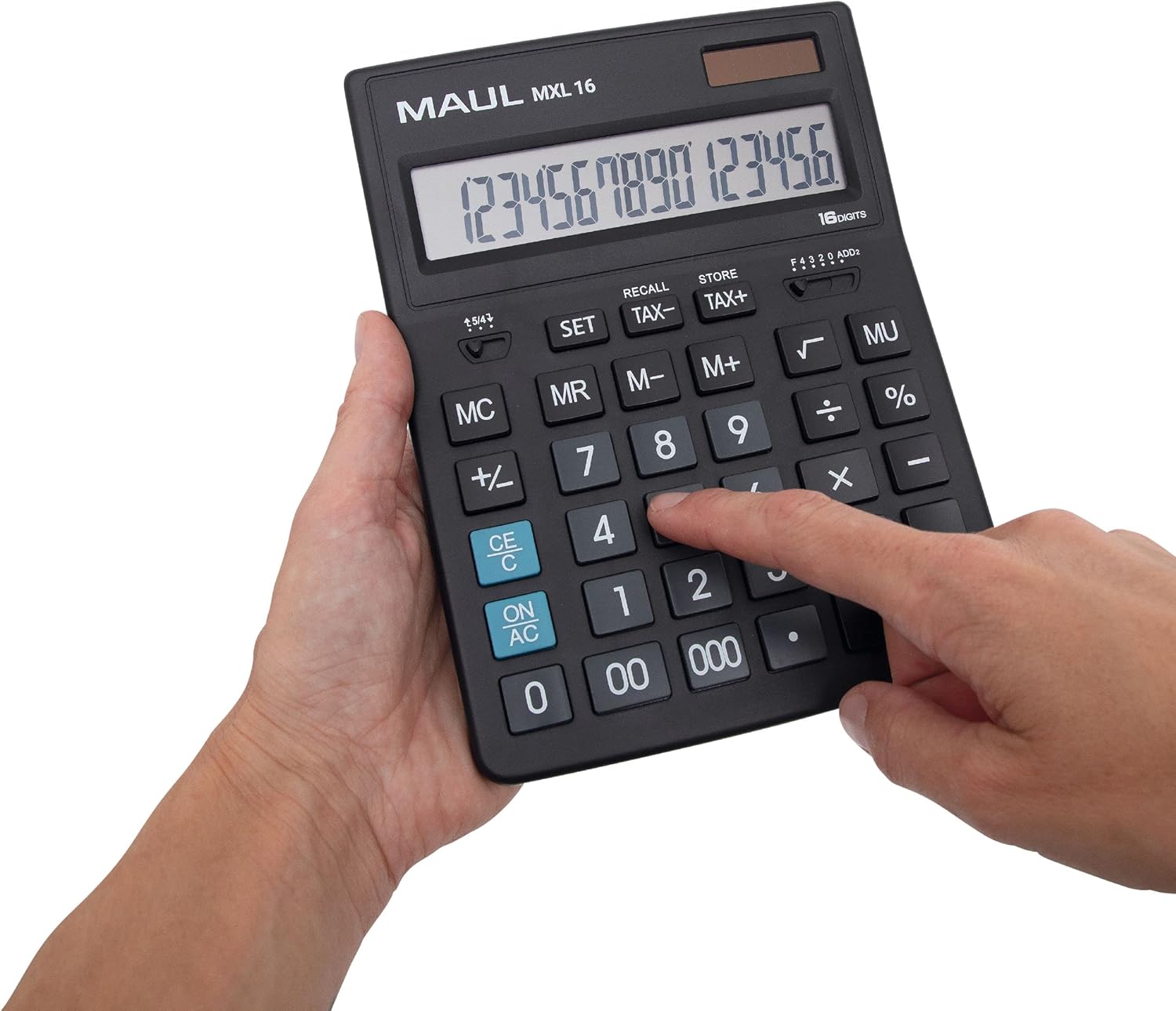
3.2 paveikslas: User interacting with the calculator keys.
4. Priežiūra
The MAUL MXL16 calculator is designed for durability with sturdy plastic buttons that are easy to clean.
- Valymas: Use a soft, dry cloth to wipe the calculator's surface and keys. For stubborn dirt, a slightly damp Galima naudoti šluostę su švelniu muilu, užtikrinant, kad į įrenginį nepatektų skysčio.
- Saugykla: Skaičiuoklę laikykite vėsioje, sausoje vietoje, toliau nuo tiesioginių saulės spindulių ir ekstremalių temperatūrų.
- Baterijos keitimas: If the display becomes dim or the calculator functions intermittently in low light, the LR44 battery may need replacement. Refer to the battery compartment on the underside of the calculator for access.
5. Problemų sprendimas
- Skaičiuoklė neįsijungia:
- Įsitikinkite, kad skaičiuotuvas gauna pakankamai šviesos, kad galėtų naudoti saulės energiją.
- Check if the LR44 battery is correctly installed and has sufficient charge. Replace if necessary.
- Neteisingi skaičiavimai:
- Press the ON/AC button to clear all previous entries and memory, then re-enter the calculation.
- Verify the correct input of numbers and operations.
- Ekranas blyškus arba mirga:
- Ensure adequate lighting for the solar panel.
- Pakeiskite LR44 bateriją.
6. Specifikacijos
| Modelio pavadinimas | MXL16 |
| Modelio numeris | 7267890 |
| Ekranas | 16 Digits, 1 Line LCD, Angled |
| Matmenys (I x P) | 20.5 x 15.5 cm |
| Maitinimo šaltinis | Solar and 1 x LR44 Battery (included) |
| Medžiaga | Plastic (housing and buttons) |
| Funkcijos | Tax calculation, 3-button memory, Root, Percent, Sign change, Automatic rounding, Double/Triple zero buttons, Comma selector switch |
| Automatinis išjungimas | Taip |
7. Garantija
The MAUL Commercial Calculator MXL16 comes with a 5 metų garantijaPrašome išsaugoti pirkimo įrodymą garantiniams reikalavimams. Garantija taikoma gamybos defektams, esant įprastoms naudojimo sąlygoms.
8. Parama
For further assistance, technical support, or warranty inquiries, please contact your retailer or the MAUL customer service department. Refer to the product packaging or the MAUL official websvetainė kontaktinei informacijai.