
Produktas baigtasview
The LIDER LTS-30M-WWP Countdown Timer Switch is designed to provide convenient and energy-saving control for lighting fixtures and appliances. It features a manual ON/OFF button and six preset timer options, automatically turning off connected loads after the selected time expires.

Vaizdo aprašymas: Iš arti view of the LIDER Countdown Timer Switch, highlighting its six preset timer buttons (1 Min, 5 Min, 10 Min, 15 Min, 20 Min, 30 Min) and the manual ON/OFF button. It also shows the LED indicator progress bar and instructions for switching LED modes and overriding the timer.
Pagrindinės funkcijos:
- Automatinis išjungimas: Automatically turns off connected loads after a preset time, preventing accidental energy waste.
- Kelios laikmačio parinktys: Six preset countdown times: 1, 5, 10, 15, 20, and 30 minutes.
- Rankinis valdymas: A dedicated ON/OFF button allows for manual override of the timer function.
- LED indikatoriai: Blue LED lights indicate the remaining countdown time and can be configured in two modes (flashing or always ON).
- Energijos taupymas: Ideal for controlling lights, ceiling fans, bathroom fans, and heaters to reduce energy consumption.
- Pilnas komplektas: Includes the timer switch and a matching wall plate (LWP-31M-W) for a cohesive aesthetic.
Montavimo instrukcijos
ĮSPĖJIMAS: Installation should only be performed by a qualified electrician. Ensure power is OFF at the circuit breaker before beginning installation. This device requires a neutral wire and a ground wire for proper operation.
Reikalingos medžiagos:
- Phillips atsuktuvas
- ttage testeris
- viela Stripper
- Elektros juosta (nebūtina)
Žingsnis po žingsnio vadovas:
- Išjungti maitinimą: Suraskite keičiamą jungiklį valdantį grandinės pertraukiklį ir išjunkite jį. Patikrinkite, ar maitinimas išjungtas, naudodami įtampos matuoklį.tage testeris.
- Pašalinti esamą jungiklį: Carefully remove the existing wall plate and unscrew the old switch from the electrical box. Gently pull the switch out to expose the wiring.
- Identifikuokite laidus: Atpažinkite šiuos laidus:
- Hot Wire: Typically black.
- Įkrovimo laidas: Connects to the light or appliance.
- Neutralus laidas: Typically white (REQUIRED for this switch).
- Žemės viela: Paprastai plikas varis arba žalia spalva.
- Atjunkite seną jungiklį: Disconnect the wires from the old switch. If wires are in poor condition, cut and strip insulation for new wiring.
- Prijunkite naują jungiklį: Connect the LIDER LTS-30M-WWP timer switch wires to your household wires using wire nuts:
- Prijunkite juoda viela from the timer switch to the Karšta viela.
- Prijunkite balta viela from the timer switch to the Neutralus laidas.
- Prijunkite raudona viela from the timer switch to the Apkrovos laidas.
- Prijunkite žalia viela from the timer switch to the Žemės viela.
- Sumontuokite jungiklį: Carefully push all connected wires back into the electrical box. Secure the timer switch to the electrical box using the provided screws.
- Įdiekite sieninę plokštę: Attach the included LIDER wall plate (LWP-31M-W) over the installed timer switch.
- Atkurti maitinimą: Įjunkite grandinės pertraukiklį.

Vaizdo aprašymas: A detailed diagram showing the wiring connections for the LIDER Countdown Timer Switch. It clearly labels the Hot, Load, Neutral, and Ground terminals, emphasizing the requirement for a neutral wire. The image also shows the back of the switch with screw terminals.
Diegimo vaizdo įrašas:
Vaizdo įrašo aprašymas: An official installation guide for a 4-hour countdown timer switch, demonstrating the steps to turn off the circuit, remove the old switch, test for power, disconnect wires, prepare new wiring, connect the new switch, and secure the wall plate. This video is provided by a seller and is relevant for general timer switch installation.
Vaizdo įrašo aprašymas: A short video demonstrating the installation process for a TS-C Countdown Timer, specifically highlighting the neutral wire requirement and wiring connections. This video is provided by a seller and is relevant for understanding the wiring of similar countdown timers.
Naudojimo instrukcijos
Setting a Countdown Timer:
- Ensure the connected load (light/fan) is OFF.
- Press any of the six preset timer buttons (1, 5, 10, 15, 20, or 30 minutes) to activate the countdown.
- The blue LED indicator next to the selected time will illuminate, and the connected load will turn ON.
- The load will automatically turn OFF once the selected time expires.
Manual ON/OFF Override:
- To Turn ON Manually: If the load is OFF, press the large manual ON/OFF button once. The load will turn ON and operate for the last selected timer preset.
- To Turn OFF Manually: If the load is ON, press the large manual ON/OFF button once to immediately turn the load OFF, overriding any active countdown.
- To Keep Load ON Indefinitely: While the load is OFF, press and hold the manual ON/OFF button for 8 seconds. The load will turn ON and remain ON until manually turned OFF.
LED Indicator Modes:
The blue LED indicators have two modes:
- Mode 1 (Default): The LED flashes every couple of seconds to display the remaining countdown time.
- 2 režimas: The LED stays ON during the selected time delay and then shuts OFF.
To Switch LED Modes: Press and hold the top two timer buttons (1 Min and 5 Min) simultaneously for 7 seconds while the switch is ON. The LED indicator will flash three times to confirm the mode change.

Vaizdo aprašymas: A visual representation of the LED progress bar on the LIDER Countdown Timer Switch. It shows how the LEDs illuminate to indicate the remaining time during a countdown, transitioning from a longer duration to a shorter one.
Operacijos vaizdo įrašas:
Vaizdo įrašo aprašymas: An official video demonstrating the operation and programming of a 4-hour countdown timer switch, including how to select countdown times, use the manual ON/OFF button, and program LED indicators. This video is provided by a seller and is relevant for understanding the functionality of similar countdown timers.
Universalios programos
The LIDER LTS-30M-WWP Countdown Timer Switch is suitable for a wide range of residential and commercial applications, enhancing convenience and promoting energy efficiency.
- Apšvietimo valdymas: Ideal for closets, pantries, garages, and outdoor patio lighting to ensure lights are not left on unnecessarily.
- Ventiliatoriaus valdymas: Perfect for bathroom fans and ceiling fans to prevent continuous operation and save energy.
- Šildytuvai: Can be used with space heaters to provide timed operation, reducing the risk of overheating and energy waste.
- Other Appliances: Suitable for any appliance that benefits from timed automatic shut-off.

Vaizdo aprašymas: Two images side-by-side. The left image shows the timer switch installed in a modern bathroom setting. The right image shows the timer switch installed in a laundromat or utility room, demonstrating its suitability for various environments.
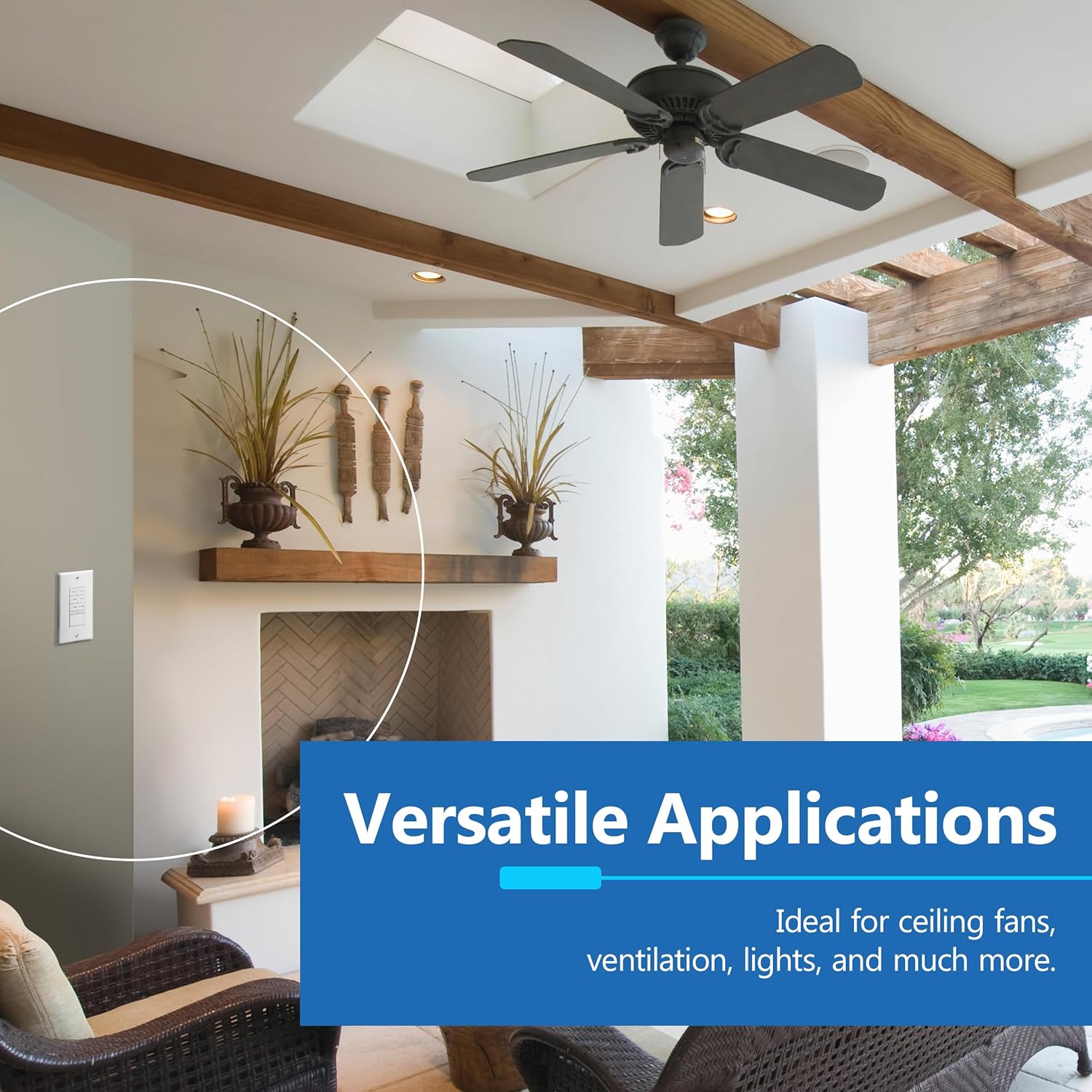
Vaizdo aprašymas: The LIDER Countdown Timer Switch installed on a wall in an outdoor patio setting, suggesting its use for controlling outdoor lighting or fans. The image highlights its versatile application in different areas of a home.

Vaizdo aprašymas: The LIDER Countdown Timer Switch installed on a wall inside a walk-in closet, illustrating its use for automatically turning off closet lights to conserve energy.
Gaminio specifikacijos
| Atributas | Vertė |
|---|---|
| Prekės ženklas | LIDER |
| Modelio numeris | LTS-30M-WWP |
| Spalva | Mėlyna, Balta |
| Galia/vatatage | 1200 vatų |
| Dabartinis reitingas | 15 Amps |
| Veiklos ttage | 120 voltai (kintamoji srovė) |
| Variklio įvertinimas | 1 / 2 HP |
| Medžiaga | Plastikiniai |
| Veikimo režimas | Automatinis |
| Jungiklio tipas | Mygtukas |
| Terminalo tipas | Sraigtiniai gnybtai |
| Darbinė temperatūra | 32°F iki 131°F |
| Sertifikatai | Įtrauktas į UL sąrašą |
Trikčių šalinimas
If you encounter issues with your LIDER Countdown Timer Switch, please refer to the common problems and solutions below. For complex issues, consult a qualified electrician.
Dažnos problemos ir sprendimai:
- Switch Not Responding / No Power:
- Patikrinkite grandinės pertraukiklį, kad įsitikintumėte, jog maitinimas įjungtas.
- Verify all wiring connections are secure and correct (Hot, Load, Neutral, Ground). Ensure the neutral wire is properly connected.
- Naudokite ttage tester to confirm power is reaching the switch.
- Load Does Not Turn OFF After Countdown:
- Ensure a specific countdown time was selected and not the "Always ON" manual override mode.
- If in "Always ON" mode, press the manual ON/OFF button to turn the load OFF.
- LED Indicators Not Functioning as Expected:
- Check the LED mode setting. To switch between flashing and always ON modes, press and hold the top two timer buttons (1 Min and 5 Min) for 7 seconds while the switch is ON.
Troubleshooting Video:
Vaizdo įrašo aprašymas: An official troubleshooting video for a programmable timer switch, addressing common issues such as no screen display, timer not turning on/off as programmed, and incorrect time settings. This video is provided by a seller and offers general guidance for resolving timer switch problems.
Garantija ir palaikymas
The LIDER LTS-30M-WWP Countdown Timer Switch comes with a 1 metų garantija nuo pirkimo datos. Ši garantija apima medžiagų ir gamybos defektus normaliai naudojant.
For technical assistance, troubleshooting, or warranty claims, please contact LIDER customer support. Refer to the product packaging or the official LIDER websvetainę, kurioje rasite naujausią kontaktinę informaciją.