
1. Įvadas
The Maxell Sync Up True Wireless Bluetooth Earbuds provide a high-fidelity audio experience with deep bass. Designed for a secure and comfortable fit, these earbuds offer up to 12 hours of playtime with the included charging case. Integrated controls allow for music management, call handling, and voice assistant activation without needing to access your phone. The built-in microphone ensures clear communication during calls.
2. Kas yra dėžutėje
- Maxell Sync Up True Wireless Bluetooth Earbuds (Left and Right)
- Belaidžio įkrovimo dėklas
- Extra Eartips (various sizes)
- Case-to-USB Charging Cable

Image: Maxell Sync Up True Wireless Earbuds resting inside their charging case, which is open. The earbuds are black, and the case is also black with the Maxell logo visible.
3. Sąranka
3.1 Ausinių ir dėklo įkrovimas
Prieš pirmą kartą naudodami, visiškai įkraukite ausines ir įkrovimo dėklą.
- Įdėkite ausines į įkrovimo dėklą. Įsitikinkite, kad jos tinkamai įstatytos į atitinkamus lizdus.
- Connect the provided USB charging cable to the charging port on the case and plug the other end into a USB power source (e.g., computer, wall adapter).
- The indicator lights on the charging case will illuminate to show charging status. Once fully charged, the lights may change color or turn off.
The charging case provides up to 12 hours of additional playtime for the earbuds.
3.2 Susiejimas su „Bluetooth“ įrenginiu
Norėdami prijungti ausines prie išmaniojo telefono ar kito „Bluetooth“ įrenginio:
- Įsitikinkite, kad ausinės yra įkrautos ir yra įkrovimo dėkle.
- Open the charging case lid. The earbuds will automatically enter pairing mode, indicated by flashing LED lights on the earbuds.
- Savo įrenginyje eikite į Bluetooth nustatymai ir įjunkite Bluetooth.
- Ieškokite available devices and select "Maxell Sync Up" from the list.
- Once connected, the earbud LED lights will stop flashing or change to a solid color.
- Ausinės automatiškai prisijungs prie paskutinio suporuoto įrenginio, kai bus išimtos iš dėklo ir bus diapazone.
3.3 Ausinių uždėjimas
For optimal sound quality and comfort, select the correct eartip size and ensure a secure fit.
- Try different eartip sizes provided to find the best seal for your ear canal.
- Insert the earbud into your ear and gently twist it forward or backward until it feels secure and comfortable. The wing tip design aids in a more secure fit.
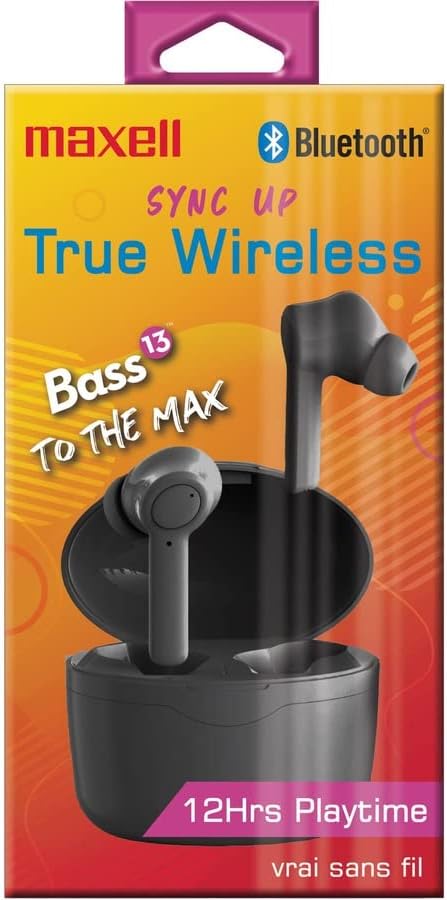
Image: The Maxell Sync Up True Wireless Earbuds shown in their retail packaging. The packaging highlights features like "True Wireless" and "12Hrs Playtime".
4. Naudojimo instrukcijos
Each earbud features a multi-function button for control.
4.1 Maitinimo įjungimas/išjungimas
- Maitinimas: Open the charging case lid, or press and hold the multi-function button on each earbud for 3 seconds.
- Išjungti: Įdėkite ausines atgal į įkrovimo dėklą ir uždarykite dangtelį arba paspauskite ir 5 sekundes palaikykite nuspaudę kiekvienos ausinės daugiafunkcį mygtuką.
4.2 Muzikos valdymas
- Leisti / pristabdyti: Vieną kartą paspauskite daugiafunkcį mygtuką ant bet kurios ausinės.
- Kitas takelis: Dukart paspauskite daugiafunkcį mygtuką ant dešiniojo ausinio.
- Ankstesnis takelis: Dukart paspauskite daugiafunkcį mygtuką ant kairiosios ausinės.
4.3 Skambučių valdymas
- Atsiliepti / Baigti skambutį: Vieną kartą paspauskite daugiafunkcį mygtuką ant bet kurios ausinės.
- Atmesti skambutį: Paspauskite ir 2 sekundes palaikykite nuspaudę daugiafunkcį mygtuką ant bet kurios ausinės.
4.4 Balso padėjėjas
- Suaktyvinti „Voice Assistant“: Tris kartus paspauskite daugiafunkcį mygtuką ant bet kurios ausinės.
5. Priežiūra
5.1 Valymas
- Reguliariai valykite ausines ir įkrovimo dėklą minkštu, sausu, nepūkuotu skudurėliu.
- Nenaudokite abrazyvinių valiklių, alkoholio ar cheminių tirpiklių.
- Gently remove eartips and clean any earwax or debris from the earbud nozzles using a small, soft brush or cotton swab. Ensure the nozzles are dry before reattaching eartips.
5.2 Saugykla
- Kai nenaudojate, laikykite ausines įkrovimo dėkle, kad jos būtų apsaugotos ir įkrautos.
- Laikykite prietaisą vėsioje, sausoje vietoje, toliau nuo ekstremalių temperatūrų ir tiesioginių saulės spindulių.
6. Problemų sprendimas
6.1 Ausinės nesusijungia
- Įsitikinkite, kad abi ausinės yra įkrautos.
- Įsitikinkite, kad jūsų įrenginyje įjungtas „Bluetooth“.
- Įdėkite ausines atgal į dėklą, uždarykite dangtelį, palaukite kelias sekundes, tada atidarykite dangtelį, kad vėl įjungtumėte susiejimo režimą.
- Forget "Maxell Sync Up" from your device's Bluetooth list and try pairing again.
- Įsitikinkite, kad ausinės yra ne toliau kaip 10 metrų „Bluetooth“ diapazone nuo jūsų įrenginio.
6.2 Nėra garso arba garsas skamba pertraukiamai
- Patikrinkite garsumo lygį tiek savo įrenginyje, tiek ausinėse.
- Įsitikinkite, kad ausinės tinkamai prijungtos prie jūsų įrenginio.
- Kad išvengtumėte trukdžių, priartėkite prie savo įrenginio.
- Pabandykite leisti garsą iš kitos programos ar šaltinio.
6.3 Įkrovimo problemos
- Patikrinkite, ar įkrovimo laidas yra tvirtai prijungtas tiek prie dėklo, tiek prie maitinimo šaltinio.
- Išbandykite kitą USB prievadą arba maitinimo adapterį.
- Įsitikinkite, kad ausinių ir dėklo viduje esantys įkrovimo kontaktai yra švarūs ir be šiukšlių.
7. Specifikacijos
| Prekės ženklas | Maxell |
| Modelio numeris | 199899 |
| Modelio pavadinimas | Sync Up True Wireless Bluetooth Earbuds |
| Spalva | Juoda |
| Ausų išdėstymas | Ausyje |
| Formos faktorius | Ausyje |
| Varža | 16 omai |
| Integruota laikmena | Belaidžio įkrovimo dėklas |
| Vidutinė baterijos veikimo trukmė (ausinės) | 6 valandų |
| Battery Average Life (with Case) | 12 valandų |
| Triukšmo valdymas | Garso izoliacija |
| Dažnių diapazonas | 20 Hz–20 kHz |
| Papildomos funkcijos | Komplekte mikrofonas |
| Kontrolės metodas | Touch, Voice |
| Ryšio technologija | Bevielis |
| Belaidė technologija | Bluetooth |
| Bluetooth versija | 5.0 |
| Bluetooth diapazonas | 10 metrai |
| Atsparumo vandeniui lygis | Neatsparus vandeniui |
| Nešiojimo dėklo medžiaga | Plastikas arba aliuminis |
| Prekės svoris | 1 svaro |
8. Garantija ir palaikymas
8.1 Informacija apie garantiją
This product comes with a standard manufacturer's warranty. Please refer to the warranty card included in your product packaging or visit the official Maxell websvetainėje, kurioje pateikiamos išsamios garantijos sąlygos.
8.2 Pagalba klientams
For technical assistance, troubleshooting, or general inquiries, please contact Maxell customer support. Contact information can typically be found on the Maxell official websvetainėje arba savo produkto dokumentacijoje.
Galite aplankyti „Maxell“ parduotuvė „Amazon“ platformoje Norėdami gauti daugiau informacijos apie produktą.