
1. Produktas baigtasview
This Hama USB-C to Lightning charging cable is designed for efficient charging and high-speed data synchronization of Apple iPhones, iPads, and iPods. It supports fast charging when used with a compatible fast charger and offers data transfer speeds up to 480 Mbps.
Pakuotės turinys
- 1x Hama USB-C to Lightning Charging Cable (1.5m, White)
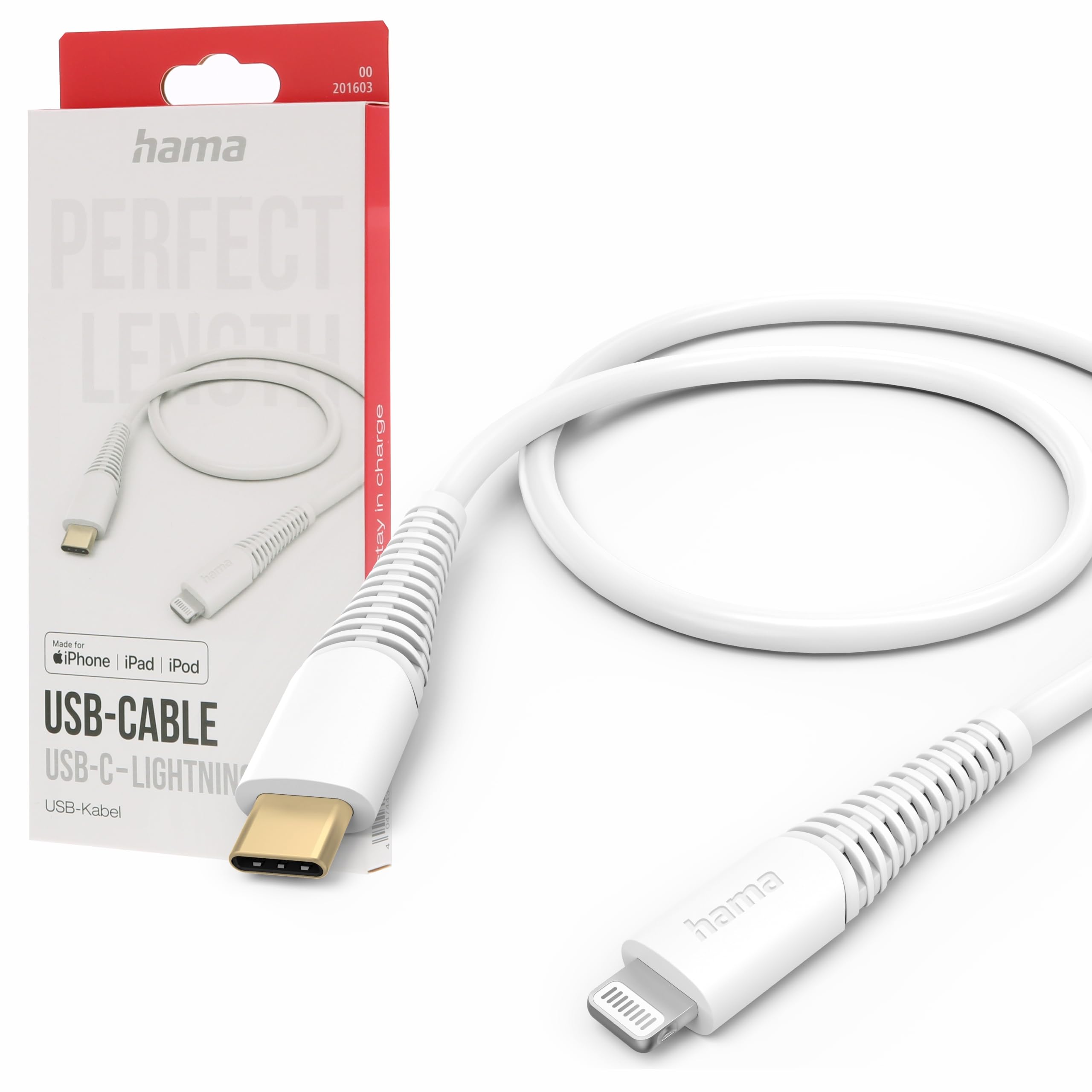
Image: The Hama USB-C to Lightning Charging Cable, white, with a USB-C connector on one end and a Lightning connector on the other.
2. Sąrankos instrukcijos
To begin using your Hama USB-C to Lightning cable, follow these simple steps:
- Identifikuokite jungtis: Locate the USB-C connector (smaller, oval-shaped) and the Lightning connector (flat, reversible) on the cable.
- Prijungimas prie maitinimo šaltinio / kompiuterio: Insert the USB-C connector into a compatible USB-C power adapter (for charging) or a USB-C port on your computer (for charging and data transfer).
- Connect to Apple Device: Insert the Lightning connector into the charging port of your iPhone, iPad, or iPod. Ensure a firm connection.
Your device should now begin charging or be recognized by your computer for data transfer.
3. Naudojimo instrukcijos
Įrenginio įkrovimas
This cable supports fast charging for compatible Apple devices. For optimal charging speed, use a USB-C power adapter that supports Power Delivery (PD) or other fast charging protocols.
- Connect the USB-C end of the cable to a wall charger or power bank.
- Connect the Lightning end to your Apple device.
- The device's screen will indicate that it is charging.
Duomenų perdavimas
The cable facilitates high-speed data transfer up to 480 Mbps, allowing you to sync photos, videos, music, and other files between your Apple device and a computer.
- Connect the USB-C end of the cable to a USB-C port on your computer.
- Connect the Lightning end to your Apple device.
- Your computer should recognize the device, allowing you to access its storage for data transfer.
4. Priežiūra ir priežiūra
To ensure the longevity and optimal performance of your Hama charging cable, please follow these care guidelines:
- Venkite per didelio lenkimo: Do not excessively bend or crimp the cable, especially near the connectors, as this can damage the internal wires.
- Laikyti sausai: Protect the cable from moisture and liquids. Do not use it in wet environments.
- Švelniai valykite: If necessary, clean the cable and connectors with a soft, dry cloth. Avoid using harsh chemicals or abrasive materials.
- Tinkamai laikykite: When not in use, store the cable in a clean, dry place, ideally coiled loosely to prevent tangling and damage.
- Medžiaga: The exterior material is Polychlorure de vinyle (PVC), which is durable but can be damaged by sharp objects or extreme heat.
5. Problemų sprendimas
Įrenginys neįkraunamas
- Patikrinkite jungtis: Ensure both the USB-C and Lightning connectors are fully and securely inserted into their respective ports.
- Patikrinkite maitinimo šaltinį: Confirm that the USB-C power adapter or computer port is functional and providing power. Try a different power source if available.
- Patikrinkite kabelį: Check the cable for any visible damage, such as cuts or frayed wires. If damaged, discontinue use.
- Bandymas su kitu įrenginiu / kabeliu: Try charging a different Apple device with this cable, or try charging your device with a different, known-working cable to isolate the issue.
Duomenų perdavimo problemos
- Saugūs ryšiai: Ensure the cable is firmly connected to both your computer and Apple device.
- Computer Port: Try connecting the USB-C end to a different USB-C port on your computer.
- Device Trust: On your Apple device, ensure you have tapped 'Trust This Computer' when prompted.
- Programinė įranga / tvarkyklės: Ensure your computer's operating system and iTunes (if applicable) are up to date.
6. Techninės specifikacijos
| Modelio numeris | 00201603 |
| ASIN | B0BL1CGYP6 |
| Ilgis | 1.5 metrai |
| Spalva | Baltas |
| Jungties tipas | C tipo USB, „Lightning“. |
| Jungties lytis | Vyras – Vyras |
| Duomenų perdavimo sparta | 480 megabitų per sekundę |
| Didžiausia srovė | 3 Amperes |
| Maksimalus tūristage | 20 voltų |
| Ypatinga funkcija | Didelės spartos įkrovimas ir duomenų perdavimas |
| Suderinami įrenginiai | Smartphones (Apple iPhones, iPads, iPods), Power Banks, Laptops, Speakers, Tablets |
| Išorinė medžiaga | Polivinilchloridas (PVC) |
| Gaminio matmenys (I x P x A) | 19.5 x 9 x 1.5 cm |
| Prekės svoris | 47.82 gramų |
| Atitiktis | CE |
7. Garantija ir palaikymas
Hama products are manufactured with high quality standards. This product includes a 1 metų atsarginių dalių tiekimas nuo pirkimo datos.
For technical support, warranty claims, or further assistance, please contact Hama customer service through their official websvetainėje arba mažmenininke, iš kurio įsigijote produktą. Prašome išsaugoti pirkimo įrodymą garantijos tikslais.
For more information, visit the official Hama websvetainė: www.hama.com