
1. Įvadas
Ačiū, kad pirkoteasing the Taiyo Remote Control Jeep Wrangler Rubicon. This 1:8 scale RC vehicle is designed for both indoor and outdoor use, offering full-function control including forward, backward, left, and right turns, as well as the ability to perform various stunts. It features a durable ABS plastic body, a flexible suspension system for shock absorption, and operates on a 2.4 GHz frequency for reliable long-distance control up to 50 feet. This manual provides essential information for safe operation, setup, maintenance, and troubleshooting.
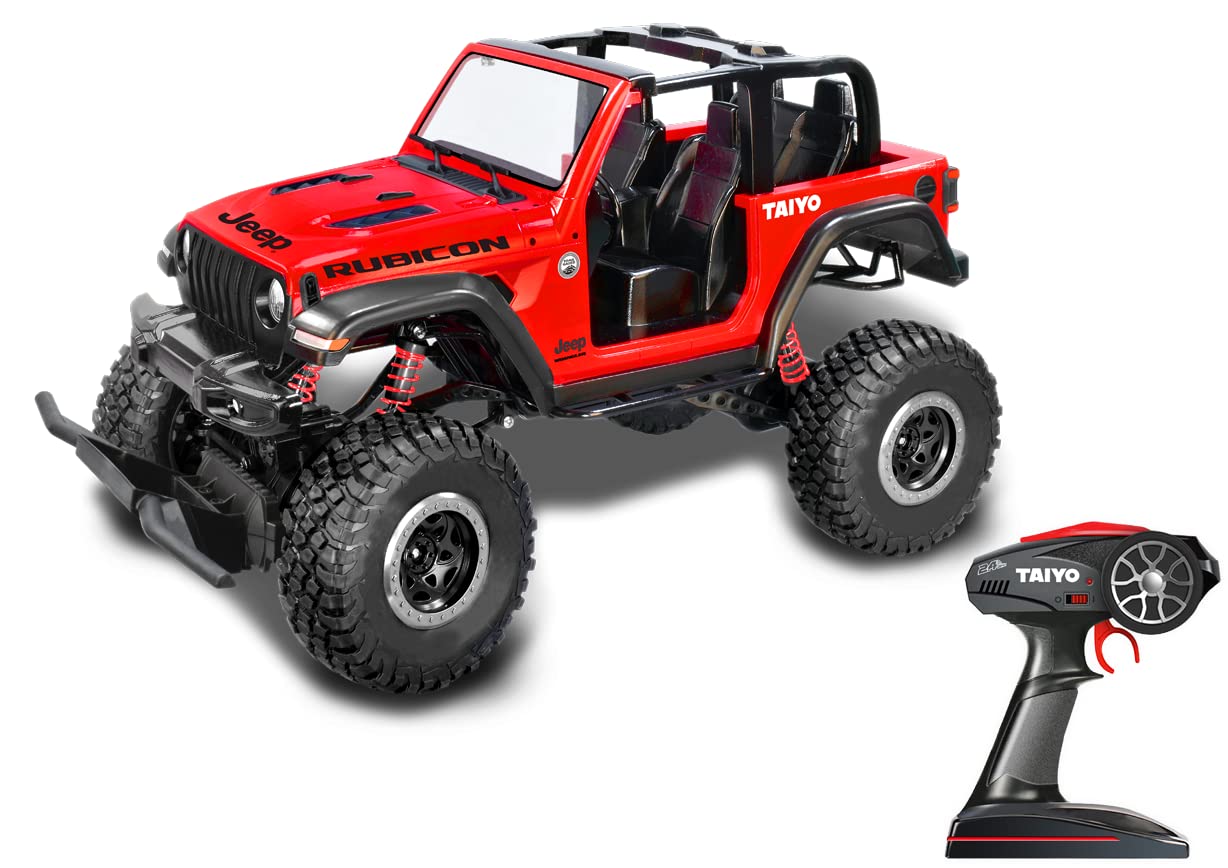
1.1 paveikslas: The Taiyo Remote Control Jeep Wrangler Rubicon (Model 080011A) in its packaging, highlighting the red vehicle and its 2.4 GHz remote controller.
2. Saugos informacija
Please read all safety warnings and instructions before operating this product to prevent injury or damage.
- Amžiaus rekomendacija: Šis produktas rekomenduojamas 8 metų ir vyresniems vartotojams.
- Baterijos sauga:
- Use only the specified 7.4V Lithium-Ion rechargeable battery and USB charging system.
- Nebandykite įkrauti neįkraunamų baterijų.
- Do not short-circuit, disassemble, or expose batteries to extreme temperatures or fire.
- Adult supervision is recommended during battery charging and replacement.
- Išimkite baterijas iš automobilio ir nuotolinio valdymo pulto, kai ilgesnį laiką nenaudojate.
- Veikimo aplinka:
- Vairuokite transporto priemonę atvirose vietose, atokiau nuo žmonių, naminių gyvūnėlių ir kliūčių.
- Avoid operating near water, electrical wires, or busy streets.
- Do not operate in adverse weather conditions (rain, strong winds).
- Bendrosios atsargumo priemonės:
- Keep fingers, hair, and loose clothing away from moving parts (wheels, suspension).
- Do not modify the vehicle or remote control.
- Nenaudojamą produktą laikykite vėsioje, sausoje vietoje.
3. Pakuotės turinys
Patikrinkite, ar pakuotėje yra visi toliau išvardyti daiktai:
- Taiyo Remote Control Jeep Wrangler Rubicon Vehicle (Red)
- 2.4 GHz nuotolinio valdymo siųstuvas
- 7.4V Lithium-Ion Rechargeable Battery (for vehicle)
- USB įkrovimo laidas
- Instrukcijų vadovas (šis dokumentas)
- Note: Remote control batteries (e.g., AA or AAA) may not be included and should be purchased separately.
4. Sąranka
4.1 Transporto priemonės akumuliatoriaus įkrovimas
- Locate the 7.4V Lithium-Ion rechargeable battery and the USB charging cable.
- Prijunkite akumuliatorių prie USB įkrovimo kabelio.
- Prijunkite USB įkrovimo laidą prie standartinio USB maitinimo šaltinio (pvz., kompiuterio USB prievado, USB sieninio adapterio).
- The charging indicator light on the USB cable will illuminate (color may vary, refer to charger for specifics).
- Allow approximately 2-3 hours for a full charge. The indicator light will change or turn off when charging is complete.
- Disconnect the battery from the charger once fully charged. Do not overcharge.
4.2 Baterijų įdėjimas į nuotolinio valdymo pultą
- Atidarykite baterijų skyrių, esantį nuotolinio valdymo pulto gale.
- Insert the required batteries (typically 2x AA or AAA, not included) according to the polarity markings (+/-).
- Saugiai uždarykite akumuliatoriaus skyrių.
4.3 Transporto priemonės akumuliatoriaus montavimas
- Locate the battery compartment on the underside or rear of the RC vehicle.
- Atidarykite akumuliatoriaus skyriaus dangtelį.
- Connect the fully charged 7.4V Lithium-Ion battery to the vehicle's power connector, ensuring correct polarity.
- Atsargiai įdėkite bateriją į skyrių ir sandariai uždarykite dangtelį.
4.4 Pairing the Remote Control with the Vehicle
- Įsitikinkite, kad ir automobilyje, ir nuotolinio valdymo pulte yra įdėtos naujos arba visiškai įkrautos baterijos.
- Turn on the vehicle's power switch (usually located on the chassis).
- Įjunkite nuotolinio valdymo pulto maitinimo jungiklį.
- The remote control and vehicle should automatically pair within a few seconds. The indicator light on the remote may stop flashing or turn solid once paired.
- If pairing fails, turn off both devices, wait a few seconds, and repeat the process.
5. Naudojimo instrukcijos
Once the vehicle and remote control are paired, you are ready to operate your RC Jeep Wrangler Rubicon.
- Pirmyn/atgal: Use the throttle trigger/stick on the remote control to move the vehicle forward or backward.
- Kairysis/dešinysis vairas: Use the steering wheel/stick on the remote control to turn the vehicle left or right.
- 2.4 GHz valdymas: The 2.4 GHz frequency provides a stable connection and allows for multiple RC vehicles to operate simultaneously without interference.
- Diapazonas: The vehicle can be controlled reliably up to a distance of approximately 50 feet (15 meters).
- Vietovė: The independent articulated suspension and 4-wheel drive system allow for operation on various indoor and outdoor surfaces. Avoid excessively rough terrain, deep water, or sand to prevent damage.
- Triukai: Experiment with different control inputs to perform various maneuvers and stunts.
6. Priežiūra
Proper maintenance will extend the life and performance of your RC vehicle.
- Valymas:
- After each use, especially outdoors, gently wipe the vehicle with a soft, dry cloth to remove dirt and dust.
- Do not use water or chemical cleaners, as they can damage electronic components.
- Pašalinkite visas šiukšles nuo ratų ir pakabos sistemos.
- Akumuliatoriaus priežiūra:
- Always fully charge the vehicle battery before use.
- Nepalikite kraunamų baterijų be priežiūros.
- If storing the vehicle for an extended period, remove all batteries from both the vehicle and the remote control.
- Baterijas laikykite vėsioje, sausoje vietoje.
- Saugykla: Store the vehicle and remote control in a dry, cool environment, away from direct sunlight and extreme temperatures.
7. Problemų sprendimas
If you encounter issues with your RC vehicle, refer to the following common problems and solutions:
| Problema | Galima priežastis | Sprendimas |
|---|---|---|
| Transporto priemonė nereaguoja į nuotolinio valdymo pultą. |
|
|
| Transporto priemonė juda lėtai arba netolygiai. |
|
|
| Trumpas valdymo diapazonas. |
|
|
8. Specifikacijos
| Funkcija | Detalė |
|---|---|
| Modelio numeris | 080011A |
| Prekės ženklas | Taiyo |
| Skalė | 1:8 |
| Dažnis | 2.4 GHz |
| Valdymo diapazonas | Iki 50 pėdų (apie 15 metrų) |
| Transporto priemonės akumuliatorius | 7.4V Lithium-Ion (Rechargeable, Included) |
| Įkrovimo sistema | USB įkrovimo laidas |
| Nuotolinio valdymo pulto baterijos | Not specified (typically AA/AAA, not included) |
| Medžiaga | ABS plastikas |
| Spalva | Raudona |
| Matmenys (I x P x A) | 28 x 48 x 39 cm (apytiksliai) |
| Prekės svoris | 3.15 kg (apytiksliai) |
| Rekomenduojamas amžius | 8+ metai |
| Ypatingos savybės | Full Function Control, Independent Articulated Suspension, 4-Wheel Drive, Crash-Resistant |
9. Garantija ir palaikymas
For warranty information or technical support, please refer to the retailer where the product was purchased or visit the official Taiyo websvetainėje. Išsaugokite pirkimo įrodymą, jei prireiktų pateikti garantinį ieškinį.